



We have many great Easter deals for #MacStoriesDeals today. You can find us as @MacStoriesDeals on Twitter.
#MacStoriesDeals - Wednesday
We have many great Easter deals for #MacStoriesDeals today. You can find us as @MacStoriesDeals on Twitter.
#MacStoriesDeals - Tuesday
We have many great deals for #MacStoriesDeals today. You can find us as @MacStoriesDeals on Twitter.
#MacStoriesDeals - Monday
We have many great deals for #MacStoriesDeals today. You can find us as @MacStoriesDeals on Twitter.
#MacStoriesDeals - Friday
We have many great deals for #MacStoriesDeals today. You can find us as @MacStoriesDeals on Twitter.
#MacStoriesDeals - Thursday
We have many great deals for #MacStoriesDeals today. You can find us as @MacStoriesDeals on Twitter.
#MacStoriesDeals - Thursday
We have many great deals for #MacStoriesDeals today. You can find us as @MacStoriesDeals on Twitter.
Kickstarter: Thermodo by Robocat - The Tiny Thermometer for Mobile Devices
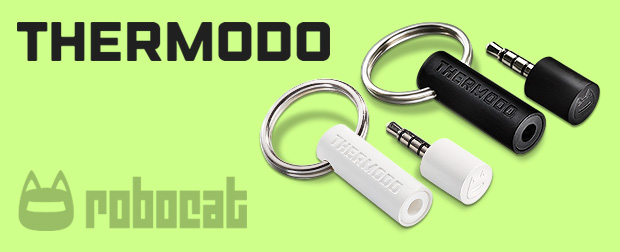
Robocat, a Danish software studio co-founded by Michael Flarup and Willi Wu, has been building unique digital products out of Copenhagen for the last 3 years. They’ve created several weather-related apps like Outside, Ultraviolet, Thermo and Haze, which was featured by Apple as Editor’s Choice a few weeks ago.
Today, Robocat launched a Kickstarter project based on weather – but this time as hardware, not software. It’s called Thermodo. Thermodo is a tiny electrical thermometer that lets you measure the temperature in the exact location where you are by using a piece of hardware that connects to the headphone jack on your mobile device. It’s for iPhone, iPad, Android & more. They’re looking to get $35,000 in 33 days to pay for the further development of Thermodo.
Thermodo consists of a passive temperature sensor built into a standard 4 pole audio jack enclosed by a sturdy housing. This allows your mobile device to read Thermodo’s temperature straight from the audio input. Thermodo sends an audio signal through the temperature sensor. This sensor will then attenuate the signal amplitude depending on the actual temperature. This attenuation can now be detected on the microphone input and through software we calculate the corresponding temperature. Easy peasy! We call this the Thermodo Principle™. Simply plug Thermodo into your device and start the companion app or any other Thermodo enabled apps of your choice. The temperature reading takes place instantly. Thermodo is powered by your device. No external power is required, it can even run in the background while you do important stuff.
You can measure the temperature indoors as well as outdoors. Track the temperature and see how it rises after you turned on the radiator or check how the temperature drops during a summer night. No network connection required. Thermodo comes with a neat little keyring so you’ll always have it with you.
Video and more after the break. Read more
MacUpdate March 2013 Bundle: 10 Awesome Mac Apps for Only $49.99

We have an excellent new Mac bundle from our friends at MacUpdate! The MacUpdate March 2013 Bundle comes with a selection of top-notch Mac productivity apps, utilities, and fonts for only $49.99. The MacUpdate March 2013 bundle includes some of MacStories’ favorite Mac apps including iStat Menus 4 (our preview), DiskAid (our sponsor this week!), and the #1 way to run Windows apps alongside OS X in Parallels. If you tried purchasing the included apps individually you’d be paying nearly $618, so if you’re looking to beef up your collection of Mac apps this is a terrific deal at just $49.99.