Cody Fink

161 posts on MacStories since January 2010

Former MacStories contributor.

This Week's Sponsor:

SoundSource

New Year, New Audio Setup: SoundSource 6 from Rogue Amoeba


Instacast HD Review: It’s Incredible

I remember when I first reviewed Instacast for the iPhone back in March, declaring it the Twitter of Podcast apps. While possibly dramatized, what Instacast has done for mobile podcasts is what Loren Britcher did for Twitter apps. The interface, lightweight and smooth, capitalizing on common sense gestures and thoughtful design elements, quickly made Instacast one of my favorite iPhone apps. Instacast is the only non-Apple app that has a spot on my iPhone’s dock. An intelligent conversation, a good laugh, and Geek Friday are always just a tap away.

Instacast got smarter. Sure there were times when enhanced podcasts didn’t work or a wonky update caused weird crashes, but they were fixed and plenty of new features were added. Continuous playback always kept a friendly voice on the loudspeaker. Later, iCloud syncing was added in preparation for future updates. Future updates that of course would finally see Instacast taking on bigger endeavors.

There were lots of days on the couch when I thought about Instacast coming to the iPad. Until recently of course, I hadn’t known what to expect before I was invited to take a look at the first beta. I imagined that Instacast, containing a library of podcasts, would take on a form similar to iTunes. I imagined the interface as a grid, where you would easily scroll through podcast cover-art and see badges revealing the number of unplayed episodes. How silly!

Martin Hering first hinted at the design in September, and I later had the privilege of revealing more of the interface near the end of October. An excited Joshua Schnell and Myke Hurley have also been eager to share the new interface, giving it due praise on the App Orchard and at Macgasm. The hype around Instacast HD for the iPad has been astounding, and for good reason. Instacast HD is incredible.

Read more


Instacast 1.4: This Is What iCloud Can Do

Instacast with iCloud

Instacast with iCloud

If you have a day job and had just started upgrading your iOS devices when you got home yesterday evening, it’s likely haven’t even spent a few hours with iCloud yet. The premise is pretty amazing, even if the initial majority of it is between iOS devices. If you think automatically syncing spreadsheets and documents across iCloud from your iPad to iPhone is cool, that’s just the tip of the iceberg. Beyond document syncing, iCloud opens up a world of added convenience that wasn’t available previously. Just think about being able to sync your Angry Birds progress between devices. But we can take that even further. What if we could sync something like RSS feeds between devices? Now you’re thinkin’.

Instacast goes beyond simply syncing your lists of podcasts. It remembers to update which episodes you’ve marked as played, it remembers to add new podcasts you’ve subscribed to across devices, and it even remembers what episode you were listening to. The last item is the magical part: it syncs track position and loads that episode you were listening to in the now playing window if you pause the podcast and want to pick up from another device later. Resuming a podcast is as simple as tapping the up arrow after a refresh. Now this? This is amazinger.

This is one of the best use cases for iCloud. Instacast syncs lots of data to keep everything in sync. While there’s not much I can add beyond Martin’s blog post on Vemedio, the wow-factor can’t be emphasized enough.

With the amount of data being synced, there are some things to remember about Instacast’s iCloud sync. Geeks will immediately try, two devices in hand, to see how instant syncing is. If you don’t allow Instacast to get its data in the cloud, you may run into conflicts where your impatience could overwrite the changes you wanted to save. I imagine this is more true for big podcast libraries. You treat it like you treat Tweet Marker — it’s all designed to be very casual. With that said, syncing shouldn’t take five minutes, but I wouldn’t expect it to be split-second instant. A pull-to-refresh will sync changes down from iCloud while uploading takes place automatically.

Instacast 1.4 has a new audio engine inside for iOS 5 compatibility, bringing back scrolling titles on the lock screen (a bigger deal if you were an early iOS 5 adopter) and adding Apple TV support for AirPlay. If you want to get caught up on what Instacast does and how great it really is, check out our previous reviews.

You can read more about the 1.4 update on Vemedio, and download the update for free from the App Store (it’s only $1.99 for new customers).


iPhone 4S Review Roundup

What’s the overall consensus of the iPhone 4S? Photos are noticeably superior to the iPhone 4, Siri works well (though has some limitations), and the phone itself is a whole lot faster thanks the A5 chip. Combine that with the dual antenna (the first of its kind) that’s eliminated previous problem areas for the reviewers, and we have a spectacular upgrade.

Brian X. Chen:

And then there’s the antenna. Now that metal band surrounding the iPhone contains two antennae for your cellular services, and when you’re on a call, the handset will automatically switch to the antenna that’s pulling a stronger signal.

From my experience, talking on an iPhone 4S on AT&T sounds noticeably clearer than it did on past iPhones I’ve owned. In areas with good reception, the handset still hasn’t dropped a call. And no, I haven’t experienced any degraded call performance when holding the phone “the wrong way.”

David Pogue:

Speech recognition. Crazy good, transformative, category-redefining speech recognition.

Apple won’t admit that it’s using a version of Dragon Dictation, the free iPhone app, but there doesn’t seem to be much doubt; it works and behaves identically. (For example, it occasionally seems to process your utterance but then types nothing at all, just as the Dragon app does.) This version is infinitely better, though, because it’s a built-in keyboard button, not a separate app.

M.G. Siegler:

Apps that used to take a longer time to perform a task — applying a filter in Camera+, for example — now work much faster. More generally, every app seems to load quite a bit faster. The best way to see this is to load the Settings app that is built into iOS. On the iPhone 4, it can take up to 3 seconds to load. On the iPhone 4S, it loads in less than a second. And the 4S is faster at switching between apps when multi-tasking.

Jason Snell:

The iPhone 4 antenna issue probably garnered more attention than the true scope of the problem deserved. Lots of cell phones have attenuation issues. In more than a year of heavy iPhone 4 use, I’ve rarely changed how I held the phone in hopes of getting a better cellular signal. It happened, yes, but no more than a half-dozen times. Still, I am happy to report that it seems that Apple has eradicated this problem entirely. If you shied away from the iPhone 4 because of attenuation issues, it’s safe to go back in the water.

Jim Dalrymple:

One thing I particularly noticed was the animations when launching and switching apps. When an app is launched or closed, it is supposed to zoom in or out — this wasn’t always evident in previous versions of the iPhone.

The iPhone 4 would sometimes show animations, but a lot of the time, an app would just appear.

The increased performance of the iPhone 4S is great news for developers. They have been pushing the envelope of Apple’s hardware, releasing more complex, graphics intensive apps that require this power.

Joshua Topolsky:

The iPhone 4S took some of the nicest, cleanest photos I’ve ever seen from a mobile device. If you’ve ever thought about using a phone as a replacement for your point and shoot, feel free to start taking that concept seriously. The 4S produced crisp, balanced, colorful photos that were surprisingly low-noise and never over-saturated.

Vincent Nguyen:

The result is video you might not think has been filmed on a phone. One of the issues users often experience when filming on their handsets is jerkiness in the final clip, with the quest to make a lighter smartphone also creating one which is too easy to move around in video mode. Apple’s digital image stabilization does a great job of smoothing things, though, without leaving things over-processed. Add in the on-device editing – either basic trimming as standard, or using the optional iMovie for iPhone app – and the iPhone 4S proves itself more than worthy of a place in the photographer’s pocket.

Walt Mossberg:

The system understands multiple, colloquial forms of a question. I asked, “Will the weather get worse today?” and Siri answered, “I don’t think the weather is going to get worse” and displayed a weather chart. You can check stock prices, addresses, map directions and much more. It also answers in a friendly fashion, saying things like “Coming right up” or “I’m not sure what you said, Walt.” And it has some cute answers built in. When I asked it “What’s the best phone?” it said, “Wait… there are other phones?”


TV Show Tracker 2.1 Giveaway: You’re Gonna Need More Shows to Watch

If you watch a lot of TV, live on the Internet, and can’t remember when House airs, then you’re probably already using TV Show Tracker right? We’ve been covering the big updates all along, and I gotta say that there’s lots of new goodies to chew on. Take the Watch List for example. Everything you missed watching will be stored in one convenient place so you can check it off once you get down mowing down the bag of half baked doritos in front of the TiVo. Those unwatched episodes will also show up as application badges (because it’s pretty critical if you miss out on the first episode of The Office). Tapping on a show in your favorites list now takes you directly to their show page, and in the preferences you have the app open into the schedule so you don’t miss a thing. Combine that with a new icon, and the latest update to TV Show Tracker just makes finding dramas on the boob tube pretty easy.

So how much does it cost? It’s on sale for $0.99 until Saturday evening — it’s super useful to see when your favorite two political comedians are coming back from vacation as well.

But we’re giving away five copies to you delightful, handsome (beautiful for the lady-girls out there) MacStorians, so you’ll want click past the break for the full rundown.

Read more


Steve Jobs Biography Gets A Classic Cover

There are many pictures of Steve Jobs, and perhaps one of the most iconic is the scraggly bearded CEO posing for the camera, hand up to his chin as he imagines Apple’s next greatest device (at least I like to think that). The image will also be making an appearence on the cover of Walter Isaacson’s biography of Jobs (previously: The Book of Jobs), can be seen on the Barnes & Noble storefront with a publication date set for November 21st. You can currently preorder the hardcover for $20.40 (list price is $32.50), with B&N’s digital eBook availalbe for $14.99.

[via AllThingsD]


Forget fancy formatting: Why plain text is best

Forget fancy formatting: Why plain text is best

Although modern word processing programs can do some amazing things—adding charts, tables, and images, applying sophisticated formatting—there’s one thing they can’t do: Guarantee that the words I write today will be readable ten years from now. That’s just one of the reasons I prefer to work in plain text: It’s timeless. My grandchildren will be able to read a text file I create today, long after anybody can remember what the heck a .dotx file is.

David Sparks from the wonderful MacSparky blog and Mac Power Users has made a debut post on Macworld with a great discussion on working with plain text files (I also believe Patrick Rhone talks about this and information silos in his Minimal Mac podcast, Enough).

I’ve been increasingly using TextEdit with Marked for writing everything that shows up on the website, and I know Federico recently put Byword (in combination with OmniOutliner) to the test with his great MacBook Air review. No matter what tools I use, whether it be TextMate, iA Writer, or another app, I’m always writing in Markdown and writing in text files. These text files are saved in Dropbox or some temporary workspace (which I consider to be my alternate directory to the Desktop).

Honestly, the best way to get started with plain text before you invest in another app is to simply open up TextEdit, hit ⇧⌘T, and start typing. David makes a strong case for nvALT, which you might like better since you can have the best of both worlds: accessible plain text files in the file system in a big container that makes it easy to search through everything you’ve written (as a bonus, these files can be tagged and synced to your iPad and iPhone via Simplenote).

Permalink

Introducing the New Apple Thunderbolt Display

Apple’s updated their 27-inch Cinema Display this morning with a new name and a brand new Thunderbolt port and cable that’s ready for your new MacBook Air or Mac Mini, coinciding with the release of Lion.

The 27-inch Apple Thunderbolt Display gets the obvious updates this morning: you can expect a a Thunderbolt and MagSafe connections (a two pronged cable instead of three) for upstream data, and a Thunderbolt port out back for connecting a second Cinema Display for use with 15-inch or 17-inch iMacs. With three USB ports, a Firewire 800 port, and Gigabit Ethernet built in, your existing peripherals and landline connection can be connected to the Cinema Display — the Thunderbolt cable handles data transfer to your Mac up to 10 Gbps.

You can check out the full press release after the break.
Read more


Updated MacBook Airs and Mac Pros to Launch Alongside Lion

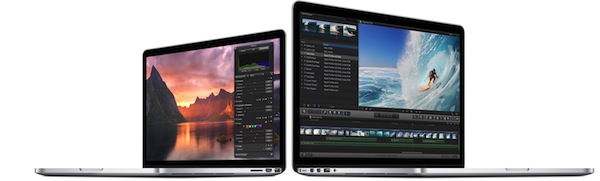
If your little hearts just can’t handle the anticipation in waiting for this week’s presume launch of OS X Lion, just wait until you hear this next bit of news. If you’re a college student or professional video editor / graphic designer, you’ll have some additional goodies to look forward to. 9 to 5 Mac have a scoop with model numbers for the upcoming MacBook Airs featuring ultra-quick Sandy Bridge processors and Thunderbolt.

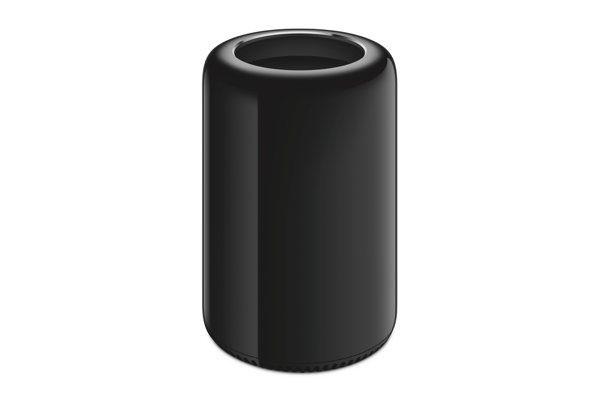
What wasn’t expected is rumored announcement for all new Mac Pros. It isn’t sure whether we’ll be seeing new guts or all new redesign, but the Mac Pros are rumored to include Thunderbolt as Apple updates their line, and there’s even a server model specifically designed for use in business environments.

The new Macs will ship with Lion (and Lion Server) preinstalled, and are expected to launch with the release of 10.7. 9 to 5 Mac says that the 14th is a possible launch date for all three of these items, so keep an eye on Thursday for an Apple launch-stravaganza.

[via 9 to 5 Mac]


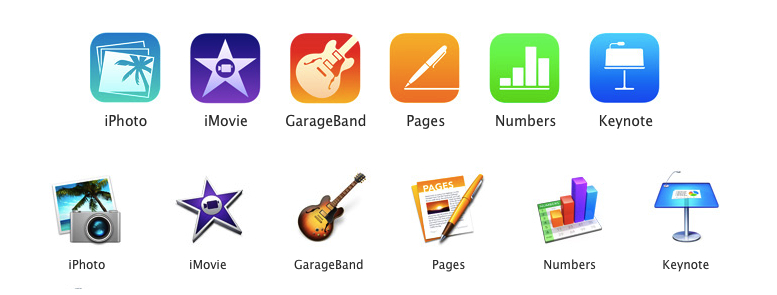
Incoming! iPhoto, iMovie, and GarageBand Updates for July 11th

If you’re smart, talented, and own copies of iPhoto ‘11, iMovie ‘11, and GarageBand ‘11 from the Mac App Store, it’s time to check for an update! Today we’re seeing general improvements all around for the trio of creative applications, including support for opening iMovie projects from iMovie for iOS.

iPhoto: What’s New In Version 9.1.5
This update supports general compatibility issues, and also addresses overall stability and performance. Minor issues addressed include:

• The date range of each event now updates correctly to reflect changes made to photos using the Adjust Time and Date command
• Addresses an issue that could cause the Photos view to scroll incorrectly when Event Titles are displayed
• Fixes a problem that could prevent Ken Burns animations from being applied correctly on photos in a saved Classic slideshow
• Deleting photos from a web album using the contextual menu now removes them from the album without deleting them from the library
• Addresses an issue that could prevent a crop adjustment from being removed from a photo when using the Revert to Original command

iMovie: What’s New In Version 9.0.4
This update improves overall stability and addresses a number of minor issues, including the following:

• Support for opening projects imported from iMovie for iOS.
• Fixes an issue where some audio adjustments were not preserved.
• Addresses a performance issue when using large quantities of video clips with keywords.
• Resolves issue with slow application launch when working with large iPhoto libraries.

GarageBand: What’s New In Version 6.0.4
This update supports general compatibility issues, and addresses overall stability and performance issues including the following:

• Fixes an issue with the GarageBand Lesson Store not completing single or multiple lesson downloads.
• Corrects issues with some tempo-based effects falling out of sync with main song tempo.
• Resolves problems with Magic GarageBand project files not opening up correctly in the GarageBand tracks view.

iPhoto, iMovie, and GarageBand are $14.99 on the Mac App Store. If you’ve purchased iLife outside the Mac App Store, keep your eyeballs on Software Update for the latest improvements.