


When OmniOutliner originally launched on the iPad, I remember spending a lot of time figuring out its nuances, going so far as creating a tutorial so people could see how to customize documents and organize their outlines. While it won’t replace your spreadsheets, it will organize your data under collapsible headings and columns that neatly keeps related piece of information in their place. It works well as an alternative mind mapping tool, for students who are taking notes, or for someone creating that big holiday wish list. Read more
Screens 3 Review
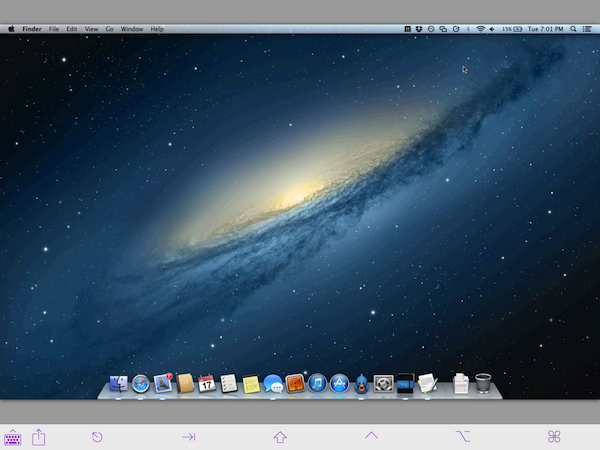
Edovia’s Screens is a MacStories favorite because it’s so ridiculously easy to use. In short, Screens lets you access your Mac or PC from your touchscreen iOS device. You can remotely connect to any of your computers, launch apps, and remotely control your personal computers at home or across the Internet. It’s great for troubleshooting a friend’s computer, accessing headless servers, or simply for moving important documents into Dropbox when you’ve forgotten to do so before heading to work.
For Screens 3, I tested the app with a desktop PC running Windows 8 and a MacBook Air running OS X Mountain Lion. Connecting to a Mac is pretty straightforward, but connecting to a PC can be tricky depending on its configuration.
Grades 3: Student Organizer and GPA Calculator→
I’m not a college student anymore, but I can vouch for Grades being an app that any smart high school or college student would have on their iPhone. It sets you up to succeed, letting you know what you have to score on your next test to maintain an A. With your syllabus in hand, you can setup each of your classes with homework, project, quiz, and test fields with respective weights. Once the teacher gives you your grade, all you have to do is add it to the app. You can read more about it in my review of Grades 2.
Grades 3 is now a full fledged day planner, replacing expensive notebooks from the campus bookstore with an all-in-one contact lists, reminders, and even a place to put important notes (useful for copying down assignment or project info scribbled on the board). Grades 3 provides the bird’s-eye view students need to stay on top of their assignments and due dates.
For a limited time, Grades 3 is just $1.99 from the App Store. Currently designed for iOS 6, an iOS 7 specific update is forthcoming.
Should You Buy the iPhone 5c or the iPhone 5s? A Helpful Recommendation Guide
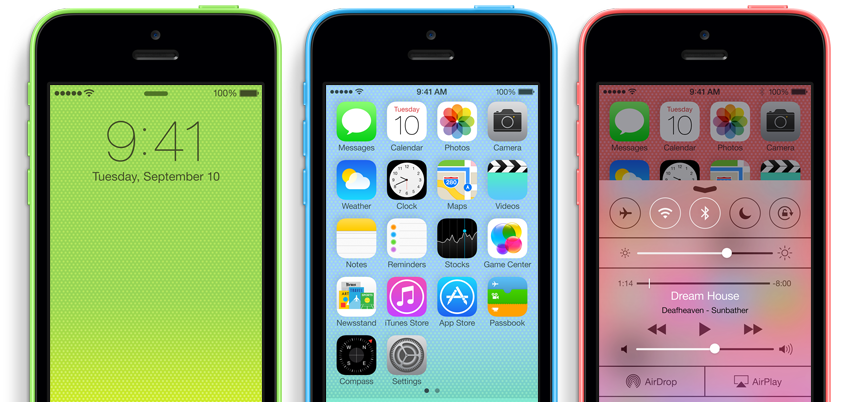
On September 10th, 2013, Apple introduced two new iPhones: iPhone 5c, and iPhone 5s. The iPhone 5c comes in an array of colors, is made of polycarbonate, and is marketed as an everyday fun phone. Apple’s flagship model, the iPhone 5s, is made of premium materials like glass and aluminum, and is presented as a phone that showcases upcoming technologies that will eventually become standard. This guide is designed to help you choose the phone that’s right for you.
If you currently have the iPhone 5, don’t worry. The latest technologies announced with the iPhone 5s will still be there in Apple’s next flagship phone with refinements and mature apps that take advantage of it all. Wait another year if you’re locked into a two year contract.
If you have the iPhone 4S or an earlier model, and you’re near the end of your two year contract, it’s time to upgrade.
While the following advice is specific to those living in the United States, mainly due to pricing and availability, much of the advice is applicable worldwide. Read more
September 10th iPhone Event: All the Other Stuff
Today’s iPhone event was short and to the point. Instead of introducing handfuls of new products and apps, we were presented with a quick iOS 7 overview of what was already announced at WWDC, some iWork and app updates (more on that in a second), and then the iPhones themselves alongside accompanying cases. Honestly, this made for one of the most satisfying iPhone events in ages.
iPhone 5c: Everything You Need to Know
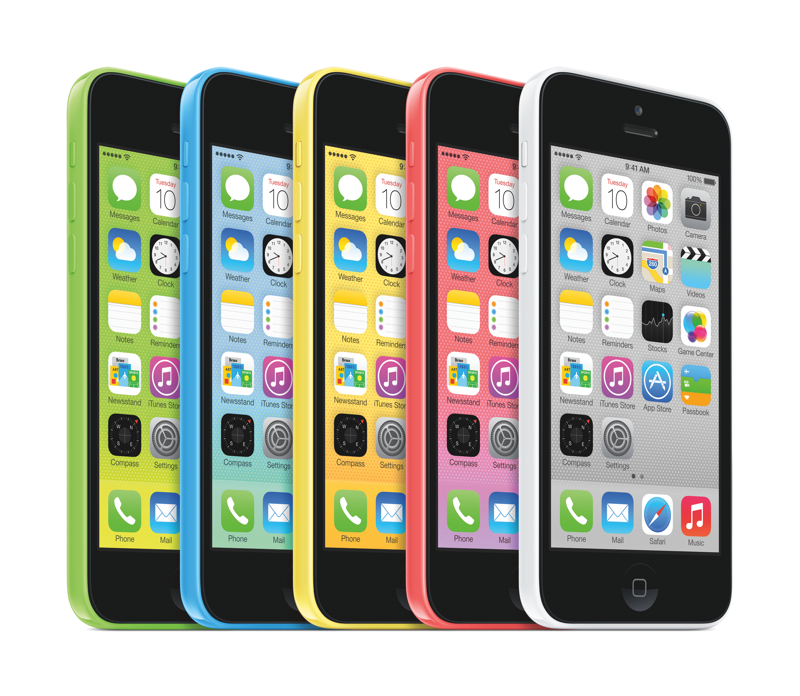
During today’s media event at the Apple Campus in Cupertino, California, Apple’s senior vice president of Worldwide Marketing, Phil Schiller, took the stage to announce the iPhone 5c. The iPhone 5c is Apple’s first plastic-bodied phone with a 4-inch screen, is shaped like the iPod touch, and is also Apple’s first iPhone that’s available in an array of bright colors. The 16 GB iPhone 5c starts at $99 on contract.
On The Possibilities of an iPhone Fingerprint Sensor→
Between rampant rumors and speculation, there’s little we don’t know about Apple’s upcoming smartphones. One of the features expected for the iPhone 5S, the expected iteration of the iPhone 5, is a fingerprint sensor built into the home button. Craig Hockenberry, on his personal blog, talks about how that fingerprint sensor might change the way we interact with our iPhones.
From the beginning, I’ve wanted a way to protect my personal information when sharing a device with friends and family. But any secure solution to that problem would be a pain in the butt. Typing a password before launching an app? No thanks!
Craig is thinking big, beyond the possibilities of bypassing a password or swipe-to-unlock on the lock screen. Those are the obvious things, but what about some of the unobvious things we do with our iPhones, especially with other people?
A Working, Miniature Replica of the Original Macintosh→
Such a cool DIY project. The developer stuffed a Raspberry Pi inside a miniaturized version of the original Macintosh case, adding HDMI, a couple USB ports, and an ethernet port along the way.
[Retro MacCast via The Verge]
Fighting Clones on the App Store→
Casey Johnston of Ars Technica investigates clones on Apple’s App Store, how they’ve affected businesses like A Beautiful Mess by copying and marketing ripoff apps, and how they’re doing it.
The app had only been out three months, and already the creators of A Beautiful Mess were scrambling to deal with a big problem: clones, copycats, and rip-offs, as many as seven of them, crowding the search results in the App Store. The clones appeared to be legitimate, affiliated versions, yet as all the developers knew, they were anything but. The CEO of the company that created the original A Beautiful Mess called them “infuriating.”