Graham Spencer

1054 posts on MacStories since January 2011

Former MacStories contributor.

A Reality Check On The Life Of An Independent Developer

A Reality Check On The Life Of An Independent Developer

With the massive successes of Rovio (Angry Birds), Lima Sky (Doodle Jump), ZeptoLab (Cut the Rope) and other independent developers, a certain assumption has been established in which any developer who creates a reasonably successful app is thought to be profiting handsomely from the venture, maybe even becoming a millionaire. But as Shifty Jelly (developers of Pocket Weather and Pocket Casts amongst others) have pointed out in a blog post today, the reality of being an independent developer isn’t as idealistic as the success stories make it seem.

You put an enormous amount of effort (and yourself) into every product you make. Sometimes you find people deriding it, or dismissing it after spending 13.2 seconds using it. People tell you not to take that personally. Good luck with that. When you invest 6 months of your life, day and night, creating a product there’s no way in hell you can’t take other people’s comments personally. Reading App Store reviews can be as much fun as slapping yourself in the face with an ice cold trout on days where you manage to ship a bug with your product.

It is a little depressing in some respects, but it is also an important reality check on the difficulties of being an independent developer. The frustration of piracy and complaints about pricing really come through in the post - and whilst they aren’t the first to write about these problems, the post is a succinct and clear representation of their reality. Fortunately there is also a bit of light at the end of the tunnel, noting that it is the positives of the job that make it all worth it.

If you have the right personality, then sure, being an independent developer is a huge blast. Don’t come expecting millions of dollars to fall into your lap though, it’s damn hard work. Chances are you’ll make less than you would working for a giant, faceless corporation…but you’ll enjoy life so much more.
Permalink

Apple Posts New iPad 2 Advert: “Love”

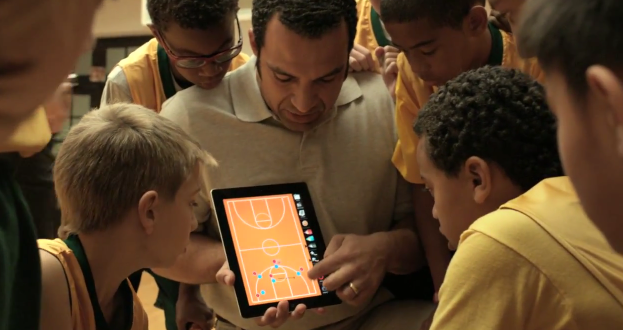
Apple has tonight uploaded a new iPad advert to their YouTube channel. This latest advert, “Love”, follows the general style of their previous iPad 2 adverts — with a strong narrator intertwined with people using the iPad, highlighting an emotional connection. This advert highlights the emotional connection between people using the iPad for things that they love doing. There are shots of a basketball coach using an iPad to show his team a strategy, a group of friends in a band using the iPad to control levels, a person painting a landscape with an iPad, a person creating a home movie with iMovie on the iPad and a young child learning about dinosaurs on an iPad.

For some, it’s a life long passion. For others, its something discovered yesterday. We all have things that speak to us, they drive us to get up early, and stay up late. Getting lost in the things we love has never felt quite like this.

Jump the break to see the advert for yourself and jump over to Apple’s website or YouTube channel to see more of their iPad adverts.

Read more


Apple Announces Holiday Sale For This Friday, Across The World

Update: Apple has now confirmed the “One-Day Shopping Event” is also occurring in the US this Friday - but it makes no mention of the sale also taking place in its retail stores, suggesting this is an online-only affair.

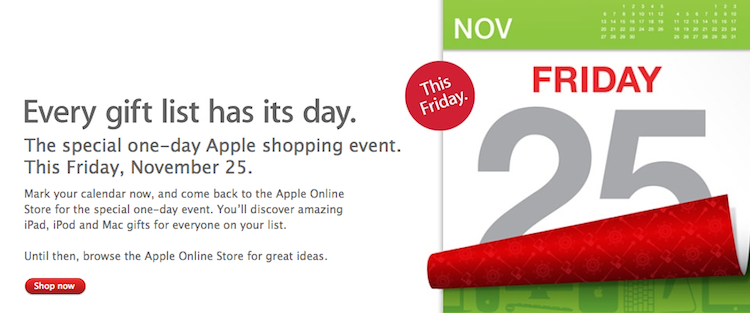
Apple has begun placing banners on its online Apple Stores across the world, indicating that it will be holding a sale this Friday - on the yearly “Black Friday” as it is known in the US. The banners, found on the store page, inform us that this “special one-day Apple shopping event” is this Friday, November 25.

Mark your calendar now, and come back to the Apple Online Store for the special one-day event. You’ll discover amazing iPad, iPod and Mac gifts for everyone on your list.

The banner has gone up on the Australian, Italian, UK and a number of other international stores. No mention has yet been made on the US store, but it is expected to also receive the banner in a number of hours. In the US the Black Friday sale is expected to also take place inside Apple’s retail stores - no mention of the sale in retail stores is made on the Australian or Italian notices.


djay For Mac Adds ‘Harmonic Match’ And iCloud Support

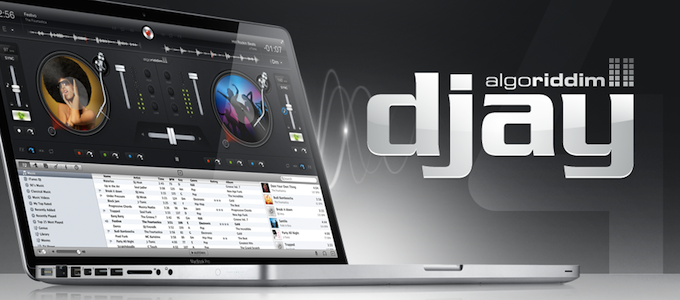
For those of you who are DJs or just enjoy listening and mixing music, the latest version of Algoriddim’s Mac App ‘djay’ might interest you. Now at version 4.0, Algoriddim is claiming that this is the biggest update to the app yet. The big headline new feature is ‘Harmonic Match’ a new system that allows users to “create perfectly matched mixes with a simple click”.

With the introduction of Harmonic Match, djay automatically detects a song’s key and allows to match it to songs of the same key within your iTunes music library. It allows you transpose songs into different keys, and even sort your entire music library by key, perfect for creating studio quality mash-ups of your songs.

Beyond Harmonic Match, djay 4.0 also features a new audio engine that allows high quality Audio FX on the fly, precision scratching, visual waveforms and a host of other more advanced features. A particularly useful new feature in djay 4.0 is the support for iCloud, which means cue data and other metadata can by synced across the Mac, iPad and iPhone versions of the app. Another nice touch is support for the multi-touch trackpad where a user can “use rotate gestures to adjust the EQ, or two fingers to scratch the record and operate the crossfader”.

djay for the Mac is available on the Mac App Store for a special launch sale price of  $19.99. Jump the break for a promotional video, as well as a full list of additions and improvements in djay 4.0.
Read more


Apple’s Fifth Avenue Store Re-Opens Today With Its Redesigned Glass Cube

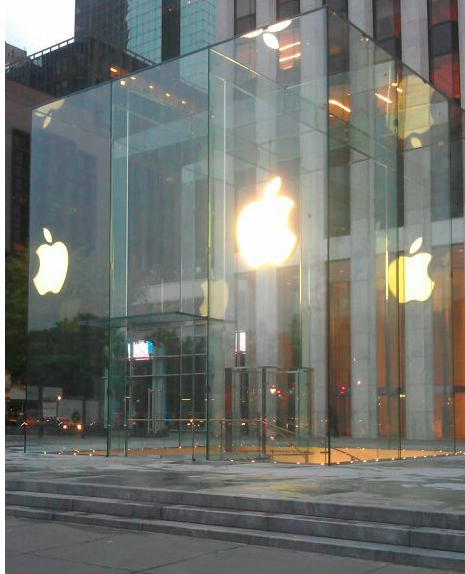
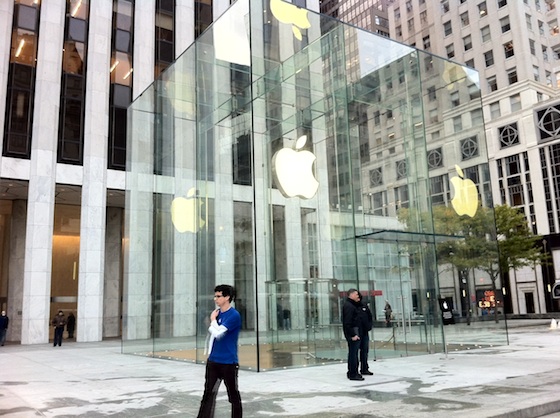
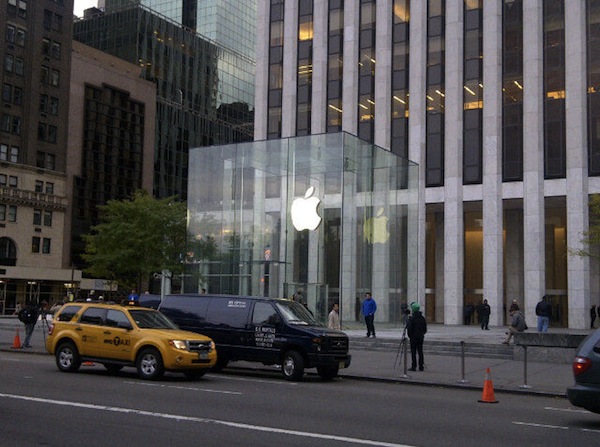
In just a short few hours, at 10 AM local time, Apple’s flagship retail store at 5th Avenue in New York City will have a grand re-opening after its glass cube was renovated and re-created. As you can see above though, Apple has spent the night removing all the barriers and plastic wrapping and the new design is bare for all to see. The new design has just three tall glass panes on all sides of the cube, coming to a total of just 15 panes — compare that number to the old design which had 90 panes.

Jump the break to view a picture before the plastic wrapping came off, to have a look at renderings of what the store was designed to look like and what the old cube (with its 90 panes) looked like.

We will update this post as more pictures come in and the grand re-opening begins.

[Image via 9to5 Mac]

Update: MacRumors shares more pictures of the redesigned cube, showing the new “seamless” design that eliminates most of the hardware that kept the old 90 glass panels together.

Update #2: View of the redesigned cube via @andinieffendi.

Read more


Apple’s Supply Chain Secrets

Apple’s Supply Chain Secrets

A recurring piece of information throughout this year has been how Apple’s supply chain is so integral to their success in recent years. Bloomberg Businessweek’s article from yesterday is just the latest this year and it chronicles a few stories of Apple’s impressive control over their supply chain and gives some interesting insight to how it works.

Apple has built a closed ecosystem where it exerts control over nearly every piece of the supply chain, from design to retail store. Because of its volume—and its occasional ruthlessness—Apple gets big discounts on parts, manufacturing capacity, and air freight. “Operations expertise is as big an asset for Apple as product innovation or marketing,” says Mike Fawkes, the former supply-chain chief at Hewlett-Packard (HPQ) and now a venture capitalist with VantagePoint Capital Partners. “They’ve taken operational excellence to a level never seen before.”

Included in the article are some fascinating stories from the supply chain - whether it be the hoarding of lasers so that that iSight’s green LED indicator light could be ‘invisible’ when off, to Apple buying up all the available air freight over Christmas of 1998 so it could ship their new translucent blue iMacs and to how Apple keeps its new products secret ahead of a launch.

At least once, the company shipped products in tomato boxes to avoid detection, says the consultant who has worked with Apple. When the iPad 2 debuted, the finished devices were packed in plain boxes and Apple employees monitored every handoff point—loading dock, airport, truck depot, and distribution center—to make sure each unit was accounted for.

Permalink

Revolutionary User Interfaces

Revolutionary User Interfaces

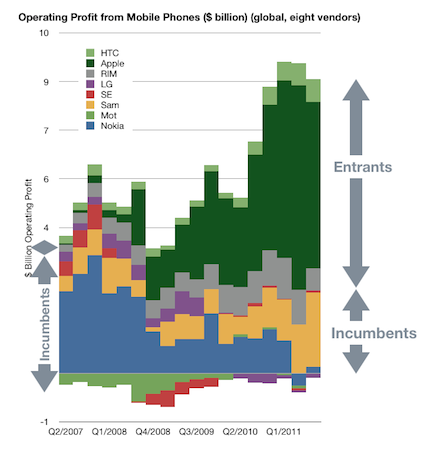
In an article posted this morning on Asymco, Horace Dediu discusses how the revolutionary user interface of the iPhone served to disrupt the mobile market and unseat the incumbents - Nokia, Samsung, LG, Motorola and Sony Ericsson.

In 2007 something happened which changed the industry. It took a few years to even realize it was happening but by the time it was obvious, it had changed to such a degree that huge companies found themselves in financial distress.

Furthermore, Dediu discusses how over time as new input methods have been created, so have new platforms and new business models - as well as hurting the incumbents of the market. A big question that Dediu poses in his article is that with next revolutionary user interface seemingly being created at a faster and more rapid rate (mouse, click wheel and then multi-touch), what will be the next revolutionary user interface? He questions whether in fact it could be Siri.

My disruptive hypothesis for Siri is that it shifts the competition from platforms positioned on a device to a “coupled” super-platform deponent on broadband and infrastructural computing. Just after collecting enough data and observing patterns in it that give us clarity, It looks like things are about to change all over again.

If you’d like to hear more from Horace on this idea of Siri being the next shift in user interfaces, this week’s episode of the Critical Path would also be worth a listen.

Permalink

Customize The Launchpad, Mission Control And Login Screen Backgrounds With Lion Designer

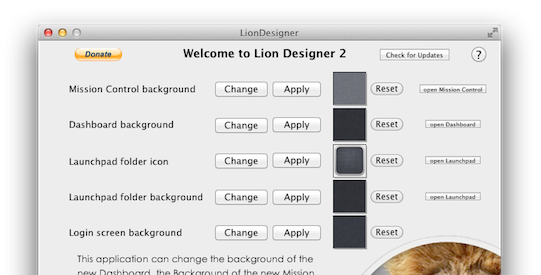
Since Lion launched we’ve covered a few hacks that describe how you can change Mission Control’s and Dashboard’s background, as well as how to change the background of folders in Launchpad - but most of them have required some level of manual file editing and replacement. Fortunately, developer Moritz Wette has made it a whole lot simpler to customize the look of Lion with his app, Lion Designer.

Lion Designer lets you customize the Mission Control, Dashboard, Launchpad folder and the login screen background as well as the Launchpad folder icon. The developer suggests using PNG images that are at the resolution of your screen or are images that can tile - otherwise you’ll end up with something that looks messy. Though if you don’t like how something looks after you’ve changed it, or something has gone wrong, you can easily click the reset button and Lion Designer will return it to the stock look. I gave the app a quick spin and found it worked fine, with my Dashboard now displaying the familiar and soothing linen pattern. Lion Designer is available for free, but be sure to send over a small donation to Wette if you find the app useful to you.

If you’re looking for some other apps to tweak and customise OS X Lion, have a look at these apps that we have covered in the past:

  • Lion Tweaks - Lets you turn various features in Lion on or off, examples include removing the system Window animation, disable spelling correction, enable permanent scrollbars and many more.
  • Launchpad-Control - Hide any app you want from being displayed in Launchpad
  • LaunchpadCleaner 2 - Also allows you to hide apps from Launchpad as well as some more in-depth features.

[Via TUAW]


Apple Pushes Back Mac App Store Sandboxing Requirement To March 2012

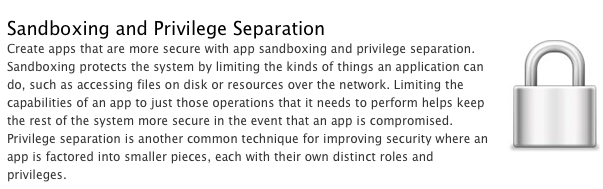
In an email to developers today obtained by iClarified, Apple has informed them that all apps submitted to the Mac App Store must implement sandboxing by March 1st, 2012. Originally Apple had told developers that the sandboxing requirement would take place this month. It isn’t entirely clear why Apple has delayed the introduction of this requirement but it does give developers a few more precious months to implement the restriction and resolve all issues that it might cause for their app.

In the email Apple notes; “Sandboxing your app is a great way to protect systems and users by limiting the resources apps can access and making it more difficult for malicious software to compromise users’ systems”. For those who aren’t familiar with the technical ‘feature’, John Siracusa has a great (and in-depth) discussion of the feature in his Mac OS X 10.7 Lion review on Ars Technica. In short, sandboxing restricts the number of actions that an app can do so that if the software is compromised, the amount of damage it can do is greatly minimised.

In Lion, the sandbox security model has been greatly enhanced, and Apple is finally promoting it for use by third-party applications. A sandboxed application must now include a list of “entitlements” describing exactly what resources it needs in order to do its job. Lion supports about 30 different entitlements which range from basic things like the ability to create a network connection or to listen for incoming network connections (two separate entitlements) to sophisticated tasks like capturing video or still images from a built-in camera.

In its email to developers, Apple also notes that if an app requires access to “sandboxed system resources”, the developer must also include justification for why it needs those entitlements when submitting the app to the Mac App Store. Finally, Apple notes that it is willing to offer developers additional, temporary, entitlements if the app is being re-engineered for sandboxing - but only on a short-term basis.

[Via iClarified, Image via Apple]