Graham Spencer

1054 posts on MacStories since January 2011

Former MacStories contributor.

AT&T Activates More Than 1 Million iPhone 4S’ And Saw Strong Sales Of The iPhone In Q3

AT&T’s earnings call for the last quarter is on today and they’ve revealed that last quarter they sold 2.7 million iPhones out of a total share of 17.07 million iPhones that Apple sold over the same period. Unsurprisingly however, other non-iPhone, smartphones have become increasingly popular for AT&T with activation of 2.1 million such devices. iPhone activations were down significantly from the previous quarter in which they activated 3.6 million iPhones - although keep in mind that Apple also saw a decline in iPhone sales this quarter.

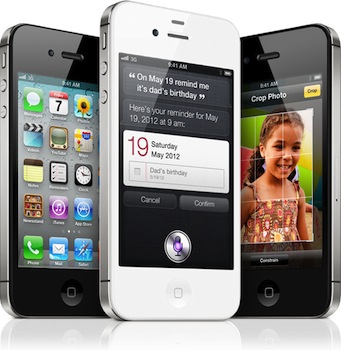
At the earnings call AT&T also noted that they had activated more than 1 million iPhone 4S’ as of Tuesday this week, making it AT&T’s most successful launch. For comparison, Sprint saw 200,000 pre-orders on the iPhone 4S launch day. Verizon has yet to reveal specific numbers for iPhone 4S sales, but have said they were very pleased with the reception.

[Via ZDNet, BGR]


Apple’s Q4 2011 Earnings Call: More Details & Interesting Thoughts From Tim Cook

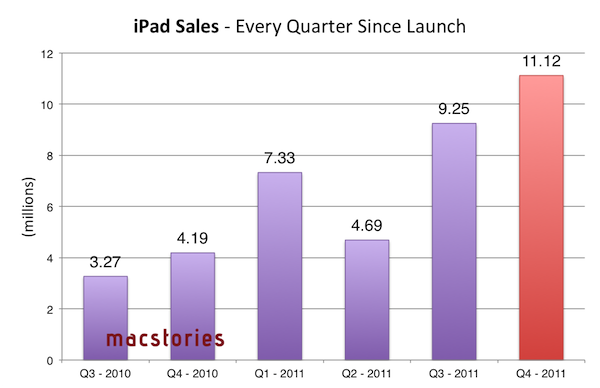
Apple held its quarterly earnings call late yesterday and while the results from the September quarter were slightly below what analysts expected, it was still a great result and within Apple’s projections. We covered the main numbers in our post yesterday and included some graphic visualisations of those numbers (such as the one above), but if you missed that here’s a quick summary:

  • $28.27 billion in revenue (analysts expected $29.45 billion)
  • 17.07 million iPhones were sold (up 21% year-over-year)
  • 11.1 million iPads were sold (up 166% year-over-year)
  • 4.89 million Macs were sold (up 26% year-over-year)

But beyond these numbers there were a lot of interesting insights that CEO Tim Cook and CFO Peter Oppenheimer offered during the Q&A session. We’ve re-listened to the earnings call and included the most interesting snippets of that call in this article - answering questions from various analysts, the two answer questions on everything from iPhone rumors, iPad potential, Siri, China and what next quarter has in store for Apple. Be sure to jump the break to read it all.

Read more


Samsung Files Preliminary Injunction Against The iPhone 4S In Australia & Japan

Samsung today filed for a preliminary injunction against the iPhone 4S in Australia and Japan. This is the latest development in the complex legal battle between Apple and Samsung which has spread across the world since Apple originally revealed it was suing Samsung over the “look and feel” of it’s Galaxy devices.

The Wall Street Journal reports that the Japan filing (which is also attempting to halt sales of the iPhone 4 and iPad 2) cites infringements in technology and user interface patents, whilst in Australia Samsung is claiming that Apple has infringed on patents related to wireless telecommunication standards. The move comes after Samsung was dealt a blow in Australia last week, with the preliminary injunction against its Galaxy Tab 10.1 was upheld. A Samsung spokesperson said that this latest legal action is them “now counterattacking Apple again”.

Florian Mueller of FOSS Patents believes that the attack on the iPhone 4S in Australia  is “doomed to fail” because the patents Samsung is using in the filing are related to 3 patents declared as essential to the 3G telecommunications network. As he explains, it would be unlikely that an Australian judge would take a significantly different approach as occurred last week in the Netherlands:

…a Dutch judge already made it clear that Samsung can’t seek an injunction based on such patents, and I’d be extremely surprised if an Australian judge took a different perspective on FRAND (fair, reasonable and non-discriminatory) licensing commitments… The odds are very long against Samsung overcoming all of Apple’s defenses.

Speaking on the situation in Japan, FOSS Patents says it is less clear what will happen as Samsung’s filing there also relates to user interface patents that “are presumably not subject to FRAND licensed commitments”. This means Samsung could seek injunctions on them and it would be up to Apple to contest their validity. The patents apparently relate to “the display of a flight mode icon, the utilization of homescreen space, and an app store menu structure”.

[Via The Wall Street Journal, FOSS Patents]


iOS 5 & iCloud Tips: Sharing an Apple ID With Your Family

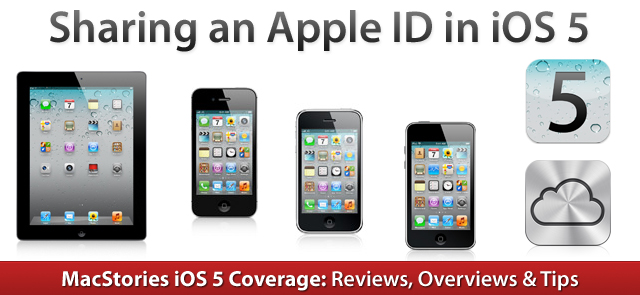
With the launch of iOS 5 and iCloud on Wednesday, Apple took another huge step towards the Post-PC era. They have increasingly made the PC less important and iCloud has meant that it is no longer the ‘hub’ to which your devices sync to - iCloud is now that hub and importantly, it is all tied to an Apple ID. As many are realizing as they update to iOS 5 and begin to use iCloud, this can be somewhat problematic when iCloud is used with the Apple ID that is shared by their whole family.

Prior to iOS 5, sharing an Apple ID wasn’t really a problem because its main purpose was for purchasing content on iTunes, using it for support purposes and purchasing items on the online Apple Store - all tasks that worked fine when sharing an ID. Now that Apple ID is tied to a bunch of services, a lot of which involve personal and private data that you don’t necessarily want to share with others - even family members. The other issue is that iCloud involves a lot of data synchronization and this doesn’t work well with multiple people as it results in data conflicts and devices syncing data (such as calendar events) that are meant for another person in the family.

Fortunately there are a number of ways to resolve these issues, whilst still benefiting from all of the new iOS 5 and iCloud features. Jump the break to see all of our tips in dealing with this issue.

Read more


New MacBook Pro Part Numbers Suggest A Minor Refresh Soon

According to 9to5 Mac, supply for all current MacBook Pro models are constrained in anticipation of an imminent refresh. They claim that new part numbers have appeared in Apple’s inventory system for all three MacBook Pro sizes. The new model numbers are K90IA for the updated 13 inch model, K91A for the 15 inch and K92A for the 17 inch.

These model numbers, combined with last month’s rumour of a refresh, suggest that these models will be just a minor specification bump - rather than the rumoured redesign of the MacBook Pro. MacRumors reported earlier this year that such a redesign will probably debut sometime after Intel’s Ivy Bridge line of processors is released.

[Via MacRumors]


iOS 5: Newsstand Overview

Sitting on every user’s iPad, iPhone or iPod touch when they update to iOS 5 is a new “app” called Newsstand which organises all of your magazine and newspaper subscriptions in one place. Whilst this might sound pretty underwhelming at first, it is actually a fairly significant feature addition that actually contains a lot of ‘behind-the-scenes’ changes to how iOS devices and the App Store deals with magazines and newspapers.

I called it in “app” in quotes because visually it looks no more than an iOS folder with a new skin that turns it into something that looks like iBooks with its cedar bookshelves. In fact all it does is store all your magazines and newspapers so that they can be found in a centralised location, as well as give users a shortcut to the Newsstand section of the App Store.

Jump the break to read our overview of Newsstand and how it’s much more than just a pretty iOS folder.
Read more


iOS 5: iMessage

With today’s release of iOS 5, Apple has added a significant new feature to their Messages app with the introduction of iMessage. Seamlessly integrating into the existing Messages application, iMessage is a new service from Apple that acts as a replacement for the traditional text message service that comes with mobile phones.

In actual fact, a more accurate description of the Messages app with iMessage on iOS 5 would be that it improves on the traditional text messaging service whilst maintaining compatibility with it. The new iMessage service works by associating a person with an Apple ID - rather than a particular device or SIM card as the traditional text message service does. This is one of iMessage’s advantages, you are not restricted to a single device and you can now use your iPad or iPod touch (and hopefully Mac soon) for receiving and sending messages to other people.

Jump the break to read the rest of our iMessage overview.
Read more


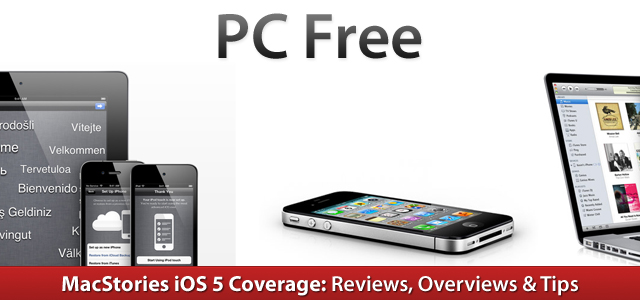
An Overview Of PC Free In iOS 5

A core focus of iOS 5 is the introduction of iCloud (be sure to read our overview of it here), and one could say that the fundamental goal of iCloud is to free the iPhone and iPad from its reliance on a Mac or PC, making them more independent and powerful devices. iCloud goes along way in achieving this and reducing the need to sync devices (through features such as Photo Stream, iCloud Backup, iTunes Match etc.), but it doesn’t completely remove the requirement of syncing - particularly for those in regions that don’t yet have iTunes Match or don’t have Internet speeds capable of utilising iCloud Backup.

To fully accomplish this goal of making the iOS devices independent, Apple has added two additional features that complement iCloud, even if they aren’t technically deemed to be a feature of iCloud. These features are PC-Free and Wi-Fi syncing with iTunes; jump the break to view our full overview of these features.

Read more


iOS 5: Improvements In Safari, Camera, Photos, Mail, Calendar, Music & Video

Today’s release of iOS 5 sees the inclusion of new apps such as Reminders, significant upgrades to existing apps such as the integration of iMessage in Messages and the introduction of iCloud, which is set to change the way we use our iOS devices. Yet amidst all these significant changes to the iOS platform, Apple hasn’t forgotten about the apps that have existed since day 1 of the first iPhone.

The Safari, Mail, Camera, Calendar, Music and Video apps have all received updates in iOS 5 and the updates range from addressing common complaints, tweaking the user interfaces, adding iCloud support to adding features that improve productivity and usability. Be sure to jump through the break to view the entire overview of changes to these apps.

Read more