
MacStories Team

3496 posts on MacStories since July 2011

Articles by the MacStories team. Founded by Federico Viticci in April 2009, MacStories attracts millions of readers every month thanks to in-depth, personal, and informed coverage that offers a balanced mix of Apple news, app reviews, and opinion.

Downie: Easily Download Videos From YouTube and Thousands of Different Sites [Sponsor]

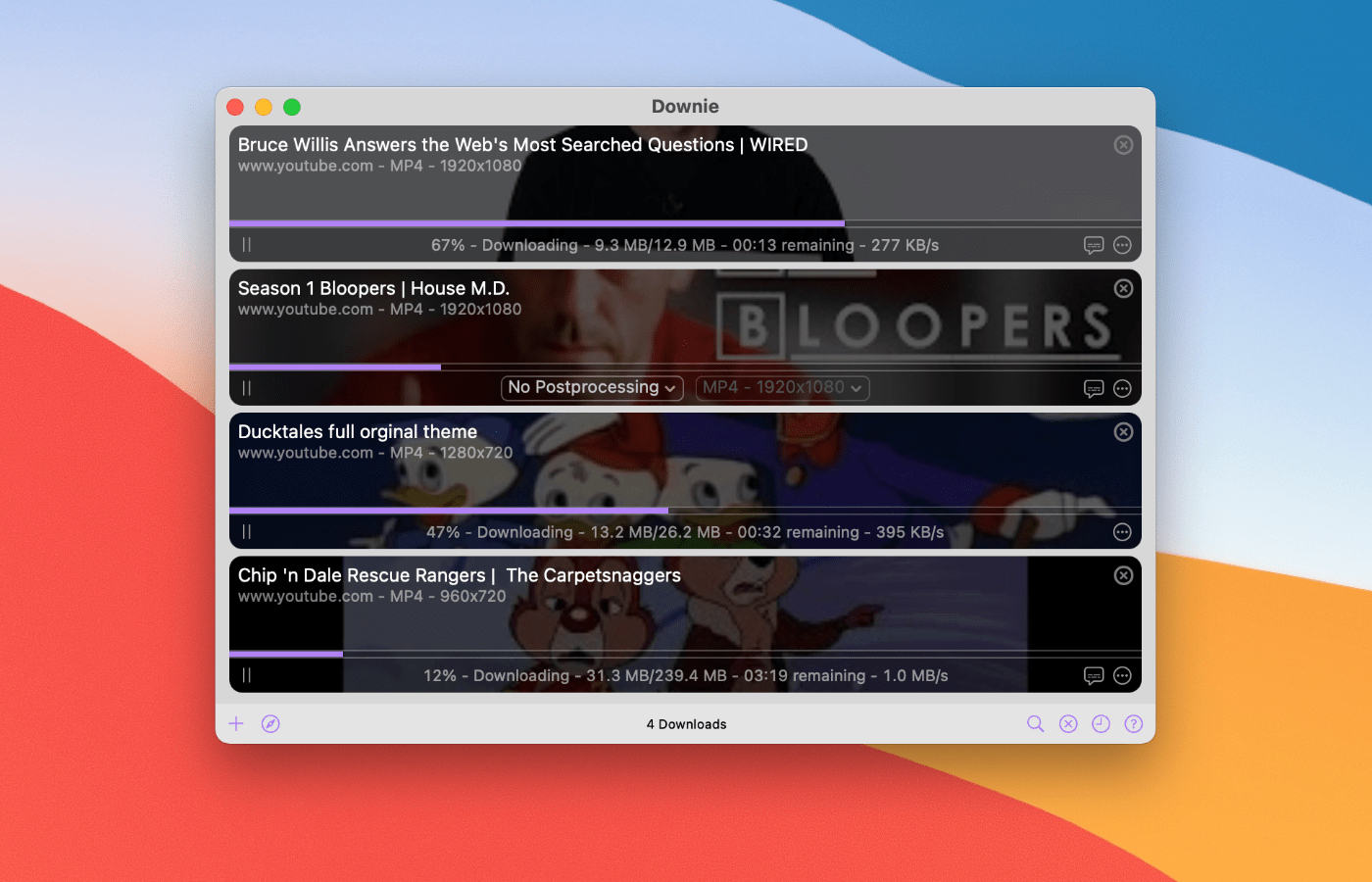
Downie for Mac is a simple yet powerful app that allows you to save content from YouTube, Youku, Bilibili, QQ, Facebook, TikTok, Instagram, Vimeo, and thousands of other sites. Just click on a button in your browser’s toolbar, and Downie will start downloading the content.

Downie can also be set up to extract just the audio, which is ideal for downloading podcasts and other audio material that you listen to when traveling or just commuting.

By default, Downie will take care of most of the workflow for you, selecting the best quality available, sorting downloads by the site they originate from, sorting downloads by playlists, converting the downloaded files into commonly used formats if needed (MP4, MP3), setting the metadata, and more.

But if you are a power user, you will be delighted to know that Downie also has even more powerful features, such as Permute integration, CSV import, an automated mode for uninterrupted downloads while you are not at the computer (or if you run Downie on a server), custom post-processing scripts, custom site integrations via JavaScript, saving extracted metadata into a separate JSON file, and so much more.

Using Transloader by Matthias Gansrigler from Eternal Storms Software, you can also send links from your iOS device to Downie on your Mac.

For a limited time only, MacStories readers can buy Downie with a 25% discount by using on this link or manually entering the discount coupon “MACSTORIES2021” during checkout.

This discount can also be used for the already-discounted Downie + Permute bundle. See Downie’s webpage for more information.

Our thanks to Downie for sponsoring MacStories this week.


Daylite is Monterey Ready! [Sponsor]

Hey Apple fans, excited for the macOS Monterey? So are we! Daylite is an award-winning CRM and productivity app made exclusively for your Mac, and it’s now Monterey ready! Daylite goes beyond the essential CRM experience or project management tool for small businesses; it seamlessly integrates with Apple devices and most of the built-in Apple apps and features you already use and love, with or without an internet connection. Direct Apple Mail integration so you and your team can capture all email communication in one place. That means you can create opportunities, appointments, and tasks in Daylite right from your Apple Mail.

Daylite’s productivity-focused design helps you and your team get more done throughout the full customer lifecycle. From meeting prospects and winning business to managing the moving pieces on projects, all the way through to following up for referrals and repeat business, it’s all done in Daylite.

If you live by the Mac, you’ll love Daylite. Start your free 30-day Daylite trial today!

Our thanks to Daylite for sponsoring MacStories this week.



I Made the Most Annoying App. And People Loved It. [Sponsor]

Annoying” is probably not a word a developer would like his app to be associated with.

I certainly don’t mind.

Thankfully, users have also thought of my app as “indispensable” and a “game changer.

Hi, I’m Junjie, and I made Due.

It has helped people living with ADHD and early dementia. It has saved marriages. And it seems to have even saved lives.

I’d love to say I had these noble goals in mind when I made Due.

The truth is, I created Due in 2010 for myself.

The first version tackled just one thing—quickly capture what needs to be done, and when it needs to be done.

When I realized it was easy to miss notifications, I added Auto Snooze. It repeatedly notifies me of overdue reminders until I act on them.

Often, I also needed to reschedule reminders. So I made it easy to postpone a reminder—even without launching the app.

Someone who had used Due for the past 9 years said the person who created Due knows his stuff.

I guess that’s because there isn’t a day that goes by where I don’t use Due myself.

Learn more about what Due can do for you. Available on iPhone, iPad and Apple Watch.

Also available separately for Mac—on the Mac App Store and Setapp.

Our thanks to Due for sponsoring MacStories this week.