MacStories Team

3497 posts on MacStories since July 2011

Articles by the MacStories team. Founded by Federico Viticci in April 2009, MacStories attracts millions of readers every month thanks to in-depth, personal, and informed coverage that offers a balanced mix of Apple news, app reviews, and opinion.

Sketch: The Design Platform Trusted by Over One Million People [Sponsor]

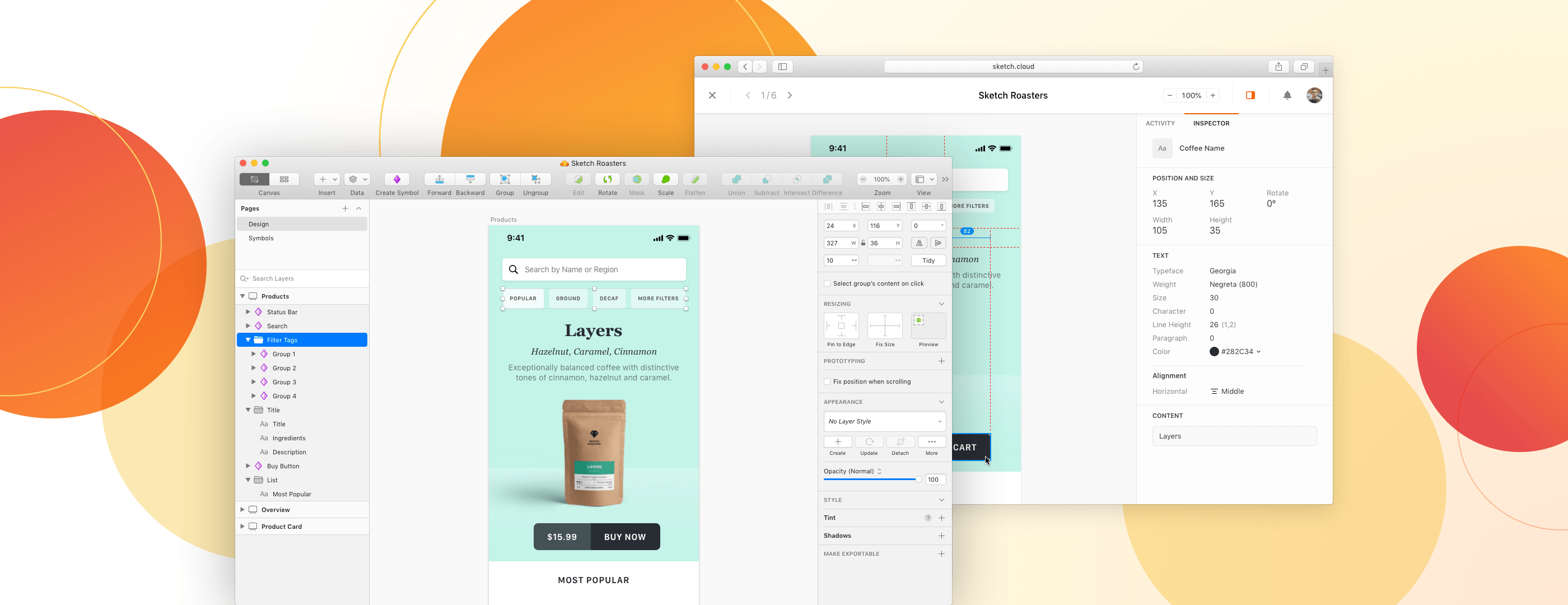
Sketch is a design platform that combines an award-winning native Mac app with powerful, cloud-based collaboration tools. Since it first launched in 2010, Sketch has become the go-to toolkit for over one million people — from freelancers and solo app developers, to the world’s largest design teams.

From the very beginning, Sketch have proudly called the Mac their home — and it shows with their app. It combines thoughtful features, an intuitive interface, and the best of native macOS technologies.

With Sketch, you get all the things you’d expect from a great Mac app — from a native UI with dark mode support, to custom shortcuts and great integration with Apple’s hardware.

Whether you’re a complete beginner or a long-time Mac user, Sketch feels instantly familiar. Controls and tools work just the way you’d expect them to, making it easy to turn your ideas into fully-polished designs and prototypes.

When you’re working with others, you can save designs to Sketch’s Cloud platform and share them with a link. Collaborators and teammates can view them and leave feedback in any web browser, on any platform. Developers can even inspect files and download production-ready assets when it’s time for handoff, all at no extra cost.

Sketch have some exciting updates coming up too — with an all-new UI for macOS Big Sur and real-time collaboration with other designers, right inside the Mac app. And with a 30-day free trial to get you started, there’s never been a better time to check it out.

Our thanks to Sketch for sponsoring MacStories this week.


Organize Your Inbox (and Never Waste Time on Email Again) With SaneBox [Sponsor]

SaneBox is your personal email assistant that automatically organizes your inbox, saving you valuable time. SaneBox works on top of your existing email service, making sure that only the most important messages reach your inbox. The rest of your messages are carefully tucked away in designated folders like SaneLater and SaneNews for reviewing later. You can snooze emails, too, setting them aside to deal with when you have more time.

Better yet, if there’s something you never want to see again, drag in into the SaneBlackHole folder. It’s far easier than the hit or miss process of unsubscribing from email lists.

SaneBox has a built-in reminders system too. SaneReminders are a great way to keep on top of tasks. Send yourself a reminder to do something later or get a reminder that someone hasn’t responded to a message. For example, bcc: 3days@sanebox.com and the message will show up back in your inbox only if the recipient doesn’t reply within three days. With SaneReminders, nothing falls through the cracks.

Also, because SaneBox works on top of your existing email setup, there’s no app to download or a new email account to set up. You can use any email client you want.

Sign up today for a free 14-day SaneBox trial to take back control of your email. You’ll see substantial benefits immediately as the message count in your inbox drops, and you’ll be able to maintain control going forward with SaneBox’s help. MacStories readers can receive a special $25 credit automatically by using this link to sign up.

Our thanks to SaneBox for sponsoring MacStories this week.