
A peek at some of what’s to come for the Club’s 5th anniversary, a collection of recently-released iOS games, a Muse app giveaway, a tiponquickly launching files and folders on iOS and iPadOS 14, Ryan on his widget and Home Screen setup, a new episode of MacStories Unplugged, plus, the usualWeekly Q&A, Links, lots of...
 Interesting Links
On August 22nd, Apple began testing the new maps coming to Ireland and the UK, and as usual, Justin O’Bierne has the details on his site. (Link) Apps have to be slimmed down to serve as App Clips and Guilherme Rambo takes a close look at what that means for an app like his ChibiStudio....
Previously, On MacStories
Apple Launches Oprah’s Book Club Podcast Featuring 8-Part Series on Isabel Wilkerson’s “Caste: The Origins of Our Discontents” Apple Announces Fall Event Focused Work Review: Staying on Task Amidst Growing Distractions iOS and iPadOS 14 Users Can Now Set Google Chrome as the Default Browser Apple Updates Multiple App Review Guidelines Addressing Game Streaming Services,...
Up Next on MacStories’ Podcasts
Next week on AppStories, Federico and John walk through the changes to Apple’s App Review Guidelines and what they mean for game streaming services and other apps. This week on MacStories Unwind, Federico and John cover Focused Work, a new productivity app, the upcoming Apple Event, Oprah’s Book Club podcast, plus AppStories, the...
Coming Soon: Club MacStories’ 5th Anniversary Celebration
As Federico and John discuss further on today’s episode ofMacStories Unplugged, September 14th will mark the 5th anniversary of Club MacStories. As in the past, we will be celebrating with deals for Club members on some of our favorite apps and services over the next four weeks. We’ll have over 30 apps and services this...
Textastic: The Code Editor for Your iPad and iPhone [Sponsor]
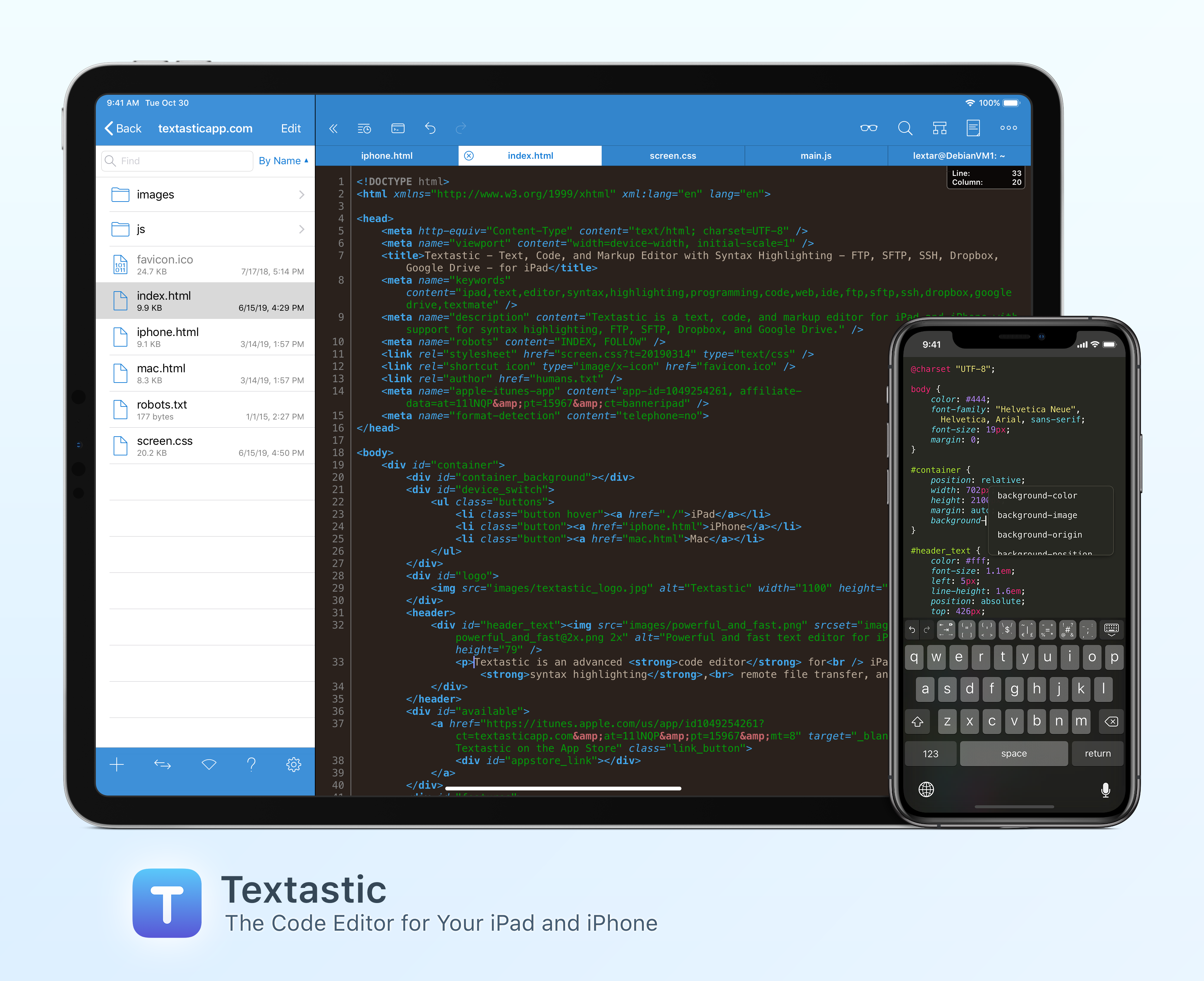
Textastic is the most complete and versatile code editor available for your iPad and iPhone. The app’s versatility starts with its extensive support of syntax highlighting for more than 80 programming and markup languages. Textastic handles highlighting for HTML, JavaScript, CSS, PHP, C, C++, Swift, Objective-C, Java, LaTeX, Python, Ruby, Perl, Lua, and dozens more.
Textastic is also a full-featured Markdown text editor that includes a built-in web server and Safari support for previewing your work. The app is compatible with Sublime Text and TextMate syntax definitions too.
Textastic goes well beyond the features of a classic text editor, though. You can manage remote file transfers with FTP, SFTP, WebDAV, Dropbox, and Google Drive and there’s a terrific, full-featured SSH terminal built right into the app. Because Textastic supports tabs, you can even have multiple files and SSH terminals open simultaneously.
With robust search and replace that supports regular expressions, keyboard shortcuts that are customizable, and support for Git repositories using Working Copy, it’s the most powerful code editor you’ll find anywhere with a long list of features, including support for the Files app, drag and drop, printing, iCloud Drive, Split View, multiwindowing, context menus, and a whole lot more.
The app is regularly updated and maintained too. With the release of version 9.3 in June, Textastic gained new keyboard shortcuts for code comments, a setting for automatically inserting a matching closing character for parentheses, square brackets, and curly brackets, code awareness that allows for automatic indentation based on syntax context, an adjustable line height setting, and a setting for displaying the selected line indicator in a document’s gutter. Dark mode has been improved too, allowing users to select a separate code editor theme and keyboard appearance and preview Markdown using a dark color scheme.
To learn more about Textastic and what it can do for your code editing needs on the iPhone and iPad, visit textasticapp.com, to download a copy today. You’re going to love it.
Our thanks to Textastic for sponsoring MacStories this week.
MacStories Unplugged
Designing Better Burrito Cooking Instructions Federico and John continue their tour of the English language, including thoughts on oysters, John explains why the design of a frozen burrito’s cooking instructions matters, and Federico shares his thoughts on widgets and three-column iPad app layouts he’d like to see this fall. Show Notes Exploring the English language...
In This Issue
This month, Ryan’s fall hardware wishes, Stephen on how Apple could adapt its laptops to fit better with work-from-home setups, John reviews the Powerbeats Pro from a runner’s perspective, and an all-new especially fun episode of MacStories Unplugged is out....
Sidequest: Helpdesks and Personal Task Inboxes That Teams Love, 100% Inside Slack [Sponsor]
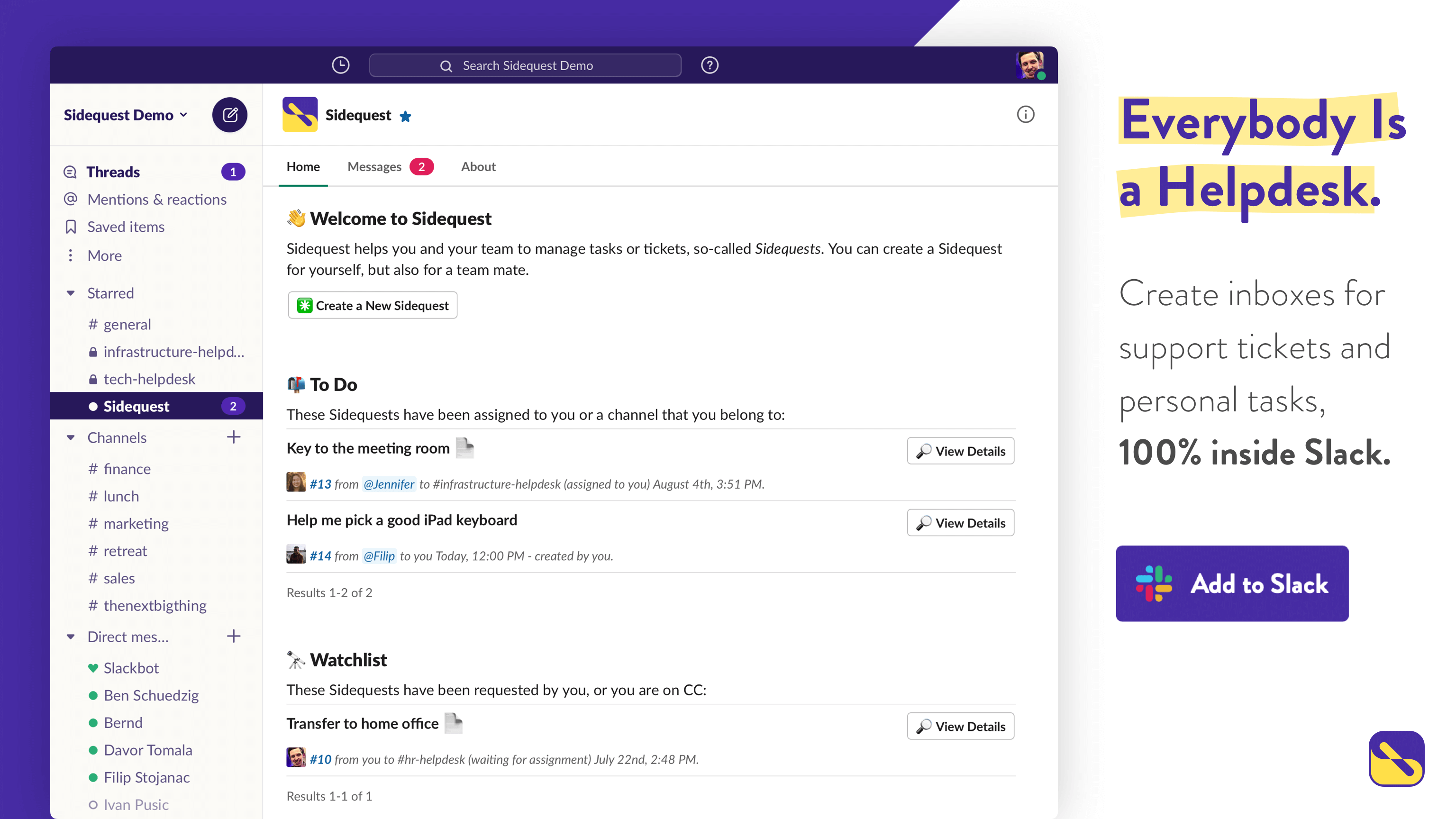
Sidequest is a brand new extension exclusively for Slack that enables you to create helpdesks and personal task inboxes that teams love, 100% inside Slack. With Sidequest, you get the perfect combination of the dependability of a helpdesk system, the effortlessness of a task management app, and the convenience of Slack, all in one terrific, integrated package.
When it comes to helpdesks and request tracking tools, we all seem to share the same love-hate relationship. For many teams, helpdesks are the only way to process a large volume of requests efficiently and reliably, but at the same time, they can feel incredibly impersonal, old-fashioned, and inaccessible, especially when used for internal purposes, such as an IT service desk.
Sidequest makes you love your helpdesk again, by combining the reliability of traditional ticketing systems and the ease of use of modern task managers inside Slack. It allows your workspace members to create tasks in public or private support channels as well as for each other in personal task inboxes. As soon as a ticket has been created, Sidequest becomes the single point of truth, so your team always has a shared understanding of the task at hand, its history, and its status. That way, everyone is on the same page, and nothing slips between the cracks.
Better yet, there is no need to install new software or to set up accounts, as Sidequest lives 100% inside Slack. And because Sidequest is made in Germany, your data and your users are fully protected by GDPR, which is one of the world’s strictest data protection laws.
Start your new helpdesk today with a 30-day free trial of Sidequest by visiting getsidequest.app/macstories. Then, use promo code MACSTORIES for 50% off the first six months. Love your helpdesk again, with Sidequest for Slack.
Our thanks to Sidequest for sponsoring MacStories this week.