
GoodLinks,Federico shares an iOS and iPadOS 14 beta shortcut for viewing Reminders app tasks on your Home screen with compact UI, Ryan on adapting to widgets, an all-new episode of Unplugged,lots of App Debuts, plus the usual Links, arecap of MacStories articles, and a preview of MacStories podcasts....
Magic Lasso: Block Ads, Trackers and Pop-Ups on Your iPhone, iPad, and Mac [Sponsor]
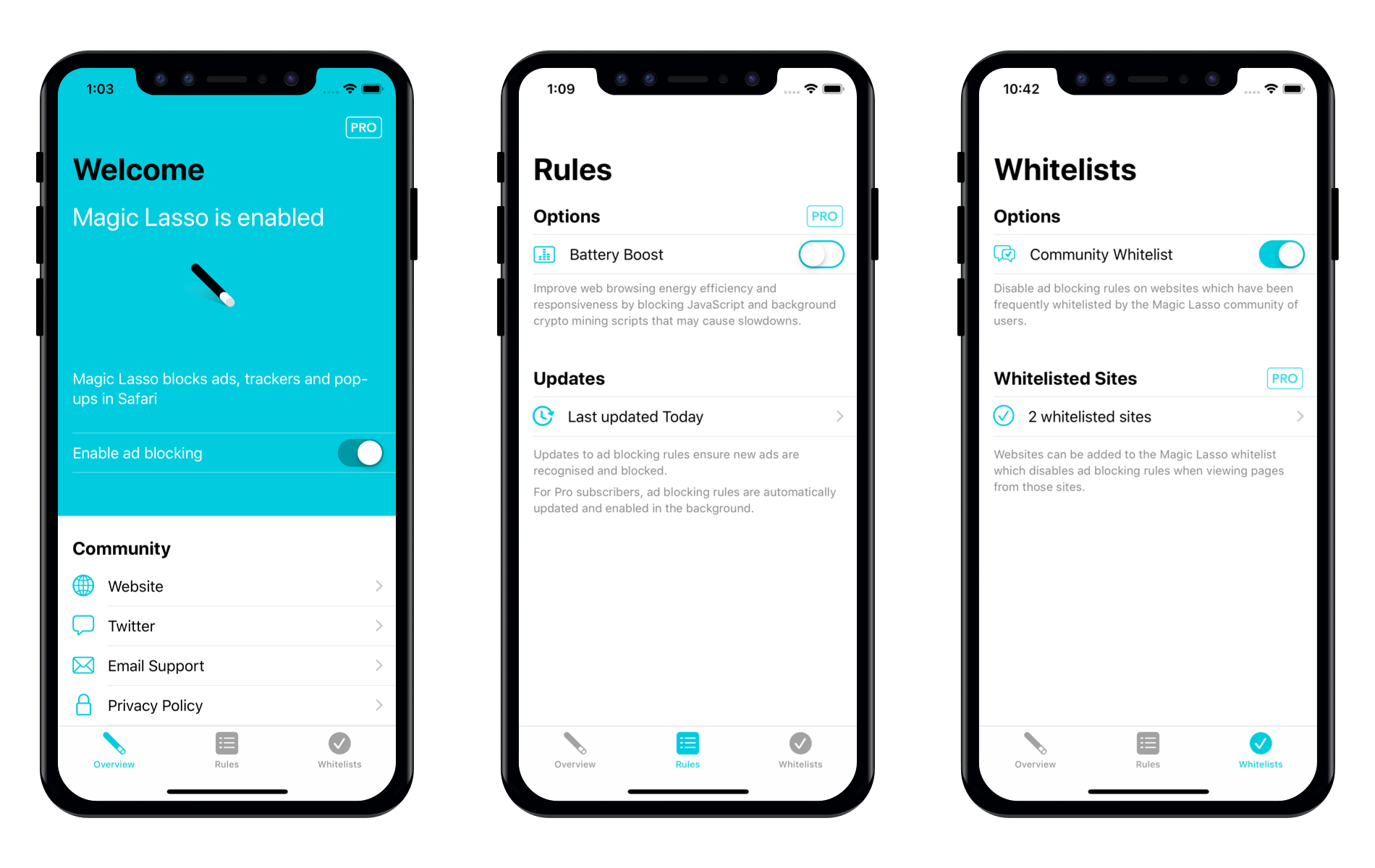
Magic Lasso Adblock is an efficient and high-performance ad blocker for the iPhone, iPad, and Mac.
It allows you to experience a cleaner, faster web – without ads. As a native Safari content-blocking extension, Magic Lasso blocks intrusive ads, pop-ups, and trackers when browsing the web.
Magic Lasso Adblock provides a 2.0x speed increase on common websites, improves your privacy and security by removing ad trackers, and works with Safari across all Apple devices. It’s as if Apple itself had designed an ad blocker.
And unlike some other ad blockers, Magic Lasso Adblock respects your privacy, doesn’t accept payment from advertisers, and is 100% supported by its community of over 150,000 users.
Version 2.0 delivers a host of new features, including:
- Community Allowlists: Once enabled, ad blocking is disabled on sites that have been frequently allowed by Magic Lasso users. Through anonymous crowd-sourcing of allowlists, ads are only allowed on sites the community deem worthy
- Battery Boost: Additional ad blocking rules target and block JavaScript which uses significant CPU energy, ensuring pages are responsive while improving browser battery life
-
New look and feel: The new three-pane interface provides a quick overview of current status, easy access to see recent rules updates, and a simple way to view and configure allowed sites
Download the app for free today from the Magic Lasso website, the App Store, and the Mac App Store.
Our thanks to Magic Lasso Adblock for sponsoring MacStories this week.
 MacStories Unplugged
Hi everyone! We’re taking this week off from MacStories Unplugged, but will be recording a new episode next week, so sit tight. It won’t be long before we’re back....
Interesting Links
9to5Mac highlights how several designers have released their own packs of macOS Big Sur-friendly app icons you can use to make your favorite third-party apps’ icons blend better with Apple’s new icon set during the beta period this summer. (Link) Ryan Ashcraft, developer of FoodNoms, has outlined the things he’s learned in his first year...
In This Issue
MacStories and your privacy, Book Track, a collection of quick and easy iOS video editing apps, John’s first impressions of the HyperDrive Gen 2 12-port USB-C hub,plus lots of links, App Debuts, arecap of MacStories articles, and a preview of upcoming MacStories podcasts....
Previously, On MacStories
Widgets and the App Library: A First Look at Bringing Personality and Customization to Your Home Screens Two Weeks with iPadOS 14: Redefining the Modern iPad Experience Apple Opens First Public Betas for iOS, iPadOS, and tvOS 14 Epic Games Releases iPhone App That Captures Facial Expressions to Unreal Engine Apple Updates Coding Resources for...
Straw Poll
Straw Poll #28: WWDC 2020...
Up Next on MacStories’ Podcasts
Next week on AppStories, John is joined by Myke Hurley of Relay FM to talk about the apps he uses to run a network of 30 podcasts and produce the shows on which he appears. Today on MacStories Unwind, Johncovers Federico’s story about the evolution of iPadOS, a first look at widgets and...
OffScreen: Leave Your Phone, and Focus on Real Life [Sponsor]
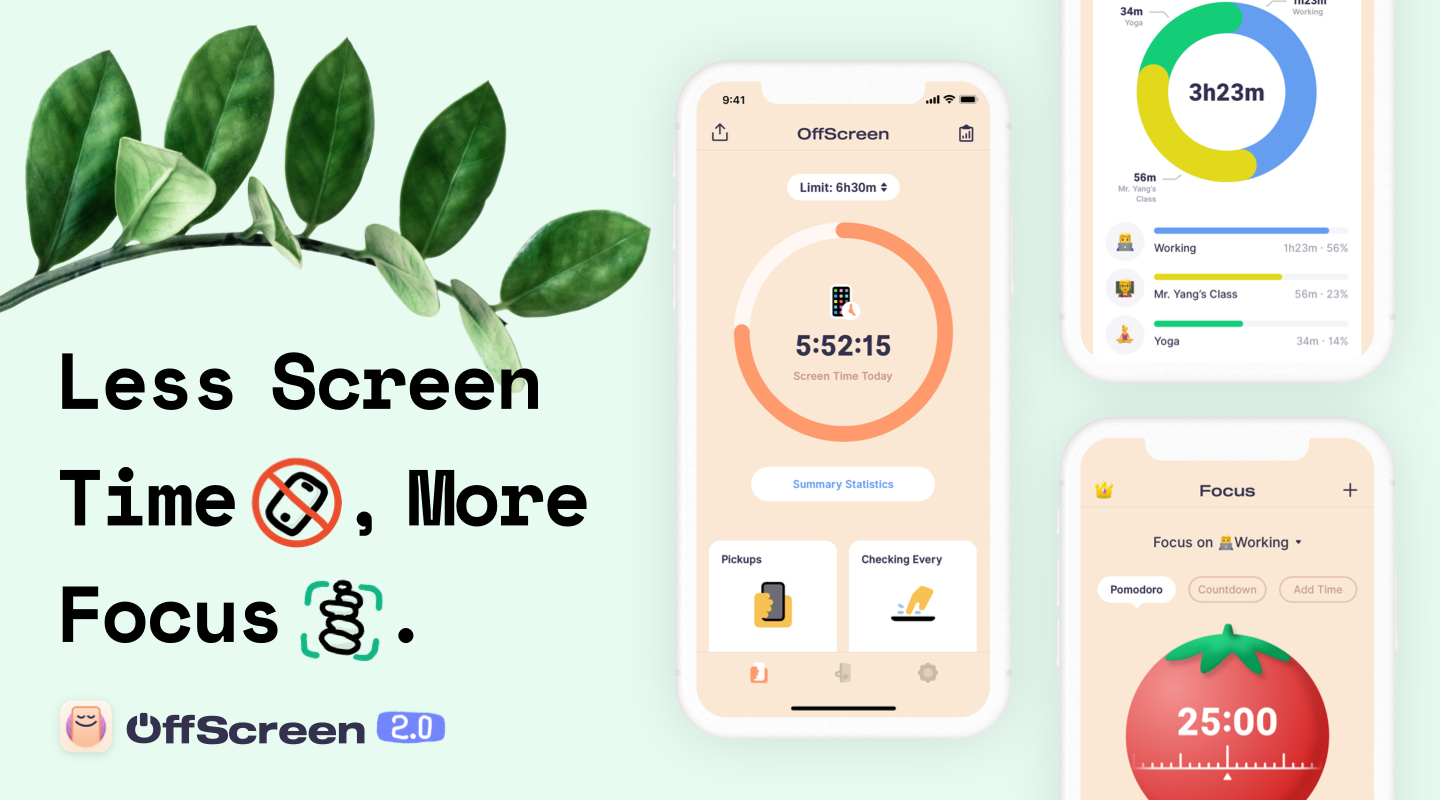
It’s far too easy to get sidetracked and waste time on your iPhone. With Offscreen, you’ll understand exactly how you are spending time, regain control of it, and learn how to focus on what’s most important to you.
OffScreen is a beautifully-designed app for the iPhone and iPad that humanizes the way it reports statistics of your device usage. Not only does the app track screen time, but you can set goals, track your progress, and gain insights into your use patterns with built-in, understandable details like Pickups, Checking Every, Walking Life, Stationary Life, Last Pickup, First Pickup, Best Break and Sleep Time. It’s a holistic overview of your time that gives you the tools you need to form better habits.
OffScreen also helps you focus on your work. The app supports Pomodoro timers, countdowns, and cumulative time counters. Once you start a timer and put your phone down, OffScreen will remind you to get back to work with a notification, if you pick it up. Of course, if there are apps you need for your work, you can whitelist just those apps. OffScreen has terrific white noise options to help you concentrate on your tasks too.
To keep you on track and assist you with spotting long-term trends, OffScreen provides reports too. You’ll find detailed historical information beautifully displayed using charts generated for certain days, weeks, months, or years. You can also navigate your data from a calendar view to quickly jump to a particular day, and statistics are sharable.
Download OffScreen today on the App Store to take control of your iPhone use and focus on real life.
Our thanks to OffScreen for sponsoring MacStories this week.