

[[unplugged_artwork]] Unwinding After the Review Season When review season is over at MacStories, we all have a little more time for ourselves. This month, Federico and John talk about the video games they’ve been playing, TV shows they’ve been watching, and the other things they’ve been up to since the OS review season ended. Show...
 In This Issue
This month, Stephen tries Apple’s newly-redesigned Reminders app, Ryan considers how News+ could be fixed, and John restructures how he tracks time with Toggl and Timery....
UpHabit: The Personal CRM That Makes Connecting with the People You Care about Part of Your Daily Routine [Sponsor]

UpHabit makes building and maintaining strong relationships with the people who matter to you the most part of your daily routine.
We all lead busy, active lives. Pulled in several directions at once and with an ever-growing list of personal and business contacts, it’s easy to fall out of touch with people. UpHabit solves the problem with a powerful set of tools that brings order to the chaos, making sure that no one slips through the cracks.
With UpHabit, you can take control of creating stronger personal or business relationships with features like:
- The ability to set reminders to keep in touch with people
- Reminder snoozing, so getting in touch with contacts doesn’t fall through the cracks when you’re busy
- A place to take notes so you can pick up where you left off the next time you talk to someone
- Tagging to help organize your contacts
It’s incredibly easy to get started and begin enjoying the benefits of stronger relationships immediately with UpHabit.
UpHabit is continually updated with new features drawn from feedback from its growing community of users with message templates, two-way contact syncing, and more coming soon.
Of course, privacy is of paramount importance to UpHabit too. The app doesn’t have ads, and your contacts data isn’t shared with third parties.
Make connecting with your most important contacts part of your daily routine. Download UpHabit now to try it for free, and for a limited time, you can get 60% off when you sign up for any of UpHabit’s subscription plans.
Our thanks to UpHabit for sponsoring MacStories this week.
Perks

Pixelmator Pro for Mac Exclusively for Club MacStories members, we have two copies of Pixelmator Pro, the terrific Mac image editing app, to give away. Please use the button below to enter your email and for further details. Entries will close on Wednesday, October 30, 2019 at 10:00 pm Eastern US time. Enter Your Email...
Up Next on MacStories’ Podcasts
Next week on AppStories, Federico and John dig into GameClub, the new classic iOS game service that launched this week, and walk through some of Federico’s latest shortcuts....
In This Issue
Ferrite, Alternatives to Apple’s Music App, Vol. 2, a Pixelmator Pro giveaway, a tip for waking and unlocking the iPad Pro via the keyboard, member shortcut requests answered by Federico, Ryan on whether Apple TV+’s ‘All Original’ strategy will work,plus the usualWeekly Q&A, Links, App Debuts, arecap of MacStories articles, and a preview of next...
Interesting Links
Apple Regent Street recently hosted Dickinson’s creator and top stars for a panel about the new Apple TV+ series, and Sigmund Judge published his transcript of the conversation on Screen Times. (Link) Michael Schneider writes for Variety about the ways budgets for new TV shows have recently exploded, in large part thanks to Apple. (Link)...
Previously, On MacStories
MacStories Shortcuts Icons Receives Free Update with 50 New Glyphs Todoist Foundations: Key Refinements Modernize the Popular Task Manager iA Writer 5.3 Adds Multiwindow Support, Dark Mode, Content Block Improvements GameClub Launches a Subscription Service That Revives a Growing Catalog of 70 Classic iOS Games Apple’s TV App Arrives on Amazon Fire TV Devices...
Remote Control for Mac: Turn Your Mac into a Home Media Center [Sponsor]
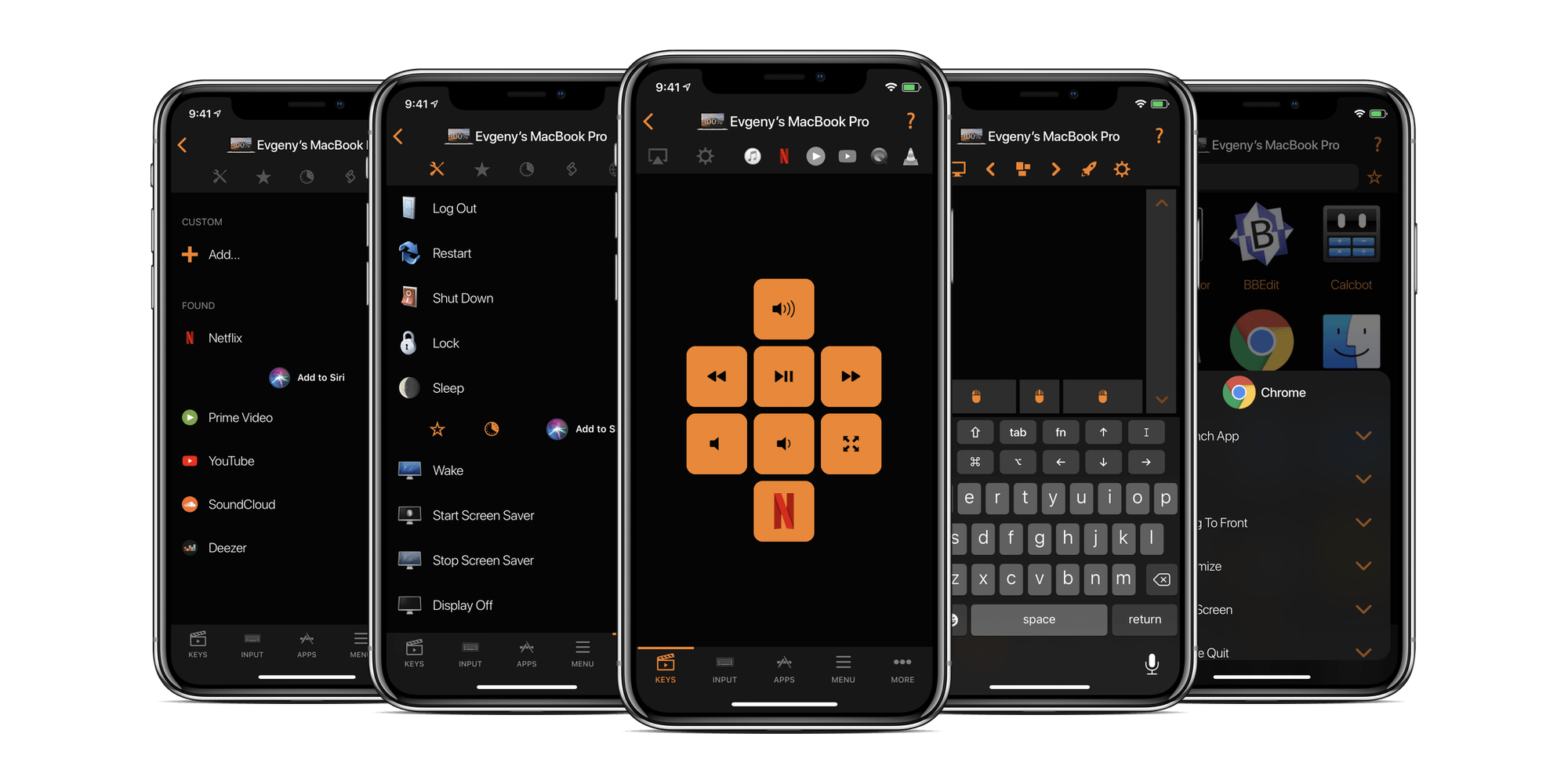
Remote Control for Mac is a powerful app for the iPhone, iPad, and Apple Watch that works with a helper app on your Mac to free you from your desk, so you can enjoy your Mac anywhere on your network. Whether you’re running a Mac as a media center, want to launch apps remotely, or control your Mac’s system settings while doing something else, Remote Control for Mac can handle it all.
A Mac makes a fantastic media center. However, balancing a mouse or trackpad and a keyboard from the couch or in bed isn’t ideal, which is where Remote Control for Mac comes in. With it, you can control the apps on your Mac from your iOS devices or with the brand new Apple Watch app, which offers keypads, mouse interactions, and system commands. It’s an incredibly flexible combination that opens up amazing new options.
On top of that, the app’s AirPlay controls are a fantastic way to send the screen of your Mac or it’s audio to your Apple TV. You can also control the apps on your Mac with Remote Control for Mac and even use system commands to put your Mac to sleep, turn its display on and off, and even restart it. There is Shortcuts integration too. Add the app’s actions to Siri, so you can run them by voice or as part of a custom shortcut. They’re perfect for combining with HomeKit accessory actions in a smart home environment.
Remote Control for Mac has a special giveaway just for MacStories readers. The first 50 readers who visit this link will get a free copy of the app.
Take control of your Mac today. Download Remote Control for Mac from the App Store now.
Our thanks to Remote Control for Mac for supporting MacStories this week.