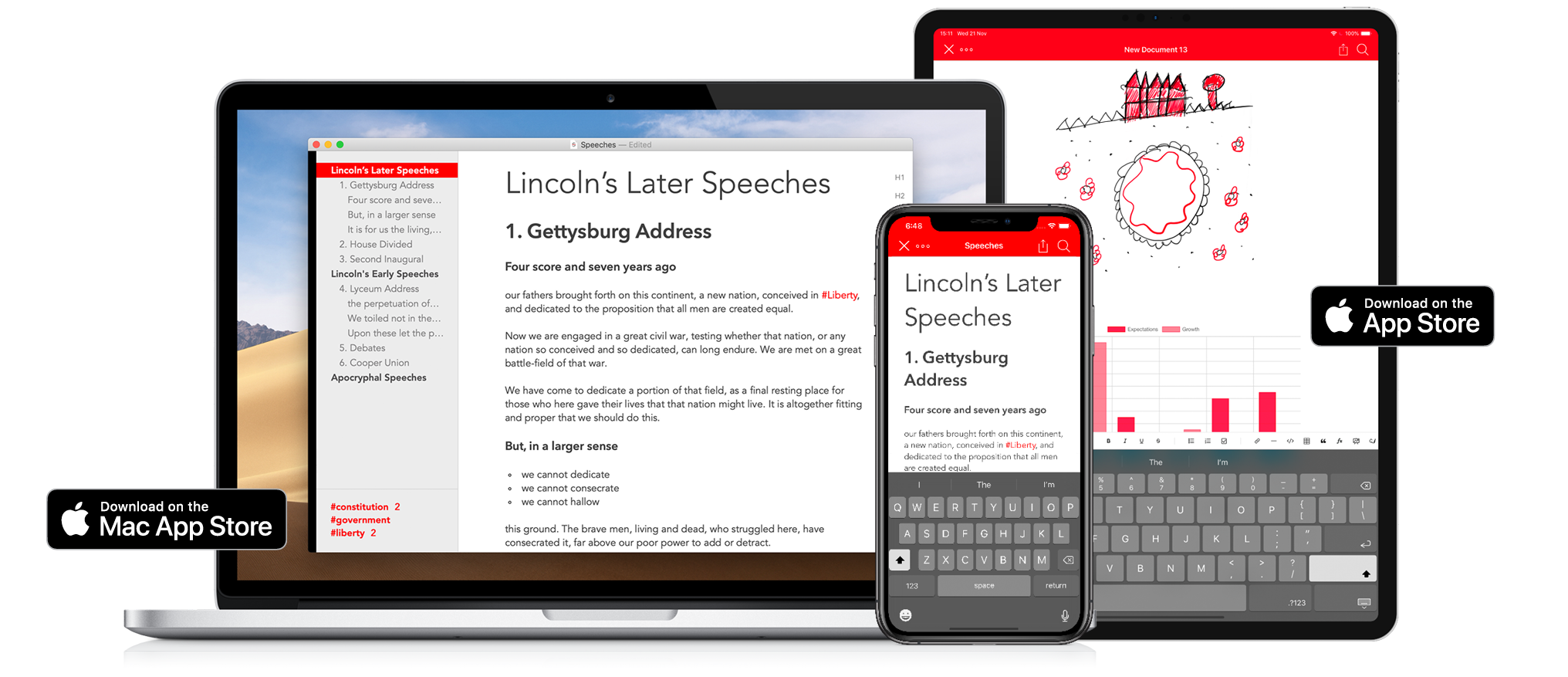
Strike is a beautifully-designed, modern writing app for the Mac and iOS that brings together all the tools you need whether you’re working by yourself or with colleagues.
Strike streamlines the process of writing allowing you to get ideas down quickly with its Smart Markdown system. You can type Markdown directly into a Strike document, which is automatically previewed in the editor. You can also format text with a single click or tap on the app’s formatting bar that includes bold, italics, underlining, strikethrough, ordered and unordered lists, checklists, links, headings, and more.
Strike didn’t stop there though. You can drop charts, tables, and MathJax formulas into your documents too. Strike also supports file attachments as well as:
- Password protected documents
- Document locking to avoid inadvertent changes
- Themes and handsome color schemes
- Document statistics
- Text transformation tools
- Line sorting
- Autocorrect and spellcheck
- Attachment and PDF export
On the Mac, Strike supports recent powerful additions to macOS like Dark Mode and document versioning so you can roll back changes. On iOS, Strike supports the Apple Pencil.
Navigating longer documents is simple. The side panel is an outline of the major headings and list items in your document. Selecting any entry jumps straight to that part of the document. The side panel is where you’ll find a list of the tags in your document too, which you can use to go to where the tags appear in your text.
As fantastic as Strike is for writing solo, it’s just as reliable for writing with colleagues. Invite up to 10 people to join you in editing a document simultaneously in real-time. For example, it’s a great way to work with an editor, on a joint project with others, or to collect notes from fellow students.
Strike is a simple and elegant writing tool that distinguishes it from other writing apps through the power of collaboration. Download Strike on the Mac and iOS today to supercharge your writing.