MacStories Team

3497 posts on MacStories since July 2011

Articles by the MacStories team. Founded by Federico Viticci in April 2009, MacStories attracts millions of readers every month thanks to in-depth, personal, and informed coverage that offers a balanced mix of Apple news, app reviews, and opinion.

The Clock: The Best World Clock [Sponsor]

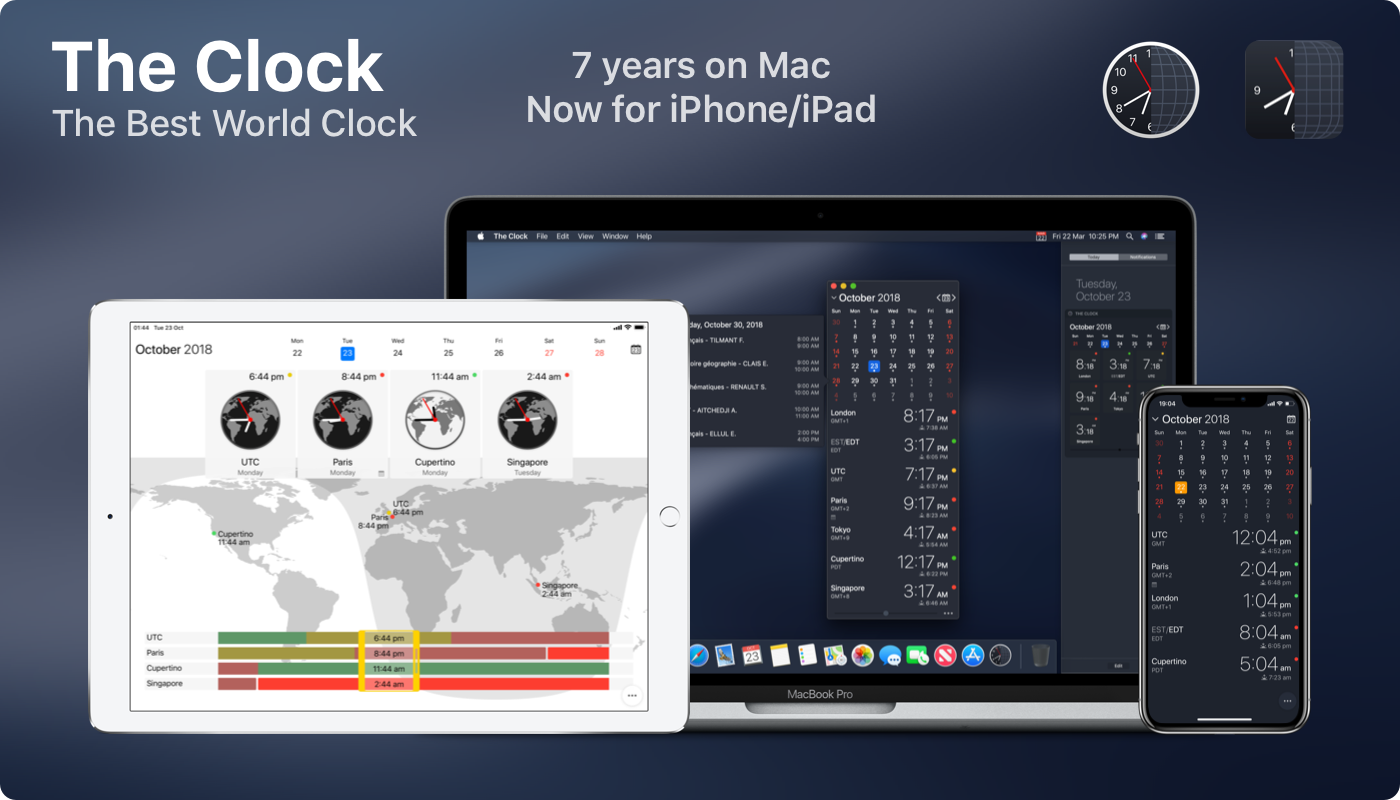
Time zones are hard, but they don’t have to be. With The Clock for iOS and the Mac, you can stay in touch with friends and family and schedule meetings with colleagues scattered across the globe without the confusion that time zones can cause.

The hallmark of The Clock is its flexibility to work the way you do. The app has 20,000 users, and it’s their input that has helped it evolve into an intuitive and essential utility.

Times and dates can be displayed in a bunch of formats, but that’s just the start. The Clock includes four handsome themes and supports eight different complications that display information like sunrise and sunset times, business hours, days off, days of the week, time zone offset, and more.

The Clock is also indispensable for planning meetings. With calendar integration and a unique slider interface, it’s easy to find a time window to chat with colleagues spread around the world. The app also automatically adjusts for Daylight Savings Time and alerts you as the time change approaches.

The Clock is loaded with lots of other features too:

  • Menu bar and dock options
  • Notes
  • Accessibility support
  • Local, iCloud, and Dropbox backups
  • Keyboard support
  • Handoff
  • Share sheet and service integration for converting times
  • Split Screen and Full Screen
  • Siri Shortcuts on iOS

The Clock is the best world clock you’ll find anywhere on the Mac or iOS. Learn more about The Clock for macOS and download a trial version from the app’s website. While you’re there, check out the iOS version too. Both the macOS and iOS versions are available on the iOS App Store and the Mac App Store.

Also, we’re giving away 20 copies each of the Mac and iOS versions of The Clock to MacStories readers. Click here, to learn more and enter the giveaway.

Our thanks to The Clock for sponsoring MacStories this week.


Hullo Pillow: Your Favorite Pillow Guaranteed [Sponsor]

Being comfortable is part of getting a good night’s sleep, and a big part of that is your pillow. Hullo Pillow is a buckwheat pillow that allows you to adjust its shape and thickness to perfectly support your head and neck reducing pressure on your muscles, nerves, and discs.

Buckwheat pillows, which have been used for centuries, are popular in Japan, and they’re a staple of fancy hotels that offer ‘pillow menus.’ If you haven’t tried one before, a buckwheat pillow is different from standard foam or down pillows. It’s a little like a bean bag that allows you to adjust the pillow’s shape and thickness to your liking.

Feather and foam pillows get hot, humid, and compress into a thin pancake requiring you to fold it in half or use multiple pillows to support your head and neck. That doesn’t happen with Hullo. The buckwheat keeps your pillow cool and shapes itself to the contours of your head and neck to give you the support you need throughout the night.

Hullo offers a more natural way to sleep too. Instead of resting your head on a sack of plucked bird feathers or petroleum-based foam, Hullo uses natural buckwheat grown and milled in the United States and a certified organic cotton case.

Hullo is so sure you’ll love your new pillow, you can sleep on it for 60 days and if it isn’t for you, send it back for a refund. Also, if you buy more than one pillow, you can save up to $20 per pillow depending on the size you order. Shipping is free, and 1% of all profits are donated to The Nature Conservancy, so your purchase is helping the planet too.

You deserve a comfortable night’s sleep. Go to Hullo Pillow’s website now to learn more, read customer reviews, and order a pillow today.

Our thanks to Hullo Pillow for sponsoring MacStories this week.