In This Issue
...

 In This Issue
Previously, On MacStories
This Week on MacStories Podcasts
In This Issue
Previously, On MacStories
This Week on MacStories Podcasts Introducing 1Blocker 6, the most powerful version yet of the trusted Safari content blocker. Now available for iPhone, iPad, Mac, and Vision Pro, this update marks almost a decade of innovation and dedication to creating a better web experience.
For ten years, 1Blocker has been your companion in eliminating distracting ads, intrusive trackers, and annoying pop-ups. With version 6, the indie-developed app has released a compelling new design and reengineered architecture, paving the way for even more powerful innovations.
The app’s native design delivers a cleaner look, faster performance, and easier navigation. Enhanced blocking rules improve accuracy, while new granular filters let you customize your web experience like never before.
Download 1Blocker 6 for free to enjoy one free filter, with no restrictions on features or customization. Choose the filter that matters most to you and experience advanced functionality without limits.
Upgrade to 1Blocker Premium to unlock unlimited filters and enjoy the convenience of automatic, scheduled filter updates in the background. Plus, MacStories readers can get one month of 1Blocker’s Premium features for free, which is sharable with up to five family members. Don’t delay, though, this offer is only available until January 20, 2025. Use the code MACSTORIES or this link to take advantage of this great limited-time offer today.
Don’t wait, download 1Blocker 6 and discover the benefits of a cleaner, faster and more private web experience today.
Our thanks to 1Blocker for sponsoring MacStoris this week.
In This Issue
This Week on MacStories Podcasts
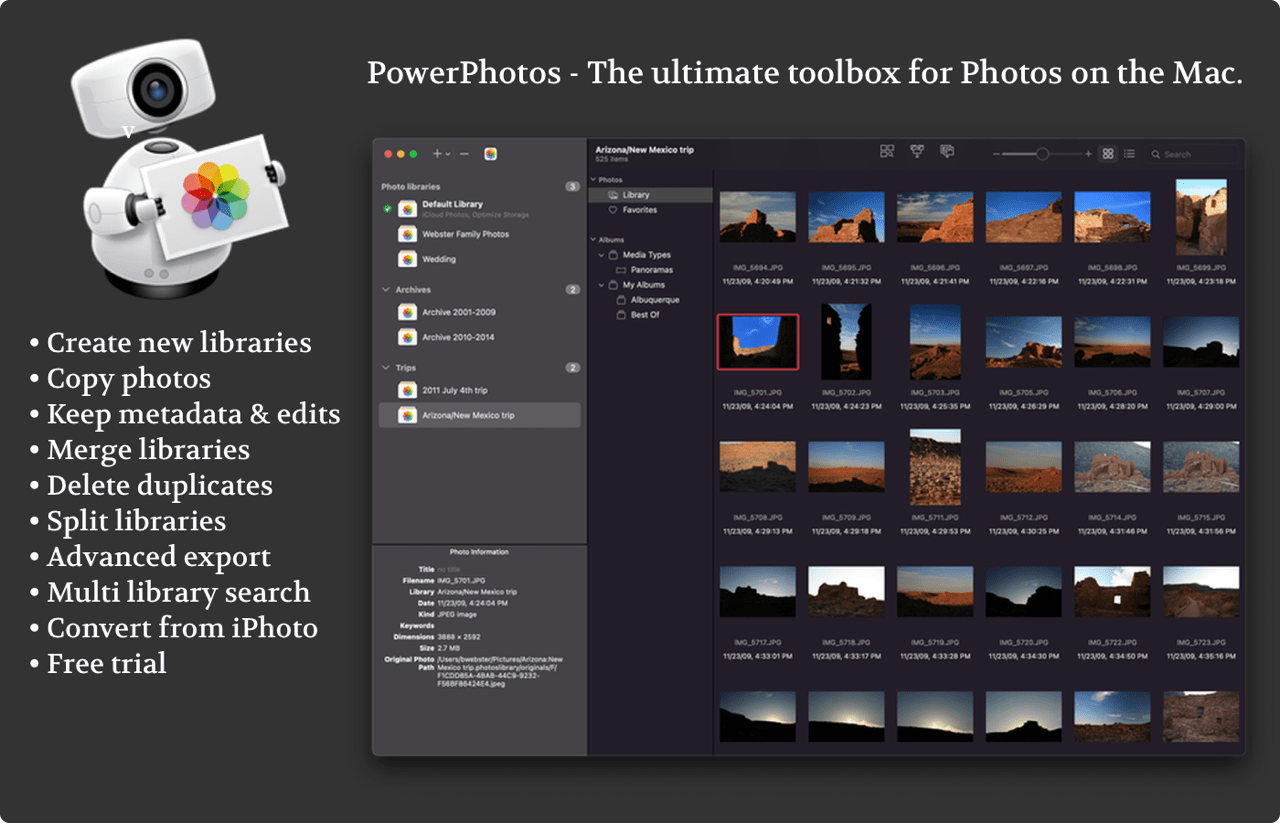
Previously, On MacStories PowerPhotos is the ultimate toolbox for Photos on the Mac. It works in conjunction with the Apple Photos app, filling in missing features that Photos itself doesn’t provide.
PowerPhotos allows you to work with multiple Photos libraries and store them wherever you want, including on an external drive or a network drive. Split up your giant library into smaller ones by copying photos and albums with a simple drag and drop, preserving metadata such as edits, titles, and keywords along the way. You can free up space on your laptop’s drive or save space on iCloud while still keeping all your photos handy in the Photos app.
Or, if you already have multiple libraries, use PowerPhotos to merge them together while weeding out duplicates along the way. PowerPhotos also features a powerful duplicate photo finder, a browser to let you see your libraries side by side in multiple windows, multi library search, advanced exporting, converting old iPhoto/Aperture libraries, and more.
PowerPhotos 2.0 can be downloaded for free from fatcatsoftware.com/powerphotos and offers many of its features for free. Purchasing a license will unlock advanced features such as library merging, deletion of duplicate photos, and unlimited photo copying and exporting. Existing users of PowerPhotos 1.0 or iPhoto Library Manager can use their old license key to upgrade for 50% off the regular price, and MacStories readers can use the coupon code MACSTORIES25 to receive a 20% discount.
Our thanks to PowerPhotos for sponsoring MacStories this week.
In This Issue