MacStories Team

3497 posts on MacStories since July 2011

Articles by the MacStories team. Founded by Federico Viticci in April 2009, MacStories attracts millions of readers every month thanks to in-depth, personal, and informed coverage that offers a balanced mix of Apple news, app reviews, and opinion.

Think Clearly with Standard Notes [Sponsor]

Standard Notes is a simple, safe place to access your notes wherever you are.

The app is available on iOS, Mac, the web, Android, and even Windows and Linux, making it universally available whatever mix of hardware and OSes you use. But just as important as being everywhere is security. That’s why Standard Notes uses state-of-the-art AES 256-bit end-to-end encryption to secure your notes from prying eyes. The app syncs across the web, but its encryption lets you rest easy knowing that no one can read your data.

Standard Notes features on-device security too. You can set up a passcode so if you are logged into your computer or mobile device, even people with physical access to your devices will not be able to access your encrypted notes.

All of these features are entirely free as are tagging, pinning, archiving, and locking notes. Even encrypted and decrypted backups of your notes are free.

Additional features like editors, which provide options like advanced Markdown and code editing, are available as are themes, version histories for your notes, two-factor authentication, and sync with popular cloud services such as Dropbox and Google Drive, for a reasonably-priced monthly or annual subscription.

Learn more and protect your privacy today with Standard Notes.

Our thanks to Standard Notes for sponsoring MacStories this week.


FirstSeed Calendar: Manage Events and Reminders on iPhone, iPad, and Mac [Sponsor]

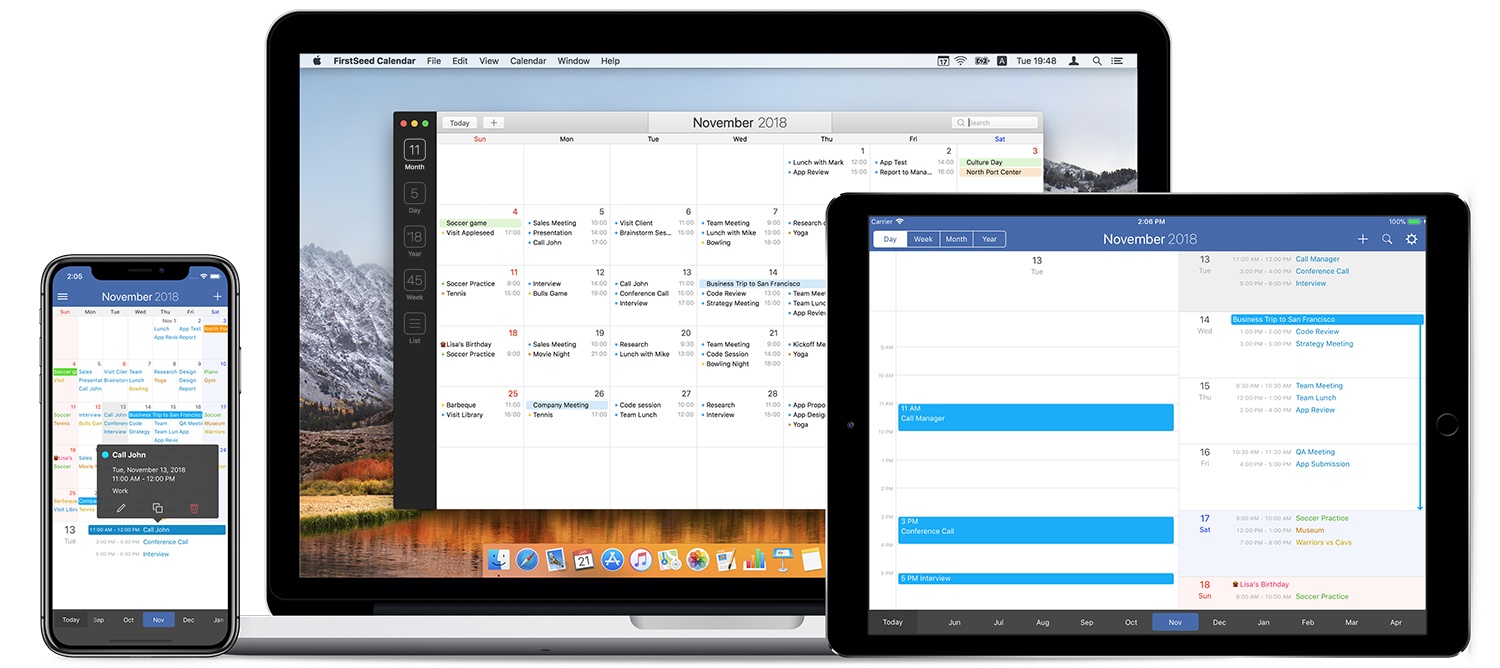
Whether you work on iOS, a Mac, or both, FirstSeed Calendar takes advantage of the unique features of each platform providing a seamless experience that anyone with a busy schedule will appreciate.

The app has a comprehensive month view that makes viewing, adding, editing, deleting, moving, and duplicating events a breeze and an innovative week view. Most calendar apps require scrolling to see a full day’s events in week view. FirstSeed provides a grid view of the core of your day and shows any other activities as a list view, making it possible to see everything at a glance. There’s a list view, day view, and reminder support too.

FirstSeed Calendar packed with clever features. There’s a clock interface for intuitive event editing, a dedicated button to quickly switch between views and a continuous month view that takes advantage of every pixel on your screen.

The app has natural language support for English and Japanese too. Just type events as you would typically describe them and FirstSeed populates your calendar like magic.

FirstSeed is designed with each platform’s hardware in mind. On iOS, the app’s emphasis on one-handed operation makes it the perfect choice for working on the go. The iOS versions of FirstSeed support keyboard shortcuts too. On the Mac, FirstSeed uses the MacBook Pro’s Touch Bar and includes a menu bar app for quick access to your schedule.

Managing your calendar doesn’t have to be hard. Take control of your schedule today with FirstSeed Calendar.

Learn more here, or go straight to the App Stores and download FirstSeed Calendar for the iPhone, iPad, and Mac today.

Our thanks to FirstSeed Calendar for sponsoring MacStories this week.