

Metapho, Apps Used for Federico’s iOS 9 Review, Federico’s iPad Home screen, plus the usual Weekly Q&A, Tip, Links, App Debuts, and recap of MacStories articles....
 Interesting Links
Designer Linda Dong compares the iPad Pro’s Pencil to the Wacom Cintiq. Apple has acquired Mapsense, which “builds tools for analyzing and visualizing location data”, says Re/code. Details on Live Photos and how much space they’ll take up on an iPhone 6s. Manton Reece thinks that every device needs the web following the news of...
Previously, On MacStories
iOS 9: The MacStories Review, Created on iPad iOS 9 Goes to School Apple’s iOS 9 News App Review: Broken News Marco Arment Launches Peace, an iOS 9 Content Blocker Powered by Ghostery Readdle’s Documents for iOS 9 and Safari File Downloads 1Password 6.0 for iOS 9 Adds iPad Multitasking, Spotlight Search Sofa: Discover New...
Apps Used for Federico’siOS 9 Review
Editorial Ole Zorn’s excellent Markdown text editor is where I got all my writing and editing done (with Dropbox sync). I’ve written about Editorial at length already, and it’s the app I use every day to write and publish articles to the site because of its combination of plain text, Dropbox sync, and automation...
Announcement
Welcome, and thank you for signing up to be a Club MacStories member! To previous MacStories Weekly subscribers, we hope you enjoy the new design and new sections. To those of you getting MacStories Weekly for the first time, we hope you enjoy reading it. If you’d like, you can also read some of...
#MacStoriesDeals – ‘Get Productive’ Sale
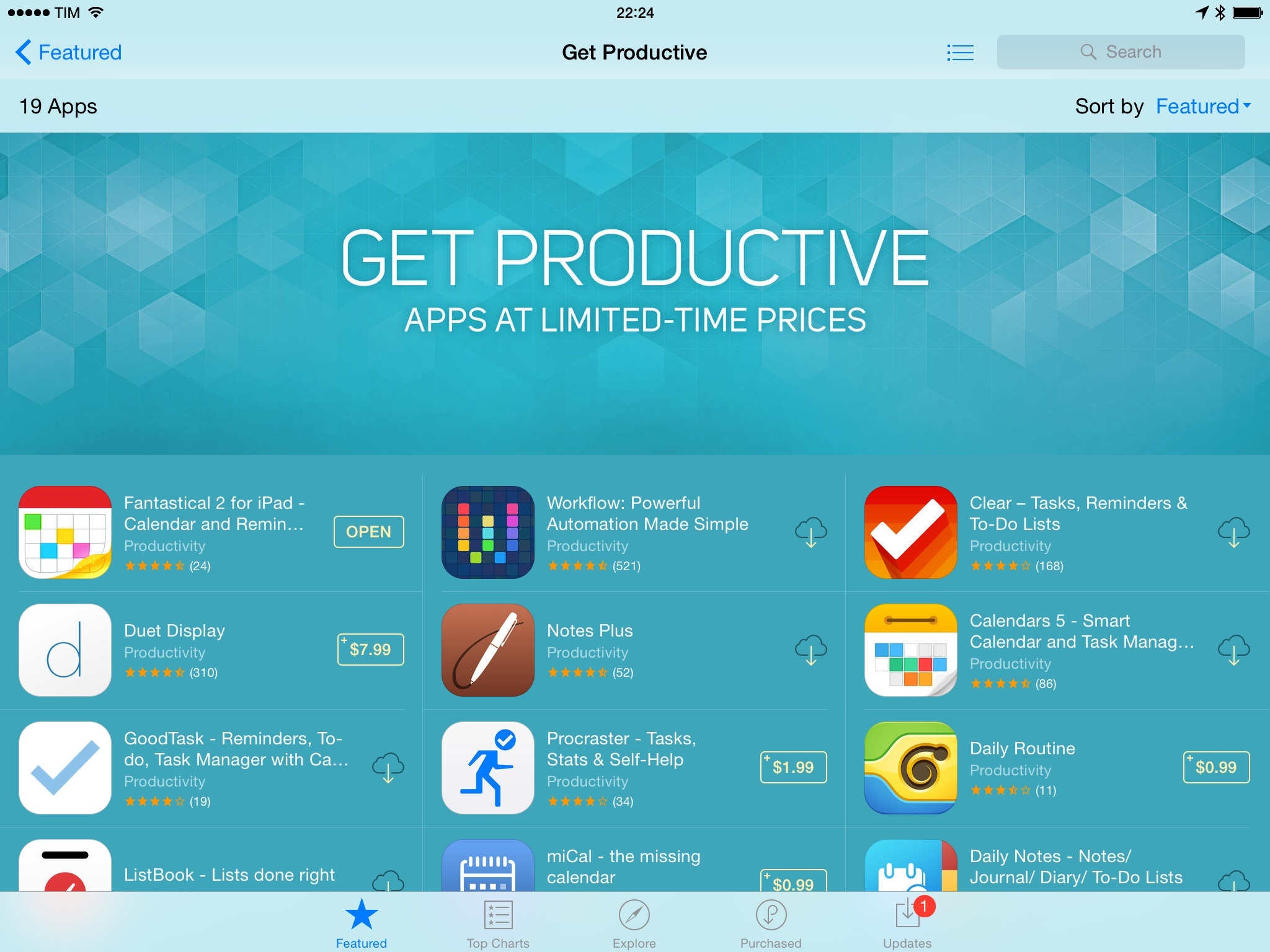
We’ve collected the best #MacStoriesDeals for January 28, 2015, so be quick and get them! Today, a lot of productivity-related iOS and OS X apps went on sale in what appears to be an organized promotion across the App Store. If new deals become available, we’ll include them at the top of each section.
For more deals, you can find us as @MacStoriesDeals on Twitter.
Update, January 29: Apple has confirmed the App Store sale with a special section called ‘Get Productive’.
Aptonic - Dropzone 3 [Sponsor]→
Dropzone is a productivity tool that enhances drag and drop on your Mac. Drag files onto the menu item and a beautifully designed and animated grid of all your actions opens. Share with services such as AirDrop, Imgur, FTP, Amazon S3, Facebook, Twitter and many others. Move and copy files, launch applications and even develop your own actions using the powerful Ruby based scripting API.
Dropzone 3 is a huge update to the app that takes Dropzone to a whole new level. You can now add actions to your grid faster thanks to the new quick add menu or by dropping folders or apps onto the ‘Add to Grid’ area. Quickly reorganise your actions using drag and drop and delete them by holding the option key. The new in-grid progress bars let you keep track of task progress. Also see how tasks are progressing at a glance in the new animated menu item.
Drop Bar is another great new feature - Drag files you know you’ll need later onto the Drop Bar area of the grid to stash them tempororily. Drag stacks on top of each other to combine them. You can even drag a stack onto another Dropzone action.
In Dropzone 3, the developer API has undergone a major overhaul. You can now duplicate existing actions and tweak them to your liking. A new bundle system lets you distribute needed libraries or tools along with your action. Actions can now be auto-updated as they are improved. With a little Ruby knowledge you’ll be thinking of your own uses in no time - check out the developer documentation here.
Our thanks to Aptonic for sponsoring MacStories this week.
Manage Your Day-to-Day Tasks with Igloo [Sponsor]→
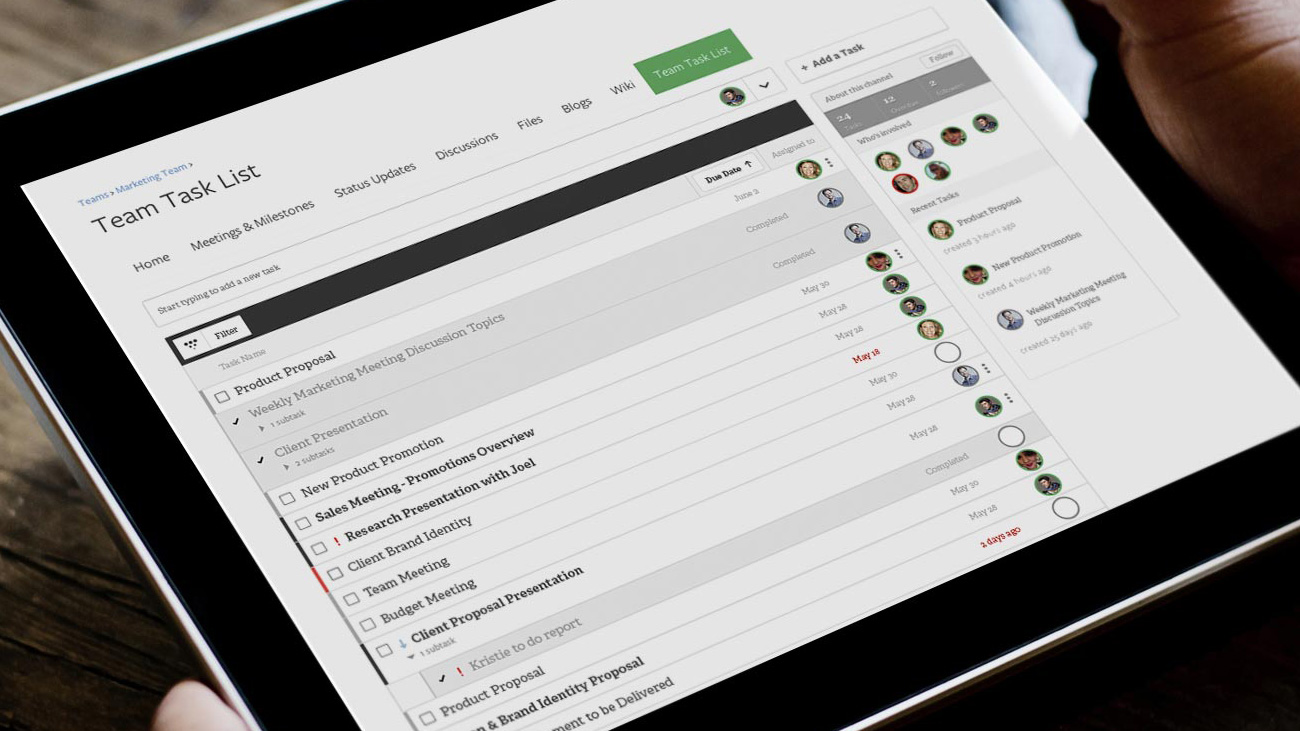
You’ve heard that task management is coming to Igloo with their next release – but how is another task management system actually going to help get work done?
Think about all the tasks you do that aren’t part of a specific project: updating a graphic in a presentation, requesting text get corrected in a Word document, or delegating to-do’s after a meeting. Igloo makes this easy by keeping these tasks with your content.
When you view a document, blog, event, forum, or wiki inside your Igloo, you can add a task right there. You don’t need a project or list (but you can use those, too). These tasks show up on your content, informing your team if document needs edits or if it’s ready to go to the client. Content tasks are particularly great for recurring meetings; when you view tasks assigned in last week’s meeting, it’s easy to see what was completed and what wasn’t.
And when you’re the one assigned tasks? Whether it’s on a project list, on content, or a personal task, all of your tasks show up in one view. It’s the easiest way to manage your day-to-day work. Tasks are a free for all Igloo customers, coming this summer as part of Igloo’s latest update, Unicorn.
Our thanks to Igloo for sponsoring MacStories this week.
Igloo Introduces Social Task Management→

Igloo, the intranet you’ll actually like, is about to get better.
Igloo’s next release, Unicorn, is coming this summer. With it comes social task management, a brand new feature fully integrated throughout the Igloo platform, providing the perfect balance between project management and getting your day-to-day work done.
You can manage projects with task lists, optimized for large groups of people; assign tasks from any piece of content, like requesting changes be made on a document; and you can create personal tasks that are assigned to you or another person. And you can see all your tasks in one unified view.
Learn more at Igloo’s Unicorn landing page. Or come see Unicorn in person – Igloo is hosting an event in Toronto on June 12, with customer presentations by Hulu and Nextel International. Register today as seating is limited.
Our thanks to Igloo for sponsoring MacStories this week.