MacStories Team

3497 posts on MacStories since July 2011

Articles by the MacStories team. Founded by Federico Viticci in April 2009, MacStories attracts millions of readers every month thanks to in-depth, personal, and informed coverage that offers a balanced mix of Apple news, app reviews, and opinion.

Apple Releases iOS 7.0.4


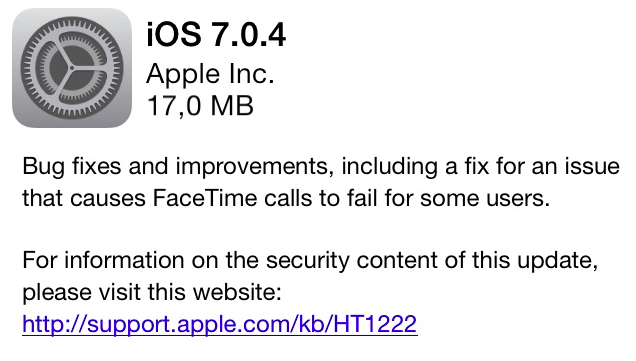
iOS 7.0.4 is currently propagating and should be available for download soon through Software Update. It includes bug fixes, various improvements, and fixes an issue with FaceTime calls.

The new update comes nearly a month after iOS 7.0.3, which was released on October 22nd and included iCloud Keychain, improvements to Spotlight, and changes to the Reduce Motion setting in Accessibility. iOS 7.0.4 is the third public update to iOS 7, which launched for all iOS devices on September 18.


PDFpen: Powerful All-Purpose PDF Editing Tool For Your Mac [Sponsor]

Our thanks to Smile for sponsoring MacStories this week with PDFpen.

PDFpen is the premiere Mac app for editing PDFs to add signatures, text, and images, as well as make changes to correct typos. PDFpen can perform OCR (Optical Character Recognition) so that pictures of text in your document will be turned into real text that you can use. With support for cloud services, PDFpen can keep your documents available across OS X and iOS thanks to PDFpen for iPhone and iPad.

With version 6.1 of PDFpen, Smile added support for PDF stamps: you can now browse a library of standard business stamps (e.g. Approved, Confidential, Sign Here) to quickly apply to your documents without complex editing required. In this version, Evernote users can also save PDFs directly to Evernote Business notebooks.

PDFpenPro –  the advanced version of PDFpen – received some cool new features as well. The new version adds support for automatically detecting and creating form fields for an entire document (in addition to per page) and there’s a new “Create Links from URLs” command to detect and create links in a document.

PDFpen is available on the Smile Store and the Mac App Store. A free demo can be downloaded on the Smile site.

Permalink

Doxie Mobile Scanners [Sponsor]

Our thanks to Doxie for sponsoring MacStories this week.

Doxie Go is the tiny, rechargeable mobile paper scanner that scans anywhere with no computer required. Scan paper, receipts, and cards, then sync to Doxie’s elegant Mac software.

Doxie makes it easy to go paperless, create searchable PDFs with integrated ABBYY FineReader OCR, and send scans to your favorite Mac and cloud apps – Dropbox, Evernote, and more.

It’s time to finally go paperless. Get your new Doxie Go direct from Doxie, from Amazon.com in the USA, or from Amazon.co.uk in Europe.

Federico’s note: I have two Doxie scanners at home and my family and I have been using them for almost two years to scan important work/health-related documents and old photographs. I like the Doxie scanners because they produce higher-quality scans than what you’d normally get with an iPhone’s camera, but they’re portable and they don’t require much desk space.

Permalink

Terminology [Sponsor]

Our thanks to Agile Tortoise for sponsoring MacStories this week with Terminology.

Terminology is an app for anyone who loves words. A Universal app for iPad and iPhone, Terminology is part dictionary, part thesaurus and part research tool. Terminology starts with a great offline dictionary with concise definitions, and extends the dictionary with deep word relations. Find the right word by browsing more and less specific words, and more. If what you need is not in the dictionary, Terminology offers customizable actions to integrate with other reference website and apps.

Get Terminology today for $2.99 on the App Store, or find out more at agiletortoise.com.

Federico’s note: I use Terminology on my iPhone and iPad, and I’m a fan of the design changes and actions that were introduced with version 3.0, which I reviewed here. Gabe Weatherhead has some great examples of how you can make Terminology work for you with custom actions.

Permalink

Macminicolo [Sponsor]

Our thanks to Macminicolo for sponsoring MacStories this week with their Mavericks promo.

The Mac mini gets better and better as a server and Macminicolo has been hosting them since they started this niche market in 2005. They host your Mac mini in a very high end data center where you can use it for all kinds of things. They’re known for their personal service and impeccable uptime.

To celebrate the release of Mavericks, they have a promotion running through the end of October. They’ll host your Mac mini for just $10/mo for nine months. More info here.

If you’ve been hosting a server from your office or home, here is a great chance to enjoy the benefits of a data center.

Federico’s note: I have been using two Mac minis at Macminicolo for the past year, for both personal (media server and automation) and work purposes (MacStories), and I couldn’t be happier. Great service and great support.

Permalink

Sponsor: Smile

Our thanks to Smile for sponsoring MacStories with PDFpen for iPad.

PDFpen is the goto solution for signing and editing documents from your iPad or iPad mini. Correct typos, highlight and add notes, and annotate documents with simple taps. Because PDFpen works with iCloud and Dropbox, you can be sure that your documents are conveniently available at your Mac. And because sharing those documents is just as important as making changes, PDFpen lets you send documents to services like Evernote, Google Drive, and Box. The next time you receive an email with that all important document, sign it with your finger, correct glaring typos, and send it back in just a few moments. It’s fast, easy, and powerful.

PDFpen for the iPad is only $14.99. You can learn more and watch a product demonstration on Smile’s product page, or download it from the App Store. In addition, don’t forget to check out PDFpen for the Mac, the perfect companion for getting things done when you’re at your desk.


Sponsor: Many Tricks

Our thanks to Many Tricks for sponsoring MacStories this week with Name Mangler.

Whether you’re renaming a collection of photos or preparing a folder of images for an online gallery, Name Mangler makes renaming easy. Name Mangler is fast, able to crunch through thousands of files in seconds. It’s flexible, letting you change the title case, add prefixes and suffixes, and insert words or phrases into your filenames. And it’s smart, letting you examine and customize each file name based on the file’s own metadata. As you’re renaming the files, Name Mangler can show you the result of each step, ensuring that you’re happy with the results. When you’re all done, Name Mangler keeps track of your renaming actions, and you can share presets across Macs through apps like Dropbox. You can even create droplets so you can drag a group of files into the icon for instant renaming.

Plain and simple, Name Mangler is a highly customizable tool that takes the pain out of renaming files. You can download a trial from Many Tricks, or purchase your own copy for $19 on the Mac App Store.


Sponsor: PDFpen for iPad

Our thanks to Smile for sponsoring MacStories this week with PDFpen for iPad.

PDFpen for iPad is the mobile version of Smile’s award-winning PDFpen for Mac. With PDFpen for iPad, you’ll be able to sign contracts, make changes, and fill forms when you’re out of the office or on the go.

PDFpen provides iCloud and Dropbox support, so you can edit your PDFs seamlessly on your iPad, iPhone and Mac (you can also exchange documents via Box, Evernote, Google, and more). PDFpen lets you sign and return documents without printing or faxing, directly from your iPad – so, for instance, you’ll be able to fix typos or correct price lists immediately while an issue is foremost in your mind without having to wait to be at your desk with a Mac.

PDFpen for iPad is available at $14.99 on the App Store, and you can find out more about PDFpen for iPad here.


Apple Q3 2013 Results: $35.3 Billion Revenue, 31.2 Million iPhones, 14.6 Million iPads Sold

Apple has published their Q3 2013 financial results for the quarter that ended on June 29, 2013. The company posted revenue of $35.3 billion. The company sold 14.6 million iPads, 31.2 million iPhones, and 3.8 million Macs, earning a quarterly net profit of $6.9 billion.

We are especially proud of our record June quarter iPhone sales of over 31 million and the strong growth in revenue from iTunes, Software and Services,” said Tim Cook, Apple’s CEO. “We are really excited about the upcoming releases of iOS 7 and OS X Mavericks, and we are laser-focused and working hard on some amazing new products that we will introduce in the fall and across 2014.

The company generated $7.8 billion in cash flow from operations during the quarter. Read more