MacStories Team

3497 posts on MacStories since July 2011

Articles by the MacStories team. Founded by Federico Viticci in April 2009, MacStories attracts millions of readers every month thanks to in-depth, personal, and informed coverage that offers a balanced mix of Apple news, app reviews, and opinion.

Apple Q2 2013 Results: $43.6 Billion Revenue, 37.4 Million iPhones, 19.5 Million iPads Sold

Apple has published their Q2 2013 financial results for the quarter that ended on March 31st, 2013. The company posted revenue of $43.6 billion. The company sold 19.5 million iPads, 37.4 million iPhones, and  ”just under” 4 million Macs, earning a quarterly net profit of $9.5 billion.

We are pleased to report record March quarter revenue thanks to continued strong performance of iPhone and iPad,” said Tim Cook, Apple’s CEO. “Our teams are hard at work on some amazing new hardware, software and services, and we are very excited about the products in our pipeline.

Apple added $12.5 billion in cash flow “from operations during the quarter”, ending the quarter with a cash balance of $145 billion.

Today, Apple has also announced they have doubled the capital return program:

 The Company expects to utilize a total of $100 billion of cash under the expanded program by the end of calendar 2015. This represents a $55 billion increase to the program announced last year and translates to an average rate of $30 billion per year from the time of the first dividend payment in August 2012 through December 2015.

Read more


Sponsor: PDFpenPro 6

Our thanks to Smile for sponsoring MacStories this week with PDFpenPro 6.

PDFpenPro is the advanced version of PDFpen. PDFpenPro does everything that PDFpen does, such as add signatures, edit text and images, perform OCR on scanned documents and export Microsoft Word documents. It also has the ability to create a PDF form, build a table of contents, and convert HTML files to PDF.

The new PDFpenPro 6 adds document permission settings. When you share a PDF, you can restrict printing, copying, and editing of your PDFs. You can also use the new automatic form field creation tool to convert a non-interactive form into an interactive PDF form with text fields and checkboxes automatically added. PDFpenPro 6 is optimized for the Retina Display and now takes advantage of Versions and Auto Save available in Lion and Mountain Lion, which better saves your edits from accidental loss.

PDFpenPro 6 is available on the Smile Store and the Mac App Store for $100. A free demo can be downloaded on the Smile site. Find out why Macworld calls PDFpenPro “the crème de la crème of PDF editing and annotating applications.”


Sponsor: Smile

Our thanks to Smile for sponsoring MacStories this week with PDFpen 6.

PDFpen makes it easy to sign PDFs, make edits to text and images, and perform OCR on scanned documents. Fill out interactive forms, adjust resolution and contrast for better legibility, and mark up PDFs for proofreading and note-taking. Export documents to Evernote and share PDFs through iCloud or Dropbox to edit your files on the go with PDFpen on the iPhone and iPad.

PDFpen 6 is optimized for the Retina Display and now takes advantage of Versions and Auto Save available in Lion and Mountain Lion, which better saves your edits from accidental loss. Take advantage of the improved resolution with the easier to use editing bar. Lastly, export your PDFs to Word documents for convenient sharing with coworkers.

PDFpen 6 is now available on the Smile Store and the Mac App Store. For a limited time, PDFpen 6 is available for only $29.99, normally retailing for $59.95.

Learn more about PDFpen 6 here.


Justnotes 1.3 Syncs Twice as Fast

Justnotes 1.3 Syncs Twice as Fast

It’s been a little while since we’ve talked about Justnotes, but the developer has been progressively adding features and polishing the app in order to capture what makes Simplenote such a pleasure to use. Boiled down to just the essentials, Justnotes replicates Simplenote’s web experience in favor of a polished desktop app, providing more flexibility such as importing notes in OS X Mountain Lion or exporting simple text files.

Justnotes 1.3 is updated with Simplenote’s new syncing API, which is estimated to be over twice as fast as before. Shawn Blanc notes an additional useful feature that lets you hide the modification date thanks to a simple command that can be run in the Terminal.

You can download a trial of Justnotes to use for 15 days, but for a limited time, it’s available for $5.99 (normally $9.99) on the Mac App Store.

Permalink

Facebook Introduces Poke for Mobile

Facebook Introduces Poke for Mobile


On Friday, December 21st, Facebook announced Poke for Mobile, a brand new application that makes it easy to say hello to friends. Where Facebook’s Messenger interfaces with the web giant’s chat app, and Facebook Camera makes it easy to upload groups of photos, Poke for Mobile offers an alternative, quick way to see who’s online and send quick greetings with pokes, messages, pictures, or video. The virtual pokes, perhaps cutely, can be set to last from one second to ten seconds. The app also lets you share where you are when you send a poke and you can see when your friends take screenshots. Poke for Mobile can be downloaded for free from the App Store.

Permalink

The Brand New Apple Services, Stores, and iCloud System Status Page

The Brand New Apple Services, Stores, and iCloud System Status Page

On Thursday afternoon, Apple updated their System Status page for Apple Services, Stores, and iCloud. In an effort to be more transparent with customers, each of Apple’s main services has been broken down into categories that gives an overview of the products that are currently online or experiencing issues. Below the status board, a detailed timeline explains any issues experienced and when they have been resolved. In short, iOS users troubleshooting problems with Mail for example will no longer be left wondering if issues are on their end or Apple’s.

Via The Next Web

Permalink

iPhone 5: The Rumors

Written by Graham Spencer, Cody Fink and Federico Viticci.

On Wednesday, September 12, Apple will likely announce the next-generation iPhone, rumored to be called “iPhone 5”. Initially reported by iMore in July, Apple’s September event will put the final word on what is believed to be the biggest upgrade to the iPhone’s line since the iPhone 4. And quite literally so.

Whilst CEO Tim Cook promised earlier this year to be “doubling down” on secrecy for unreleased products, a large number of alleged drawings, internal and external parts, and even software references have “leaked” in the past months, pointing to a device similar to the 4/4S family, but featuring a bigger screen. Moving to a taller screen would, supposedly, allow Apple to pose the iPhone 5 as a much more significant upgrade than the iPhone 4S (if only for the design alone), which, however, still managed to sell “fairly” well. And – again, based on ongoing speculation – a bigger display would allow developers (and Apple itself) to show more content to the users, enabling a new kind of experience for reading, browsing the web, playing games, and watching movies.

But it’s not just about the new screen. Below, we’ve assembled a timeline of sorts, organized by sections, linking to the most likely and popular rumors or leaked photos that have been posted to date.

While we don’t normally report on rumors that pop up on a daily basis, all signs at this point seem to suggest information posted online by various outlets is correct; recently, Jim Dalrymple of The Loop confirmed/denied a variety of rumors on the new iPhone. As Rene Ritchie of iMore wrote, while Apple could have spent some of its $100+ billions in the bank to orchestrate a complex series of “fake” leaks to create a “surprise effect” next week, they don’t have more time than anyone else on this planet, so the parts floating around – everyone seems to have one these days – are most likely accurate.

This, though, doesn’t mean we know how the next iPhone will be like. As you’ll see below, there are leaked displays, new dock connectors, motherboards, and even measurements, but this doesn’t necessarily imply we can be 100% sure this is what the next iPhone will look like. We can only attest with a certain degree of probability that, yes, Chinese manufacturers have given us a pretty good idea of what the new iPhone should be like, but only Apple can pull the curtain off what appears to be a major milestone for the iPhone’s product line.

So jump past the break, and check out the gallery of photos and links we’ve put together. Just don’t fall in the trap of believing this is all there is to the new iPhone’s story, because as we’ve learned in the past, there’s more to new Apple products than connector cables and leaked components.

The experience – how hardware and software integrate with the device – is still up for Apple to redefine next week.

Read more


WWDC 2012 Session Videos Now Available

Whether you did or didn’t make it to WWDC 2012 this year, Apple’s published 113 videos covering developer sessions across iOS and OS X, which you’ll want to check out if you’d like a refresher or need to get in the know on how to best build and optimize your applications for iOS 6 and Mountain Lion. Developers can watch the sessions online in the developer hub, or the videos can be downloaded in HD from iTunes.

WWDC 2012 Developer Session Videos


“Do It All” Highlights the new iPad’s Features in a New June Advertisement

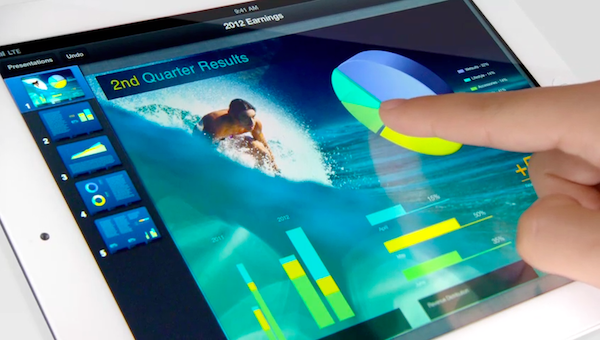
Following Microsoft’s announcement of their Windows 8 Surface tablets, Apple has posted their latest commercial for the new iPad titled, “Do It All.” Panning over the new iPad’s Retina display, “Do It All” highlight’s the iPad’s bullet points for sending email, reading magazines, watching movies, and learning, while also touching on content creation with slideshows, managing photos, and painting. Demonstrated earlier in the evening, Microsoft’s Windows 8 RT Surface tablet will come with Microsoft Office Home & Student 2013, while Microsoft’s Windows 8 Pro Surface tablet features a pressure sensitive pen stylus and palm recognition. While Microsoft’s event focused on bolstering the tablet form factor with the power of a touch-sensitive desktop OS, unfortunately Microsoft did not announce pricing or availability amidst the applause. Apple’s timing with their latest commercial is impeccable, and as a response, it’s as if to remind their competitor that you can already do quite a bit with a tablet that’s available right now thanks to the iPad’s broad app ecosystem. You can check out Apple’s commercial past the break, on YouTube, or on Apple’s website.

Read more