MacStories Team

3496 posts on MacStories since July 2011

Articles by the MacStories team. Founded by Federico Viticci in April 2009, MacStories attracts millions of readers every month thanks to in-depth, personal, and informed coverage that offers a balanced mix of Apple news, app reviews, and opinion.

AV Club Town Hall: The Afterparty on TV+


Club MacStories Town Halls are part of the monthly and other special live audio events we hold in the Club MacStories+ Discord community. The show is a recorded and lightly edited version of the Town Halls that we produce, so Club MacStories+ and Club Premier members who can’t attend the event live can listen later. To learn more about Club MacStories+ and Club Premier, visit our Club plans page.

Ep. - AV Club Town Hall: The Afterparty on TV+

0:00
0:00

John and Alex are joined by Sigmund Judge and Jonathan Reed of Screen Times to talk about Season 1 of The Afterparty, a whodunit comedy on Apple TV+.

Read more


Collections: A Powerful Database with iCloud Sync [Sponsor]

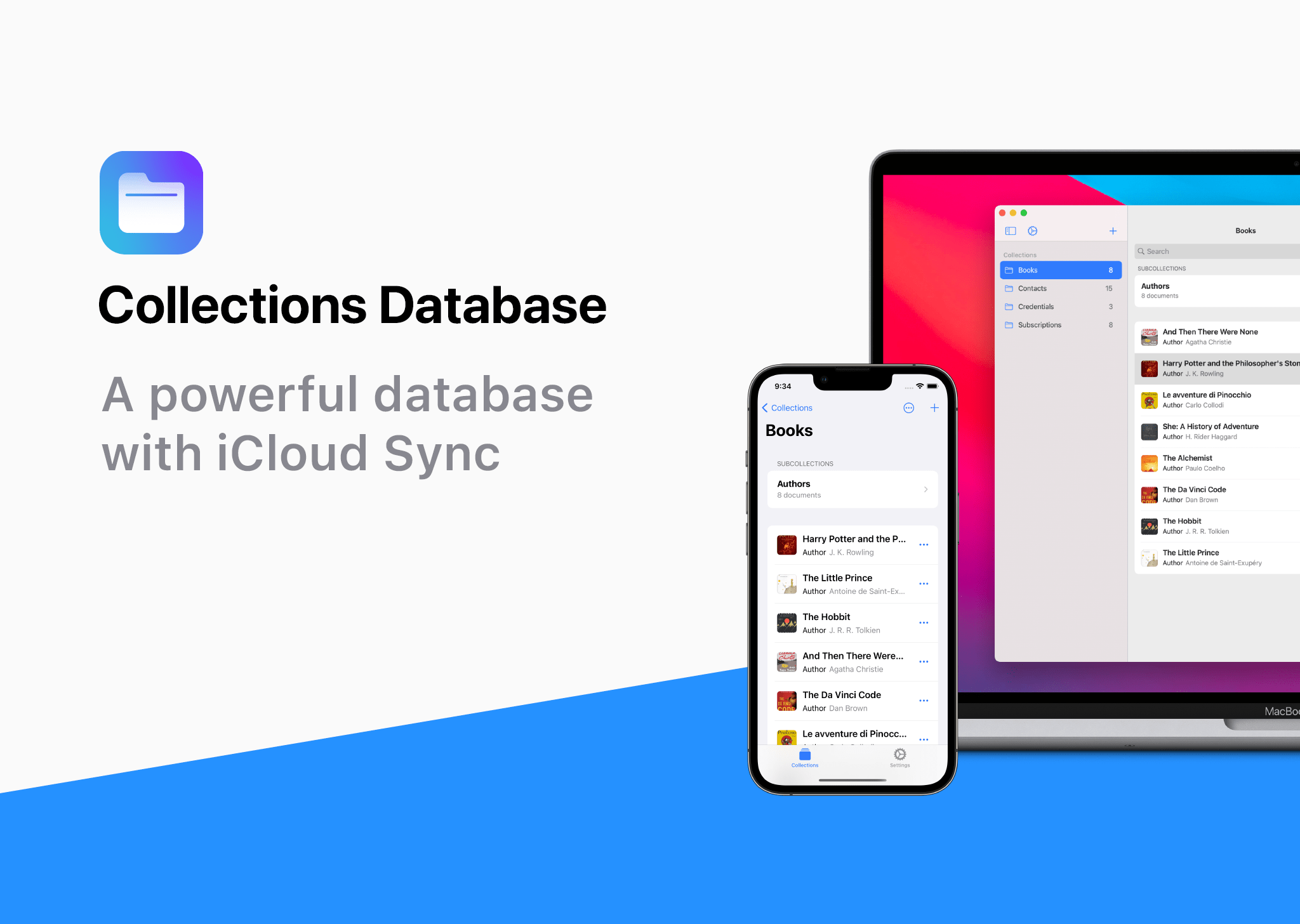
Collections Database is the premier personal database app for organizing anything and everything on your iPhone, iPad, and Mac.

The app features more than 20 field types, linkable sub-databases, reusable lists, and a robust customization system. It’s a powerful and flexible solution that makes Collections easy to get started with for beginners, while meeting the needs of advanced users too.

Collections provides essential templates to get started, including Expenses, Contacts, Subscriptions, Books and more. However, you’re always free to start from scratch by building your own custom templates.

A long, complete list of field types is available for your databases too. The set includes everything you’d expect from a modern database app, including Text, Number, Date, Picture - even Barcode fields. Collections can also import spreadsheets from other apps, using its powerful CSV import functionality. Collections also offers quick filters, sorting, password protection, smart text-based search, and more.

Collections is free to try, but by upgrading to the Pro version via In-App Purchase, you’ll gain access to an unlimited number of database entries and files, plus advanced filters. The Pro version also includes a unique visual formula editor the makes building complex formulas intuitive and easy.

The app is a universal purchase, so your purchase will be available on the iPhone, iPad, and Mac. At the same time, though, Collections has been carefully optimized to each Apple platform for the best experience on every platform.

Collections is regularly updated to take advantage of the latest Apple technologies and is privacy-minded. Your data isn’t collected or sent anywhere else.

To learn more, and download Collections Database visit the App Store today.

Our thanks to Collections Database for sponsoring MacStores this week.


Textastic: Code Editor and SFTP Client for iPad and iPhone [Sponsor]

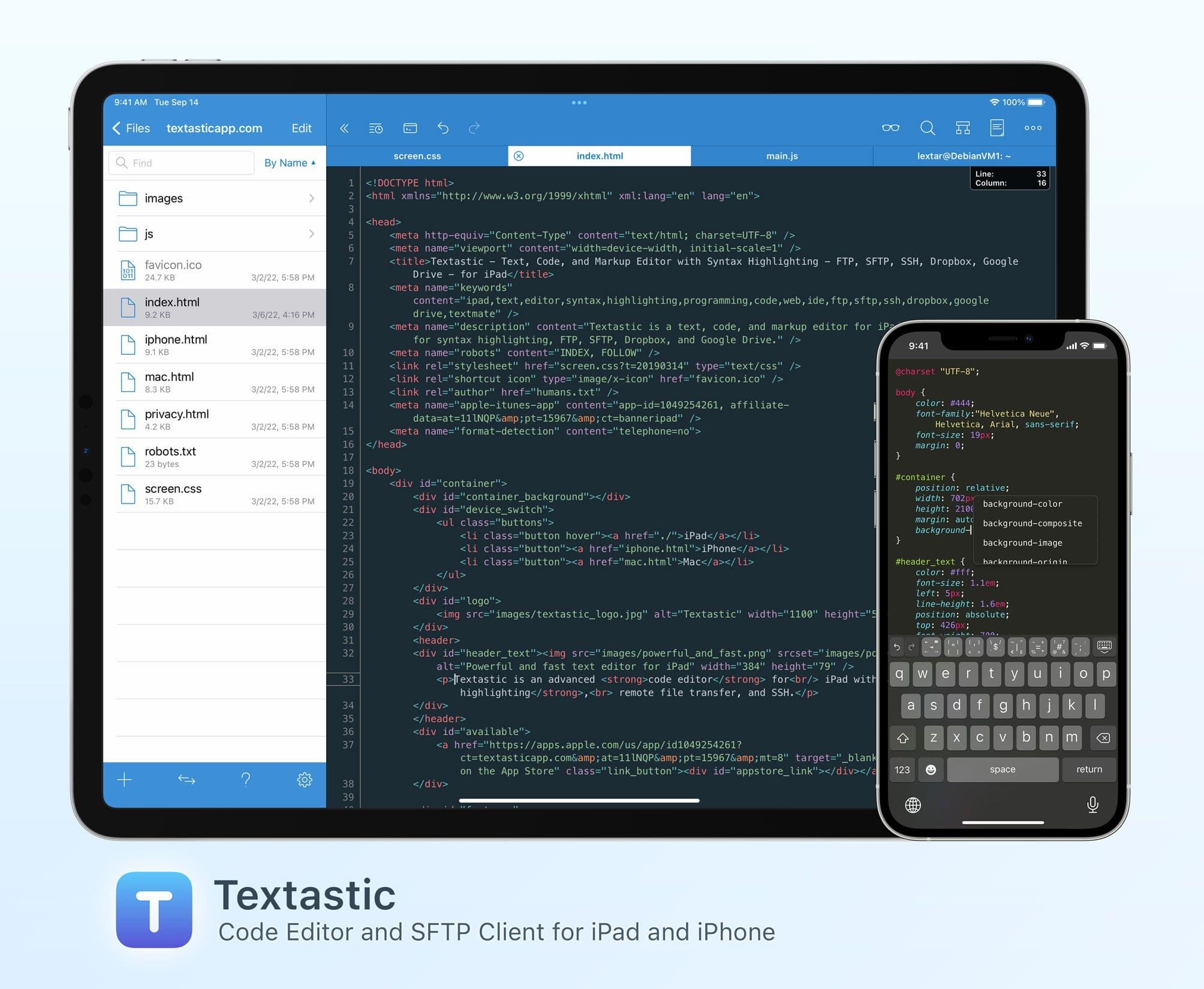
Textastic is the most comprehensive and versatile text and code editor available for iPad and iPhone.

This starts with syntax highlighting support for more than 80 programming and markup languages: Textastic handles highlighting for C, C++, Swift, Objective-C, Rust, Go, Java, HTML, JavaScript, CSS, PHP, Python, Ruby, Perl, Lua, Markdown, LaTeX, YAML, JSON, and many more. If your favorite language is not yet included in the extensive list, you can add your own syntax definitions and themes compatible with Sublime Text and TextMate.

With clients for SFTP, FTP, WebDAV, Dropbox, and Google Drive, as well as the integrated SSH terminal, however, Textastic goes well beyond the functionality of a traditional text editor. Since Textastic supports tabs, you can have multiple files and SSH terminals open at the same time, and, on iPad, in multiple windows side by side.

Whether you want to create web pages and check them with the built-in web preview, edit configuration files on your server, or perform code reviews, Textastic is the perfect tool for your mobile workflow.

Customizable keyboard shortcuts, wide-ranging configuration options, support for Git repositories using the Git client Working Copy, and robust find and replace, turn this app into the most powerful code editor for iPad you’ll find.

The long list of features also includes support for iCloud Drive, the Files app, drag and drop, trackpad and mouse, printing, Split View, multiwindowing, and a whole lot more.

The app is, of course, regularly updated and maintained as well. With the recently released version 9.8, for example, Textastic got the ability to search the contents of files in a folder and its subfolders for text or regular expressions, allowing you to stay on top of large projects and quickly find what you’re looking for.

And if you ever get stuck, the in-depth manual, which describes every part of the app in detail and is illustrated with nearly 150 screenshots, will help you out.

To learn more about Textastic and what it can do for your iPad and iPhone code editing needs, visit textasticapp.com, and download a copy today.

Our thanks to Textastic for sponsoring MacStories this week.