
Ryan Christoffel

210 posts on MacStories since November 2016

Ryan is an editor for MacStories and co-hosts the [Adapt](https://www.relay.fm/adapt) podcast on Relay FM. He most commonly works and plays on his iPad Pro and bears no regrets about moving on from the Mac. He and his wife live in New York City.

This Week's Sponsor:

SoundSource

New Year, New Audio Setup: SoundSource 6 from Rogue Amoeba


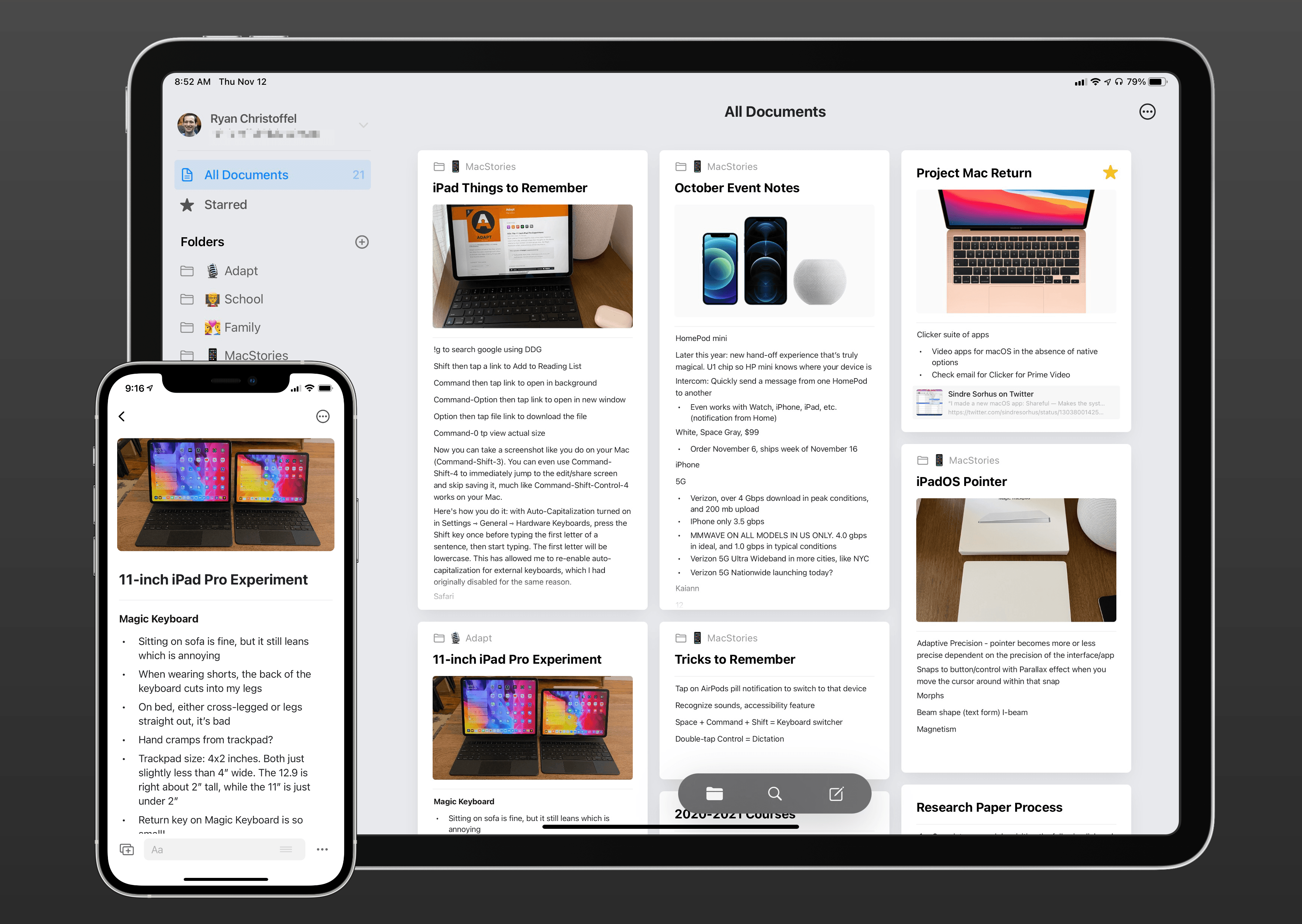
Craft Review: A Powerful, Native Notes and Collaboration App

Note-taking apps on Apple platforms have never been in a better place. Apple Notes is a fantastic built-in option with deep system integrations. Bear offers an elegant Markdown experience and powerful note linking features. Agenda takes a unique date-based approach to note-taking. Evernote just launched its long-in-the-works redesign, and Noto provides a great mix of style and substance. There are quality Pencil-based note-takers like Notability and GoodNotes. And certain web-based tools like Notion are starting to put a higher priority on their app experience.

But for all the excellent options already out there, it can never hurt to have another. Especially when that new option is as well done as Craft.

Craft is launching today across iPhone, iPad, and Mac as a new note-taker that blends the block-based approach of Notion with a thoroughly native experience, taking advantage of all the OS technologies you would hope for and throwing in valuable features like real-time collaboration. It’s the most exciting note-taking debut I’ve seen in years.
Read more


Apple’s iPhone 12 Lineup: The MacStories Overview

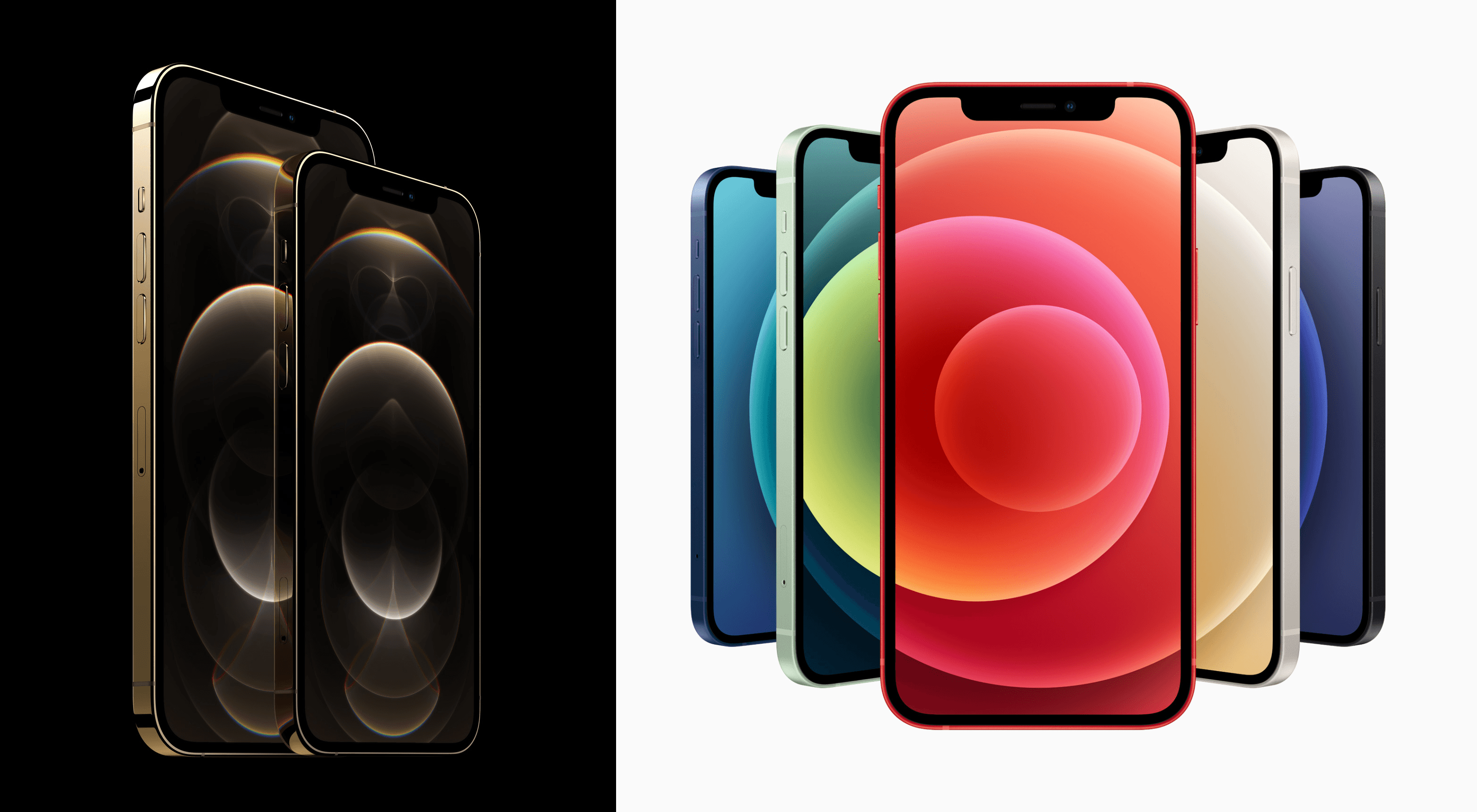
Today during its streamed event from Apple Park, Apple debuted its flagship iPhone 12 lineup consisting of four separate devices, the largest number of new models ever debuted at once:

  • iPhone 12 mini
  • iPhone 12
  • iPhone 12 Pro
  • iPhone 12 Pro Max

The iPhone 12 and 12 mini are the more affordable options, while the two Pro models add premium features, most notably better camera systems, at an additional cost. All four devices share a lot in common, however, such as the new A14 processor, support for 5G networking, a fresh physical design inspired by the iPad Pro, camera upgrades, support for new magnetic accessories, and more.

The iPhone 12 and 12 Pro will be available for pre-order this Friday, October 16 starting at $799 and $999, respectively, and ship on October 23. The iPhone 12 mini ($699) and 12 Pro Max ($1,099) won’t arrive until a few weeks later: their pre-orders open November 6 and they’ll arrive in customers’ hands on November 13.

Which model is right for you? Here’s a full overview of everything new for each device.

Read more


Timery Debuts Powerful Time Tracking Widgets for iOS 14

Timery’s iOS 14 widgets in light and dark mode.

Timery’s iOS 14 widgets in light and dark mode.

Widgets in iOS 14 are a genuine hit, in large part because of the visual customization advantages they provide and the ability to be placed on the Home Screen. Back when they were first announced in June, however, there was concern about one way these new widgets would be a downgrade from their predecessors: widgets in iOS 13 and earlier could offer more interactivity, even to the point of acting as mini-apps.

Due to limitations imposed by Apple on iOS 14 widgets, I was afraid one of my most-used widgets would become far less useful. That widget is for Timery, the Toggl time tracking app. Timery’s iOS 13 widget enabled not only starting and stopping timers right from its widget, but you could also see a real-time view of your current running timer. With iOS 14’s widgets, I feared Timery wouldn’t be able to update its widget’s data often enough to provide a real-time timer view, and I wasn’t sure how convenient the widget would feel when starting a timer would require launching the full Timery app.

Today Timery’s iOS 14 update has arrived, and I’m thrilled to report that my concerns were entirely unfounded. Developer Joe Hribar has managed to work around Apple’s API limitations as well as could be hoped, and deliver new widgets that actually provide more functionality than before.

Read more


Ulysses 21 Brings Revision Mode to iPhone and iPad Alongside Updated Design

Today the latest version of Ulysses, the excellent Markdown text editor, was released for iPad and iPhone. Ulysses 21 comes with two main changes: it brings the previously Mac-exclusive revision mode to iOS and iPadOS, while also introducing design updates that take advantage of new iOS 14 design elements, such as pull-down menus. It’s not a huge update, but it’s a nice one nonetheless for iPhone and iPad users.

Read more


Deliveries Modernizes with Improvements in Every Corner of the App

There can be no doubt that 2020 has been a record year for package deliveries. Perhaps things were already trending that direction pre-pandemic, but during a year in which many people have unexpectedly found themselves staying home more than ever, the number of deliveries being made has surely seen a huge spike.

Deliveries, the package tracking app for iOS and Mac, has received a strong update today with a wide variety of quality of life improvements. There’s nothing huge or flashy here, but the sum of the many small changes should help Deliveries continue being one of the best and easiest ways to track that steady stream of packages heading your way.

Read more


Sticky Widgets Brings Simple Sticky Notes to Your Home Screen

If you’re anything like me, the steady stream of apps adding support for iOS 14 widgets have put your Home Screen in a constant state of flux. Just when I think app releases have settled down and I can step back to consider which widget types I want on my devices, an app with an interesting new widget idea comes along and throws my just-birthed Home Screen strategy for a loop. The latest app continuing that trend is Sticky Widgets.

Sticky Widgets enables placing sticky note-style widgets on your iPhone or iPad Home Screen which can be modified simply by tapping on the widget. It’s utility that’s such an obvious fit for widgets, I’m surprised I haven’t seen a hundred other apps doing the same thing.

What makes Sticky Widgets great is the simplicity of the experience. When I’ve considered the idea of building widgets containing nothing but text, as is possible with several widget creation apps, I’ve always thought that would require writing the text inside an app then manually setting up new widgets every time I wanted to change the text that’s displayed. That sort of workflow felt far too cumbersome, so until now I never set up widgets that displayed static text.

With Sticky Widgets, however, there’s no need to create new widgets every time the text changes. Rather, you can have a single widget that stays in the same place on your Home Screen, and whenever you need to change its text, just tap the widget, type away, and your widget’s been updated with the new text. You don’t need to worry about writing too much or too little text for the widget to display either, because whether you’re using a small, medium, or large widget, text will automatically resize to best fit the widget space.

Sticky Widgets is light on additional features, but that’s fine for a simple utility like this. You can change your widget color between yellow, pink, and blue, and use MarkerFelt, Noteworthy, or the system’s default San Francisco font for your text. One valuable feature is the ability to save different notes for different widgets, which is done by modifying the Note ID from a widget’s configuration screen (long-press the widget and hit Edit Widget). That way you can have multiple different sticky notes if you need them.

Sticky notes have been a tried and true method of remembering important things throughout the day. Historically they’ve been used on computer monitors, desks, refrigerators, or a million other places where we know they’ll catch our eye. With Sticky Widgets, you can bring that same valuable utility to your iPhone or iPad Home Screen.

Sticky Widgets is available on the App Store as a free download.


Apollo Brings the Best of Reddit to iOS 14’s Widgets

Christian Selig, developer of the excellent Reddit client Apollo, has always been deeply connected with his users and Reddit culture on the whole. Many of Apollo’s updates focus on the kind of nit-picky features and tweaks that heavy users of the app and platform care about. So it should come as no surprise that in building iOS 14 widgets for Apollo, Selig took inspiration from some of the things people love most about Reddit.

Apollo offers a whopping seven different types of widgets, roughly half of which are the sort of widgets you would expect – displaying posts from your favorite subreddit or providing launchers into different subreddits – while the other half specialize in bringing the best of Reddit to your Home Screen.

Let’s start with the fun ones: Wallpaper, Showerthoughts, and Jokes.

Read more


Computer Personalization Is a Good Thing, and It’s Nothing New

Jason Snell at Six Colors, providing some historical context for the current wave of iOS 14 Home Screen customization:

The Mac has a long history of customization. When I became a Mac user in the early 90s, it was de rigueur to give your Mac hard drive a name and a custom icon. Ideally, you had a custom wallpaper pattern or image, too. Apps like SoundMaster let you set custom sounds for various actions. The list went on and on. Your Mac felt like home—and like no one else’s.

What’s more surprising is that Apple was so slow in bringing real customization to the iPhone home screen. If adding widgets to iOS 14 has caused enormous burst of creativity, it’s only because all that desire had built up over years and years with very little outlet.

This is not a surprise. This is not the effect of young whippersnappers raised on social media wanting to do goofy things with their phones. Users of computer platforms have wanted to customize and personalize for decades.

Lots of people are having lots of fun making all kinds of personalized Home Screens and even themed ones. This is made possible by a combination of iOS 14, app launchers configured through Shortcuts with custom icons, and a new crop of widget creation apps.

These Home Screen designs may not be for everyone, but that’s kind of the point: they’re not for everyone, they’re built by and for individual users. Let’s celebrate that creativity, and hope Apple provides better tools for this kind of customization in the future.

Permalink

Fantastical Debuts Powerful, Versatile Widgets Alongside Scribble for iPad

Time itself has been under attack in this year of infamy. In some ways 2020 has felt like an eternity, but somehow, simultaneously, it’s shocking that we’re nearing the end of it. Our days have lost so much of the structure and the rhythms we’re used to, resulting for some people in days that are long and void of much activity, while others are overwhelmed in a different way as they juggle work with caring for their children, facilitating virtual school, and of course hopping on too many Zoom calls per day. Whatever your situation may be, your concept of time has likely been thrown off-kilter this year.

Yet time marches on. And for many of us, the assaults on our normal patterns of life have required building new patterns, new structures for our weeks and days so we can find a new sense of normal. Rather than abandon our calendars, we perhaps need to be more judicious with them than ever. Which is where Fantastical with its new iOS 14 widgets and Scribble support comes in.

Read more