Ryan Christoffel

991 posts on MacStories since November 2016

Ryan is an editor for MacStories and co-hosts the [Adapt](https://www.relay.fm/adapt) podcast on Relay FM. He most commonly works and plays on his iPad Pro and bears no regrets about moving on from the Mac. He and his wife live in New York City.

Apple and Google Partner for COVID-19 Contact Tracing

Today Apple announced a special partnership with Google to develop contact tracing technology designed to reduce the spread of COVID-19 in the coming months. The plan involves two steps:

First, in May, both companies will release APIs that enable interoperability between Android and iOS devices using apps from public health authorities. These official apps will be available for users to download via their respective app stores.

Second, in the coming months, Apple and Google will work to enable a broader Bluetooth-based contact tracing platform by building this functionality into the underlying platforms. This is a more robust solution than an API and would allow more individuals to participate, if they choose to opt in, as well as enable interaction with a broader ecosystem of apps and government health authorities. Privacy, transparency, and consent are of utmost importance in this effort, and we look forward to building this functionality in consultation with interested stakeholders. We will openly publish information about our work for others to analyze.

Additionally, Apple has published draft technical documentation covering their joint work with Google.

This marks only the latest of several efforts Apple has developed to help fight the spread of COVID-19. The company developed an app and website, in partnership with the CDC, to help people with symptoms know what they should do. Additionally Tim Cook has been tweeting periodic updates about the masks and face shields the company has sourced and developed to send to first responders. Today’s partnership with Google, however, may be the most significant effort to date.

The World Health Organization explains how contact tracing – which involves keeping track of anyone who has been in contact with an infected person – can help limit the transmission of disease. Although current social distancing policies are a strict form of containment, well-implemented contact tracing could help prevent the need for such drastic measures in the future.

I’m glad that Apple and Google are collaborating on this effort, and that it will be privacy-first and opt-in. Anything that can be done to minimize the spread of COVID-19 is a good thing.
The Beauty of the Apple Watch’s Solar Dial Face

Jack Forster at Hodinkee has a wonderful deep-dive essay on the Solar Dial face on Apple Watch, which was added last year in watchOS 6:

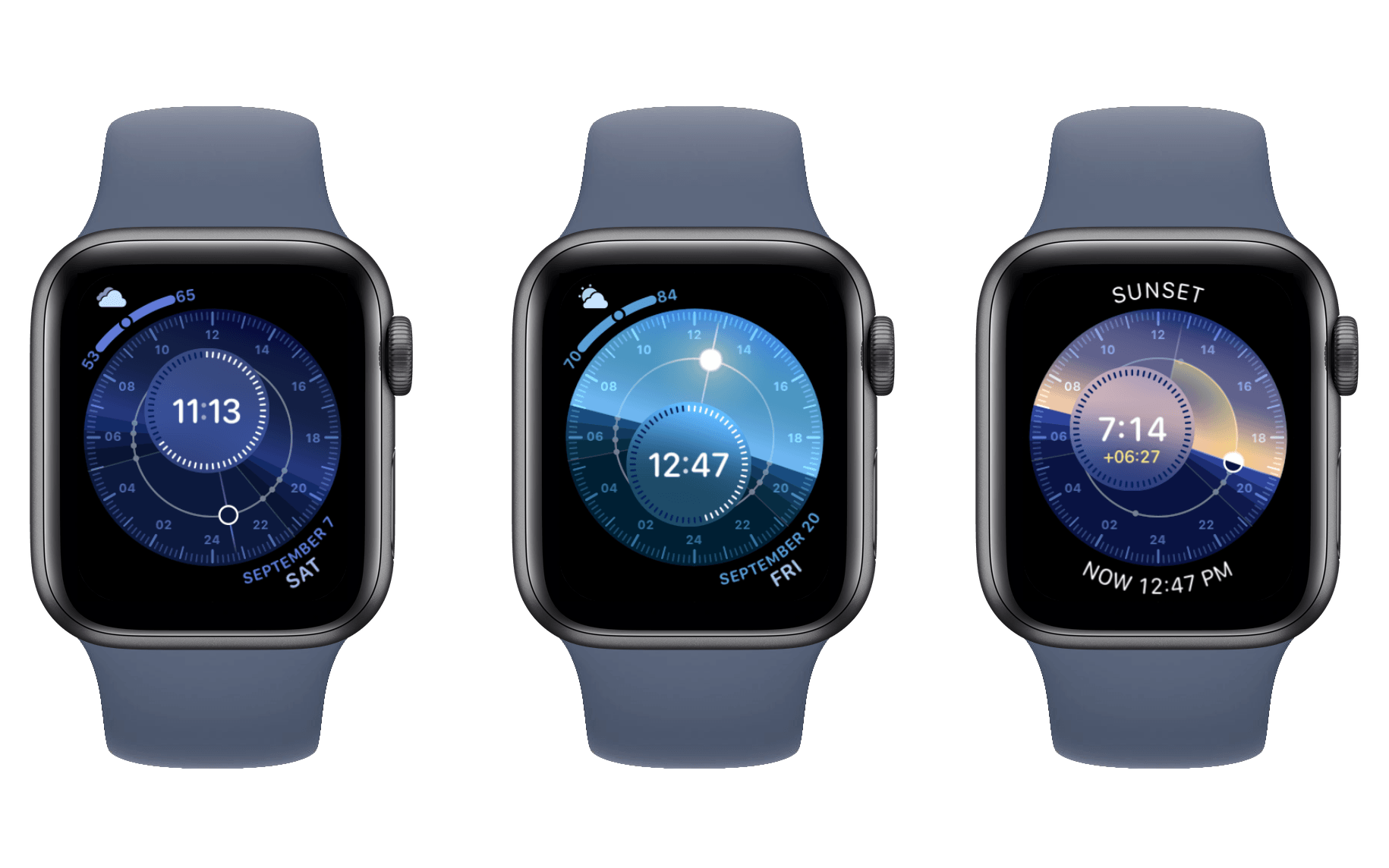
Tapping the Solar Dial watch face will allow you to see whether it’s day, or night, or one of the various phases of twilight. You can also see how many hours of daylight there are. The color of the sky also changes depending on the time of day, and during the twilight hours, you get a very pretty transition from blue, to a deeper blue, to a lovely pale pink as the solar disk begins to sink below the horizon. You can rotate the crown to show you what time sunset takes place, as well as the various phases of twilight. You’ll also see, in yellow numbers in the sub-dial, how many hours it is from the current time to sunset, or other solar astronomical events.

[…]

I give the Apple Watch Solar Dial a lot of credit for taking the properties of the smartwatch and using them to create a very captivating experience. The luminosity of the display and its ability, as night falls or sunrise dawns, to display different colors, as well as the general composition of the dial, makes for something much richer and far more emotionally evocative than the mere delivery of information. And too, it gives us a chance to reflect on what darkness and light have meant, and continue to mean, culturally and historically. There is something irresistibly compelling about having a little model universe on your wrist.

It’s remarkable how much attention to detail Apple gave to this watch face, including the intricate nuances of the different phases of twilight. I’ve never used the Solar Dial face before, but Forster’s piece has changed that, and I’m eager to see how the face transforms throughout the remainder of today.

Permalink

Watchsmith Review: Create Your Own Apple Watch Complications

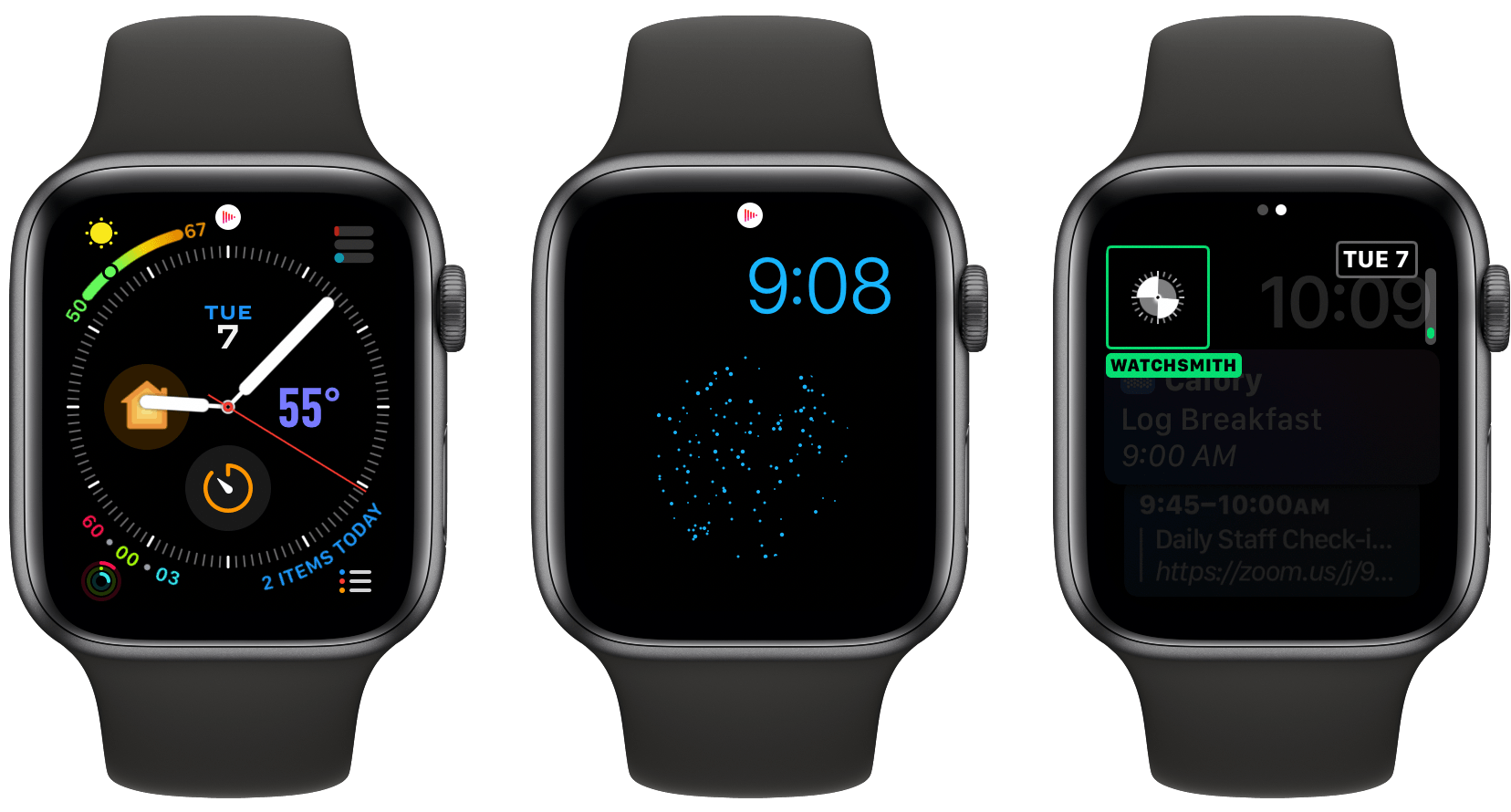
Watchsmith, the latest app from David Smith, was birthed from the inability to create third-party watch faces on the Apple Watch. As Smith has previously explained, while third-party faces may never be possible, several first-party faces already offer significant room for customization. The Infograph face, for example, contains eight different complication slots; if a rich array of third-party complications were available, you could build a highly customized watch face using the existing faces provided by Apple.

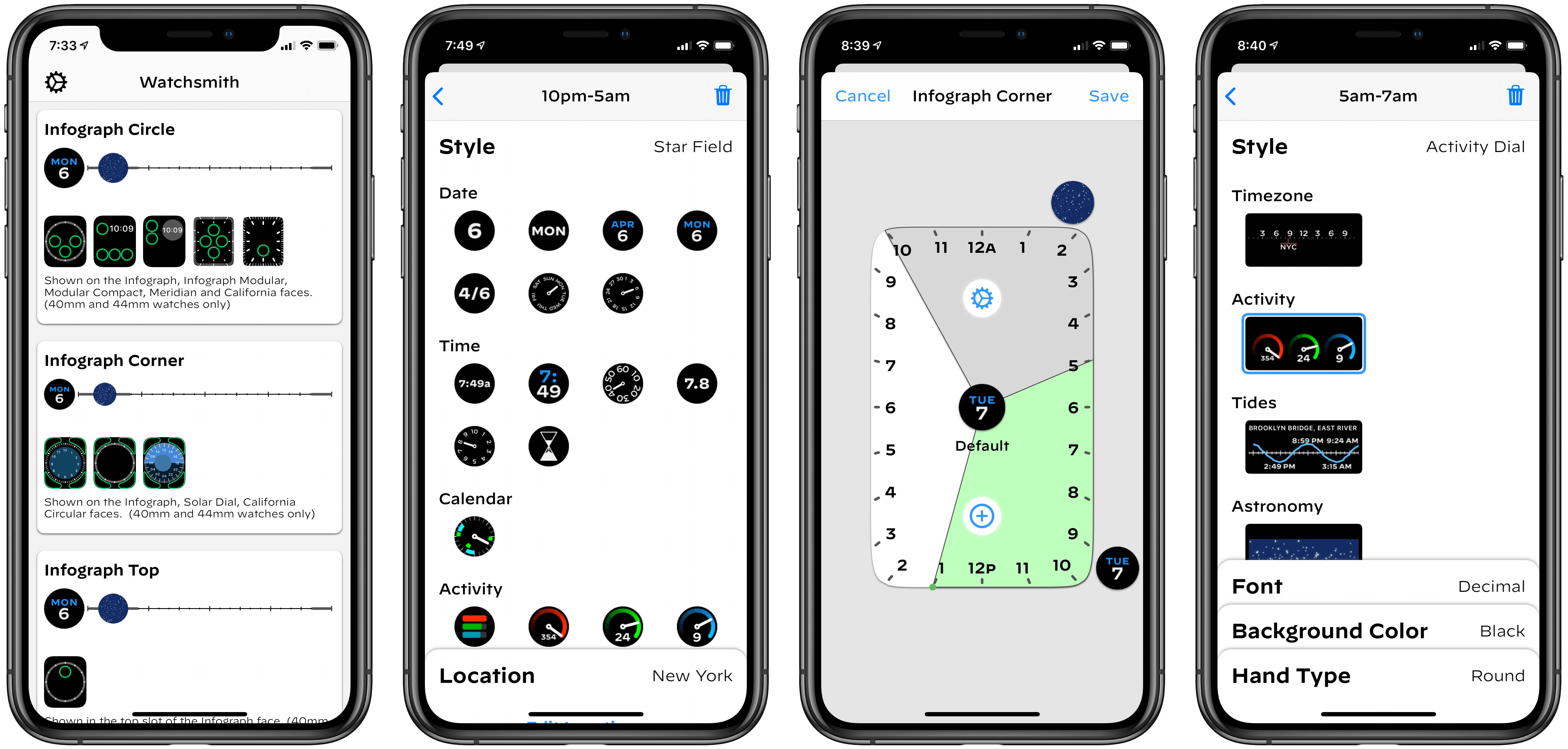
Watchsmith exists to provide that rich set of complications. The app offers 37 types of complications, each adaptable to different watch faces and complication slots, and all fully customizable so they can look exactly the way you prefer. Additionally, Watchsmith offers scheduling functionality to cause different complications to appear on your Watch at different times throughout the day.

Custom complications made with Watchsmith.

Custom complications made with Watchsmith.

In the absence of third-party watch faces, Watchsmith offers the next best thing: third-party complications that are highly customizable and can be optimized to your daily schedule.

Read more


Full of Potential: Developers on the iPad’s Past, Present, and Future

From the start, the iPad has always been rife with potential. This is partly because it launched as a new type of product category, with unexplored use cases prompting users towards a different computing experience. But it’s also because the device’s very nature – a slab of glass that becomes its software – evokes countless possibilities.

To celebrate 10 years of iPad, I spoke to the developers of many of the device’s best apps across areas of productivity and creative work. They’re the people who make that slab of glass into something new, realizing the iPad’s potential but also showing, by their constant work of iteration and reinvention, that there’s always more that can be done.

In sharing their stories from the last decade, the people I spoke with outlined some of the best and worst things about iPad development, memories of their reactions to the product’s introduction, and dreams for where its future might lead. All throughout, it’s clear how much excitement remains for the iPad’s potential even 10 years on.

Read more