It’s Celebration Time
...

 It’s Celebration Time
 Mitchel Broussard at MacRumors reports on a new Apple Music feature that’s been spotted rolling out to a limited set of users:
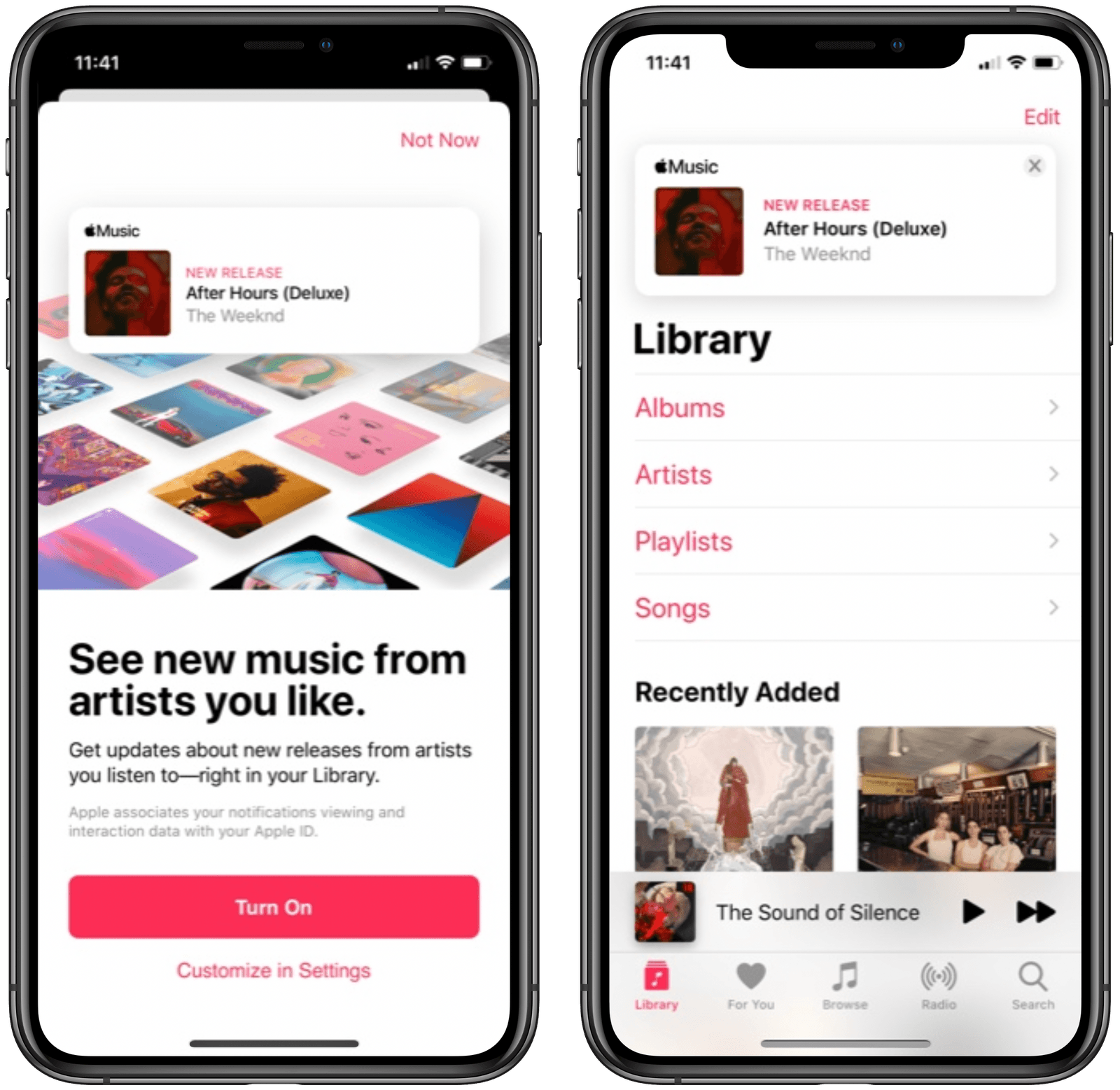
Apple today is rolling out a new feature to Apple Music users, prominently displaying new albums, EPs, and videos from their favorite artists at the top of the Library tab in iOS.
The new feature first appears as a splash page in Apple Music on iOS, telling users that they can “see new music from artists you like.” This will let you get updates about new releases from artists you listen to, with notifications appearing above your library of albums and playlists.
Apple Music has long offered push notifications for new releases from artists you enjoy, but for me and everyone else I know, those are wildly inconsistent. Because of that, I’ve grown to depend on the excellent app MusicHarbor instead, which is much more trustworthy.
I like the idea of seeing new releases right inside the Library tab, but will wait and see whether they prove reliable or not. Based on my prior experience with Apple Music notifications, I wouldn’t be surprised to see banners for new albums show up even after I’ve saved those albums to my library. I’d happily be proven wrong, though, so here’s hoping this new method of music updates means Apple has also paid attention to the engine running the feature.
Anti-gravity rainbows, cute animal characters, prize machines, co-operative play, and endless tower platforming: if this all sounds like the perfect diversion during a long stay indoors, you’re absolutely right.
Crossy Road Castle is a long-awaited sequel to the original Crossy Road and one of the newest Apple Arcade titles. But don’t let the word ‘sequel’ mislead you – Crossy Road Castle offers an entirely different gaming experience than its predecessor. Think less “crossing the road” and more “climbing an endless tower, one micro-level at a time.”
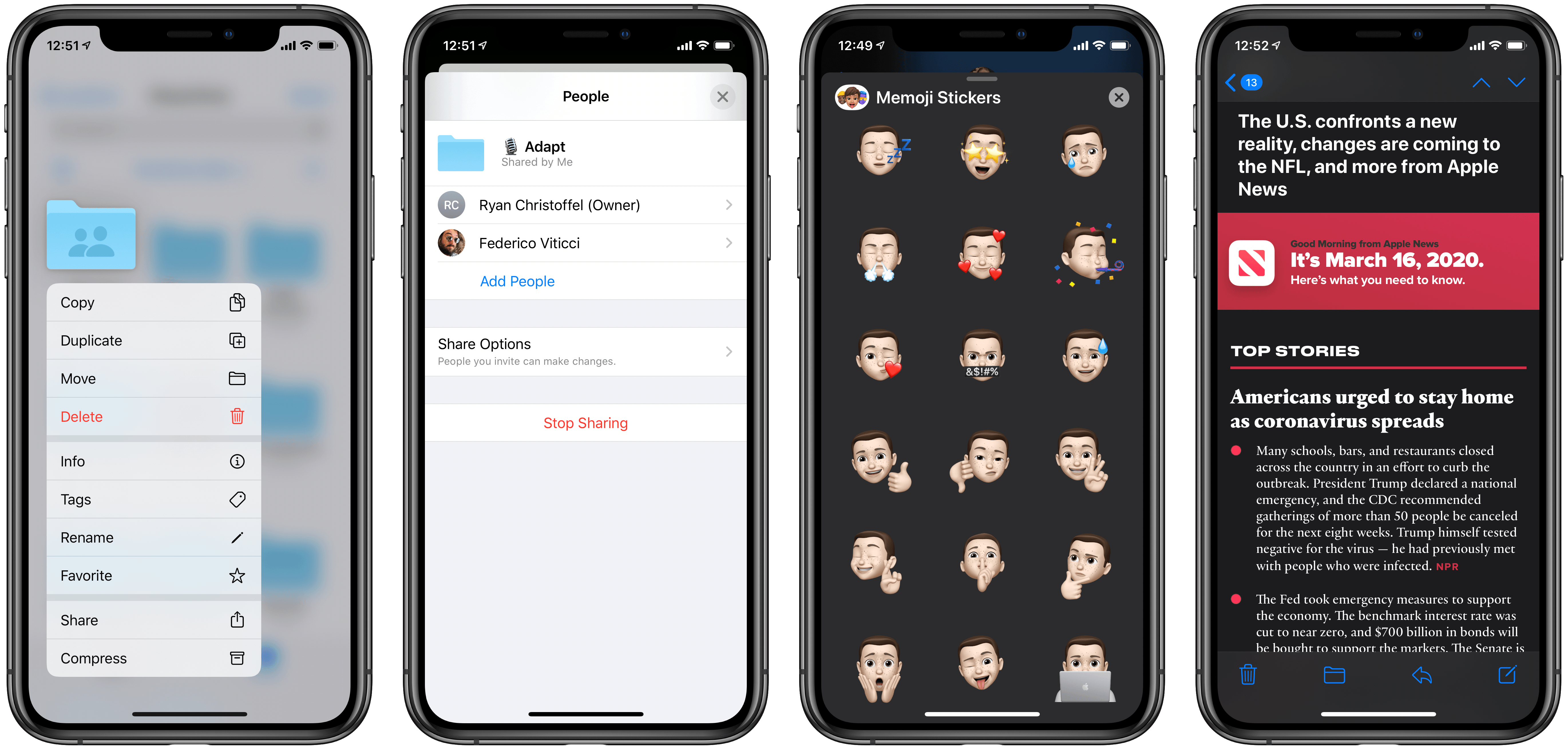
Today Apple released the latest updates for its suite of software platforms, most notable of which are iOS and iPadOS 13.4. Timed with the release of the latest iPad Pro models, the hallmark features include brand new systemwide support for mouse and trackpad on iPad, plus a handful of external keyboard enhancements. Shared folders for iCloud Drive is the other big addition – first announced at WWDC last June then delayed out of the initial 13.0 release, iCloud users may finally be able to consider reducing their Dropbox dependency. Beyond those highlights, Apple has also included smaller OS tweaks in a variety of areas.
Ahead of its release Wednesday, the first reviews for the latest iPad Pro models went live today. Apple’s marketing for the new device has centered around its forthcoming accessory, the Magic Keyboard. Unfortunately, reviewers didn’t receive an advance version of the Magic Keyboard for testing, so the reviews have to focus on what’s available today.
The general consensus is that while the 2020 iPad Pro is a fantastic device in many ways, it doesn’t offer much improvement over the 2018 models.
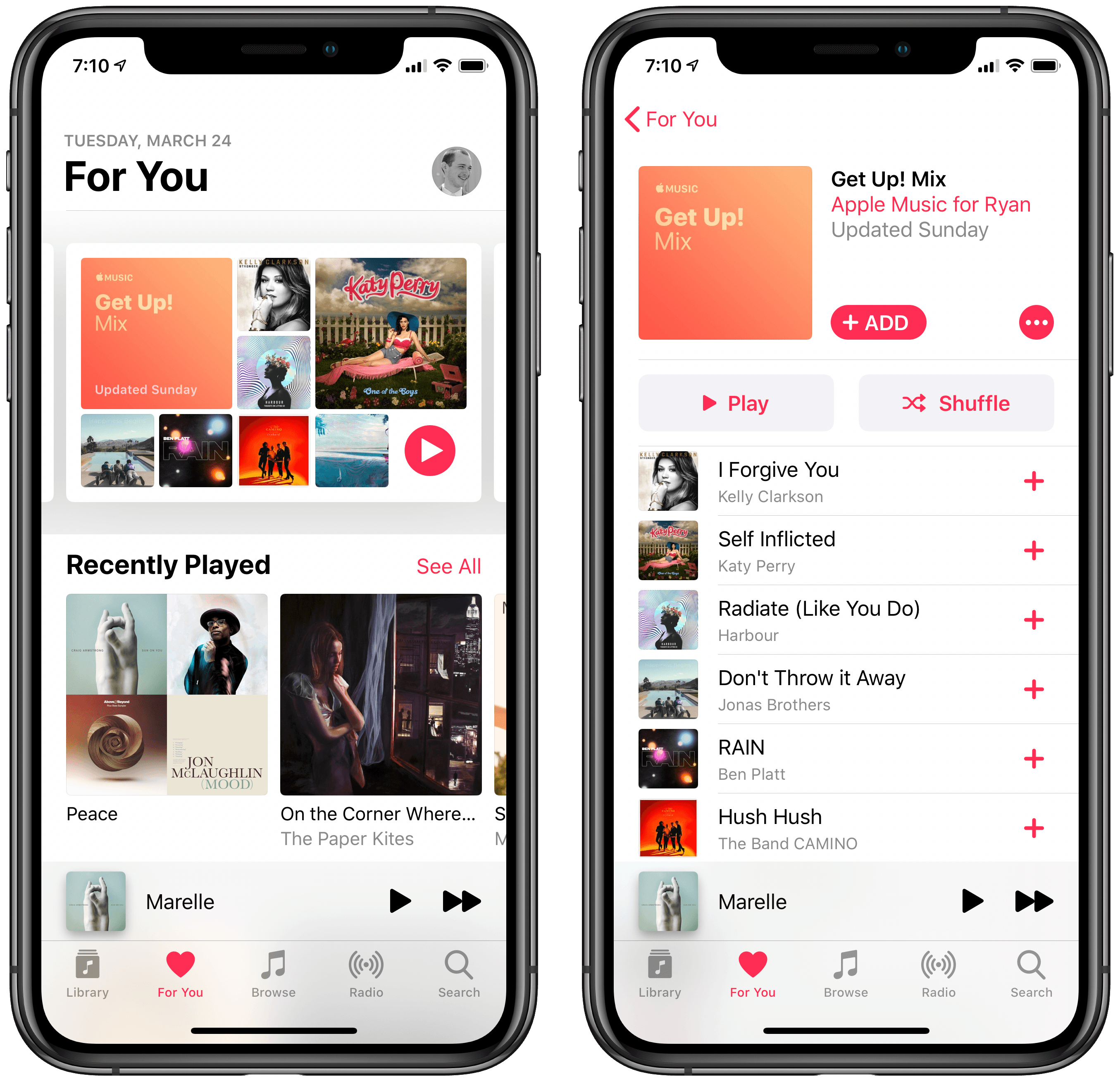
It doesn’t happen often, but Apple Music is rolling out a new algorithmic playlist today to join the existing Favorites Mix, Chill Mix, New Music Mix, and Friends Mix. Per Igor Bonifacic at Engadget:
Apple is trying something new to keep people’s spirits up during the coronavirus pandemic. In Apple Music, it’s introducing a new algorithmic playlist called the Get Up! Mix that the company says is full of “happy-making, smile-finding, sing-alonging music.” With the help of human editors, it will update the playlist each week with new songs. Think: Discovery Weekly, but with a focus on playing tunes that will encourage good vibes – though there’s the promise of discovering new music as well.
The idea behind the Get Up! Mix is exactly what I would want in a new weekly playlist. Though I’m not in love with the name, I’ve always wanted a positive, upbeat playlist containing both tracks I’m familiar with and a few I’m not. A quick glance over my first Get Up! Mix shows that this is exactly what Apple’s going for. I’ve only rarely listened to the other weekly playlists Apple Music offers, but I think things are going to be different with this latest addition.
The new playlist is still rolling out, so you may not see it in your For You tab just yet. According to the app, the Get Up! Mix will be updated every Sunday, which is when the Chill Mix was formerly updated; the Chill Mix’s weekly schedule now moves to Saturdays.
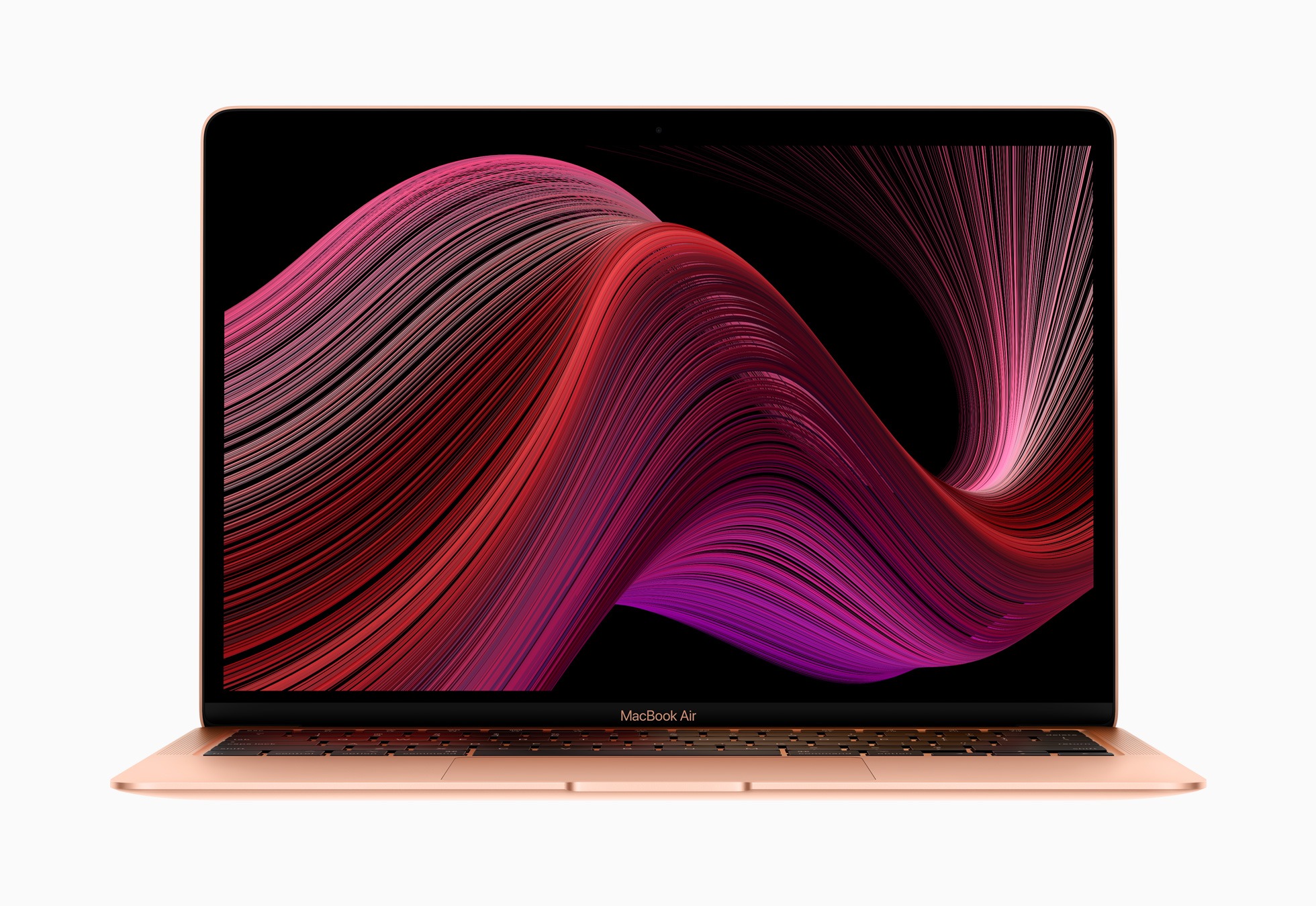
Today the MacBook Air review embargo lifted, allowing writers and YouTubers to publish their takes on Apple’s 2020 model. Unsurprisingly, considering all that the company improved this year, the reviews are strong across the board.
HeartWatch 4 released today on the App Store as a major redesign of the health dashboard app from David Walsh, creator of the popular AutoSleep app.
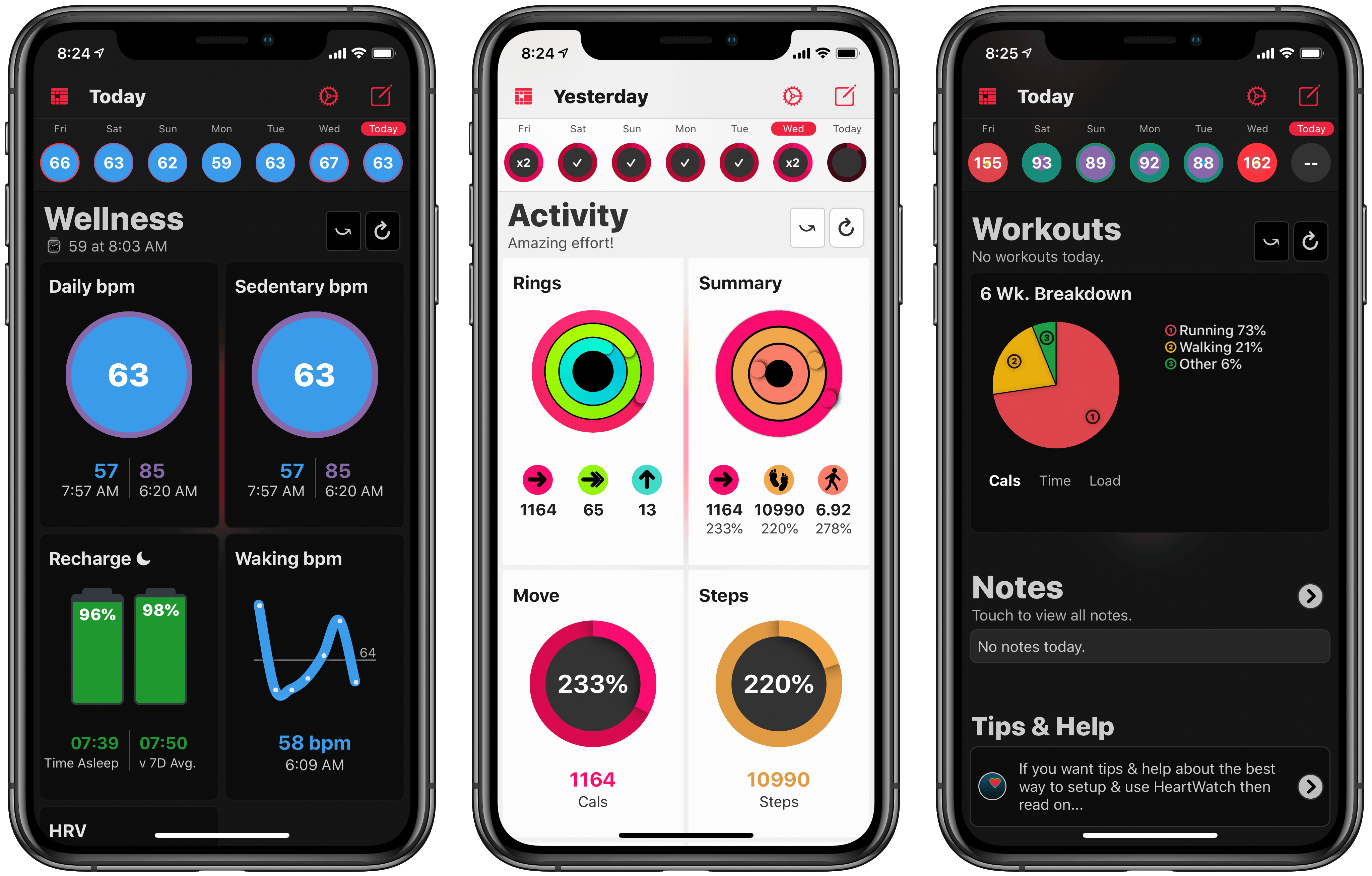
HeartWatch takes the existing heart and activity data captured by your Apple Watch and presents it in a different way than Apple’s own Health app. The app has long offered fresh approaches to visualizing your data, but the sheer amount of information, and how it’s organized, can easily feel overwhelming. The main goal of HeartWatch 4 was to simplify everything, making it easier to navigate and thus more approachable. Spend just a couple minutes with this update and it’s clear that it succeeded.
I’m not going to re-hash all of the functionality of HeartWatch, since we’ve covered that in the past. You still have access to important metrics like your heart’s average daily bpm, sedentary bpm, sleep data, movement stats, and more, accompanied by charts, graphs, and comparisons over time. But the way everything’s organized has been drastically improved.
In the last version of HeartWatch, a navigation bar divided the app into four main sections: Vitals, Dashboard, Activity, and More. The difference between each of these screens wasn’t immediately obvious, so until you spent significant time getting situated in the app, it felt like work trying to find what you wanted. All of that’s changed now thanks to a design that puts everything in a single scrolling view.
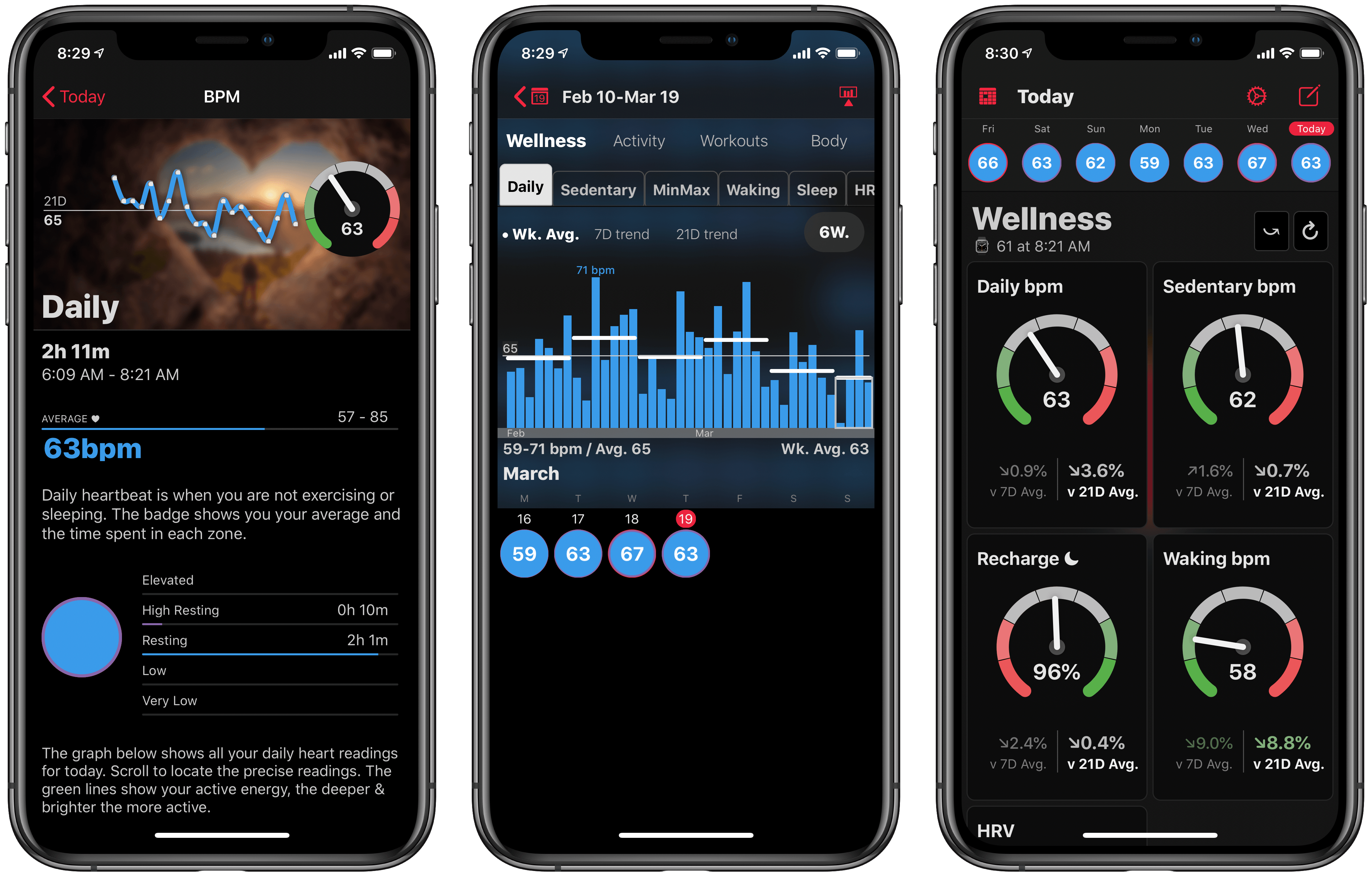
The new HeartWatch design is broken into Wellness, Activity, and Workout sections that are stacked vertically in the new one-stop dashboard. Inside each section is a collection of tiles for different data points, not unlike what Walsh did with the Today dashboard in AutoSleep last year. The tile design provides a great overview of data, and it’s entirely customizable so you can, from the Settings screen, disable any tiles you don’t want to see.
At first glance, HeartWatch’s tile design may seem like it’s eliminated much of the valuable data comparisons and visualizations previously found in the app, but all of that is actually just hidden behind each tile. You can swipe on a tile to flip it over and get more info, or tap, or even tap and hold to view more details; personally I think loading different screens depending on whether you tap or tap and hold is overly complicated, but regardless the whole system remains a major improvement. The simple data is kept front and center, and when you want more, you can easily get to it in an intuitive way.
HeartWatch 4 includes other improvements too – like its custom activity metrics as an alternative to Apple’s rings, support for automatic system switching between light and dark modes, and an upgraded Watch app – but the highlight here is definitely the redesigned iPhone app. If you ever found HeartWatch and all of its data overwhelming, version 4 is a compelling reason to give the app another try. It’s strong evidence of the power of iteration and simplicity.
HeartWatch 4 is available on the App Store.
Things to Enjoy from Apple’s Services