Ryan Christoffel

991 posts on MacStories since November 2016

Ryan is an editor for MacStories and co-hosts the [Adapt](https://www.relay.fm/adapt) podcast on Relay FM. He most commonly works and plays on his iPad Pro and bears no regrets about moving on from the Mac. He and his wife live in New York City.

Unread 2 Review: The Elegant RSS Client Leaps into Modernity

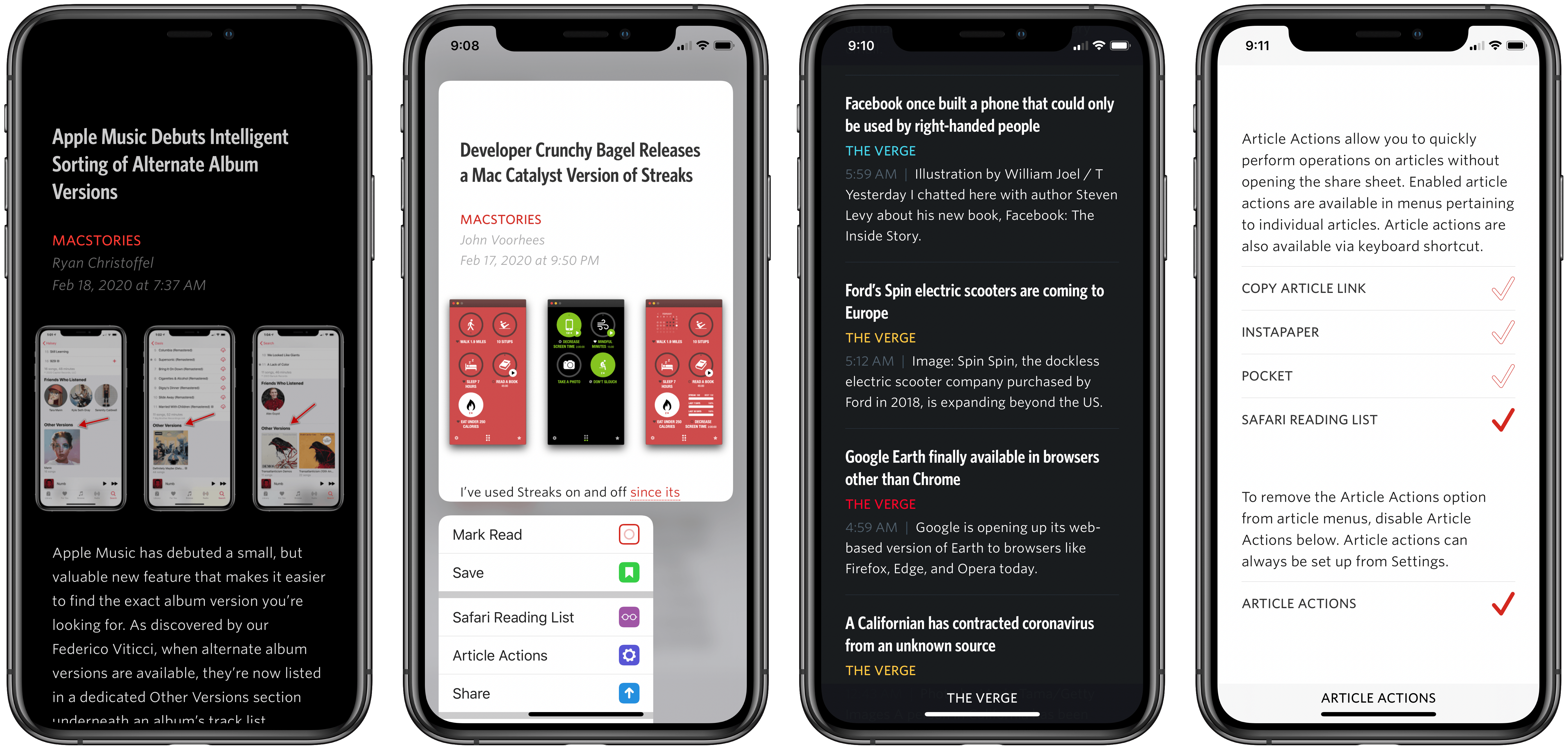
Unread has always been one of my favorite RSS clients due to its clean, elegant, gesture-based design, but as competing apps have continued advancing at a steady pace, Unread’s development stalled leading up to its acquisition in 2017 by Golden Hill Software. Since that time, the app has received new life in the form of regular updates, but nothing on the level of what’s debuting today.

Unread 2, on one hand, brings a lot of change and propels the beloved RSS client into the present. It does this, however, with almost no design changes. Unread 2 looks and feels just like Unread 1, but with more power and a roster of modern features under the hood.

If Unread wasn’t the app for you before, then version 2 almost certainly won’t change your mind. But if you already appreciated the elegant RSS reader, Unread 2 provides a lot more reasons to love it.

There are so many big and small upgrades in Unread 2, for my review I’ve chosen to break its noteworthy improvements into three different categories: RSS, iPad, and OS features.
Read more


Noto Review: Beautifully Modern and Versatile Note-Taking

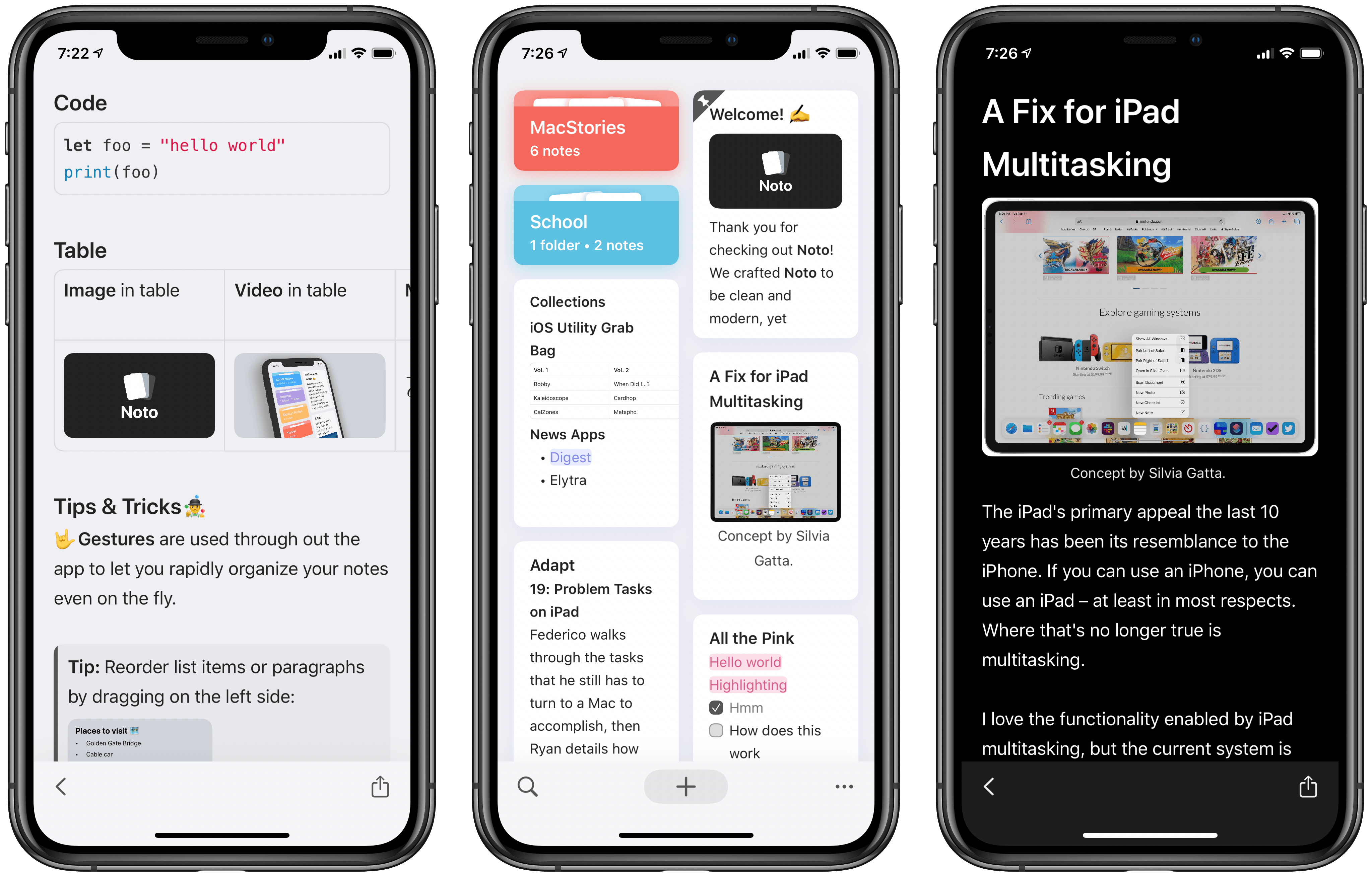
Top-tier note-taking apps don’t come along very often. For years Evernote was king, then Apple Notes gained new life in 2015, and since that time apps like Bear and Agenda have made compelling entries to the notes market. Noto, a recent debut across iPhone, iPad, and Mac, is the first new note-taker in two years that I’ve been thoroughly impressed by.

Noto reminds me a lot of Notion, but in the form of a native app rather than a web wrapper. It offers a clean, elegant design and a diverse array of tools so you can mix and match different content types inside each note. But it also integrates with key system technologies like drag and drop, multiwindow, iCloud sync, and more.

It’s these dual strengths of Noto’s modern integrations and versatile toolset that make the app compelling. A few minor drawbacks aside, it’s one of the most powerful and beautiful note-taking apps available on Apple’s platforms.

Read more


Apple Music Debuts Intelligent Sorting of Alternate Album Versions

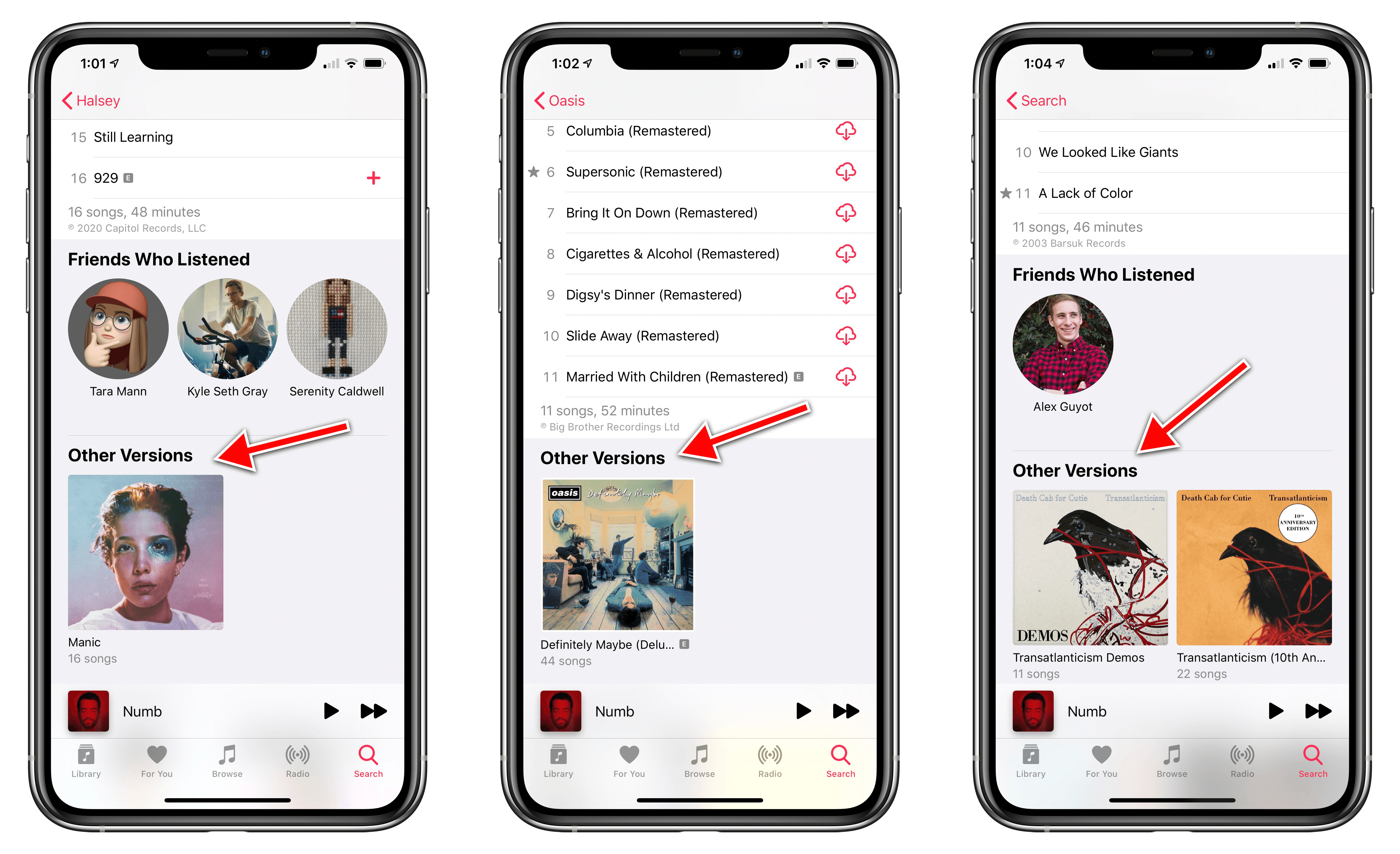
Apple Music has debuted a small, but valuable new feature that makes it easier to find the exact album version you’re looking for. As discovered by our Federico Viticci, when alternate album versions are available, they’re now listed in a dedicated Other Versions section underneath an album’s track list.

As Federico notes, this feature is a long-time carryover from Beats Music. In a previous story about Beats’ streaming service (which later became Apple Music) he details the service’s intuitive handling of album variations:

However, Artist pages also show some welcome options for music lovers. Albums that have been reissued with different editions (like remasters) are hidden by default

That same behavior is now followed by Apple Music. For example, if you view the Death Cab for Cutie artist page in Apple Music, you’ll see Transatlanticism as one of the group’s albums, but only one version of it so as to prevent unnecessary cluttering of the album list. Open that album, however, and you’ll see the Other Versions section containing the Demos and 10th Anniversary versions.

I’ve never liked how Apple Music’s artist pages were congested by alternate album versions, so it’s nice to see this change implemented. Even if Beats Music solved the problem years ago, it’s better late than never to see that solution brought to Apple’s streaming service.


Apple Music Replay 2020 Playlist Now Available

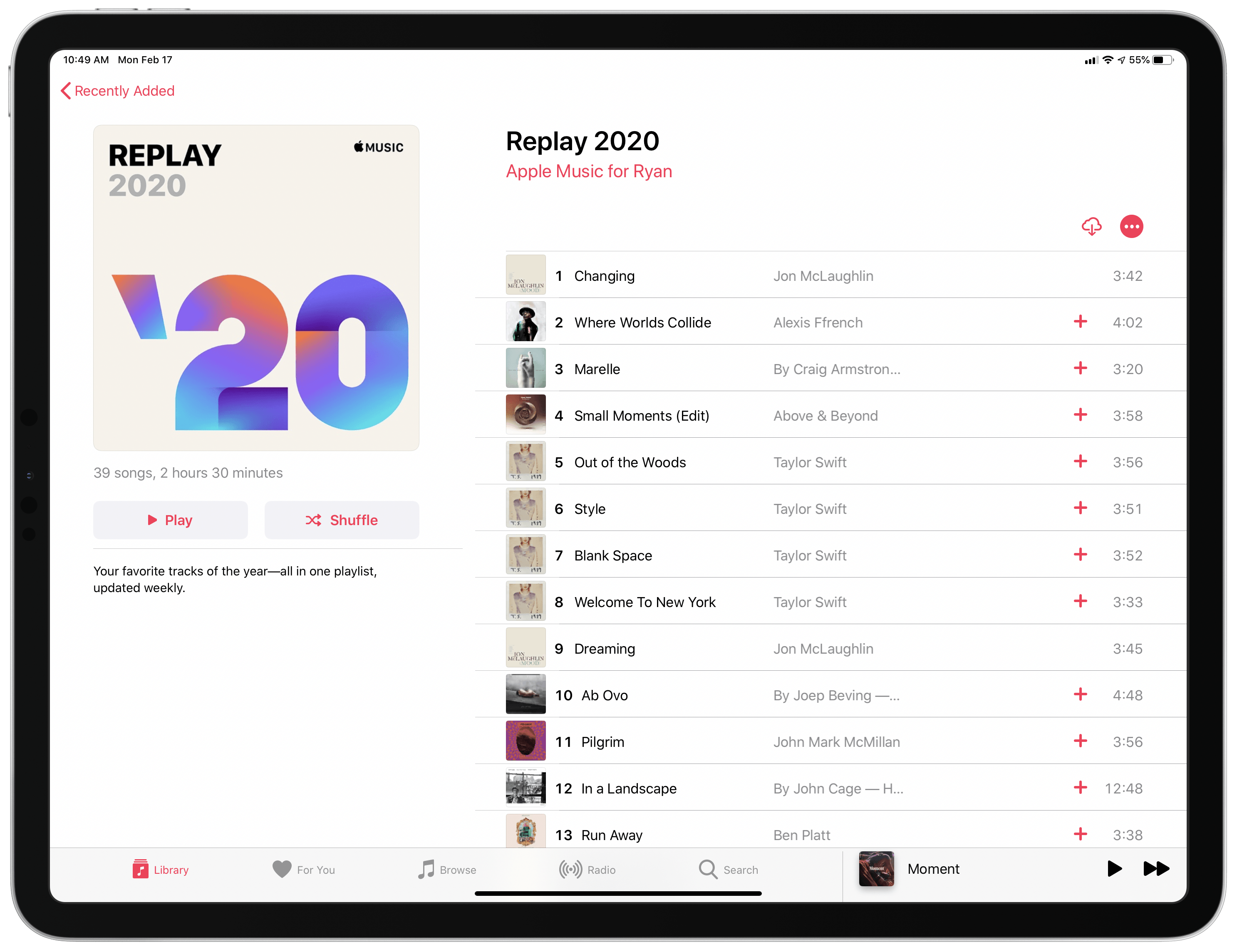
Last year when Apple Music Replay was introduced, Apple specified that the feature wouldn’t just serve as a year-end collection of your most-played music, but it would also become a weekly-updated playlist that you can enjoy throughout the year. Up until this weekend, however, the 2020 version of that playlist hadn’t yet been made available. Our Federico Viticci first discovered its debut on Sunday:

Once you add it to your library, the Replay 2020 playlist will show your most listened to songs all throughout the year, updating weekly to account for your latest listening data.

Since Replay is a year-long playlist, I’m interested to see if Apple will do anything special with the feature when the year is nearly over. Spotify’s similar year-end feature, Wrapped, generates special content tailored for social platforms like Instagram stories, and it’d be great to see Apple follow suit with Replay when the time comes.


FlickType Keyboard Review: Real Typing on an Apple Watch Display

The Apple Watch is steadily moving toward full independence from the iPhone. Making cellular an option, adding new apps at a healthy pace, and enabling apps to be downloaded and run independent of an iPhone are all crucial steps toward the device becoming entirely untethered. I have a cellular Apple Watch and go running with it each week without bringing my iPhone along, and it works great. I’ve even gone to a couple of doctor’s appointments with only my Watch, and the list of things I miss my phone for in those cases is now minimal.

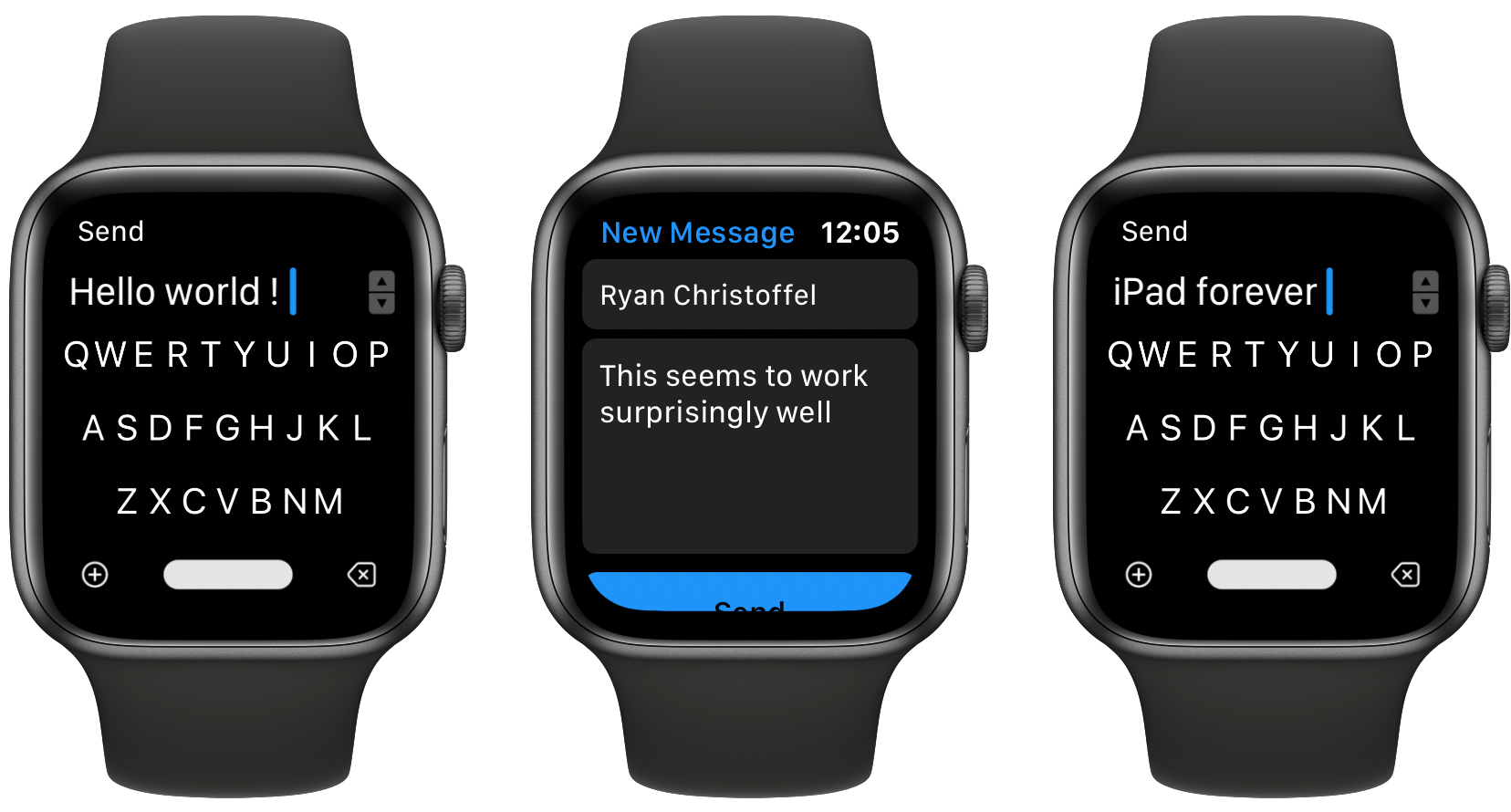
One time the device still falls flat, however, is when I need to send a message. Scribble is too slow for more than a word or two, dictation is hit-or-miss, and canned responses aren’t good enough for most situations. FlickType Keyboard sets out to solve this problem, and entirely succeeds.

Read more


A Fix for iPad Multitasking

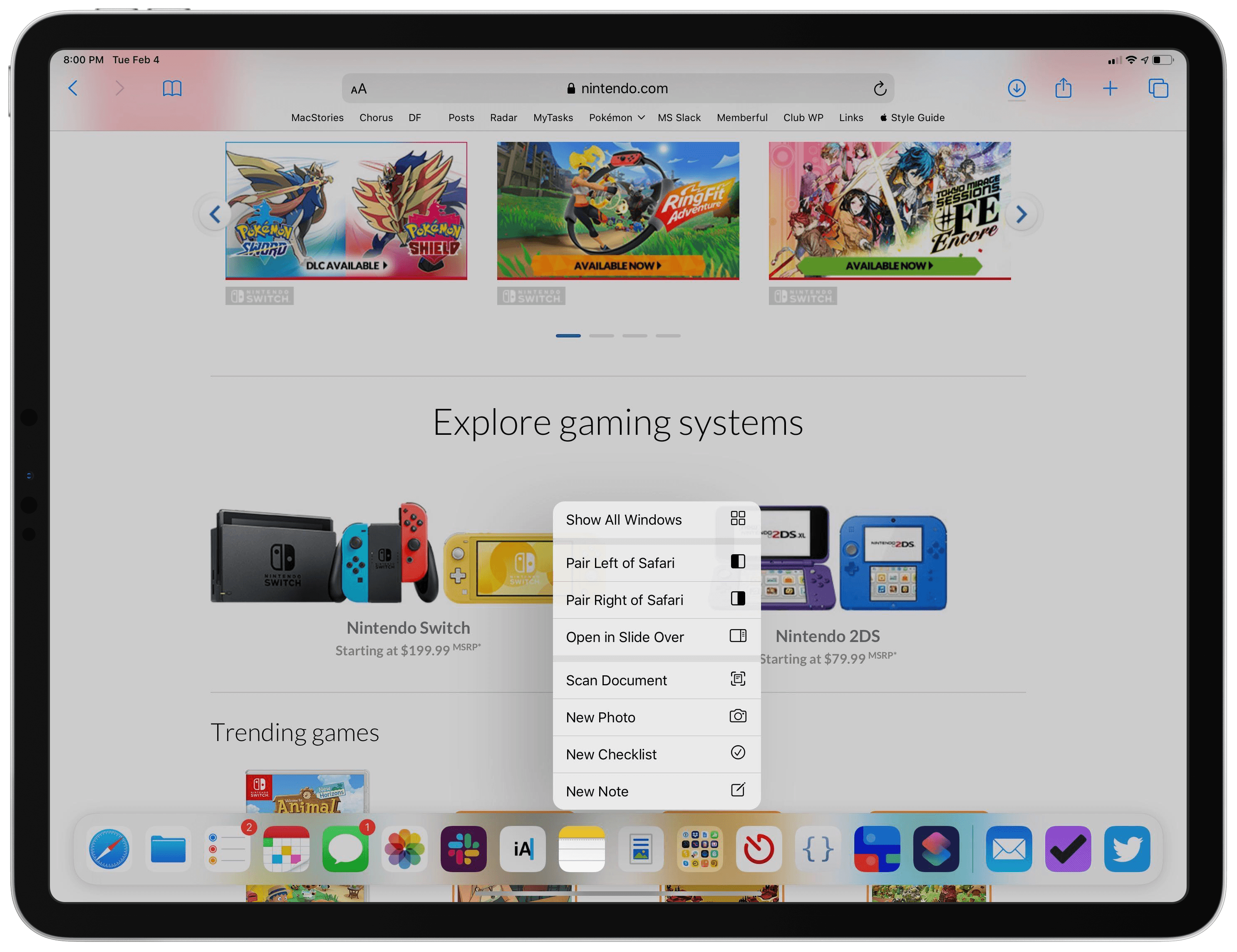
Concept by Silvia Gatta.

Concept by Silvia Gatta.

The iPad’s primary appeal the last 10 years has been its resemblance to the iPhone. If you can use an iPhone, you can use an iPad – at least in most respects. Where that’s no longer true is multitasking.

I love the functionality enabled by iPad multitasking, but the current system is unnecessarily complex. I don’t believe the iPad should revert to its origins as a one-app-at-a-time device, but I know there’s a better way forward for multitasking.

My proposal for a new multitasking system employs a UI mechanic that already exists across both iPhone and iPad. Without losing any of iPadOS 13’s current functionality, it brings the iPad closer to its iPhone roots again and makes multitasking accessible for the masses.

Context menus are the key to a better multitasking system.

When you long-press an app icon in iOS and iPadOS 13, a context menu appears and provides various options. These menus, I believe, are the perfect home for multitasking controls.

Read more