Ryan Christoffel

991 posts on MacStories since November 2016

Ryan is an editor for MacStories and co-hosts the [Adapt](https://www.relay.fm/adapt) podcast on Relay FM. He most commonly works and plays on his iPad Pro and bears no regrets about moving on from the Mac. He and his wife live in New York City.

Tripsy Review: The Ultimate Trip Planner for iPhone and iPad

Summer may be over, but there’s never really an offseason for planning future vacations or business trips. We all have our own methods of trip planning – where we store important documents, how to set an agenda and share that agenda with family or friends – but I’d guess most of us aren’t entirely satisfied with our current planning systems. Important information can be scattered across different apps, services, or analog files, which is fine but not ideal. Tripsy aims to solve that problem.

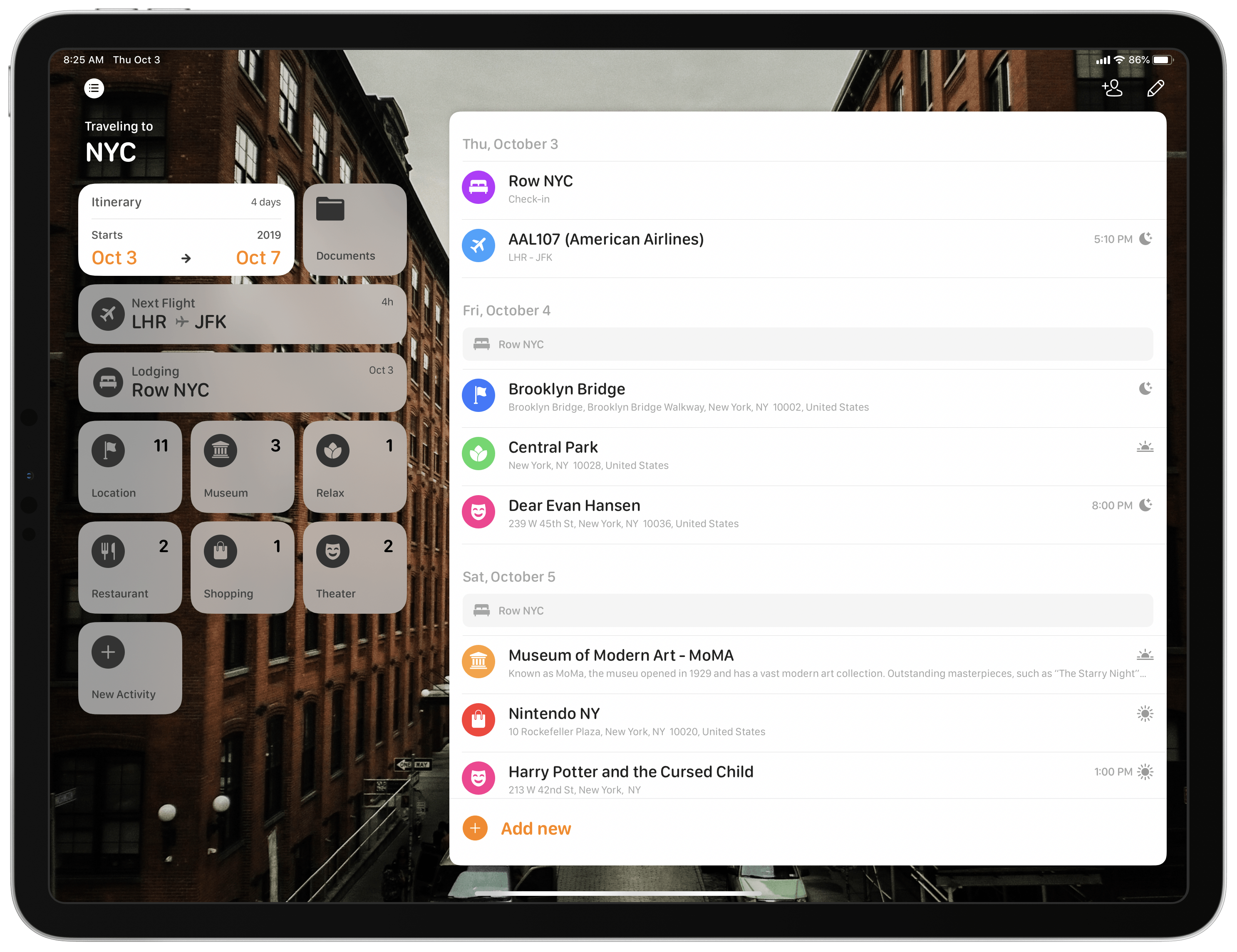
Tripsy isn’t entirely new to the App Store, having first launched almost a year ago, but it recently received a major 2.0 update alongside iOS 13’s debut. While I never used the previous version, the new Tripsy is exactly the tool I’ve wanted for trip planning for a long time. The app serves as a one-stop shop for organizing all of your trip-related information: you can add Apple Maps points of interest to your agenda, scheduling them to specific times and days, add notes to each saved location, store important travel documents in the app, and share your full trip data with fellow travelers. All of this functionality is enhanced by a strong app experience thanks to system features like multiwindow on iPad, Sign In with Apple, dark mode, and more.

Read more


Apple Maps’ Northeast Expansion Visualized

Yesterday Apple began the full rollout of its new maps for the Northeastern United States. And right on the heels of that release, Justin O’Beirne has meticulously documented and compared Apple’s new work with the mapping data that it replaces. He begins by highlighting Apple’s progress toward launching its new maps throughout the U.S.:

With this latest expansion, Apple’s new map now covers 27.5% of the U.S.’s land area and almost half of its population (47.2%).

Apple has promised that its new maps would be available to all U.S. users by the end of 2019, so the rollout – which began last September with iOS 12 – will need to significantly accelerate from now through December.

The bulk of O’Beirne’s post lets the new maps speak for themselves. Pulling from significant locations all throughout the Northeast, O’Beirne showcases direct comparisons between the old and new maps. As has been seen in other parts of the U.S., Apple’s new maps feature significant expansions of vegetation, new details for features like ball fields and small parks and rivers, and even road enhancements. Apple’s Look Around feature, which competes with Google Street View, is also now available in some of these Northeastern locations, such as in New York City.

Maps in iOS 13 is a big update, particularly if you’re in an area that has the new Apple-designed maps. I’m excited to have the new maps arrive in New York City, and look forward to getting some hands-on time with them over the coming weeks.

Permalink

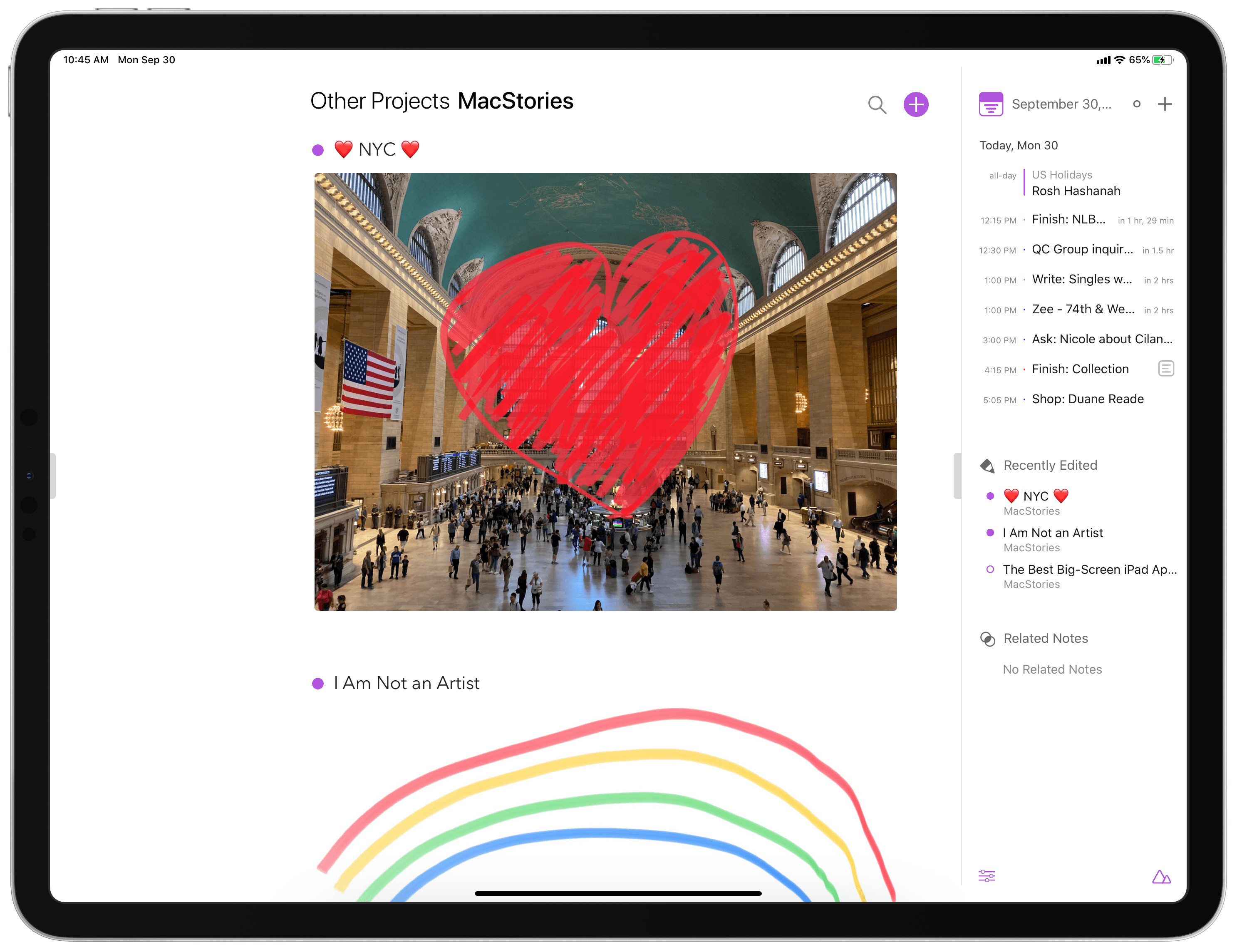
Agenda Gains Drawing and Handwriting Features, Plus Document Scanning and Dark Mode Enhancements

Once upon a time, in the early days of iOS’ life, note-taking apps on the iPhone and iPad were, strictly speaking, for text-based notes. The original Notes app, pre-iOS 9 makeover, was designed for text alone, and yet despite that limitation it remained the most popular notes app on iOS.

Times have changed. Today Apple Notes is a powerhouse tool for not just typed notes, but also images, document scans, checklists, sketches, rich links, and much more. Apple’s aggressive development of Notes forces third-party contenders to up their games as well, and that’s exactly what Agenda has been doing over the last year.

Agenda is a note-taking client that integrates with your calendar in a way unlike any other app, enabling tying your notes to specific calendar events so they’re easy to keep track of. Recent updates have meaningfully complemented that core purpose, adding Reminders integration, extensive keyboard shortcuts, and file attachments. Over the last couple weeks the app has also launched not one, but two more significant updates, versions 7 and 8, which expand Agenda’s capabilities further with drawing and handwriting features, alongside iOS 13 enhancements such as dark mode integration and document scanning.

Read more


Ulysses Adopts Multiwindow, iOS 13 Design Updates, and Modern Shortcuts

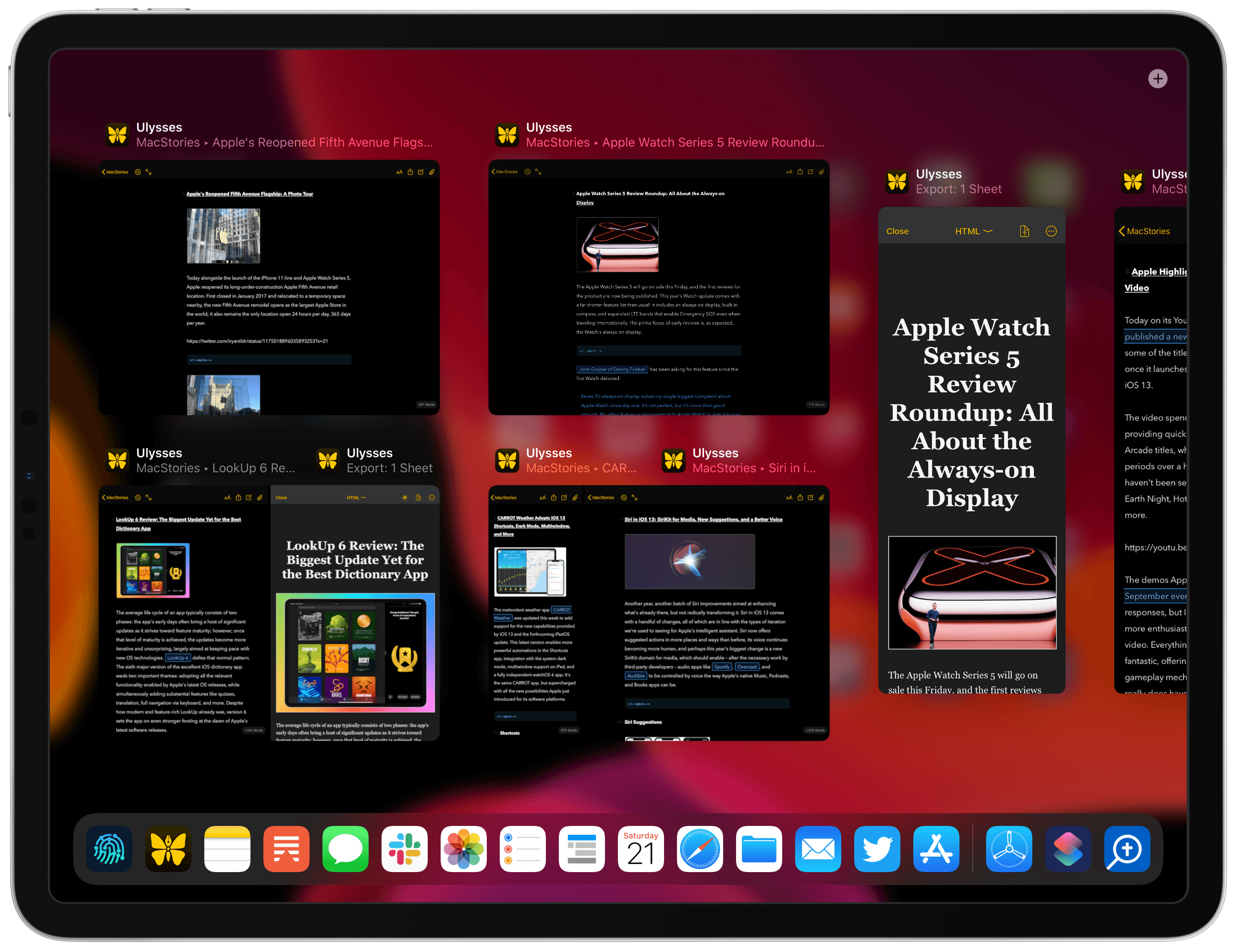
Earlier this year Ulysses debuted the best implementation I had seen of single-app split view on iPad, enabling working in two documents at once or editing a document while simultaneously seeing its export preview. In today’s Ulysses 18 release, that proprietary implementation has been replaced by iPadOS’ native multiwindow capabilities, bringing more power and flexibility than was previously available. Today’s update also integrates with iOS 13’s dark mode and other new design elements, makes automation easier than ever with Shortcuts parameters, and offers a gift to Dropbox users who have long had their Ulysses capabilities restricted.

Read more


tvOS 13: The MacStories Review

tvOS 13 is a surprising release. For years Apple has been pushing the TV app as the main draw of the Apple TV, then earlier this year it brought the app to Samsung TV sets with the promise of further expansion to Roku and Amazon Fire TV devices, along with a smattering of other TV sets. The proliferation of the TV app made the Apple TV seemingly less important to Apple, but in fact with tvOS 13, available now, Apple has launched the biggest tvOS update ever. Before getting too excited, know that the bar for “biggest ever” is extremely low in the case of tvOS, but nevertheless in a year when the Apple TV felt more marginalized than ever, it’s great to see new life breathed into the device.

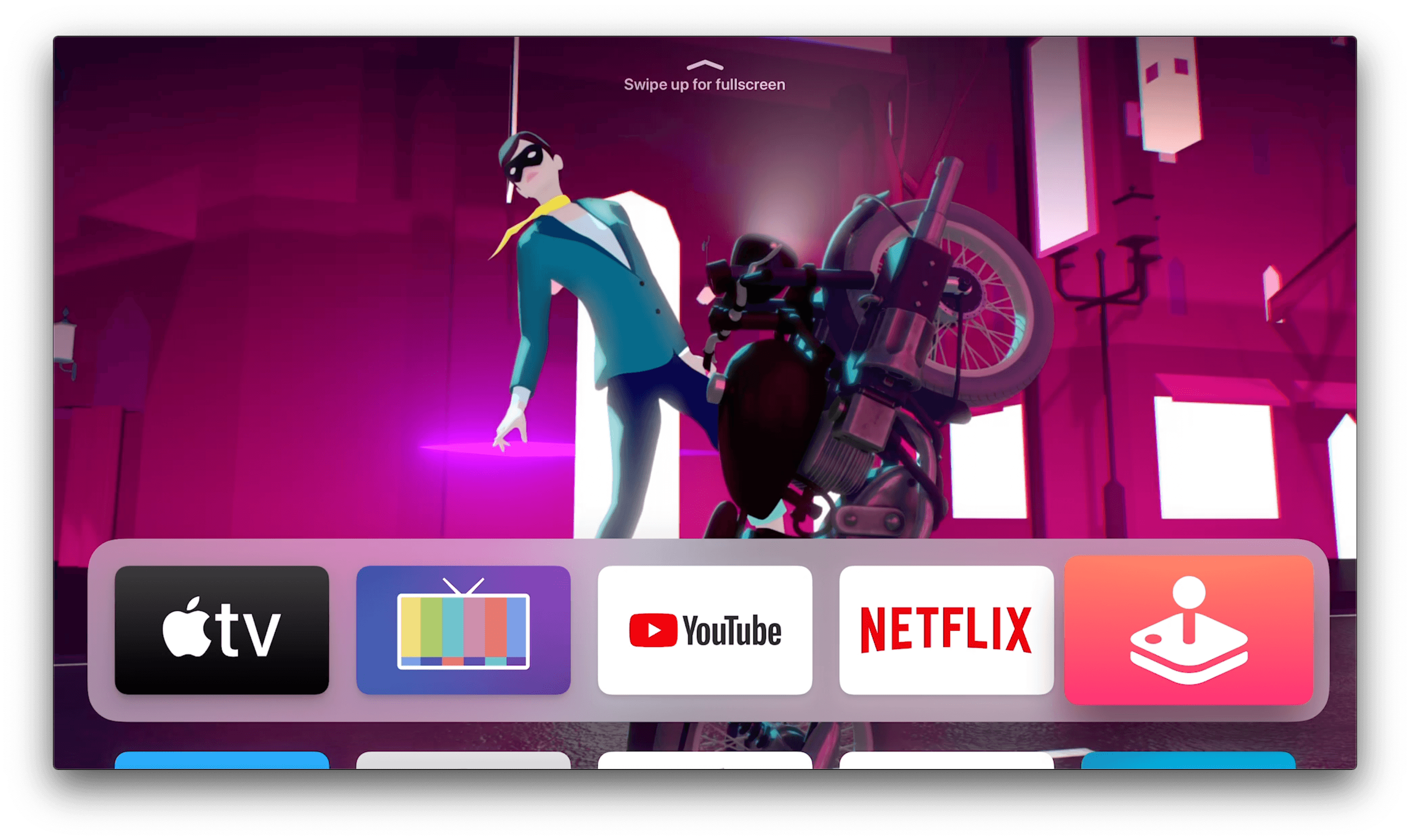
On the heels of Apple TV Channels debuting earlier this year, and the new Apple TV+ streaming service launching in a matter of weeks, Apple has given the Apple TV an updated Home screen, multi-user functionality, brilliant new underwater screensavers, Picture in Picture, Apple Arcade aided by PS4 and Xbox One controller support, and even more. While it can’t compare to the behemoth release that was iOS 13, tvOS 13 remains a strong update in its own right.

Read more


Things Adds Multiwindow, iOS 13 Dark Mode, Shortcuts, New Share Extension, and Reminders Import

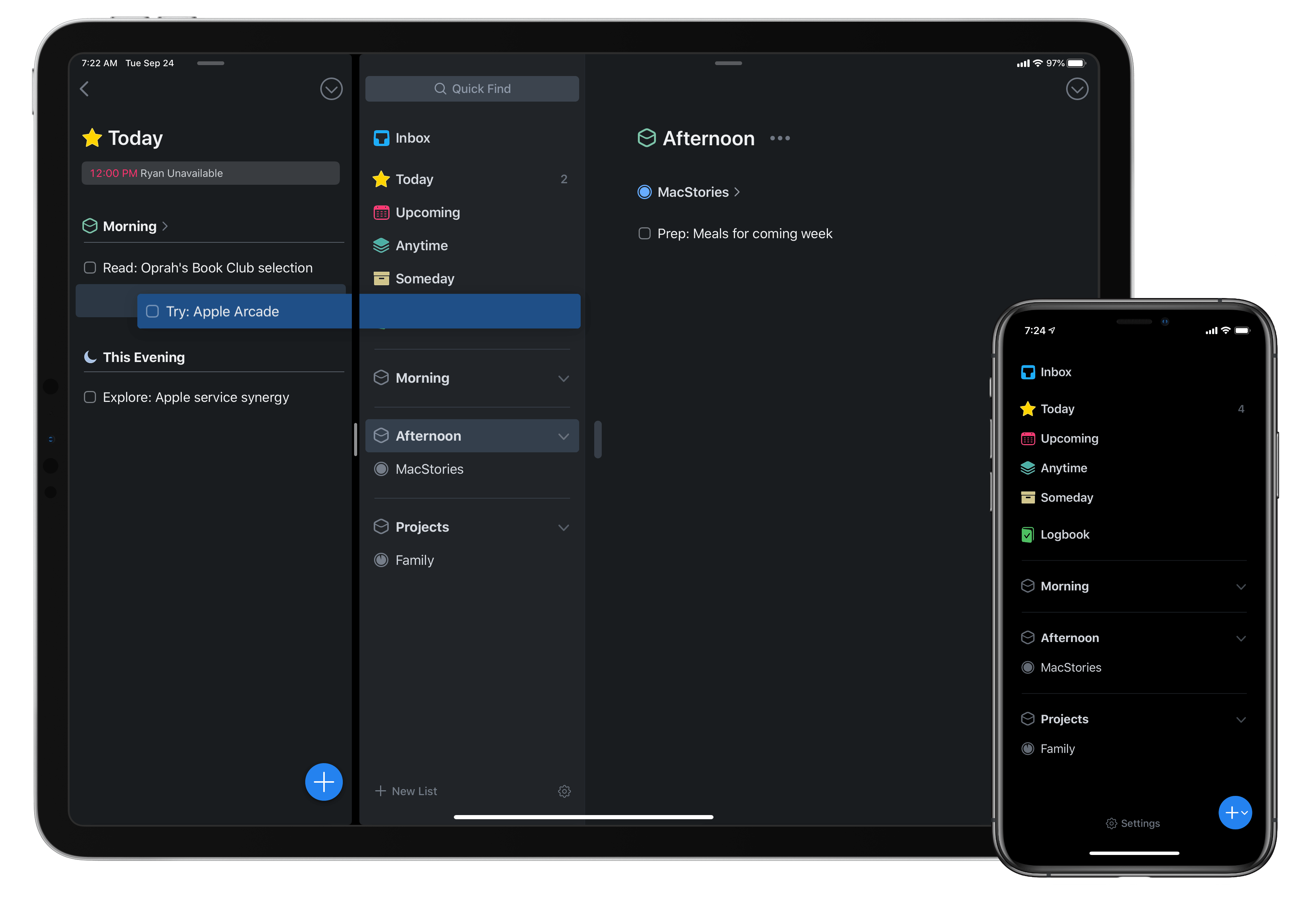
Today as Apple releases iPadOS into the world, Things 3 for both iPad and iPhone has fully updated to add multiwindow functionality on iPad, integration with iOS 13’s system dark mode, shortcuts with parameters, a share extension that introduces key new functionality, and finally a new Reminders Import feature for moving easily all your reminders into Things. There’s a lot to explore, so let’s dive in.

Read more