Ryan Christoffel

991 posts on MacStories since November 2016

Ryan is an editor for MacStories and co-hosts the [Adapt](https://www.relay.fm/adapt) podcast on Relay FM. He most commonly works and plays on his iPad Pro and bears no regrets about moving on from the Mac. He and his wife live in New York City.

How iOS 12.4’s iPhone Migration Tool Works

Yesterday Apple released iOS 12.4, an update that, during the beta phase at least, appeared to have little to no new features. Once the software went public with accompanied release notes, we learned that it contained a new iPhone migration tool, though it wasn’t immediately clear how that tool worked, or how it differed from existing migration options. Today Benjamin Mayo outlines the details on 9to5Mac:

With iOS 12.4 or later, there’s a new iPhone set up option. You can now perform a local iPhone data migration when setting up your new iPhone.

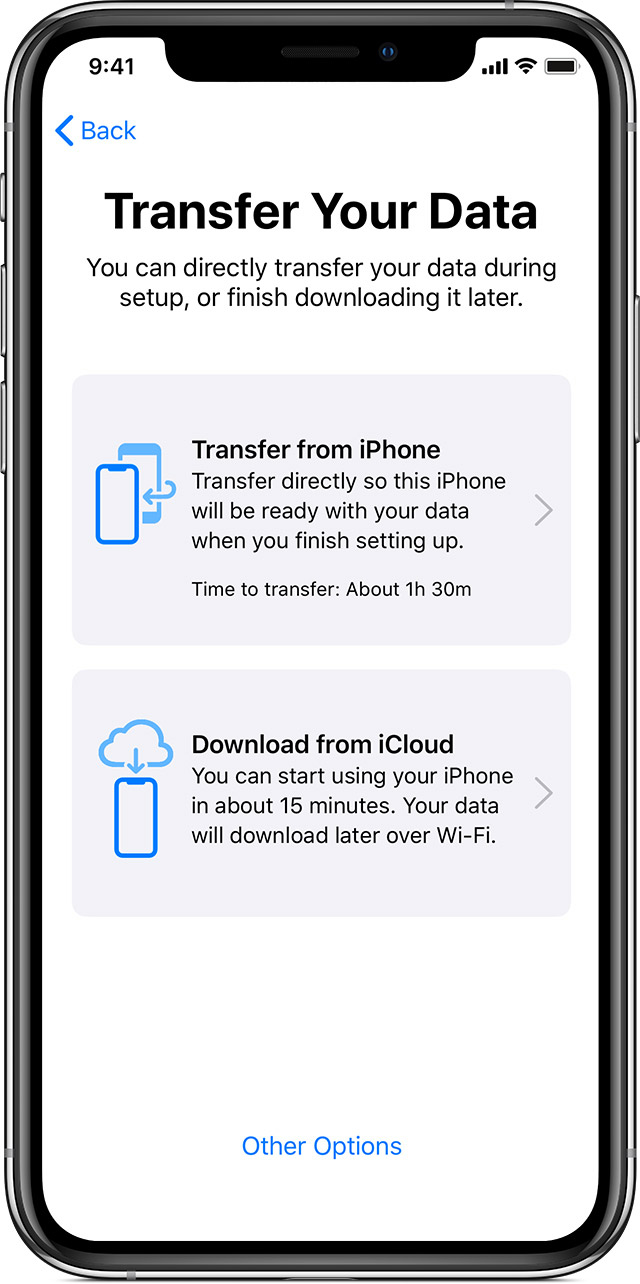
As part of Quick Start, you can now Transfer Your Data directly, without requiring to use iCloud or an iTunes backup. The iPhone defaults to using local WiFi, but you can transfer wired using the USB3 Camera Adapter and a Lightning cable.

[…]

Direct transfer copies across the same data as an iTunes encrypted backup; all your photos, media, app data, settings and more are sent over a peer-to-peer wireless connection.

This tool seems like a fantastic alternative to restoring from an iCloud backup, or performing an encrypted iTunes restore. Both existing options are troublesome for storage reasons: many users only have the free 5 GB iCloud storage plan, which often isn’t enough to store a device backup in the first place, and to go the iTunes route, you need adequate local storage space on your Mac to back up your entire device, which I personally haven’t had in years.

Another common issue with restores from iCloud backups is that, while they let you start using your iPhone after a short period of time, often the restoration of data such as photos and offline music can take days, if it ends up taking place at all. With the new local transfer option, the wait time before you can use your device is a lot longer (Mayo shares a screenshot estimating 90 minutes), but once the transfer is complete, everything on the new device should be identical to the old one.

I tend to buy new iPhones every year, and recently have gotten in the habit of setting them up as new devices every time – partly because starting fresh can help eliminate clutter, but also because iCloud restores have historically been inconsistent for me. With the new options added in iOS 12.4, I may need to rethink that strategy.
Permalink


Timepage 3.0: Key Refinements for a Mature Calendar App

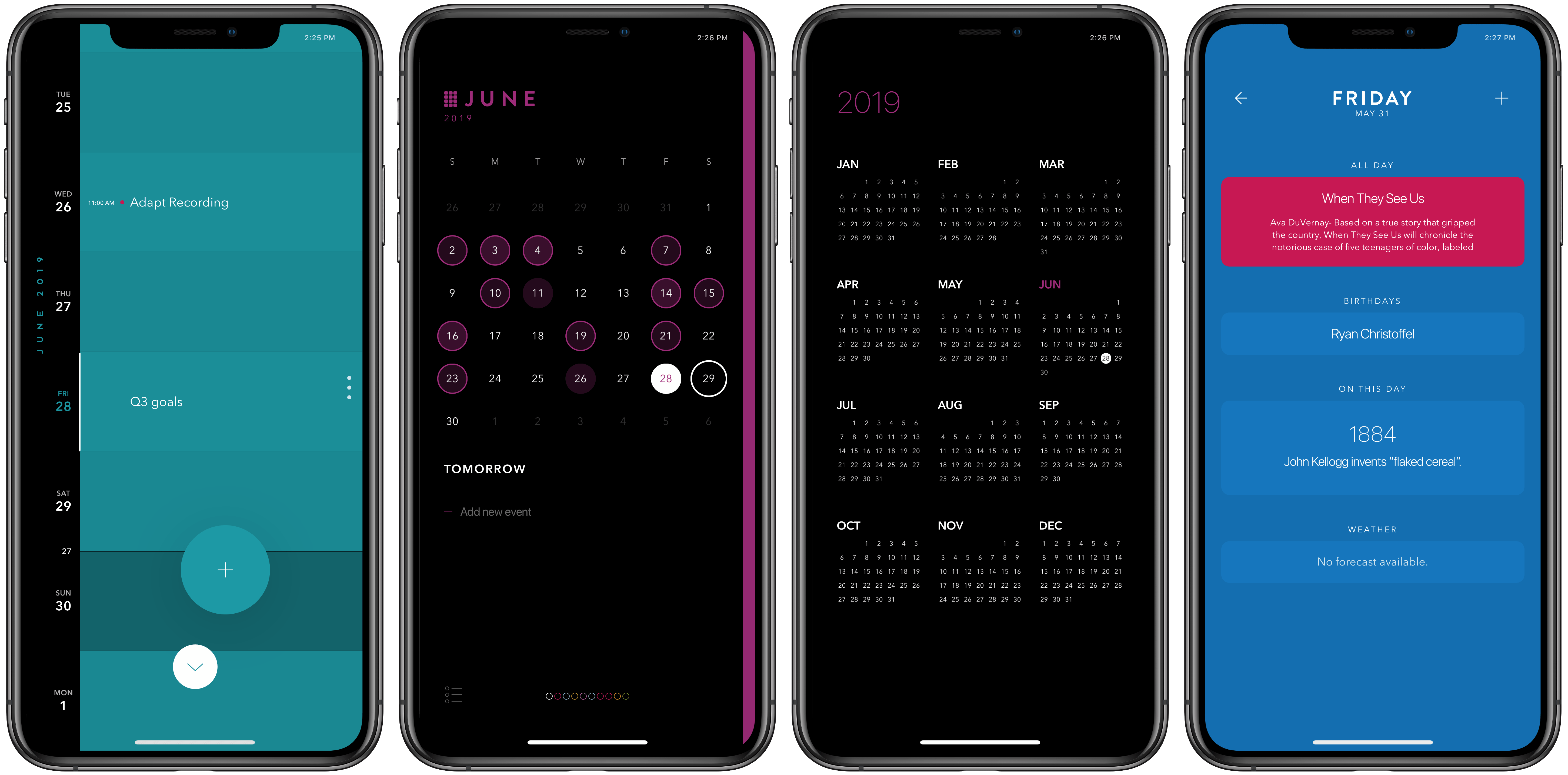
It’s a special kind of dilemma when an app is already one of the best in its category, yet it lives on a platform that requires constant improvement. Some apps in this predicament continue adding feature after feature in a way that ends up detracting from what users initially loved, while others pursue updates that may be less attention-grabbing, but they improve the core app in meaningful ways. Timepage, the iOS calendar app from Moleskine, has chosen the latter route with version 3.0, available today. There are no headline-grabbers here, but this latest update demonstrates that Moleskine has a strong understanding of how its app is used, and how to make it better. It introduces significant improvements to event creation, a new birthday functionality, additional calendar views, and a design tweak inspired by Timepage’s sister app, Actions, among other things.

Read more


The Iconography of Apple Maps

Mercury Intermedia, in a post on Medium, shares its extensive documentation of Apple Maps’ iconography over the years:

A few years ago we published a post examining the point of interest (POI) icons within Apple Maps titled More Than You Ever Wanted to Know About Apple’s Spotlight Location Icons. POI icons have existed in Apple Maps since Google was the maps provider. But with iOS 6, Apple took full ownership of Maps and introduced a selectable, color-coded POI system with all new iconography.

We took particular notice of the icons included with iOS 8 when Apple began using larger versions of these icons at the system level as part of their new Spotlight search feature. Apple has continued to iterate on these icons and has made several additions and refinements. With iOS 10 for example, Apple redesigned the Maps app to use the larger POI icon set directly on the map itself. This post will examine how the system has grown and evolved over the past few years.

If you’re interested in design, iconography, or how these things have evolved over time in Apple Maps, the post is a fantastic resource and fun exploration of the little details that make a significant mark on user experience. For example, the article includes quotes from designer Scott Dunlap comparing Apple’s icon changes over the years and what purpose those tweaks served, as well as offering feedback for how Maps’ icon set could stand more improvement, particularly for greater clarity at small sizes.

Permalink

Adobe Marks World Emoji Day with Findings of Key Emoji Survey

Today on World Emoji Day, Adobe has shared the results of its recent survey of 1,000 US emoji users:

Among the emoji users surveyed, the overwhelming majority use emojis to lighten the mood of conversations (93%) and show support to people (91%). Aligned with this finding, emoji users’ top three favorite emojis are ???? (#1), ❤️ (#2), ???? (#3). Interestingly, a majority (81%) of emoji users believe that people who use emojis are friendlier and more approachable.

The survey included participants ages 16-73 who use emoji at least weekly. The full report is interesting to explore, as it lists favorite emoji by users’ gender and the region of the US they live in. Across all tracked demographics, the laughing emoji was most-used, but the differences in runner-ups are well worth checking out.

Yesterday Apple got a head start on World Emoji Day by sharing a preview of its new emoji coming in iOS 13 this fall. Though there aren’t any obvious standouts that seem destined to achieve high levels of use, my personal favorites so far include the sloth and yawning face.

Permalink

Apple Previews New Emoji Arriving in iOS 13, macOS Catalina, and More

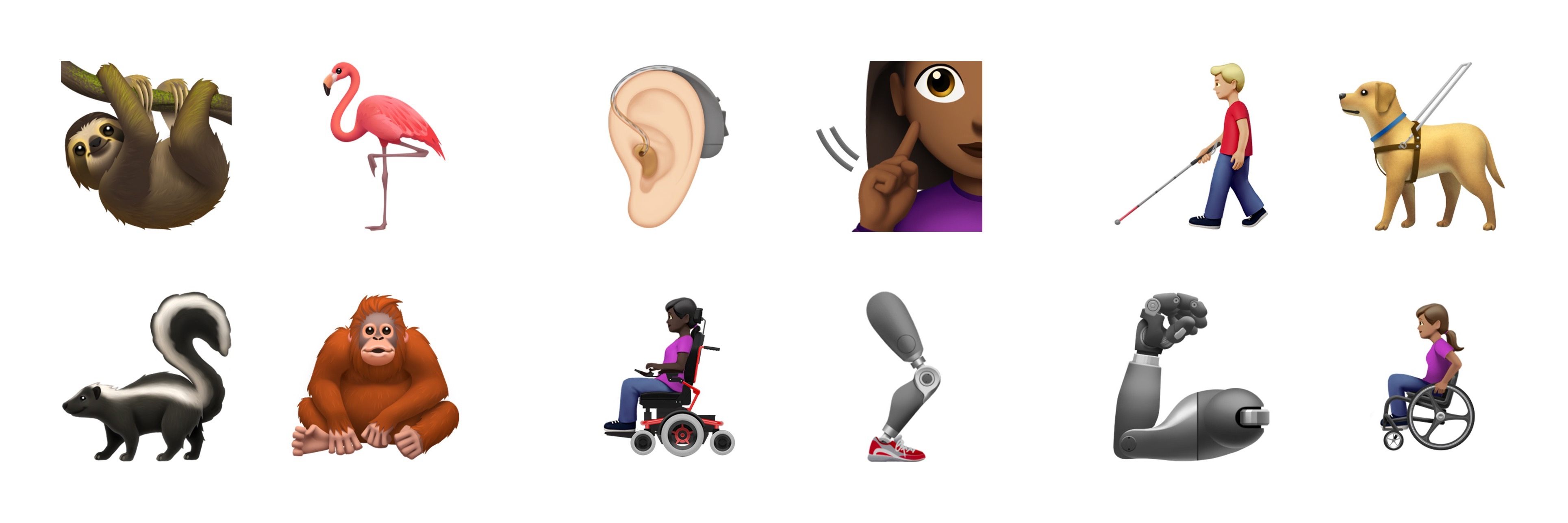
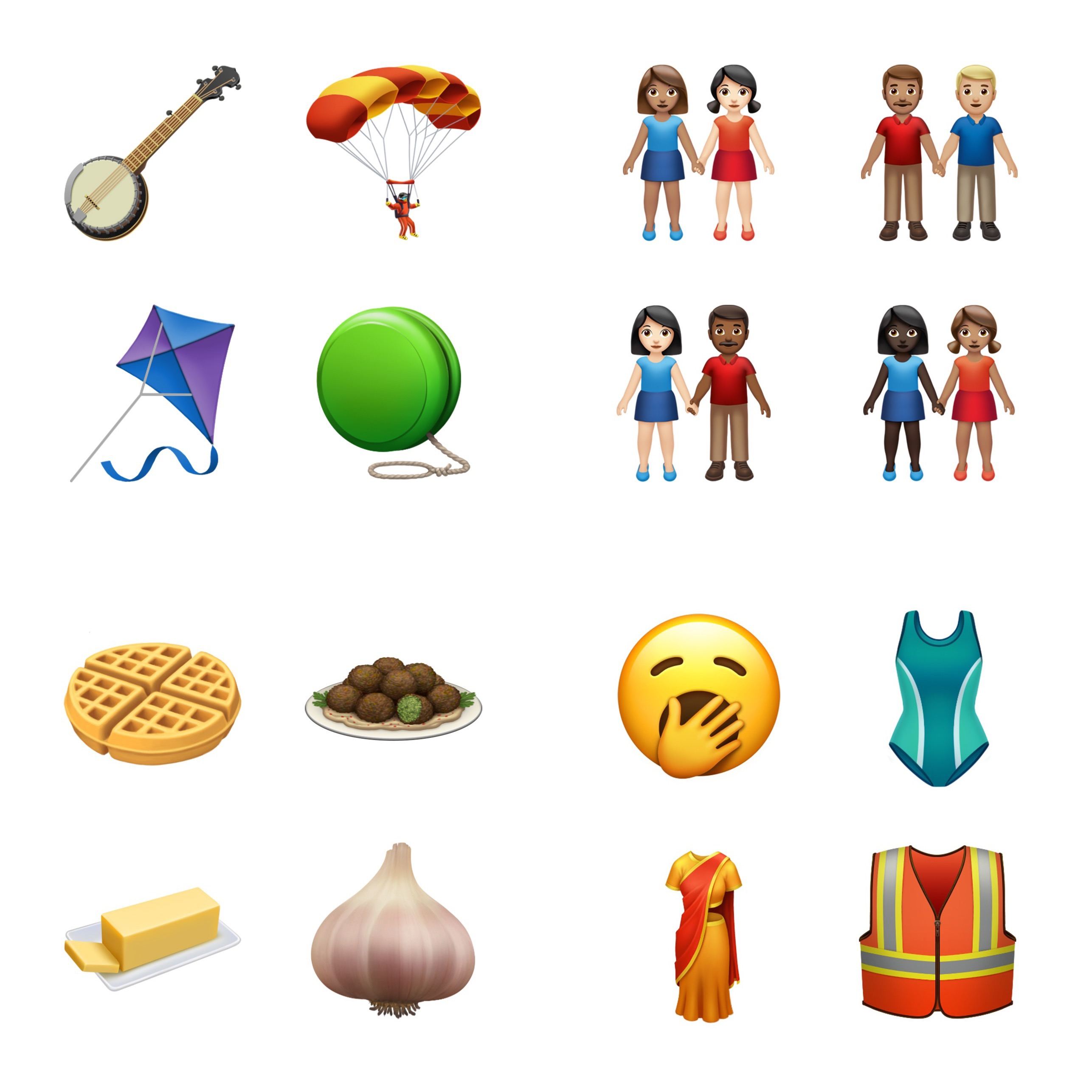
Tomorrow is World Emoji Day, and Apple is starting the celebration early by offering a sneak peek at some of the new emoji arriving later this year in iOS 13, iPadOS 13, macOS Catalina, and watchOS 6.

In early February the Unicode Consortium, which makes all emoji approval decisions, debuted the full list of 230 emoji coming this year. Apple notes that this group can be consolidated to fifty-nine new emoji designs, many of which include variations – such as the people holding hands emoji, which can be customized in more than 75 ways to have various mixes of gender and skin tone. Another big theme in this emoji release is a set of disability-themed emoji, which Apple is actually responsible for proposing to the Unicode Consortium last year.

The previous two years, new emoji have launched in the x.1 updates to Apple’s software platforms, which often debut in October. If that tradition holds, we’re just a few short months away from gaining access to the 2019 emoji set.