AutoSleep
...

 AutoSleep
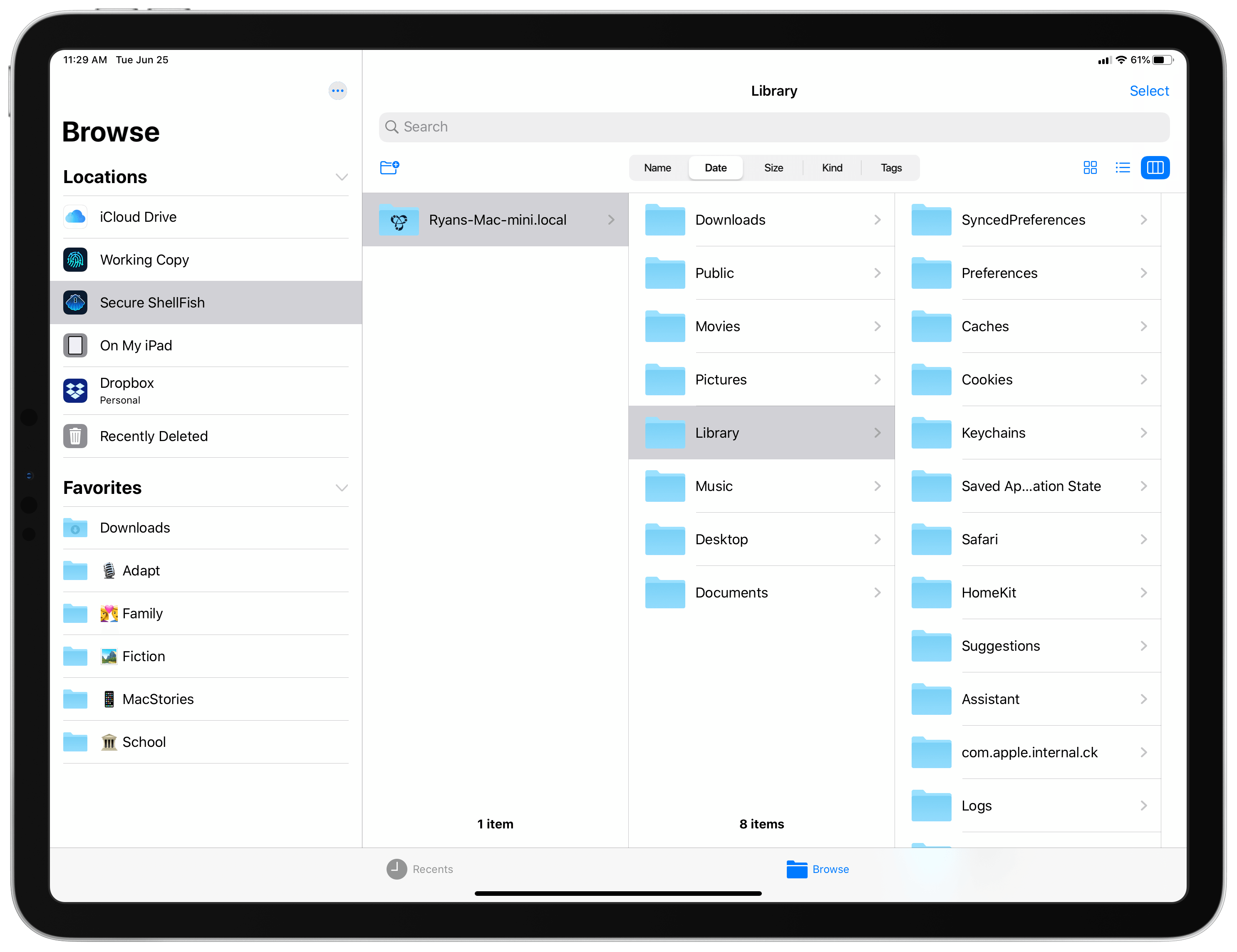
 All my cards on the table: until I tried Anders Borum’s new app, Secure ShellFish, I had no idea what an SSH or SFTP server even was. I’ve never had the need for a file server, and have thus considered it one of those technical computing concepts that’s over my head and exists only for a certain type of user. My guess is that many other people feel the same way, not just because of the concept of servers itself, but also because the tools available for configuring and accessing servers can tend to be overly complex. Secure ShellFish, on both iPad and iPhone, aims to be the opposite: it makes configuring servers easy, and accessing them even easier because it’s built around integration with Apple’s Files app.
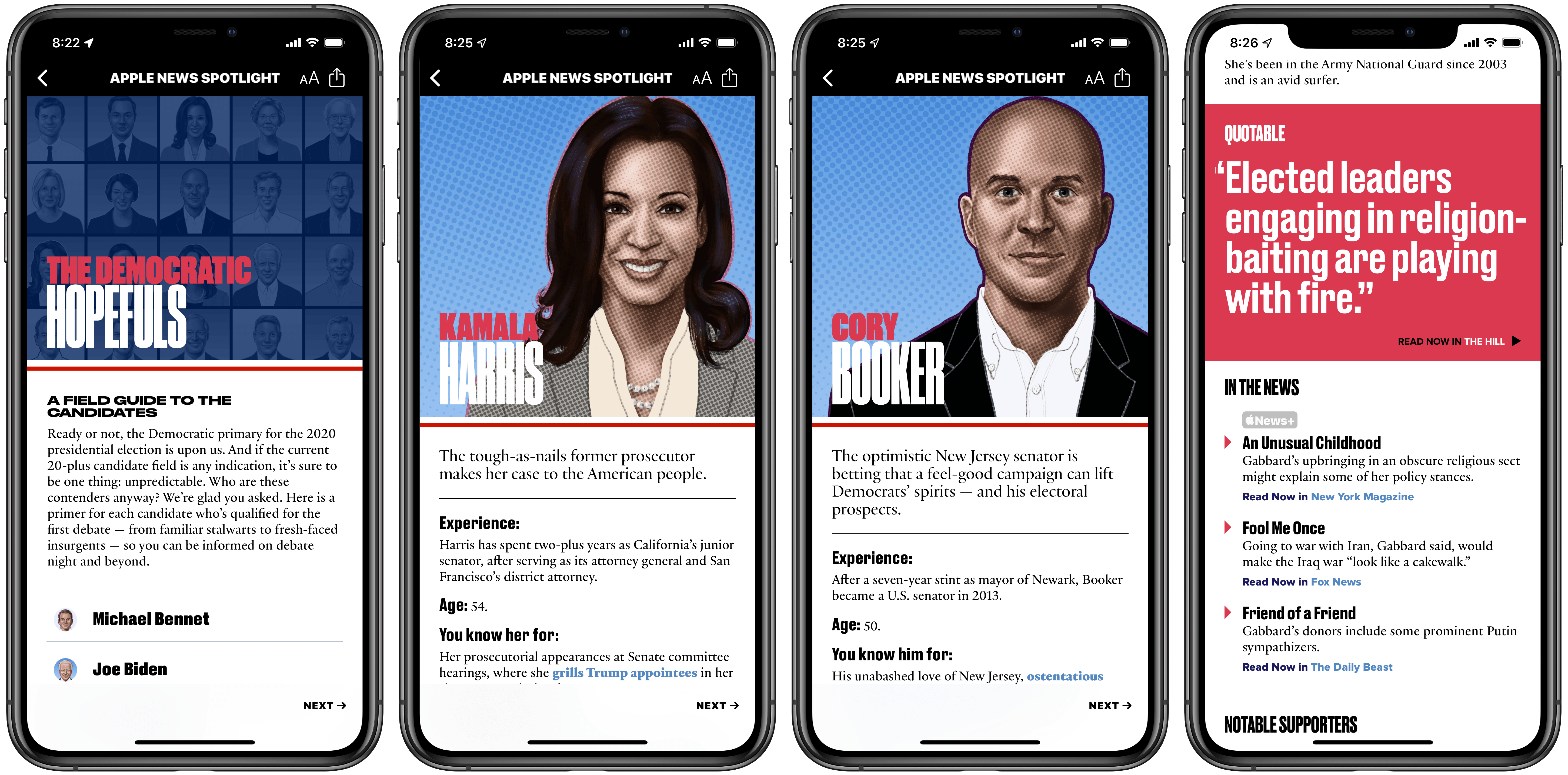
Ahead of the first 2020 Democratic debates, which take place over the next couple days, Apple News has launched a dedicated candidate guide pooling information about each presidential hopeful from a wide variety of sources. News has offered similar election-related hubs in the past, but nothing near as extensive as the candidate guide debuting today.
20 Democratic contenders are profiled in the candidate guide, and with each the News editorial team has assembled a swath of facts, key stances, quotes, and other relevant information meant to ensure future voters are informed amidst a crowded field of prospects.
One of the greatest values of News’ approach is that it summarizes key data in a brief, easy to read format. With minimal time investment you can find out a candidate’s experience, what they’re best known for, their breakout moment, and more. I especially appreciated the straight to the point “You’ll love her/him if you…” and “You’ll leave him/her if you…” factoids.
While there’s certainly a strong dose of editorial work done by Apple’s team in this guide, the key driving force behind each candidate profile is stories from other news sources. In Apple’s press release announcing the candidate guide, the following sources are referenced:
ABC News, Axios, CNN, Fox News, NBC News, Politico, The Hill, The New York Times, The Wall Street Journal, The Washington Post, TIME, USA Today, Vox and others
Each candidate profile is filled with links to stories from these sources and more, with practically every detail listed about a candidate tied directly to an outside link. This approach allows Apple’s editors to summarize key facts and make them easily digestible, all while putting news sources front and center so readers can go deeper on topics they’re interested in.
Besides the general profile information for candidates I’ve already outlined, Apple News also shares which issues are at the core of a candidate’s platform, how the fundraising landscape currently looks among candidates, recent standout news appearances, notable supporters, and more.
Apple News is positioning itself, with features like this candidate guide and other forthcoming 2020 US election coverage, as a trusted source for voters. Laura Kern, the Apple News editor-in-chief, wrote, “we want to offer Apple News readers a trusted place to learn more about candidates…The candidate guide in Apple News is a robust and reliable resource”. The message is clear: while pervasive fake news across other major news platforms was evident in the 2016 election, Apple believes it can offer a news source that’s trusted and reliable leading up to November 2020.
The Democratic candidate guide can be accessed in Apple News via the included link using an iPhone, iPad, or Mac.
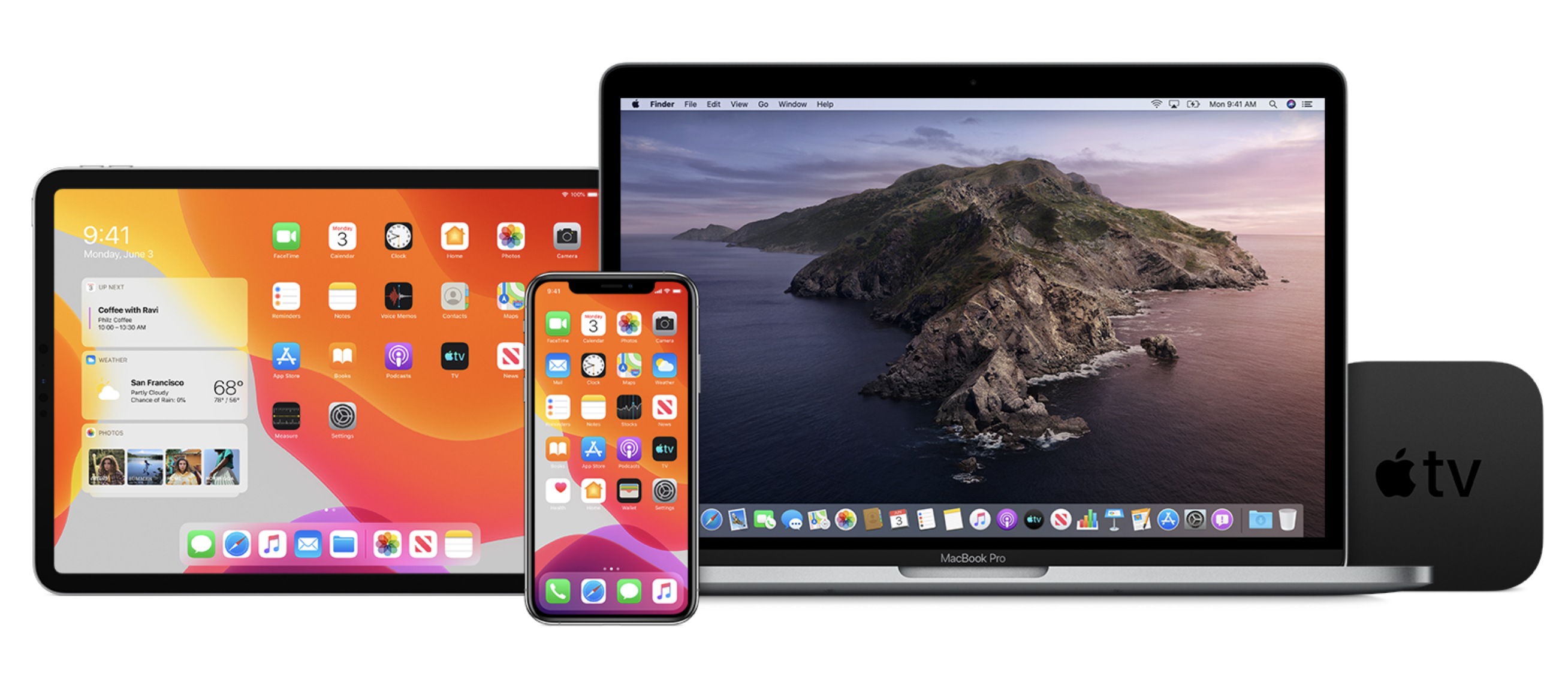
Today Apple has released its first public beta versions of its forthcoming software updates. iOS 13, iPadOS 13, macOS Catalina, and tvOS 13 are all available as public betas. As in years past, there is no public beta available for the Apple Watch or HomePod.
Users interested in trying out the latest versions of Apple’s software platforms can enroll in the beta program at beta.apple.com. However, this should only be done with appropriate caution and a willingness to endure buggy, unreliable software. These first public beta releases come a mere three weeks following the initial wave of developer betas, which themselves were especially unstable; as such, these releases are likely to be less reliable than even the public beta versions of years past.
If you’re wondering what all is new in these beta releases, you can read our full overviews of iOS 13, iPadOS 13, macOS Catalina, and tvOS 13. We’ll have continuing coverage of all the new features coming to Apple’s software platforms throughout the summer, leading up to their release this fall.
Apple Watch Apps with Siri Face Support It was the summer of 2016 when Pokémon GO took the world by storm, and now, almost exactly three years to the day later, there’s a new AR game trying to capture the same magic. Harry Potter: Wizards Unite launched today in the US, UK, and select other countries from the same studio behind Pokémon GO, Niantic.
At the core of Wizards Unite is the same AR-based system employed in Pokémon GO, whereby you can explore a digital world that’s mapped to the real world around you, where different real-life locations are mapped to in-game hot spots for engaging with certain game elements. Special locations in the game, such as fortresses, are designed for teams of players to conquer together; combined with the AR world exploration mechanic, this encourages strong community engagement in the game. If Wizards Unite takes off in any way like Pokémon GO, expect to see bands of players roaming the streets with their phones at the ready.
Chronologically, Wizards Unite takes place following the original seven book Harry Potter series but still includes many of those original characters. In the game’s tutorial, for example, a slightly aged Harry Potter, now working as an auror, instructs you regarding a crisis the Ministry of Magic is currently facing that needs your assistance. This sort of tight integration with the world and characters Harry Potter fans know and love, combined with the community-centric element found in games like Pokémon GO, could make Wizards Unite a really special experience for anyone who loves J.K. Rowling’s wizarding world. As one of those people myself, even though I never got into Pokémon GO, I’m excited to spend some quality time trying out Wizards Unite.
You can download Harry Potter: Wizards Unite on the App Store now.
When Apple launched macOS Mojave last year, it included four built-in apps that had been ported from the iPad using what we now know as Project Catalyst. Home, Voice Memos, News, and Stocks have been regularly criticized for not being very Mac-like, and some users assumed they would be updated in the forthcoming macOS Catalina, since it includes a newer, more feature-rich version of Catalyst that’s powering new apps like Podcasts, which does feel more Mac-like.
However, until now there’s been no sign of Apple giving its first wave of Catalyst apps a second pass. They haven’t changed in the first two developer betas of Catalina, and Apple’s software chief Craig Federighi, in our interview with him on AppStories, diverted blame for those apps from the Catalyst technology on to intentional design decisions Apple’s team had made.
While Federighi still stands by that message, he also, in a new interview with Jason Hiner at CNET, has shared that Home, Voice Memos, News, and Stocks will in fact be getting updated in Catalina.
Craig Federighi confirmed that the four iOS apps for Mac released last year will get major updates based on the new technology in Project Catalyst. But he also revealed that the apps will get new designs to make them more Mac-like.
[…]
“We’ve looked at the design and features of some of those apps and said we can make this a bit more of a Mac experience through changes that are independent of the use of Catalyst, but are just design team decisions,” Federighi said. “When I read some of the initial reviews of those apps, people were saying, ‘Obviously this technology is causing them to do things that don’t feel Mac-like.’ Honestly, 90% of those were just decisions that designers made … People took that as ‘this feels iOS-y’ and therefore they thought it was a technology thing. Actually, it was a designer preference. So part of the upgrade is we said we’ve got to co-evolve with our user base around the aesthetics of the Mac experience. And so we made some adjustments to the apps.”
It’s unclear how extensive changes will be, or if they will bring new functionality where it’s currently missing – such as the ability to open News articles in separate windows – but Federighi told CNET these upgraded Mojave apps will be available in the public beta of Catalina. If that means the first public beta, we should expect to see them next month.
WWDC this year clearly demonstrated that Apple listens to feedback from the broader community of users, so it makes sense that the company would give its Mojave apps a second pass. As long as they exist in their current form, they’ll be used as a punching bag to denigrate the merits of Catalyst. But if the updated apps truly do offer a better Mac experience, then combined with the new Podcasts app they’ll make a strong case for developers to get on board bringing their own iPad apps to the Mac.
Michael Steeber reports for 9to5Mac on some interesting developments he’s observed in certain Apple Stores recently:
Apple is evolving its in-store shopping experience with signage and display fixtures that remove ambiguity and encourage increased hands-on interaction with products. New designs that have been spotted in multiple locations reflect the changing requirements of busy stores and appear to address common customer needs.
He mentions things like signs indicating checkout zones, a new table guide spelling out differences between iPhone XR, XS, and XS Max, and more customer-friendly Watch displays.
The new retail design language Apple began rolling out in 2015 brought visual simplicity by deemphasizing signage, logos, and extraneous store fixtures. While more aesthetically pleasing, some customers have found contemporary stores challenging to navigate. These new fixtures and signs show that Apple is willing to fine-tune the balance between appearance and function.
Normally these changes might go overlooked, particularly since they’re currently only in a handful of stores, but they’re noteworthy for reasons of timing. Apple’s former head of retail, Angela Ahrendts, was recently succeeded by Deirdre O’Brien, and while all signs point to Ahrendts’ departure being amicable, one common complaint regarding her tenure is that Apple Stores became less functional shopping places despite growing unquestionably more beautiful and lavish in design. These few scattered signs of change spotted by Steeber indicate an early priority shift coming from Apple’s new SVP of Retail.
Today Nintendo announced its latest mobile venture coming to iPhone and iPad: Dr. Mario World, which is available to pre-order now and will launch July 10th.
Dr. Mario World is a match 3-style game in the vein of Candy Crush, whereby you try to match your limited quantity of colored capsules with the various virus creatures on-screen to clear the game board. Fitting the Mario theme, the board in each stage will feature not just viruses, but also fan favorite power-ups such as a red shell or bomb that can knock out more viruses at once when activated. Based on early details, the game appears to stray very little from the classic match 3 formula, complete with hearts that determine whether you can start a stage, and diamonds that enable things like extending your turns. Match 3 games are a guilty pleasure for me, and I love Nintendo, so while some may prefer more originality, I’m excited to try a Mario-themed spin on a classic game mechanic.
When Dr. Mario World launches, it will be a free download with optional In-App Purchases for things like diamonds – a common business model for this type of game. There will be five worlds at launch, consisting of a variety of stages, and more worlds will be added over time. And following the tradition of other Nintendo titles such as Super Mario Run, gameplay will require a persistent Internet connection.
You can pre-order Dr. Mario World now.