
Every month I test a lot of apps – usually either new apps that are debuting, or updates to existing apps, both of which could merit coverage on the site. Often, however, I also try out existing apps for the sole purpose of seeing if they’d help me get my work done better. One...
HomeRun Launches Advanced Daily Routine Feature for Complications and Siri Face
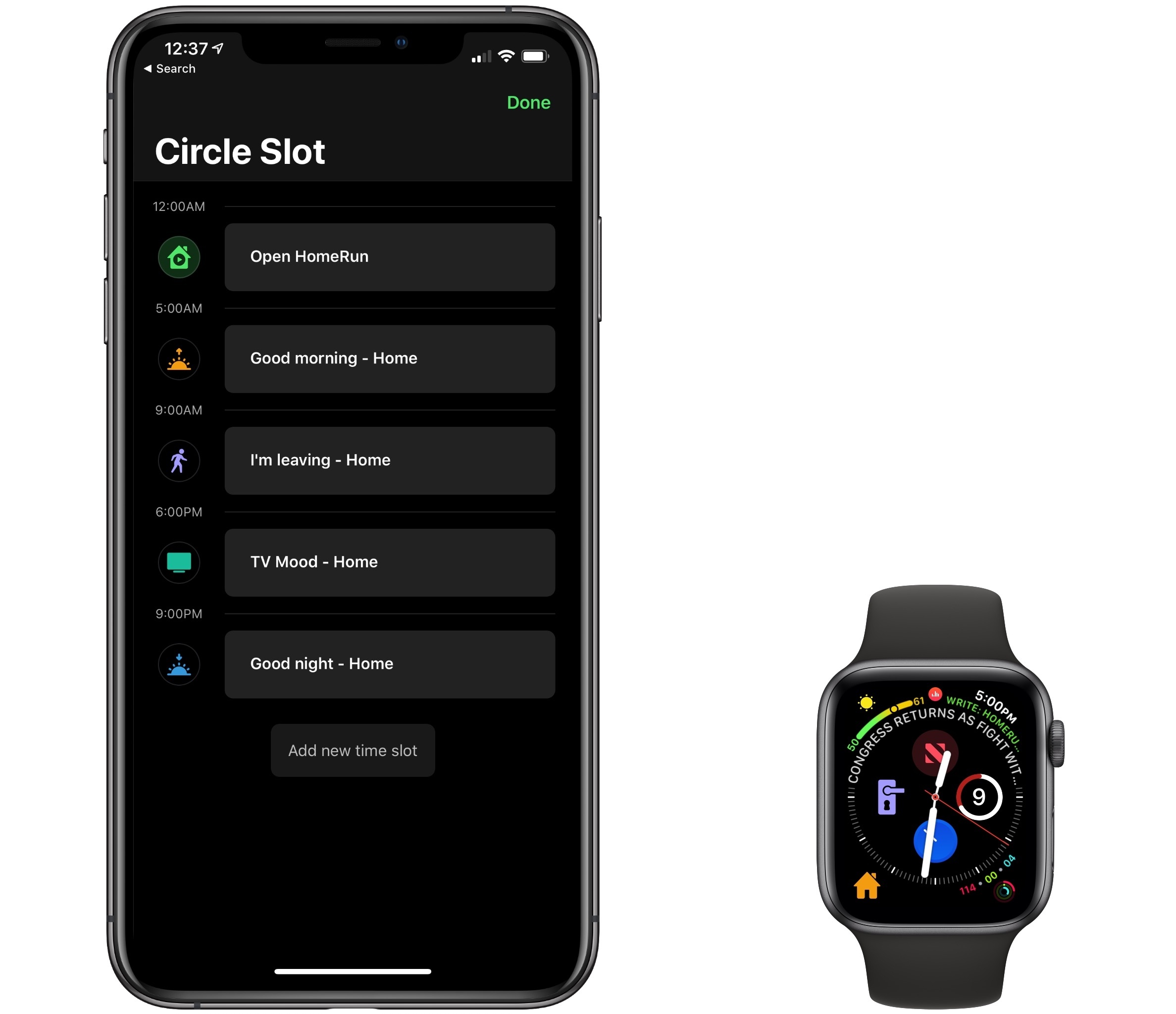
HomeRun 1.2 was released today from developer Aaron Pearce, the latest evolution of the Apple Watch app for controlling HomeKit scenes from your wrist. Its last big update introduced the ability to create custom complications on the Watch, which was a fantastic addition because it enabled users to implement the complications that work best for them personally. Today’s update extends the theme of user customization and programmability, but takes it to a whole new level – exceeding anything I’ve seen from another Watch app before now.
Version 1.2 of HomeRun revolves around one main feature – daily routines – which takes a couple different forms. In each manifestation, however, daily routines equip users to program which actions the app surfaces on their wrist during the course of a normal day.
 Closing Select Tabs in Safari on iOS
It seems as though no matter how many hidden gestures I discover to perform a special action in Safari on iOS, there are always more hidden treasures waiting to be found. The latest one I encountered has to do with searching and closing specific tabs you have open. When you’re viewing a stack of...
Sofa

Most of us feel like we have too little downtime, and too many things we’d like to do with that downtime. There are movies or TV shows we want to watch, video games we want to play, books we want to read, and no matter how much time we spend on these recreational activities,...
Marvis Review: The Ultra-Customizable Apple Music Client
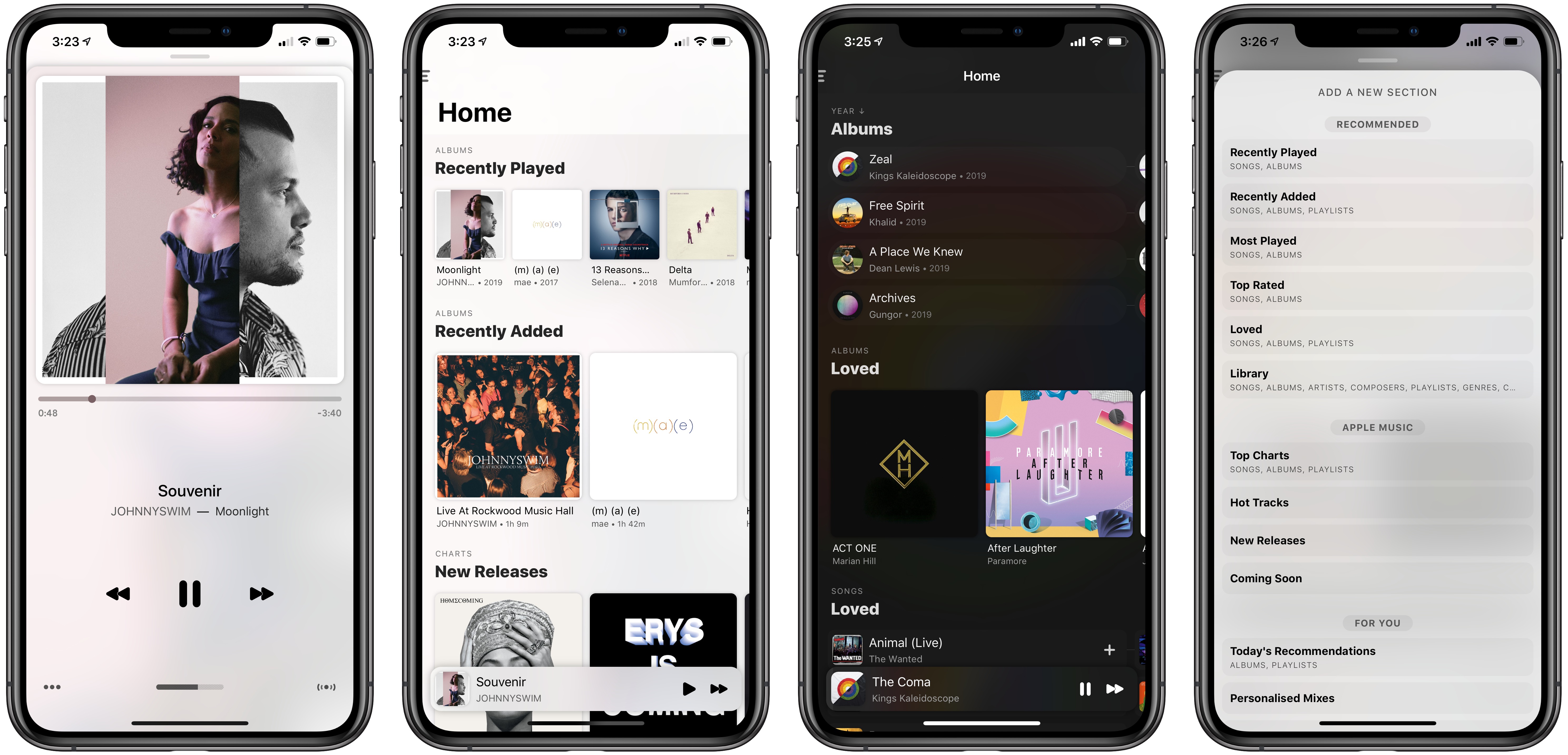
Marvis is a music player that launched on iPhone just two months ago, yet in a 3.0 update today expands its usefulness immensely thanks to a major new feature: full Apple Music integration. With today’s release, Marvis joins the growing list of third-party apps that use Apple’s MusicKit API to offer access to and control of your Apple Music library.
Marvis follows in the footsteps of Soor, which Federico reviewed earlier this year, in prioritizing layout customization as one of its hallmark advantages over Apple’s first-party Music app. Pushing beyond what even Soor accomplished though, in Marvis customization is taken to a whole new level, with fine-grained design options that no other app can compare with.
MindNode 6 Review: Refined Mind Mapping
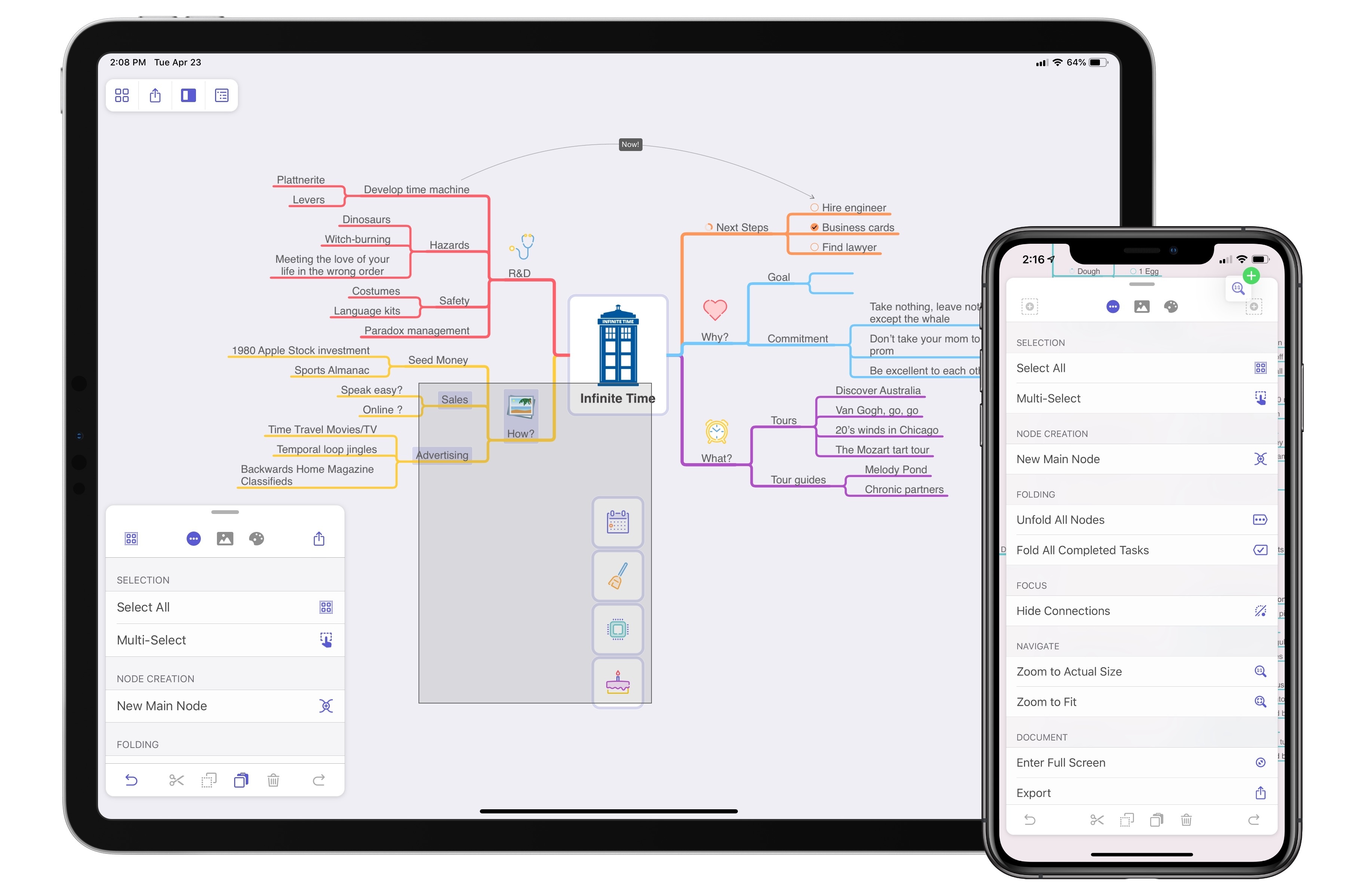
When MindNode debuted its last major version, it brought a major revamping and modernization of the core app experience. The update was a resounding success in my view: adopting the document browser, an adjustable panel system, and drag and drop made MindNode a shining example of modern iOS design; at the same time, additions like quick entry mode and a slate of new, easy to decipher iconography made MindNode more accessible to the mind mapping novice.
Where MindNode 5 brought major evolution and a fresh foundation, today’s version 6 for iOS and the Mac is able to build on that foundation with refinements and advancements that make the app more versatile and expand existing features in new ways. I’ve grouped those improvements into two categories: focus aids and efficiency aids.
Apple Launches Dedicated YouTube Channel for Apple TV
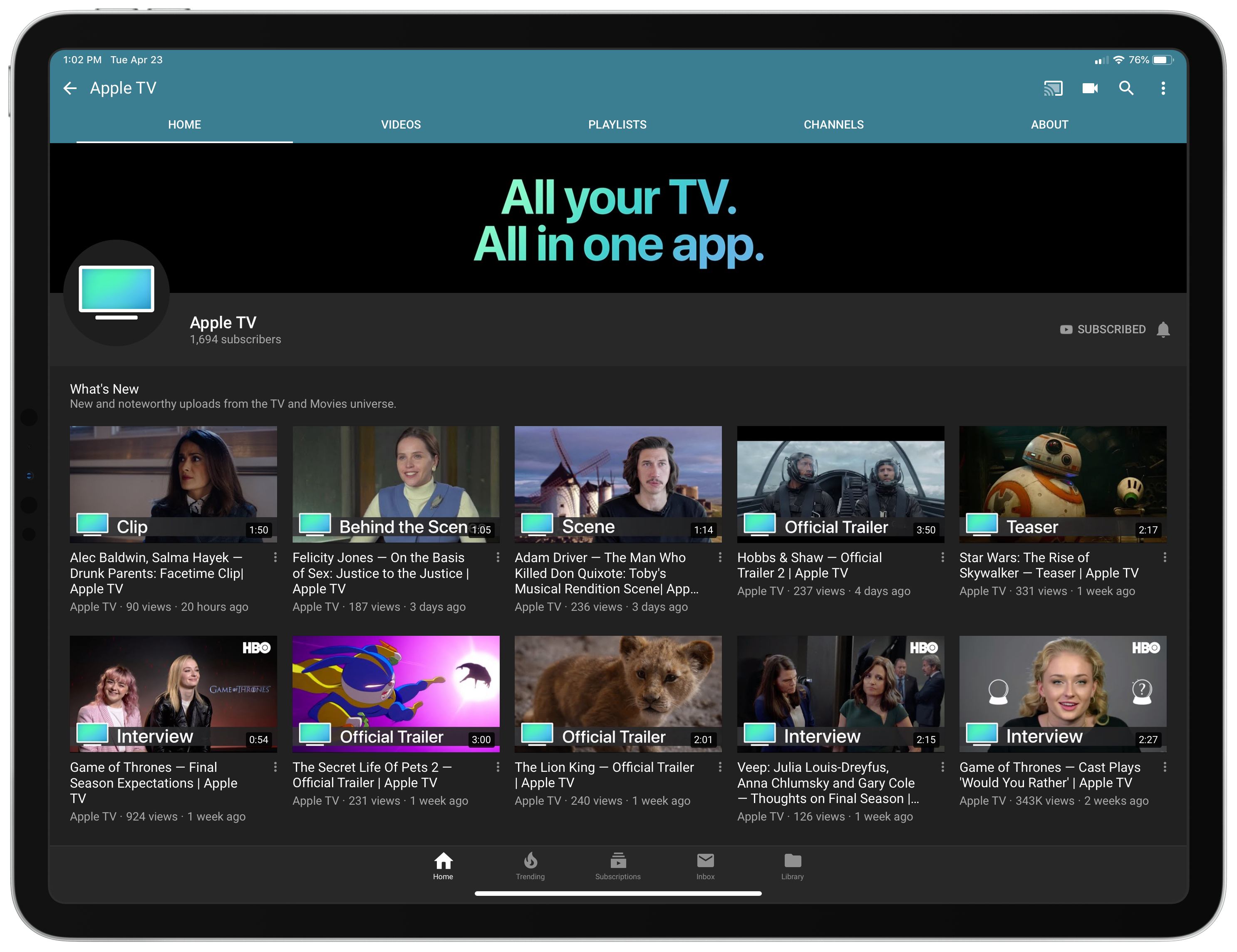
Over the last few weeks Apple has quietly debuted a new YouTube channel dedicated to one of its services: Apple TV. The Apple TV channel is home to a variety of videos, like trailers for upcoming films and TV shows, exclusive behind the scenes clips and interviews tied to popular shows and movies, and, of course, videos highlighting Apple’s own original content efforts, like an Apple TV+ trailer and Carpool Karaoke previews.
Every video on the channel appears to be ad-free, which could offer a compelling reason to watch trailers for upcoming films, such as Star Wars: The Rise of Skywalker, through the Apple TV channel rather than a competing channel where ads are commonplace.
The launch of an Apple TV channel on YouTube is no big surprise, particularly as Apple moves further into the video and entertainment space. However, the channel does have an odd, yet interesting relationship with Apple’s own TV app. While the channel serves to promote the Apple TV service, its videos by and large aren’t available on that service’s app. The behind the scenes clips and interviews found on this new channel are not currently available in the Apple TV app, only on YouTube – though it’s certainly possible that will change in the future. Similarly, most of the trailers on YouTube are unavailable in the TV app, since unreleased films and shows don’t exist in TV’s content database.
Trailers for unreleased films have historically been served through Apple’s iTunes Trailers platform, which is still alive though somewhat stagnant – the iOS app hasn’t been updated for a year and carries many dated design conventions. However, the launch of an Apple TV YouTube channel may indicate Apple’s plans to slowly shutter that service.
As Apple’s redesigned TV app launches next month as part of tvOS 12.3 and iOS 12.3, and we draw nearer to the launch of Apple TV+ this fall, it will be interesting to see what kind of content Apple funnels through this new YouTube channel rather than the TV app itself. Will most videos continue to be YouTube-exclusive, simply serving to promote films and shows that can be watched in the TV app? Or will the TV app eventually house all of this content as well, with YouTube merely serving as a means of greater exposure for Apple’s TV efforts? We shouldn’t have to wait long to find out.
My Apps and Workflows for MacStories
In reflecting on the first decade of MacStories this week, I began thinking about all the apps and tools that have been used to make the site what it is. We care a lot about the ins and outs of apps, not only for the sake of informing readers, but also because many of...
How MacStories Instigated My iPad-First Journey
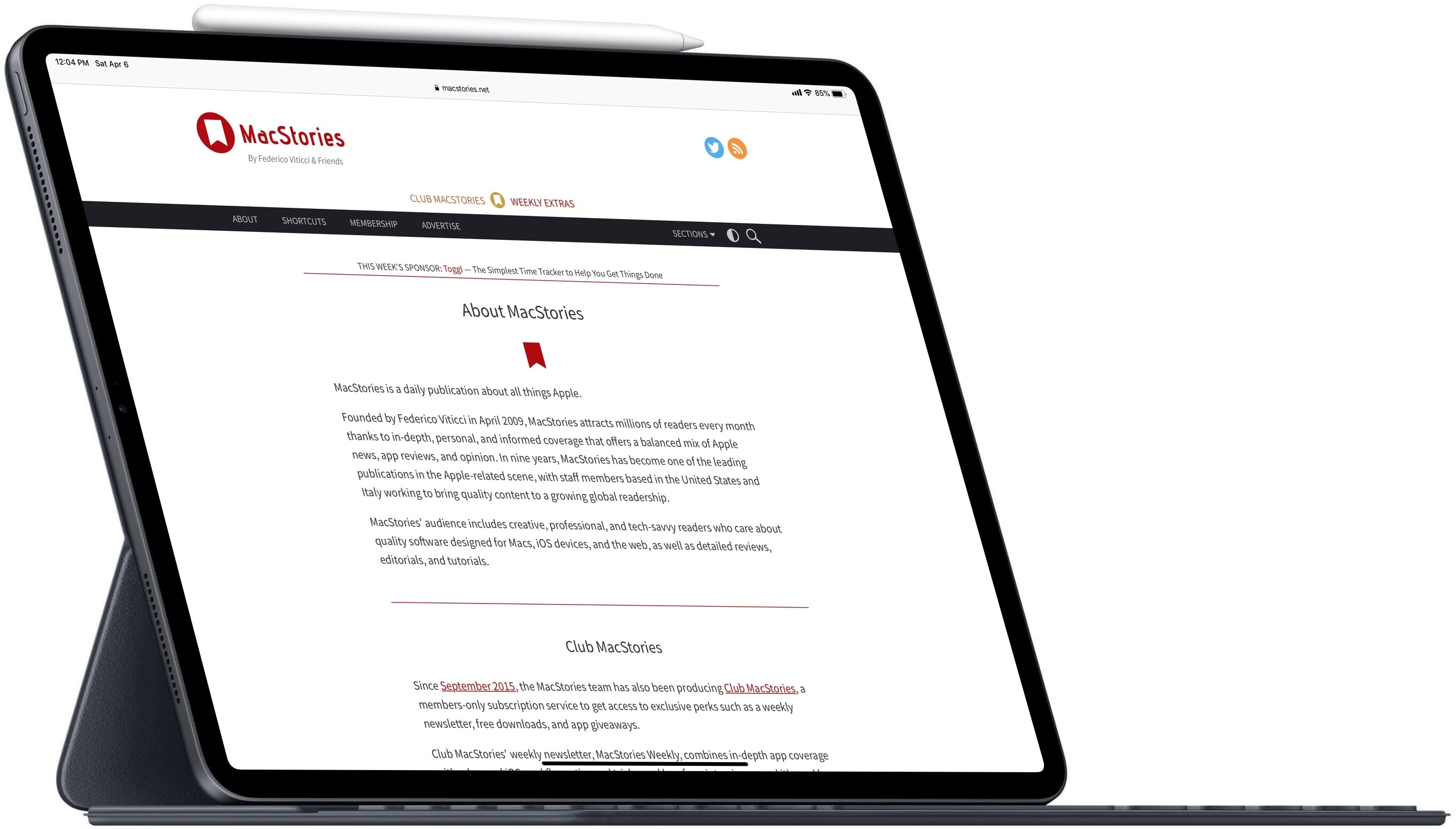
When I started reading MacStories, the site had already shifted its focus from the Mac to the iPad – and that’s what drew me in.
I’ve been an Apple admirer for as long as I can remember, but in my younger years the company’s products were simply outside my budget. It wasn’t until the age of 18 that I owned my first Apple device, an iPod, which was followed a couple years later by a second-hand MacBook. In both of these cases, it was the surprisingly short lifespans of my previous non-Apple MP3 player and laptop that led me to finally splurge and pay the Apple premium. I quickly discovered that, for me at least, it was well worth it.
Despite loving my iPod and MacBook, I didn’t start diving deeper into the Apple ecosystem until after the iPad’s release in 2010. At that point the iPhone had been around for a few years, but in frugality I had stuck with a cheap flip phone and evaded the smartphone era as long as I could. After the iPad, though, things quickly changed.
Shortly following the launch of Apple’s tablet, my boss at the time purchased that very first iPad for me, which was the gateway that led to an iPhone 4 later that year, a MacBook Pro the year after that, and many more Apple products since then. The iPad catalyzed my deepening interest in Apple, and it was the iPad that also, several years later, led to my discovery of MacStories.