Ryan Christoffel

991 posts on MacStories since November 2016

Ryan is an editor for MacStories and co-hosts the [Adapt](https://www.relay.fm/adapt) podcast on Relay FM. He most commonly works and plays on his iPad Pro and bears no regrets about moving on from the Mac. He and his wife live in New York City.

Apple and American Airlines Partner to Provide Apple Music Streaming on Flights

Apple’s ever-growing focus on services was on display during yesterday’s quarterly earnings call, and today the company is continuing that narrative by announcing a new partnership with American Airlines that enables Apple Music subscribers to stream music while flying, even without paying for in-flight Wi-Fi. From Apple’s press release:

Starting Friday, Apple Music subscribers can enjoy their access to over 50 million songs, playlists and music videos on any domestic American Airlines flight equipped with Viasat satellite Wi-Fi with no Wi-Fi purchase required. American Airlines is the first commercial airline to provide exclusive access to Apple Music through complimentary inflight Wi-Fi.

“For most travelers, having music to listen to on the plane is just as important as anything they pack in their suitcases,” said Oliver Schusser, vice president of Apple Music. “With the addition of Apple Music on American flights, we are excited that customers can now enjoy their music in even more places. Subscribers can stream all their favorite songs and artists in the air, and continue to listen to their personal library offline, giving them everything they need to truly sit back, relax and enjoy their flight.”

When it comes to hardware and software, Apple is famously known for maintaining a very closed ecosystem, but fortunately there’s mounting evidence that the company’s services approach will utilize a new playbook. Apple Music coming to Amazon Echo, AirPlay 2 and iTunes content being built into TV sets, and now this American Airlines deal demonstrate a desire to spread Apple services further than ever before.
Permalink

Apple Partners with Aetna to Create Personalized Watch App

Aetna, the health insurance provider, has announced a new Apple Watch app forthcoming for its customers that was developed in partnership with Apple. The app, named Attain, will serve as a way to track fitness data and provide an incentive for healthy living. Joe Rossignol has the details for MacRumors:

Through the use of an Apple Watch, the Attain app will provide Aetna members with personalized goals, track their daily activity levels, and recommend healthy lifestyle choices. For completing these actions, participants will earn points, which can be put towards the cost of an Apple Watch or gift cards.

Attain will motivate participants to complete personalized daily and weekly activity challenges based on their age, gender, and weight. Attain’s definition of activity includes walking, running, swimming, yoga, and other activities that can be tracked in the Workout app on the Apple Watch.

We’ve seen Apple partner with insurance providers in the past to offer the Apple Watch free or subsidized to its members, but this is a different spin on that approach, focusing more on continuous incentives for active lifestyles.

Tim Cook recently stated that health would end up becoming Apple’s greatest contribution to mankind, a bold claim that indicates we’ll continue to see more announcements along these lines moving forward.

Permalink

Memento, the Third-Party Reminders Client, Adds Watch App, Keyboard Shortcuts, and More

Apple’s Reminders is one of the few native iOS apps with a database that can be directly tapped into by third-party clients. Like the iOS Calendar app, which has no shortage of alternatives on the App Store, developers can create their own task managers that fully integrate with your Reminders database, offering the convenience of a built-in system with the benefit of having multiple options to choose from.

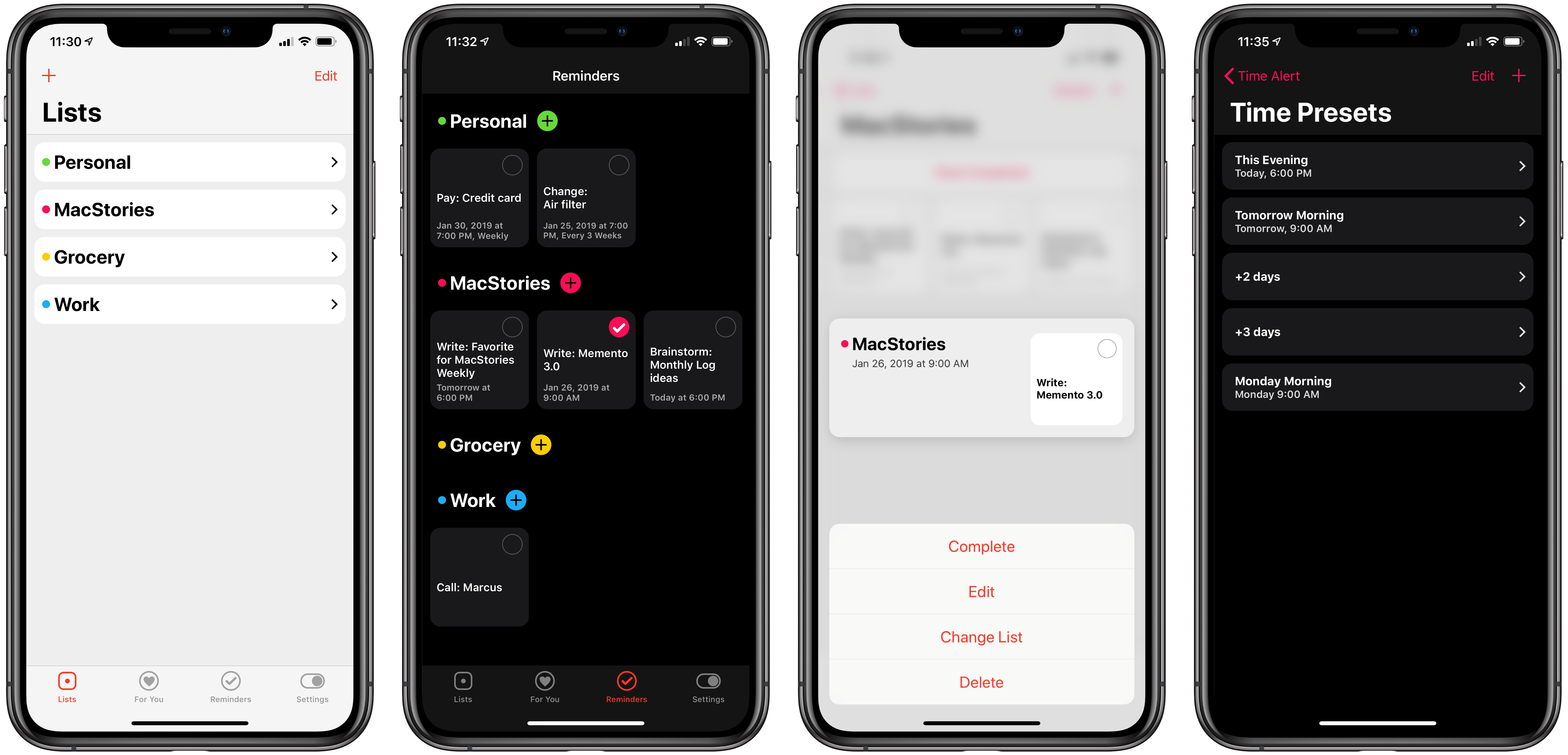
A couple months back I wrote about two of the best third-party Reminders clients on the App Store, one of which was Reminder. Today as part of its big 3.0 update, Reminder is being renamed Memento and bringing a handful of improvements that take better advantage of Apple’s full device ecosystem. There’s an Apple Watch app for the first time, keyboard shortcuts on iPad, 3D Touch shortcuts on compatible iPhones, custom time presets, and more.

Read more


Major FaceTime Bug Allows Any Caller Access to Your iPhone’s Microphone Feed, Potentially Your Camera

Benjamin Mayo of 9to5Mac, reporting on a serious iOS bug just discovered for FaceTime:

A significant bug has been discovered in FaceTime and is currently spreading virally over social media. The bug lets you call anyone with FaceTime, and immediately hear the audio coming from their phone — before the person on the other end has accepted or rejected the incoming call.

Naturally, this poses a pretty privacy problem as you can essentially listen in on any iOS user, although it still rings like normal, so you can’t be 100% covert about it. Nevertheless, there is no indication on the recipient’s side that you could hear any of their audio.

Mayo continues by listing the details of how to reproduce the bug yourself when calling someone else, which involves a few very simple steps that anyone can perform. The simplicity of reproduction makes this bug especially dangerous.

Following up on Mayo’s report, Dieter Bohn of The Verge shared that things get even worse:

https://twitter.com/backlon/status/1090049242809286656

To recap: due to this FaceTime bug, which appears to affect all devices running iOS 12.1 or later, any caller can gain access to another user’s microphone feed while the call is ringing. And if the person receiving the call in that scenario tries to dismiss the call, it may unintentionally be answered, activating the device’s camera as well.

Apple gave the following statement to John Paczkowski of BuzzFeed:

https://twitter.com/JohnPaczkowski/status/1090052150032445440

Hopefully ‘later this week’ ends up translating to the next day or two, as some serious havoc could be wrought by this bug on unsuspecting users. Until that software update is released, we strongly recommend disabling FaceTime from Settings ⇾ FaceTime on your devices, or at the very least be aware that incoming calls you receive could be tapping into your microphone without your consent.

Permalink

Apple Shares Behind the Scenes Look at the Creation of iPad Pro ‘A New Way’ Videos

Earlier this month Apple published a series of videos showcasing iPad Pro workflows for things like hosting a podcast, taking notes, and creating a presentation. Each ad’s title began ‘A new way to’ followed by the description of a productivity-themed task.

While these videos were great showcases of the iPad’s potential in their own right, what made them particularly interesting was that each ad ended by stating that it was made using the iPad Pro. Today, Apple has shared a follow-up video that goes behind the scenes into exactly which apps and processes were used to create this video series.

According to the video, Apple’s production team used Procreate and Notability to handle design work for the ads, FiLMiC Pro to shoot each video, LumaFusion for video editing, Keynote and Core Animator for animation, and finally, GarageBand was the composition tool for the ads’ music.

Federico and John discussed Apple’s iPad Pro video series on this week’s episode of AppStories, including some spot-on speculation that Apple used LumaFusion for editing the videos. This peek behind the curtain of iPad Pro video production further demonstrates the power of the iPad, and helps point users toward some of the best apps the App Store has to offer.

One of my favorite touches comes as the video ends, when we learn that, of course, the behind-the-scenes video itself was made on iPad Pro. A video made on iPad Pro, about the making of videos on iPad Pro, which all cover the subject of making things on iPad Pro. Perfect.

Permalink


Apple Publishes Videos Showcasing iPad Pro Workflows

Apple shared five new videos on its YouTube channel today, all of which center around working on an iPad Pro. Each video covers a different iPad workflow, as described by the following titles:

  • A new way to host your own podcast
  • A new way to create a presentation
  • A new way to go paperless
  • A new way to take notes
  • A new way to design your space

What I love about these videos, each of which are just over a minute long, is that they demonstrate the actual apps and workflows you can use to accomplish these tasks on the iPad Pro. For example, the podcast hosting video features Anchor for recording, editing, and publishing the podcast, Files for adding audio from an external source, and GoodNotes for holding your speaking notes. The video on taking notes features Notability exclusively, highlighting the app’s versatility for handwritten and typed notes, drawings, and audio recordings.

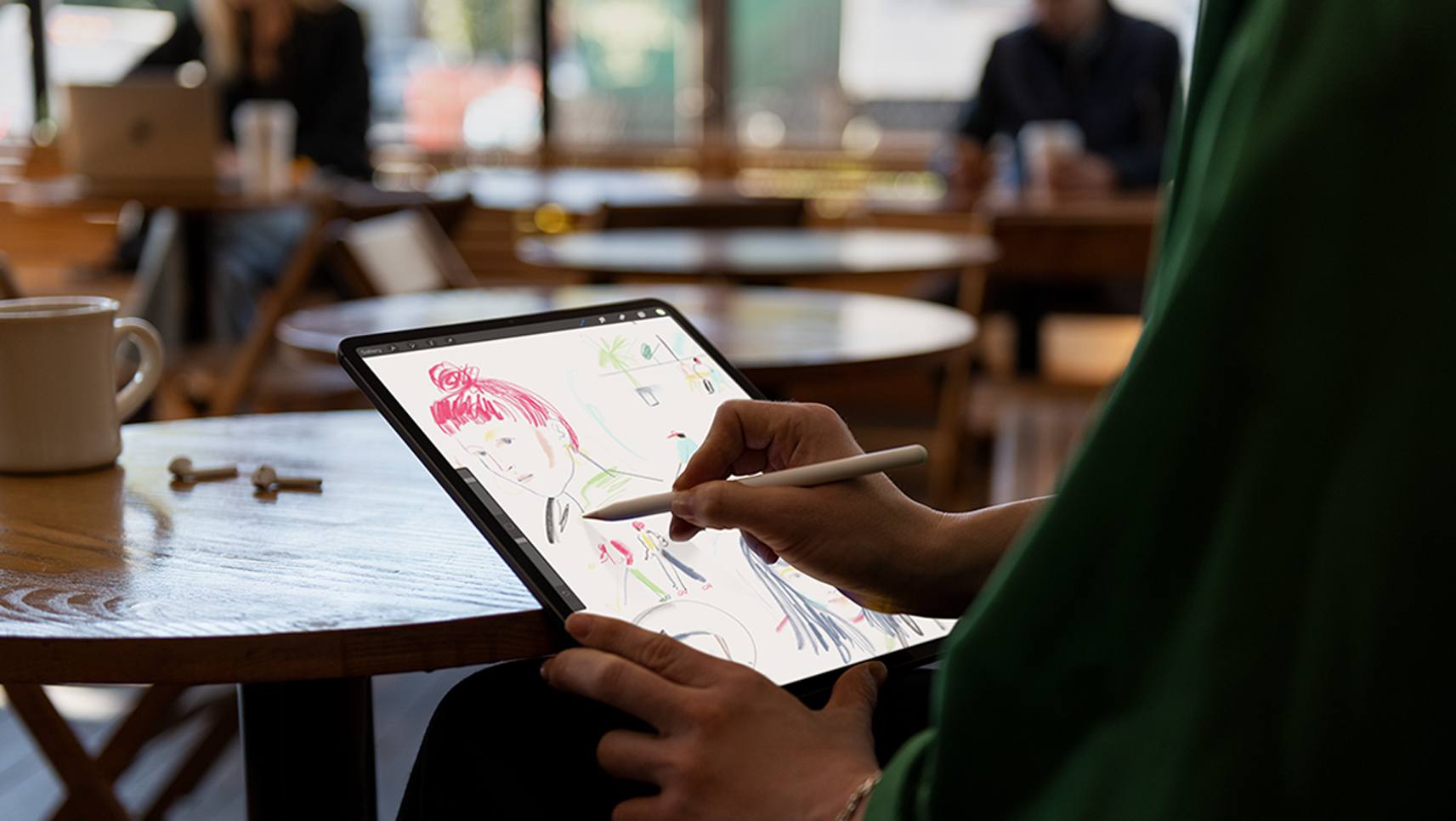
Each of the five videos ends the same way, by stating that the video was filmed, edited, designed, and made entirely with the iPad Pro. I can’t imagine a better way Apple could push the message that the iPad is a device for getting real work done.

Read more


Thinking Different: Keys to Adopting an iPad-First Workflow

No matter how tech-inclined a person may be, no one sits down at their first computer and instantly finds themselves at home with the device. We all have our own tales of computing learning curves – figuring out how menus, file systems, and other traditional software elements work. Similarly, when making the move from one type of computer to another, there’s an adaptation cost in acquainting yourself with all that’s new. This is true when switching from a PC to a Mac, and also a Mac to an iPad.

Before the iPad Pro debuted in late 2015, transitions from Mac to iPad were extremely scarce. The iPad’s hardware and software were both far too limited to compel many switchers. The software has advanced since that time – thanks to Split View, drag and drop, and Files, it’s far easier to work on an iPad than before – but there’s plenty more progress still to be made. The hardware, however, is where the iPad has shined most, especially with the newest iPad Pros.

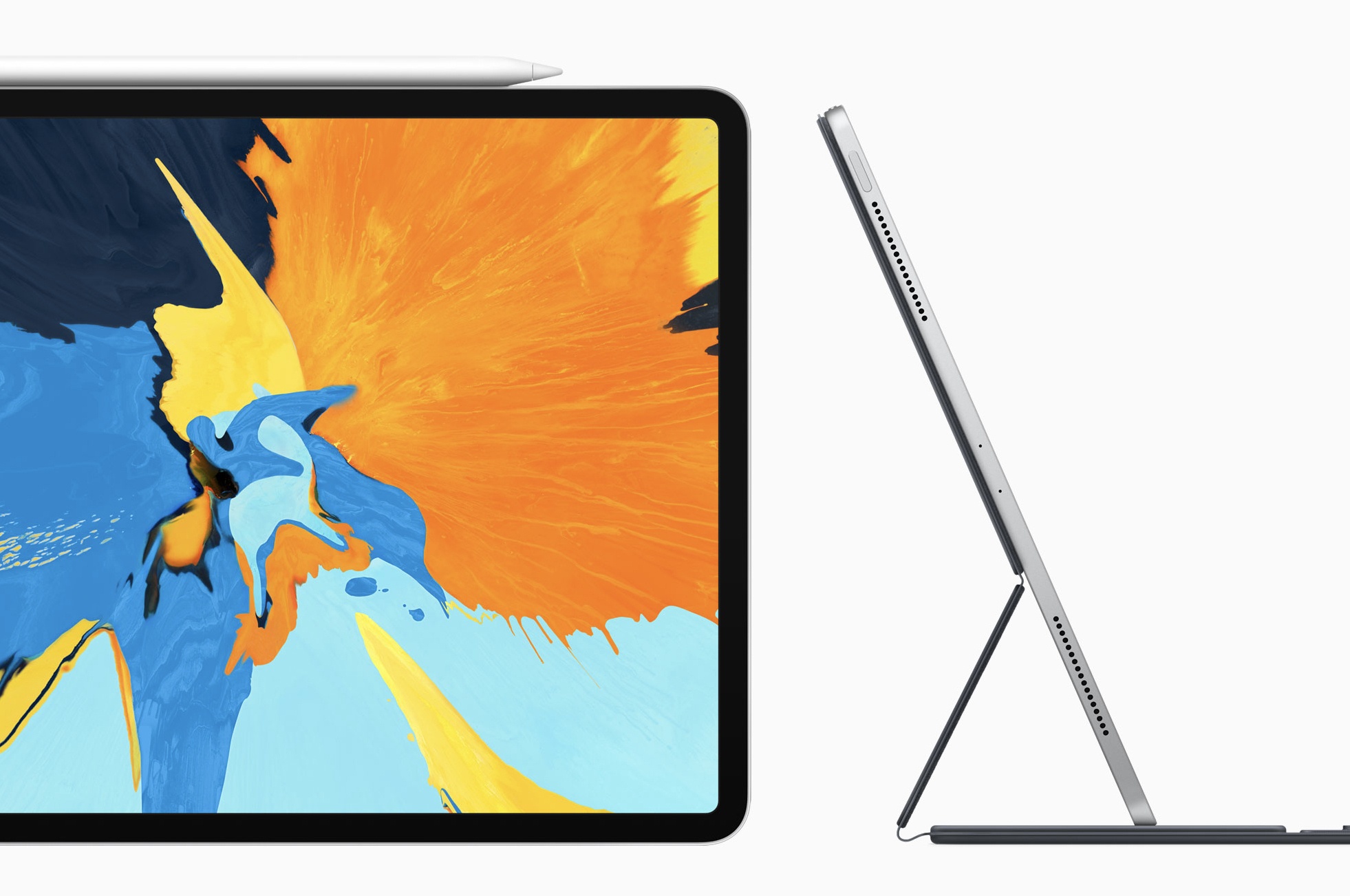
Compare the iPad Pro’s hardware to Apple’s modern Mac lineup and the difference is striking. The iPad has Face ID, while Macs are stuck with Touch ID; the iPad has a Liquid Retina display with ProMotion, and Macs are still Retina only; the iPad Pro benchmarks comparably to the most powerful portable Macs; iPads can include LTE, while Macs cannot; and where Mac keyboards are vulnerable to specs of dust, the iPad’s Smart Keyboard Folio can endure any crumbs you throw at it – plus, with the iPad you can choose the keyboard that’s best for you. To top off all these advantages, the iPad Pro is also more affordable than most Macs.

Software limitations aside, the iPad clearly has a lot going for it; the iPad Pro is a more attractive Mac alternative than ever before. But moving to the iPad still involves some growing pains. The longer you’ve used a traditional computer, the harder an iPad transition can be. There are a few key things, however, that can help make your iPad adoption a success.

Read more