Q&A
Q&A
...

 Q&A
Q&A Federico’s back, to talk about iOS 10 and Messages while Stephen gets sad about his Thunderbolt Display.
I’m back on Connected this week, which features one of the (many upcoming) segments on the progress with my iOS 10 review. You can listen here.
Sponsored by:
This week Fraser is joined by writer David Chartier to explore some of the stranger things you can do with iOS.
I couldn’t join Fraser for Canvas last week, but he and David did a fantastic job covering different use cases for iOS devices. You can listen here.
Sponsored by:
Ina Fried, writing for Recode, got more details from Apple on how the company will be collecting new data from iOS 10 devices using differential privacy.
First, it sounds like differential privacy will be applied to specific domains of data collection new in iOS 10:
As for what data is being collected, Apple says that differential privacy will initially be limited to four specific use cases: New words that users add to their local dictionaries, emojis typed by the user (so that Apple can suggest emoji replacements), deep links used inside apps (provided they are marked for public indexing) and lookup hints within notes.
As I tweeted earlier this week, crowdsourced deep link indexing was supposed to launch last year with iOS 9; Apple’s documentation mysteriously changed before the September release, and it’s clear now that the company decided to rewrite the feature with differential privacy behind the scenes. (I had a story about public indexing of deep links here.)
I’m also curious to know what Apple means by “emoji typed by the user”: in the current beta of iOS 10, emoji are automatically suggested if the system finds a match, either in the QuickType bar or with the full-text replacement in Messages. There’s no way to manually train emoji by “typing them”. I’d be curious to know how Apple will be tackling this – perhaps they’ll look at which emoji are not suggested and need to be inserted manually from the user?
I wonder if the decision to make more data collection opt-in will make it less effective. If the whole idea of differential privacy is to glean insight without being able to trace data back to individuals, does it really have to be off by default? If differential privacy works as advertised, part of me thinks Apple should enable it without asking first for the benefit of their services; on the other hand, I’m not surprised Apple doesn’t want to do it even if differential privacy makes it technically impossible to link any piece of data to an individual iOS user. To Apple’s eyes, that would be morally wrong. This very contrast is what makes Apple’s approach to services and data collection trickier (and, depending on your stance, more honest) than other companies’.
Also from the Recode article, this bit about object and scene recognition in the new Photos app:
Apple says it is not using iOS users’ cloud-stored photos to power the image recognition features in iOS 10, instead relying on other data sets to train its algorithms. (Apple hasn’t said what data it is using for that, other than to make clear it is not using its users photos.)
I’ve been thinking about this since the keynote: if Apple isn’t looking at user photos, where do the original concepts of “mountains” and “beach” come from? How do they develop an understanding of new objects that are created in human history (say, a new model of a car, a new videogame console, a new kind of train)?
Apple said at the keynote that “it’s easy to find photos on the Internet” (I’m paraphrasing). Occam’s razor suggests they struck deals with various image search databases or stock footage companies to train their algorithms for iOS 10.
Q&A
App Debuts
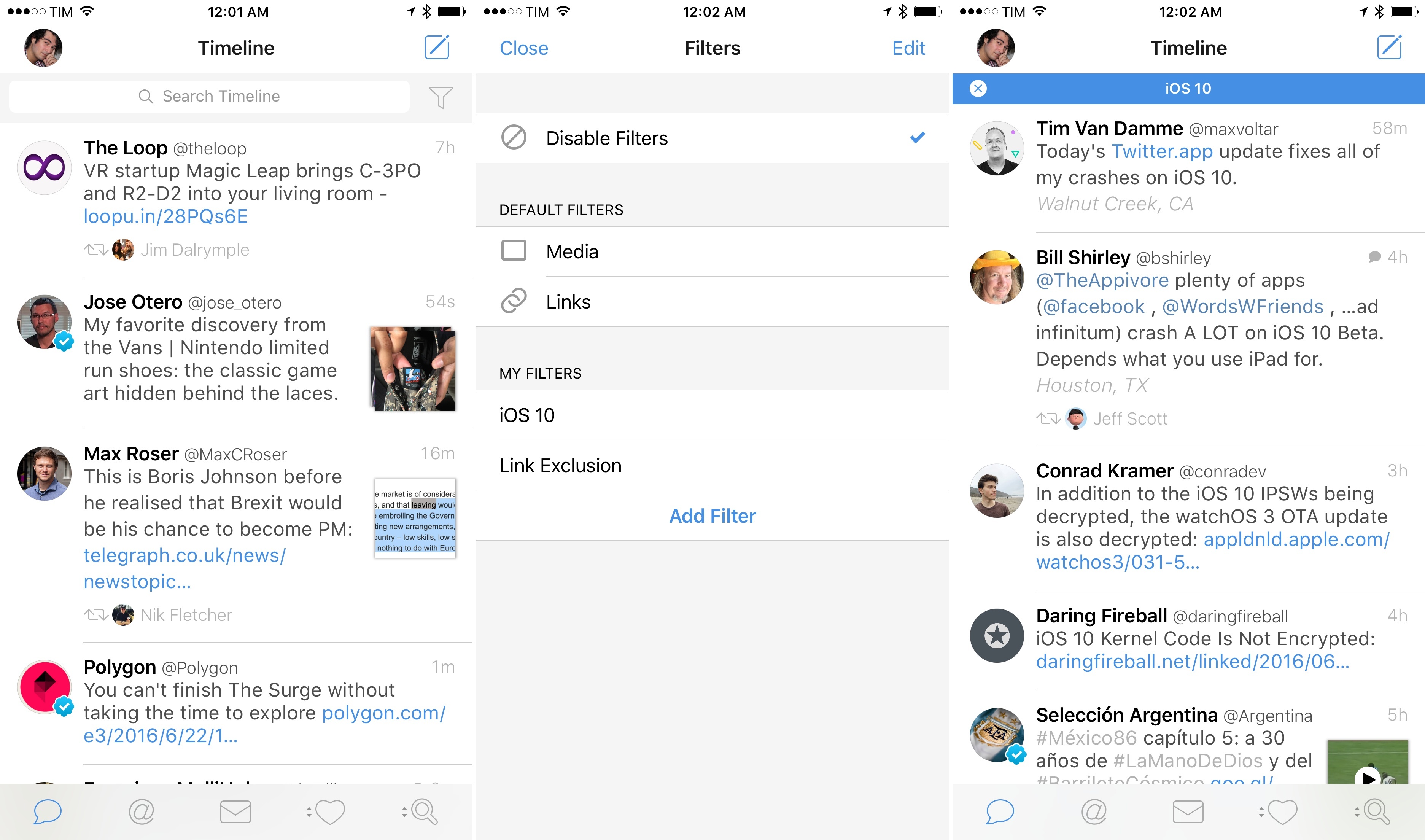
Member Requests With an update launching today on the App Store, Tweetbot is adding the ability to filter timelines – any timeline within the app – by specific types of content.