Indie Games, Vol. 3
...

 Indie Games, Vol. 3
Q&A
Tips
Indie Games, Vol. 3
Q&A
Tips Mike Isaac and Quentin Hardy, reporting for The New York Times:
Facebook acquired Parse, a toolkit and support system for mobile developers, in 2013. At the time, the social network’s ambitions were high: Parse would be Facebook’s way into one day harnessing developers to become a true cloud business, competing alongside the likes of Amazon, Google and Microsoft.
Those ambitions, it seems, have fallen back to earth. On Thursday, Facebook said it plans to shut down Parse, the services platform for which it paid upwards of a reported $85 million.
And from the announcement on the Parse blog:
We understand that this won’t be an easy transition, and we’re working hard to make this process as easy as possible. We are committed to maintaining the backend service during the sunset period, and are providing several tools to help migrate applications to other services.
Parse provided a series of online backend tools for app developers, and this will certainly be a hassle for those who implemented Parse services in their iOS apps. Not to mention apps that were built on top of Parse and then abandoned – while those apps may still be working on modern versions of iOS thanks to backwards API compatibility, they will stop working once Parse – the online component – shuts down for good.
Below, I’ve compiled a list of some reactions from the developer community to the Parse announcement. See also: Connected #13 from November 2014 on App Store preservation.
This week, the Connected crew talk about Myke’s new security system, Podcasts.app on the Apple TV, iPhone 5se rumors, Garageband and Crashlands.
On this week’s Connected, we tried to convince Stephen to play Crashlands. I don’t think we succeeded. You can listen here.
Sponsored by:
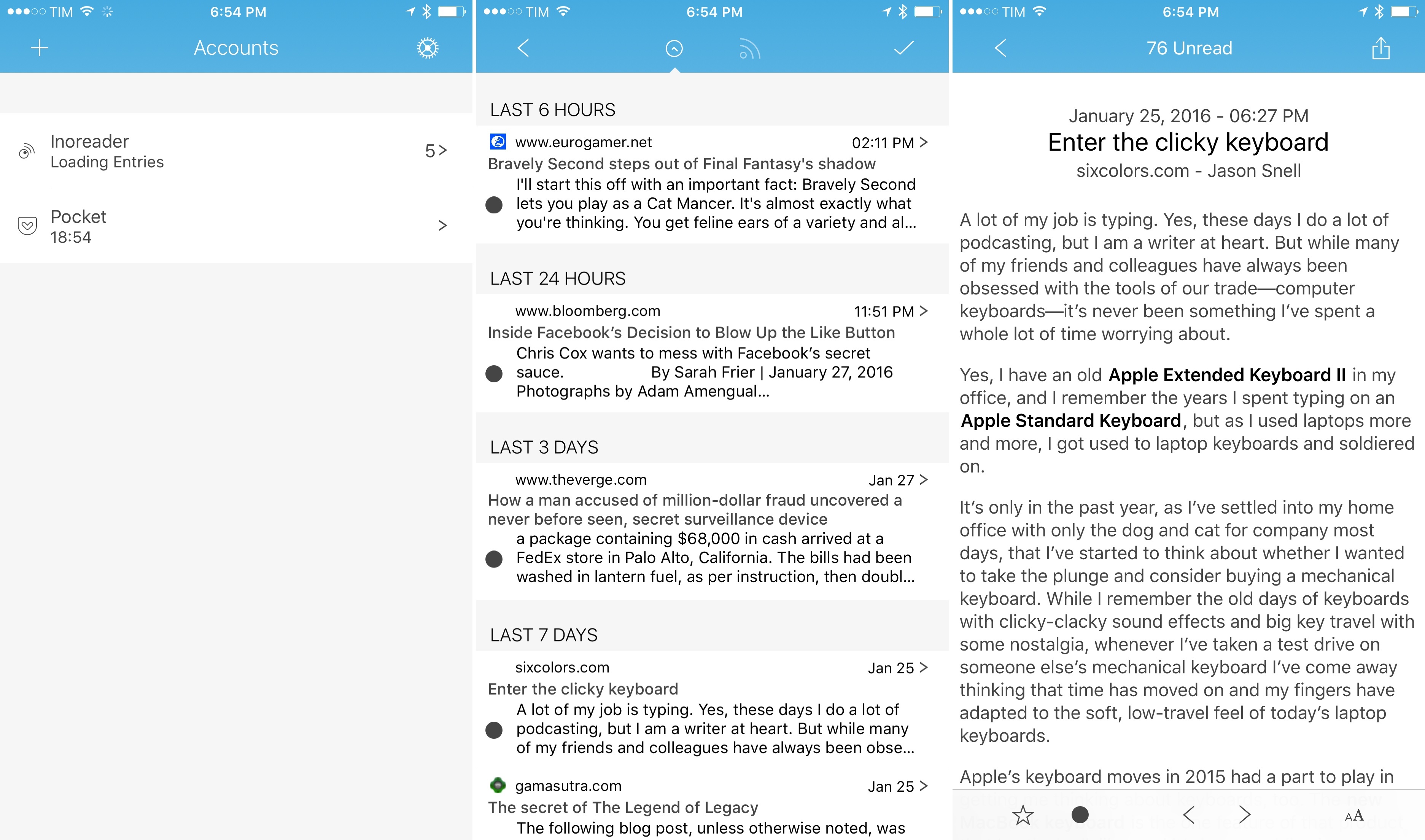
I’ve talked about Fiery Feeds in my review of 2Do and in previous emails to Club MacStories members – it’s an RSS reader developed by Lukas Burgstaller that works with a lot of RSS services and that strives to become the most powerful option for RSS power users on iOS. I’d like to quickly point out the 1.6 update that was released this week as it inches closer to that vision with new integrations.
Terrific update to one of my most used apps for iPhone and iPad: Deliveries by Junecloud. As someone who’s buying more and more from Amazon every year – all our 2015 Christmas gifts came from Amazon, for instance – Deliveries has turned into an essential utility to keep track of multiple orders at once without visiting the Amazon website (which is ugly and slow).
Today’s major update has brought full iOS 9 support (3D Touch, Spotlight, multitasking, Safari View Controller, etc.), better iCloud sync, improved clipboard detection and, my favorite, the ability to select any text, tap the ‘Share’ button of the copy & paste menu, and feed text to the Deliveries extension, which will parse order numbers automatically. This app is so good, I wish I could buy it multiple times.
See also: Deliveries 2.0 for Mac, released today on the Mac App Store.
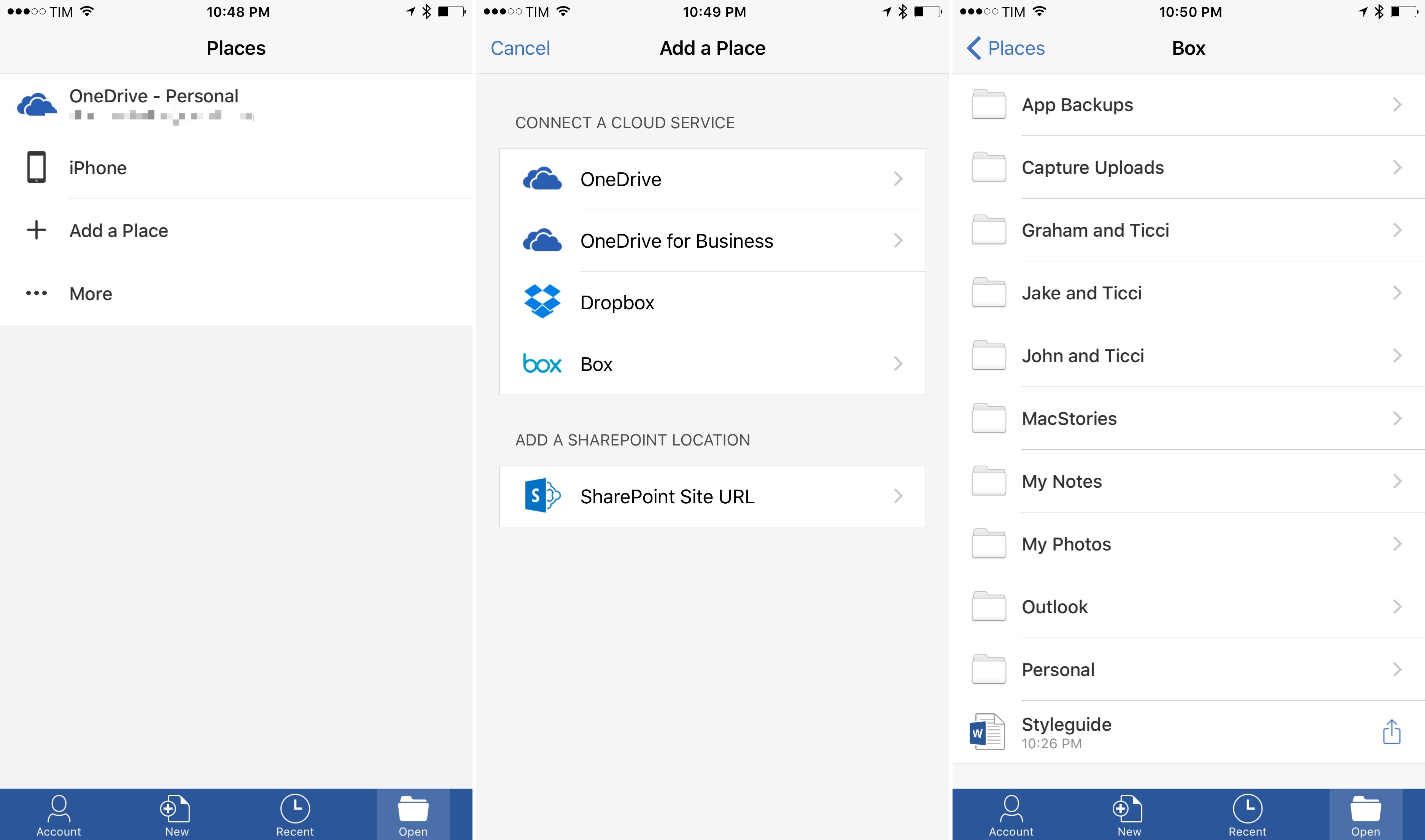
For nearly two months now, I’ve been using Microsoft’s Office apps for my accounting and other MacStories projects; I’ve also begun moving my cloud file management to Box. Hence, I’m glad that Microsoft has started expanding Office’s file management abilities on iOS, adding the option to import (and sync) files directly from Box in addition to Dropbox.
Microsoft’s Kirk Koenigsbauer, writing on the Office blog:
Starting today, in addition to Dropbox, we’re offering all CSPP partners the opportunity to tightly integrate with Office for iOS. This integration lets users designate these partner cloud services as “places” in Office, just as they can with Microsoft OneDrive and Dropbox. Users can now browse for PowerPoint, Word and Excel files on their favorite cloud service right from within an Office app. They can open, edit or create in these apps with confidence that their files will be updated right in the cloud. Users can also open Office files from their cloud storage app in Office, then save any changes directly back to the cloud. We’ll follow with other mobile platforms later this year.
Here’s how it works: in Office for iOS, switch to the ‘Open’ section, then tap ‘Add a Place’ and pick Box from the list of available services. This will create a custom Box (or Dropbox) file browser in the app, allowing you to pick any file, edit it, and keep it in the ‘Recent’ view for easier access.
The key advantage of this native integration over opening a file with the iOS document picker is that, once added, a Box or Dropbox file will continuously sync changes between Office and the cloud, making your edits available anywhere.
As I discussed with Fraser on Canvas, while Microsoft is one of the companies that properly support document providers on iOS with open mode for files, document providers can still be finicky at a system level (for example, an “opened” file may stop communicating with the originating app occasionally), and they’re slower for browsing files. The custom integration is still superior, even if it requires you to authenticate again. From my first tests today, native Box support in Word already seems more stable than the old method based on “opening” files from the Box document provider.
The other big news from the Office team today is that real-time collaboration for Office Online is now also available for documents stored in external services. This means that you will be able to co-author documents with other people even if you keep your Office files in Dropbox or Box. At this point, and given Google’s shortsighted approach to iOS and collaboration in their apps, I have to ask: how long until Office gets real-time collaboration with external services on mobile too?
Big news from Google’s Chrome for iOS team today: the app has moved from the legacy UIWebView API to WKWebView, promising notable speed improvements and 70% less crashing.
Here’s Andrew Cunningham, writing for Ars Technica:
Chrome’s stability on iOS should also see a big improvement. The UIWebView process in older versions needed to run within the Chrome process, so if a complex or badly behaving page made UIWebView crash, it would bring the whole Chrome browser down. With WKWebView, Google can move the process for individual pages outside of the app, better approximating the process isolation that Chrome uses on other platforms. Now when a page crashes, you’ll see the standard “Aw, Snap” Chrome error page. Google estimates that Chrome 48 will crash 70 percent less than older versions.
Apparently, Google worked with Apple to fix some of the bugs that prevented them from using WKWebView in Chrome before iOS 9. Developers have long been positive about the benefits of WKWebView (see my story on iOS web views from last year) and it’s good to see Google moving to a faster, more stable engine.
I’m curious to know if Google’s dedicated search app has been or will be upgraded to WKWebView as well. I don’t use Chrome (I like the unique perks of Safari, like Safari View Controller and the ability to access webpage selections with action extensions), but I prefer the Google app for traditional Google searches – it has a native interface for the search box with handy suggestions and links to past queries. Not to mention Google Now, which I’ve grown to like to track shipments, get weather reports, and receive time to leave notifications.
An important note for VoiceOver users: today’s update seems to break support for this key accessibility feature in the app.