


The iPad mini can easily be your only iPad. The fact is, it always could, but you can do so now without feeling like you’re giving something up in return for the size. The iPad mini is small, it has a Retina display and it’s the most powerful iPad to date. There is just nothing bad to say about the iPad mini.
iPad mini with Retina Display Available Today
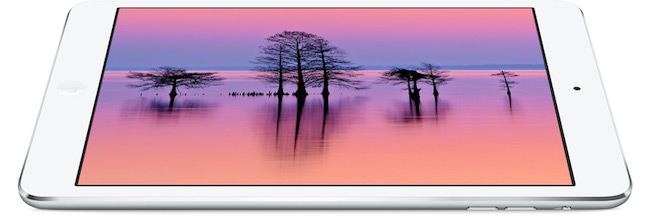
Following an update posted on the GSX website last night, Apple today launched the iPad mini with Retina display on its online store. The launch came as a surprise due to the lack of press releases to pre-announce the launch and product reviews from journalists who received a unit in advance. The launch followed rumors of a “delay” for the iPad mini due to supply constraints for the new Retina display.
As of this morning, the iPad mini with Retina display is available through the Apple online store with shipping times of 5-10 business days for both WiFi and WiFi + Cellular models. In a press release published a few minutes ago, Apple mentioned that it will also be available with Personal Pickup at Apple retail stores (in the United States at least):
iPad mini with Retina display is available to order through the Apple Online Store (www.apple.com) to ship or through Personal Pickup at Apple’s retail stores, and through AT&T, Sprint, T-Mobile, Verizon Wireless and select Apple Authorized Resellers.
From the press release:
The response to iPad Air has been incredible, and we’re excited for customers to experience the new iPad mini with Retina display,” said Philip Schiller, Apple’s senior vice president of Worldwide Marketing. “We think customers will love both of these thin, light, powerful new iPads, and we’re working hard to get as many as we can in the hands of our customers.
The iPad mini with Retina is Apple’s new 7.9-inch tablet that comes with a high-resolution display, A7 processor with 64-bit CPU, and all the other features of the larger iPad Air, in a lighter and smaller body.
Recreating the Everpix Flashback→
Thomas Verschoren came up with a nice solution that uses Automator and Dropbox to replicate the Everpix Flashback feature without Everpix:
Now that Everpix is gone, I’m missing its daily flashback feature. I loved going into the app each morning and seeing images from the past year. Since there’s no alternative available, I decided to build my own Flashback feature based on my existing Dropbox photo-storage.
While there is no algorithm that can pick the “best” photos from any given day, it’s better than nothing and it relies on Automator, which is a built-in OS X tool. To replicate the daily reminders, I would suggest setting up a recurring item in the Reminders app with a link to the shared Dropbox folder, so that you’ll always be taken to a day’s flashback photos when clicking it.
After last week’s challenge on The Prompt, we have received some interesting scripts and ideas for workflows that recreate the Everpix Flashback. We’ll discuss the results on Wednesday, so, if you haven’t yet, you still have time to enter our “contest”.
Does Mavericks’ Mail Update Fix Everything?→
Joe Kissell, in a follow-up to his original article on Mavericks and Gmail:
If you were holding off on upgrading to Mavericks because of the Mail problems, all I can say is that it’s safer now than it was at first. I can’t guarantee you a trouble-free experience, and without a doubt, some people upgrading from Mountain Lion will feel the new version of Mail is a distinct downgrade. It all depends on how you use Mail, and as we’ve seen, each person approaches it a bit differently from the next.
I’ll let you read Joe’s article to see what’s been fixed and which issues persist after Apple’s update. As I said earlier today, I’ve been fine with MailMate.
Inside Apple’s Spaceship Headquarters→
Kyle Vanhemert:
In these images, we see for the first time the space port-like entrance to the development’s subterranean parking lot, a cavernous cafeteria that spills into the grassy landscape beyond, and the glass pavilion that will serve as the entrance to Apple’s new underground auditorium — a secure lair where press will gather for future product launches. In short, these documents give us the most complete picture of Apple’s new home yet, a campus that Steve Jobs himself thought had a shot at being “the best office building in the world.” Here’s a peek at life in the mothership.
Wired has obtained new renderings of Apple’s spaceship headquarters. The cafeteria looks like an Apple retail store; photo #6 gives you a good idea of the proportions of the massive building.
MailMate Developer Launches Crowdfunding Campaign for MailMate 2.0
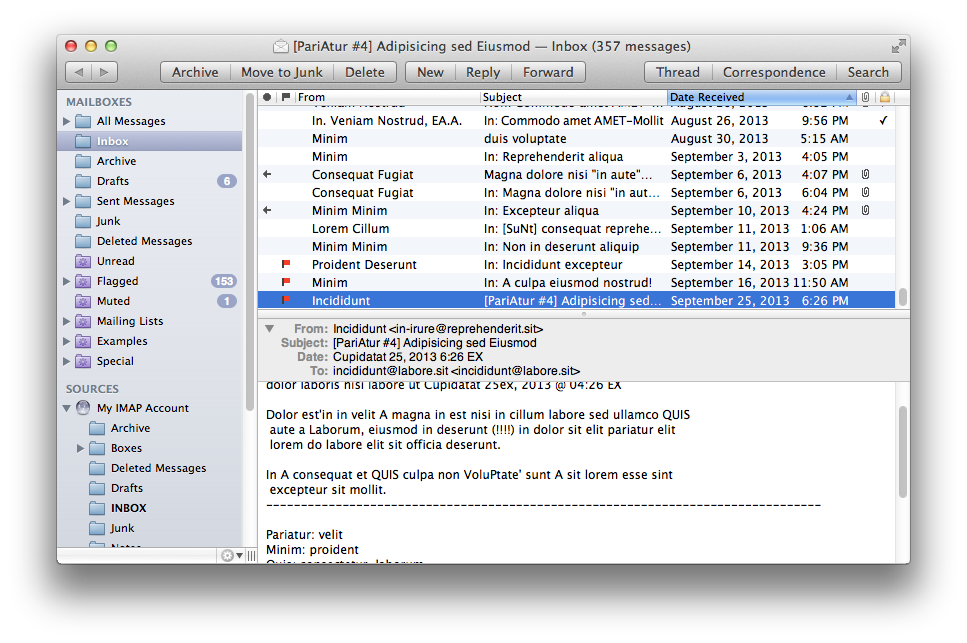
MailMate is a third-party email client for OS X developed by Benny Kjær Nielsen. The app was initially released in 2011 and it’s been actively developed for two years. Here’s a summary of the app’s features from the developer’s website:
MailMate is an IMAP email client featuring extensive keyboard control, Markdown supported email composition, advanced search conditions and drill-down search links, equally advanced smart mailboxes, automatic signature handling, cryptographic encryption/signing (OpenPGP and S/MIME), tagging, multiple notification methods, alternative message viewer layouts including a widescreen layout, and much more.
Today, Benny launched a crowdfunding campaign for MailMate 2.0. From his blog post:
The goal is now to fund the time needed to finish version 2.0 of MailMate. This requires a minimum of 6 months of 2014 and therefore I’ve set the initial fixed goal to $25,000. A fixed goal means that I get nothing if the goal is not reached. Anything beyond $25,000 increases the period I am guaranteed to work full time on MailMate. The exact period depends on daily sales, but a rough estimate is an additional month for every $5,000.
And from the campaign page:
I’m an academic by heart and to me MailMate is a never ending research project filled with challenging problems. To you I hope MailMate is one hell of a powerful email client — an email client worth paying for. I don’t ever expect MailMate to become a golden egg, but I have reached a point where MailMate has to put food on the table.
MailMate is a one-man business. I take care of development, support, homepage, marketing, sales, and now, crowd funding. It’s as personal a business as it can be. Supporting MailMate is to support me and my family. If you want to then you can read a bit more about me and the background for this crowd funding campaign.
Two weeks ago, I decided to start moving away from Gmail/Google Apps and go back to old-fashioned IMAP with Exchange support for iOS devices. I wanted to regain control of my email, and the fact that Mavericks’ Mail had serious issues with Gmail wasn’t helping. So I backed everything up, settled with Rackspace Email, and downloaded MailMate. I’ve been using MailMate intensively for the past week and I’m excited for the app’s future. Read more
Tweetbot 3.1 Brings Text Size Controls, Timeline Switcher, Quick Actions
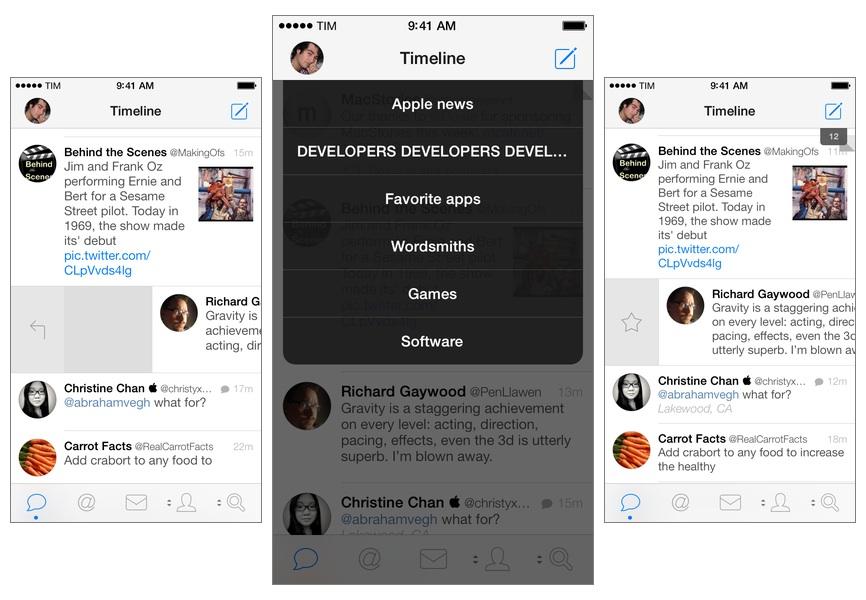
Tweetbot for iPhone may have grown up, but it hasn’t forgotten about the features and design decisions that made it a powerful and popular Twitter client among iOS users for the past two years. Tweetbot 3.1, available today on the App Store, improves upon last month’s major release by bringing back some old features of Tweetbot 2.x and introducing new ones, always taking advantage of iOS 7’s design and structure in interesting ways. Read more
Revolved→
Speaking of crafting apps, here’s one that I’ve been playing around for the past two weeks and that’s pretty impressive. Revolved, developed by Bartosz Ciechanowski, is a $0.99 iPad app that lets you draw lines and watch them turn into 3D shapes in real-time.
Even if you don’t have any particular artistic skills, it’s just cool to play with the app and see how the split-screen layout renders lines on the right as shapes on the left. The app has been built for iOS 7, so there’s minimal interface chrome getting in the way and you can focus on your creations with controls for curves, colors, and sharing.
Seriously fun and a unique concept. $0.99 on the App Store.
Characters As An Interface→
Toca Boca CEO Björn Jeffery describes the unique approach they took with designing the user interface of Toca Builders, the company’s latest construction and crafting app for kids:
Now it may sound counter-intuitive to have characters as an interface, but the fact is that this works surprisingly well for our young builders. Instead of thinking about which buttons to press in order to create a certain effect, kids can identify themselves with certain characters and the construction powers they have. If they want to repaint a structure, they don’t have to look through a menu to find the “repainting button” but instead, remember that Jum Jum the Painter can shoot paint from a long distance to make something a different color. In essence, the player becomes each character for brief periods of time and by that, the question of how to create something is suddenly solved. The app removes the abstraction that a traditional menu would introduce and moves straight into identification instead.