Federico Viticci

10804 posts on MacStories since April 2009

Federico is the founder and Editor-in-Chief of MacStories, where he writes about Apple with a focus on apps, developers, iPad, and iOS productivity. He founded MacStories in April 2009 and has been writing about Apple since. Federico is also the co-host of AppStories, a weekly podcast exploring the world of apps, Unwind, a fun exploration of media and more, and NPC: Next Portable Console, a show about portable gaming and the handheld revolution.

Apple Airs New iPad mini Commercials

Apple Airs New iPad mini Commercials

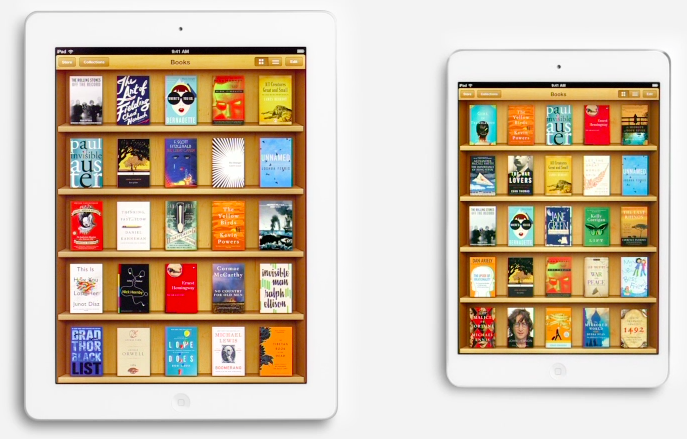
Following the “Piano” ad launched after the announcement of the iPad mini, today Apple aired two new commercials for the device. Named “Books” and “Photos”, both commercials focus on showing the size difference between the regular iPad and the iPad mini. More importantly, both ads want to communicate the simple message that the iPad mini is smaller in size, but also just as capable in terms of functionality: the iPad mini runs the same apps of the bigger iPad, therefore making it a “real” iPad, only smaller (and thus more portable). This follows the tagline on the product page: There’s less of it, but no less to it.

As noted by Jordan Golson at MacRumors, the commercials rely on clever pairings of books and photos to compare the two iPad models. For books, Apple uses The Sun Also Rises and The Valley of the Moon; East of Eden and How the West Was Won; Moby Dick and Gone Fishing.

The new commercials aren’t available on Apple’s YouTube channel yet, but they have been uploaded to Apple’s website. You can watch them here.

Permalink

Apple Tweaks Design Of App Store Category Pages

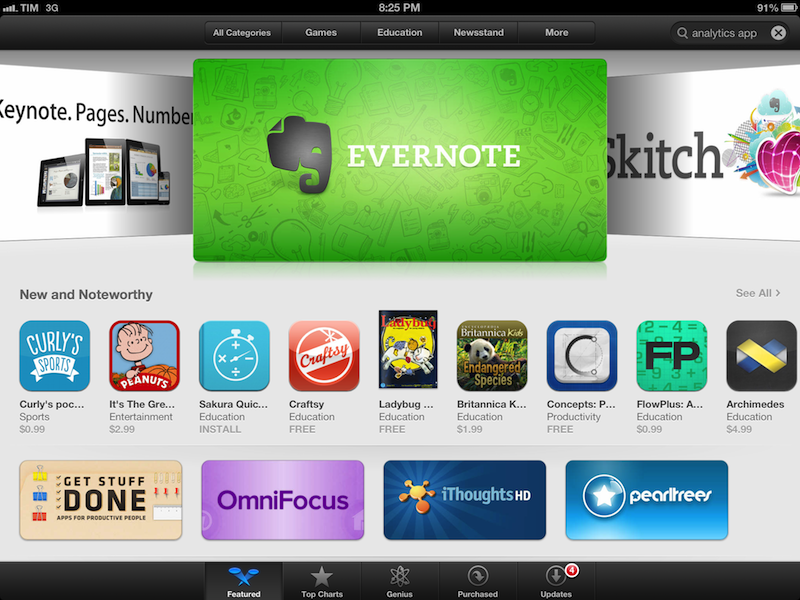
In its weekly App Store refresh, it appears Apple has today tweaked the design of App Store categories to include the same design of the App Store’s home page. By heading to a category like Productivity or Utilities, both from an iOS device or Mac, you can see how Apple is featuring more apps with large banners across the top of a category page, smaller banners in the middle, and the usual “New and Noteworthy” and “Essential” collections that are updated on a weekly basis. Read more


Apple Confirms iTunes Connect Holiday Shutdown December 21-28

In an email sent to developers earlier today, Apple has confirmed that iTunes Connect — the developer portal to manage applications to sell in the App Store — will be closed from December 21 to December 28. During the shutdown, access to iTunes Connect and delivery of any apps or updates will not be available.

iTunes Connect will be temporarily shut down from Friday, December 21, 2012 to Friday, December 28, 2012, for the winter holidays.

[…]

Additionally, the following will be delayed:

Releases scheduled to appear on the App Store for the first time

Pricing changes scheduled through the interval pricing system in iTunes Connect

For the shutdown period, Apple suggest developers to not schedule price changes that would take effect between Friday, December 21 and Friday, December 28. According to Apple, price changes scheduled for the shutdown week will not take effect, and “In-App Purchase will become unavailable for purchase until after the shutdown”.

Last year, Apple shut down iTunes Connect for developer from December 22 to December 29.


Clear for Mac Review

Like Tweetbot, Clear for Mac is a good indication of what the future of mainstream OS X software will look like: consistent with iOS, and powered by iCloud.

I was given a preview of Clear for Mac last week; the app is launching today on the Mac App Store at $6.99 (depending on your time zone, Clear will be available after midnight). In my preview, I wrote:

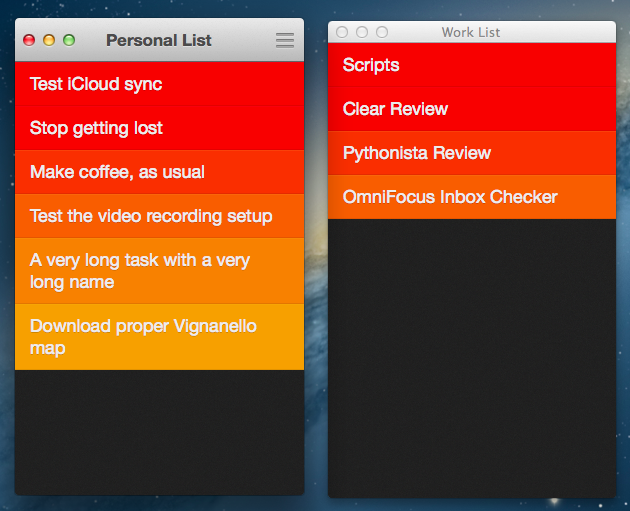
Clear for Mac works like Clear for iPhone: you can create lists, and tasks inside lists. Tasks are color-coded (according to the theme you’re using) to show a darker tone if they’re at the top of a list, and thus have higher priority. Gestures play an important role in Clear for Mac: you can swipe with two fingers to complete or delete a task, swipe up or down to move between “levels” of the interface, pinch to go back, and so forth. From what you can see in the first promo video (embedded below), almost everything that made Clear for iPhone simple and great has been ported to the Mac version, including sounds.

After trying Clear for over a week, I feel like there’s a distinction to be made about how the app works per se, and how the app works on a Mac. Read more


Micro Audio Converter

Micro Audio Converter

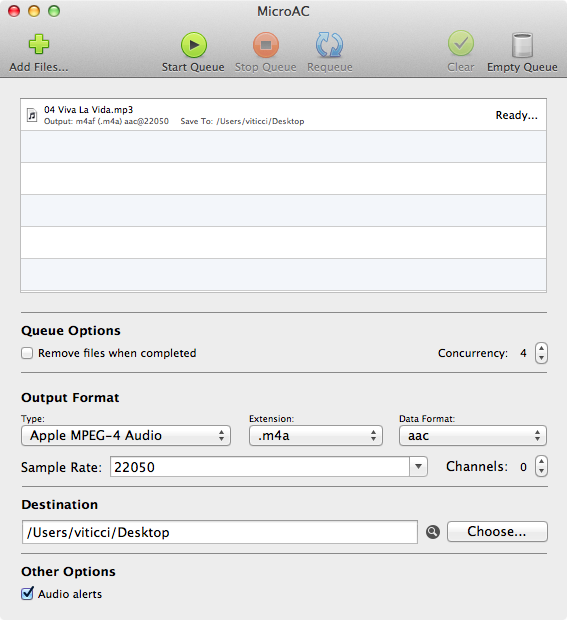
Developed by Aaron Smith, MicroAC is a nice GUI for afconvert. In case you’ve never heard of afconvert, it’s a command line tool that Apple describes as a utility to ”convert a source audio file to a new audio file with the specified file and data types”. Rather than forcing you to set parameters by hand in Terminal, MicroAC provides an elegant and simple interface that makes it easy to convert audio files from one format to another.

MicroAC can convert “Core Audio compatible formats” such as 3GP Audio, 3GP-2 Audio, MPEG-4 (both for audio and Apple audiobooks), AIFF, WAVE and CAF. The app lets you drag & drop files to convert into the main window, and you can choose types, data formats, extensions, channels, rates, and destination in the lower section of the app. In actual usage, I was able to convert MP3 files to MP4 in less than 2 seconds.

If you’d like to rely on afconvert without going through Terminal, MicroAC is a nice option. $2.99 on the Mac App Store.

Permalink

PopClip Extensions

PopClip Extensions

I first wrote about PopClip last year. Developed by Pilotmoon, it is a simple utility that brings an iOS-like popup menu for text selected on OS X. From my original coverage:

PopClip, a $4.99 app from the Mac App Store, takes a page from iOS’ playbook and overhauls the Mac’s default copy and paste actions with an iOS-like popup menu.

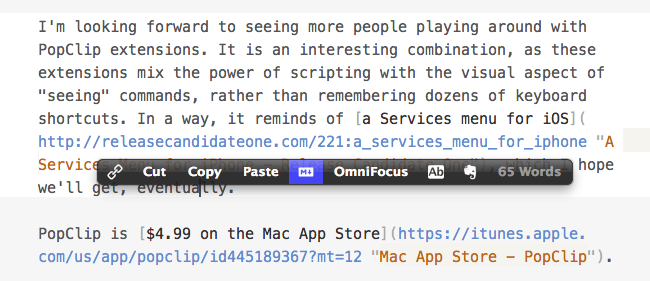
With PopClip, you can select text and a popup menu with options to copy, paste, cut and look up in Dictionary will appear, just like on your iPhone or iPad. PopClip is also capable of opening links contained in selected text, and it’s got support for spelling corrections.

I recently found out (thanks to a Systematic episode) that it’s possible to extend PopClip. Version 1.4, in fact, brought support for extensions. Pilotmoon has posted a dedicated page showcasing some examples of extensions already available. The best part? PopClip extensions can be made with AppleScript, shell scripts, system Services – it’s very easy to adapt existing scripts to PopClip’s syntax for selected text (literally one word). Extensions can have custom icons, names, and requirements, and to put one together you’ll need to create a .plist file for the extension’s settings. For developers, Pilotmoon has also posted instructions on how to create and package extensions.

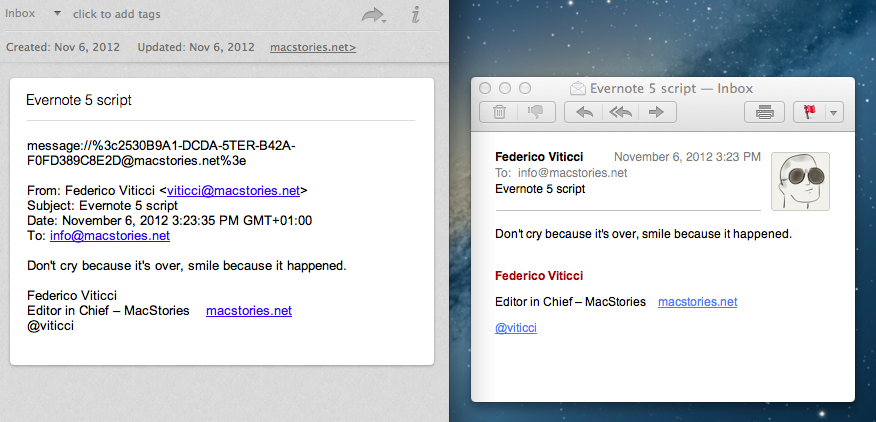
Personally, I have already installed some of the extensions linked on PopClip’s page (such as Evernote, Title Case, and Paste and Match Style), as well as an OmniFocus one by Marc Abramowitz and a set by Andy Guzman. To prove it’s really simple to update existing scripts for PopClip, I’ve created a version of today’s Mail > Evernote AppleScript that works for text selected with PopClip in an email message; it’s very simple, but you can find it here.

I’m looking forward to seeing more people playing around with PopClip extensions. It is an interesting combination, as these extensions mix the power of scripting with the visual aspect of “seeing” commands, rather than remembering dozens of keyboard shortcuts. In a way, it reminds of a Services menu for iOS, which I hope we’ll get, eventually.

PopClip is $4.99 on the Mac App Store.

Permalink


Facebook 5.1 Released with Improved Messaging, Photo Sharing

Facebook today released version 5.1 of its iOS app, which adds a new way of messaging friends and sharing multiple photos at once. The updated Facebook app now comes with a friend list on the right that you can use to easily start a private conversation. You can swipe left to access the chat panel, and add friends you contact the most to the top of the list. To customize the Favorites list, you can hit an Edit button to start “pinning” your friends in the Favorites section. Read more


Apple: 3 Million iPads Sold In 3 Days

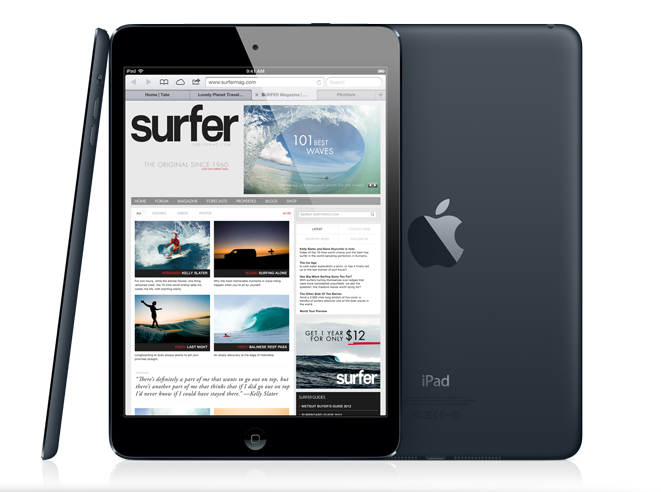
With a press release, Apple just confirmed it has sold over 3 million iPads (iPad mini + iPad 4th gen) in three days. Interestingly, Apple is not separating sales figures of the iPad mini from the regular iPad; in the press release, Apple simply says it is a new record doubling the previous milestone of 1.5 million weekend sales of the iPad 3 in March.

Apple today announced it has sold three million iPads in just three days since the launch of its new iPad mini and fourth generation iPad—double the previous first weekend milestone of 1.5 million Wi-Fi only models sold for the third generation iPad in March. The Wi-Fi + Cellular versions of both iPad mini and fourth generation iPad will ship in a few weeks in the US and in many more countries later this year.

Apple notes how “demand for iPad mini exceeded the initial supply”, confirming that some pre-orders (which began on October 26) will be shipped “later this month”. Tim Cook was quoted in the press release:

Customers around the world love the new iPad mini and fourth generation iPad,” said Tim Cook, Apple’s CEO. “We set a new launch weekend record and practically sold out of iPad minis. We’re working hard to build more quickly to meet the incredible demand.

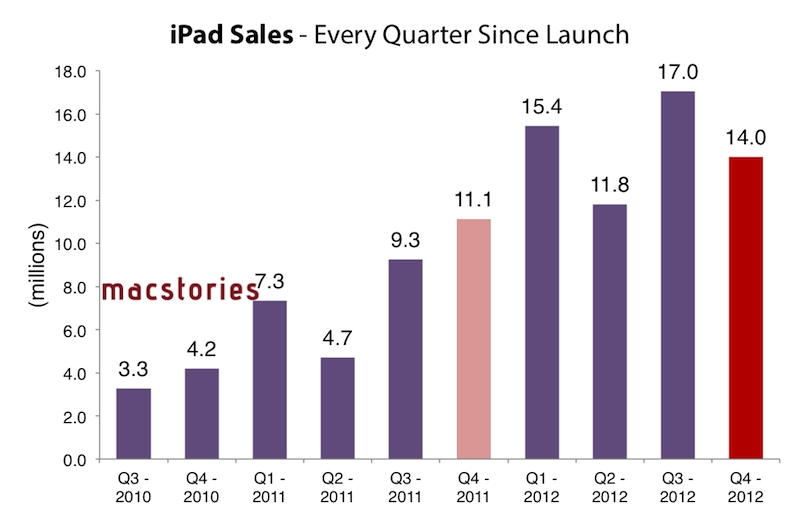
To put these numbers in a better context, here’s how iPad sales evolved over time since the release of the original model in 2010:

And here’s a visualization of the iPad’s growth every quarter since launch, based on Apple’s Q4 numbers (which don’t include sales for the new models).

In today’s case, however, the comparison is different as Apple is accounting for two models (iPad mini and iPad 4th gen) in a somewhat clear intention to report iPad sales as a single category without specifying models – similarly to how they do for iPod sales or iPhone sales without differentiating between device models. It’s also worth remembering how the new iPads’ rollout has been one of the largest ones for Apple to date: the iPad mini went on sale on November 2 in 34 countries, whereas the 3rd generation iPad launched in 10 initial countries, and then rolled out to 25 more a week later; both WiFi and WiFi + Cellular versions of the 3rd generation iPad were available at launch.

The iPad mini launched to positive reviews, but saw fewer and shorter lines around the world with online pre-orders quickly sold out for every model.