Federico Viticci

10804 posts on MacStories since April 2009

Federico is the founder and Editor-in-Chief of MacStories, where he writes about Apple with a focus on apps, developers, iPad, and iOS productivity. He founded MacStories in April 2009 and has been writing about Apple since. Federico is also the co-host of AppStories, a weekly podcast exploring the world of apps, Unwind, a fun exploration of media and more, and NPC: Next Portable Console, a show about portable gaming and the handheld revolution.

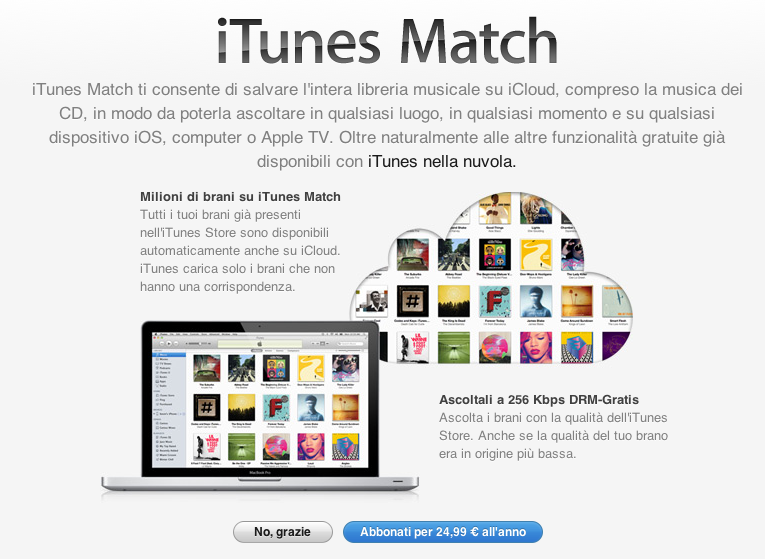
iTunes Match Launches In Italy [Update: Coming To Greece, Portugal, Austria and Slovenia Too]

Earlier today, Apple updated its Terms and Conditions for the Italian iTunes Store to include information about iTunes Match, the company’s music service powered by iCloud. Launched in November 2011 in the United States (here’s our original hands-on), the service was later brought to more countries on December 15 and January 17, including South America, the UK, and other European countries.

Lei può abbonarsi a iTunes Match pagando un canone annuale. Per abbonarsi Lei deve aver registrato una carta di credito valida nell’archivio di iTunes. L’abbonamento non è rimborsabile (salvo richiesto dalla legge applicabile), e si rinnoverà automaticamente per periodi di un anno finché Lei non lo cancellerà. Il Suo account sarà addebitato non più di 24 ore prima della scadenza del periodo di abbonamento corrente. Lei può annullare il rinnovo automatico modificando le impostazioni dell’account iTunes Store sul Suo computer. Lei non sarà più in grado di accedere ai Suoi Contenuti iTunes Match su iTunes Match dopo la scadenza del Suo periodo di abbonamento.

Back in March, it was reported that Apple was holding a series of meetings with SIAE – the Italian association that represents “artists and editors” – to get the green light on launching iTunes Match in Italy.

According to Apple’s official support document about iTunes Match and iTunes in the Cloud availability, Italy still isn’t listed among the countries with support for Match and iTunes in the Cloud; as of today, iTunes Match is available in 37 countries worldwide.

Whilst the update of iTunes’ terms and conditions to include additional iTunes Match certainly confirms the company has made progress on obtaining rights to launch the service, it should also be noted that, back in February, Japan was rumored to be getting support for iTunes Match soon. In the case of Japan, however, only support for iTunes in the Cloud was spotted (and was eventually launched), whilst today’s updated agreement specifically mentions iTunes Match in Italy. Read more


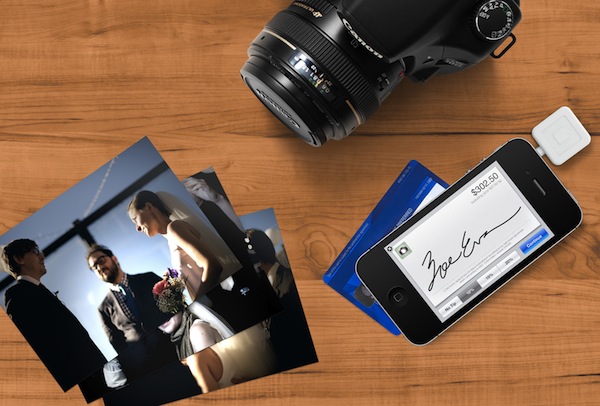
Should Apple Acquire Square and Foursquare?

Should Apple Acquire Square and Foursquare?

Mor Naaman makes the case for an acquisition of Square and Foursquare by Apple:

To summarize: after the deal, Apple will immediately become a giant payments company, with an installation base that is expected to encompass half of all mobile devices sold. The company will have the best local search abilities, far exceeding any existing recommendation engine. And due to its enormous reach, it will possess a payment system that merchants will line up to support. Who’s betting against this holy trinity? Not me.

The possibilities are certainly intriguing, and Naaman crunches some interesting numbers to show how making these two products “native” on iOS would benefit all the parties involved in terms of adoption, financials, and innovation. Obviously, while the possibility of Apple acquiring other companies always leads to interesting speculation and discussions, we should also keep in mind how Apple has been considering integration with third-party services lately. Twitter, for instance, didn’t get acquired by Apple, yet its mobile usage surged since the native implementation in iOS. While not nearly as “mainstream” as Twitter, Foursquare would certainly make for a possible third-party candidate to be directly supported in iOS, at least in theory (in practice, how would Apple implement a check-in service at a system level?).

It gets even more intriguing with Square. The company is very Apple-like in its approach to design and marketing, but it relies on extra hardware to work securely with credit cards. Assuming Apple would like, someday, to enter the mobile payment scene with the iPhone – perhaps through the oft-rumored NFC – wouldn’t it make more sense for Apple to consider an all-iPhone technology that handles payments exclusively through iOS and embedded hardware? A while ago, some people suggested Apple could even play around its marketing taglines and call an iOS payment feature “AirPay”. I actually believe such strategy would be perfect to push a possible next iPhone as an independent, no-extra-dongles-necessary payment device.

Location and payments are two areas that Apple will eventually address via new hardware and software, and Naaman makes a good case for the two biggest players in the field. Apple is also expected to show new features of iOS and OS X Mountain Lion at the WWDC 2012, which kicks off on June 11 in San Francisco.

Permalink

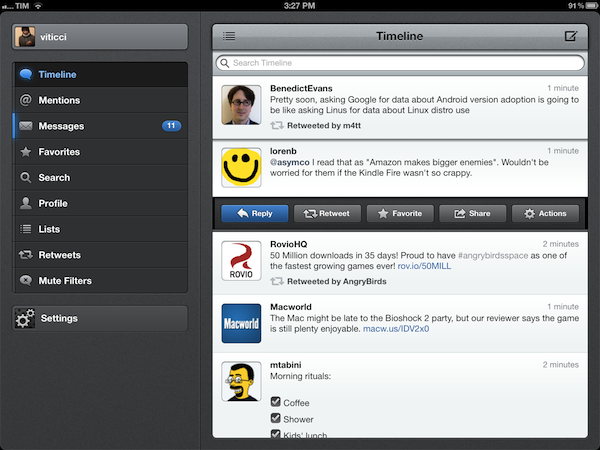
Tweetbot 2.3 Adds New Gestures, Integrations, UI Refinements

Less than a month after a major 2.2 update that added iCloud sync for timelines, DMs, and mute filters, Tweetbot is back today with a significant update on the iPhone and iPad that redefines some of the gestures and interactions introduced with the original version 1.0 (2.0 on the iPhone). Overhauling the standalone tweet detail and conversation views that, based on intuitive gestures, were two of Tweetbot’s hallmark features, Tweetbot 2.3 unifies single tweets, actions, replies, and conversations within redesigned screens that, with a bit of practice, I believe will ultimately help saving time and precious taps around the app.

New Tweet Detail View

Quick access: swipe right to left on a tweet.

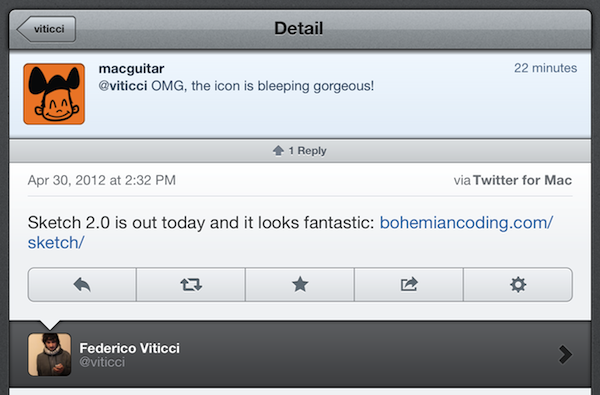
The single tweet view – the screen that displays a user’s single tweet alongside the action bar, geo-location and client info, and other data – has been redesigned to accomodate inline conversations and replies. Providing the usual context for author, buttons to reply, retweet, fave, share, and view, the new tweet detail view elegantly puts a banner-like notification up top to indicate how many replies a specific tweet received; if the tweet belongs to a conversation, Tweetbot 2.3 displays a “In reply to…” section at the bottom (down to the original tweet that started the conversation), with additional replies above.

The developers have managed to cram a lot of information and elements into a single screen without sacrificing usability and clarity – unlike other apps, it’s always clear which tweets belong to a conversation and which ones generated other replies.

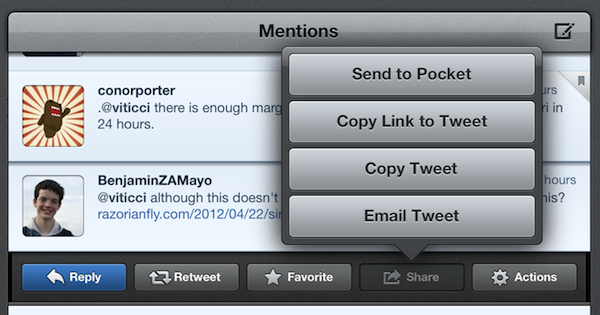
To go back to the timeline from the tweet detail view, you can now quickly swipe with one finger from left to right. Here’s a recap of all the gestures and tap actions supported in Tweetbot from our review of the iPad version (interactions are mostly the same on iPhone).

New Conversation View & Sharing

Quick access: swipe left to right on a tweet.

Similarly, the new conversation view of Tweetbot 2.3 displays both conversations and replies inline. Accessible with the usual swipe-to-reveal action, the conversation view loads replies in a neatly separated section just like the aforementioned tweet detail view.

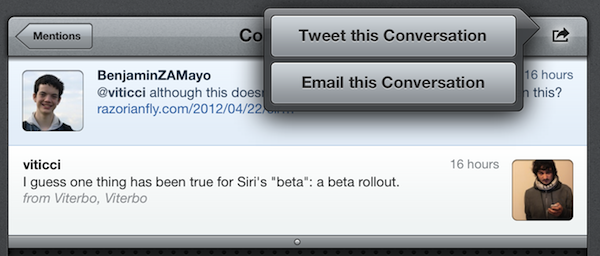
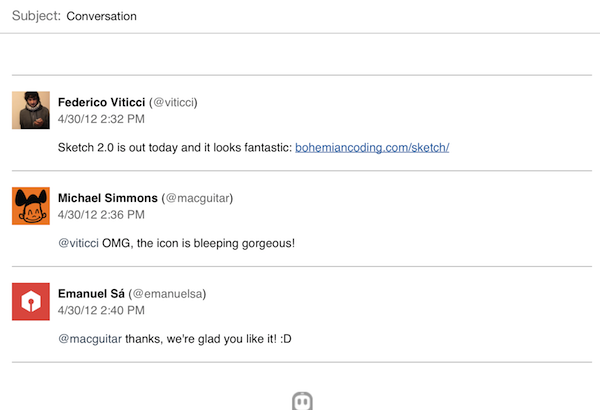
New in 2.3, conversations can now be uploaded directly to social curation platform Storify for further sharing with the world; the uploading process is automatic and doesn’t require a dedicated login, meaning that Tweetbot will simply publish a conversation, such as this one, to Storify using your Twitter account. Whilst I hope for a future version of Tweetbot to let me save “all replies” to a specific tweet from the detail view (right now, it’s only enabled in the Conversation window), I think Tapbots did the right thing in simplifying the curation aspect of Storify and make it available as a direct option without additional configuration required.

Also new in the 2.3 conversation view (but enabled for single tweets and DMs as well): the app now has an improved email format when sending tweets to someone else via email.

More Features in 2.3

Several additional refinements and improvements went into the development of Tweetbot 2.3. First off, Droplr support: for URLs, images, and videos, users have now the option to choose Droplr as a sharing service in the Settings. When shared, videos now have a dedicated “play” thumbnail to differentiate them from images, and thumbnail support has been added for Vimeo links, too.

The app now correctly recognizes $stock links, allowing you to easily fire up a search for $AAPL or your favorite stock, and save it for future usage.

The tweet drawer has been reorganized, with the last two buttons gaining more order in the process.

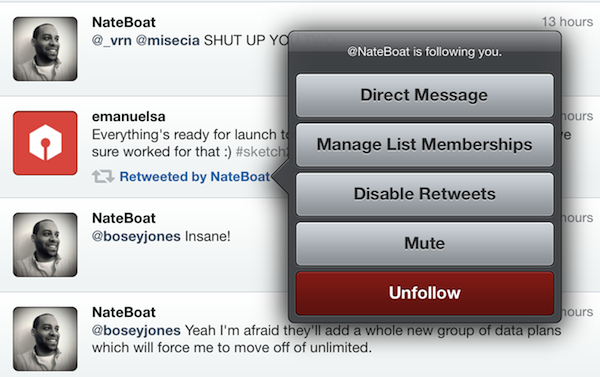
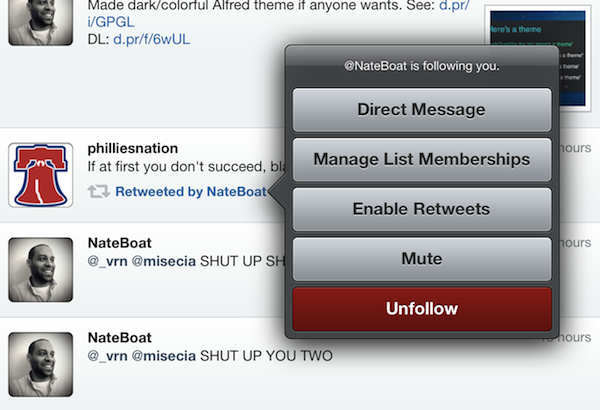
Last, some minor touches in version 2.3 will contribute to improving usability and to allowing users customize their timelines to their needs and tastes: retweets from specific users can now be disabled at any time, and it’s possible to quickly open the last saved draft by holding down the tweet compose button. The timeline sync bookmark icon is now an optional setting, and Tweetbot is capable of uploading high-res images when on WiFi.

With important improvements and UI refinements aimed at increasing the app’s ease of use and display of information, Tweetbot 2.3 is another solid and rich update that adds powerful functionality without compromising the app’s interaction and workflow. You can get Tweetbot 2.3 on the App Store today.


Rovio: Angry Birds Space “Fastest Growing Mobile Game” with 50 Million Downloads in 35 Days

Angry Birds maker Rovio has today announced the impressive milestone that the latest entry in the Angry Birds franchise, Angry Birds Space, has become the “fastest growing mobile game yet” with 50 million downloads in 35 days.

Angry Birds Space hit 50 million downloads within 35 days, making it the fastest growing mobile game yet and breaking all our previous records. This has been simply amazing, and the whole Rovio team is thrilled to see such a fantastic reception for the game.

It’s unclear whether Rovio is counting desktop versions in the total number of downloads for the mobile game, but the figure is still impressive and substantial nevertheless of how iOS, Android, PC, and Mac downloads have been split so far. Considering Rovio’s previous numbers, it is safe to assume the majority of downloads are really coming from mobile platforms like iOS and Android.

Angry Birds Space was released on March 22. In the three days following the launch, the company announced users had already downloaded the game over 10 million times.


My Dropbox Writing Workflow

Ever since I wrote about my new year’s resolutions to work smarter using better tools, compared my favorite iOS text editors, and shared some of my workflow techniques on Macdrifter, I thought it would be appropriate to share a bit more about the activity that takes up 80% of my work time: writing.

As I wrote in my comparison of iOS text editors:

Two months ago, I noted how there seemed to be a distinction between text editors focused on long-form writing, and the ones stemming from a note-taking approach. I think this difference is blurring with time, but there are still several apps that are clearly focused on distraction-free, long-form writing, like iA Writer and Byword, whereas the ones I tried for this article belong to the note-taking/Markdown/Dropbox generation of text editors. I like iA Writer and Byword, but I’m saving that kind of apps for another article.

In my workflow, there is a distinction between apps “for writing” and tools for quick “note-taking”, but in order to minimize the effort required to keep everything in sync and tied together, I set out to make sure the differences of such tasks could coexist within a single ecosystem.

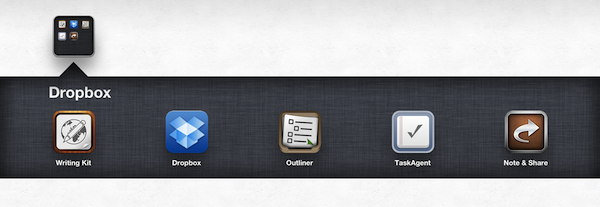
My writing ecosystem is powered by Dropbox. Read more


Insanely Simple

Like many others, I was disappointed by how Walter Isaacson’s official biography of Steve Jobs turned out. With the kind of access that Isaacson had to Jobs’ information, photos, close friends and colleagues, in my opinion, the author should have tried to linger less on the personal reasons that led Steve to walk barefoot around campus, and more on the ideas that shaped the great businessman and inventor that he was.

Steve Jobs was a polyhedric figure, and Isaacson tried to capture the “facts” of his life by focusing on several of his “passions” and “flaws” while, unfortunately, getting many of the facts that helped Apple become the company it is today simply wrong. Perhaps Jobs wanted the book to be a honest representation of “the man behind the business”. Perhaps Jobs’ idea of the book people wanted to read about him was inherently flawed, then. But the way I see it, Isaacson made a choice, independently from Steve, to put the spotlight on certain aspects of Steve’s life, while omitting key details and facts to better understand the Steve Jobs who founded and re-shaped Apple. Maybe “Steve Jobs” is perfect for Joan Baez, or one of Steve’s multiple ex’s in time. But it is not the book I, as someone interested in Steve Jobs the man and businessman, wanted to read.

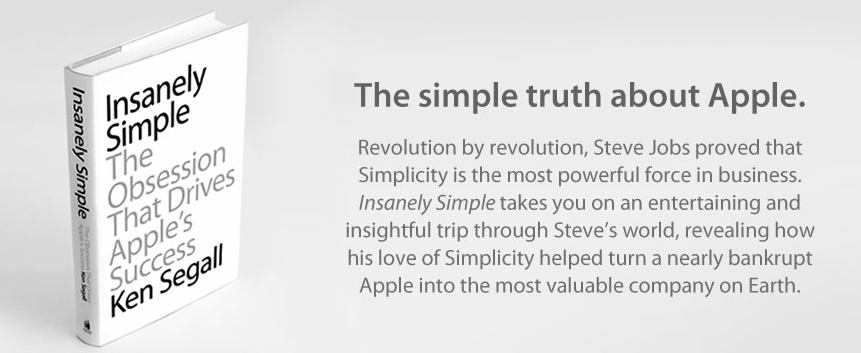
Ken Segall’s new book, Insanely Simple, is, from this standpoint, a simpler book about Steve Jobs. Rather than attempting to provide a complete and exhaustive picture of Steve Jobs in each and every aspect of his life – something that, as we’ve seen with Isaacson, can be a little daunting – Insanely Simple focuses on one thing: simplicity. Insanely Simple, though Segall’s recollections, wants to help readers understand how some of Steve’s ideas and behaviors came to be by following the principles of Simplicity.

Insanely Simple doesn’t want you to know why Steve didn’t wash for weeks, was a vegan, didn’t speak to his daughter for years, or refused to properly park his car. For as much as those are intriguing (and, to an extent, posthumously voyeuristic) nuggets of information, they won’t make you think about why the products Apple makes are great and profitable – the numbers speak for themselves – when compared to the plethora of options that we have on the market today.

Apple makes consumer products. Insanely Simple focuses on this aspect of the company from two perspectives: Segall’s, who worked at the Chiat\Day advertising agency alongside NeXT and Apple for several campaigns, and Jobs’, whom Segall got to know (and work with) personally. The two perspectives often intertwine and overlap in interesting ways: in the concise, fluent style of the book, Segall takes you through an anecdote about the introduction of the iMac to his ad team, and in the next chapter he’s comparing the shopping experience of Apple.com to Dell’s website.

Segall certainly didn’t write Insanely Simple for “Apple novices”, trying to explain that an iPhone is made of glass or what FireWire stands for (something that Isaacson did in his attempt to produce the universal book about Jobs for the masses). While, say, a less tech-savvy reader like my mother would probably need to look up a reference or two when reading Insanely Simple, I believe anyone will be comfortable within the range of discussion laid out by Segall: how “a deep, almost religious belief in the power of Simplicity” always beats Complexity in every business-related decision.

The thing is, it’s funny how Segall’s sole focus on one core concept – Simplicity – provides a richer and more meaningful tapestry of insight into Jobs’ attitude and actions than Isaacson’s poorly researched technical explanations and sentimental departures. In describing the oft-abused “think different” mindset that drives Apple as a company, Segall tries to portray Simplicity as a “skill” that “takes practice”. Unlike Isaacson’s story of the man, Segall thinks “being brutal and being respected are not mutually exclusive”.

Without spoiling too much of the book, I think a couple of brief excerpts can better put into context the “Power of Simplicity” that Segall wants to turn into the selling point of his work (below, page numbers are reported as provided in the review copy I received).

Page 42:

He stopped cold. His eyes locked on to the one thing in the room that didn’t look right. Pointing to Lorrie, he said, “Who are you?” Lorrie was a bit stunned to be called out like that, but she calmly ex- plained that she’d been asked to attend because she was involved with some of the marketing projects we’d be discussing. Steve heard it. Processed it. Then he hit her with the Simple Stick. “I don’t think we need you in this meeting, Lorrie. Thanks,” he said. Then, as if that diversion had never occurred— and as if Lorrie never existed—he continued with his update. So, just as the meeting started, in front of eight or so people whom Steve did want to see at the table, poor Lorrie had to pack up her belongings, rise from her chair, and take the long walk across the room toward the door. Her crime: She had nothing to add.

Lorrie, as Segall remembers, only added to the complexity of the room. She wasn’t “necessary” in the sense that, for what Steve wanted to accomplish during that meeting, he didn’t think Lorrie could contribute in any substantial way. So he asker her to leave. Where’s the line between honesty and rudeness? Segall continues (page 47):

To this day I have a recurring fantasy when I find myself trapped in a big meeting going nowhere. I imagine what Steve Jobs would say and do if he were sitting in that room, enduring what I’m enduring. In my fantasy, it’s like having a really good seat for a matinee at the Roman Colloseum. Who would Steve verbally dismantle or eject from the meeting? When would he cut the presenter off midsentence and say it’s all bullshit? With all the talk about how rough Steve could be, it should be acknowledged that oftentimes he was only doing what many of us wish we could do. Steve saw no reason to be delicate when his time, and the time of everyone in the room, was being wasted.

How many times have you wished you could simply call out someone during a meeting like that, and tell him he’s not necessary? Self-imposed social rules and the fear of hurting someone else’s feelings often keep us from doing what we want to do with a simple and efficient way. And as Segall says, “showing a little of that brutal honesty at the right time is a pretty good way to earn respect— and keep those smart groups small”.

When he hit something or someone with the “Simple Stick”, however, Steve Jobs didn’t always have the perfect touch or vision. But whilst reading Isaacson’s take on Jobs’ human flaws I had the feeling those traits were treated as “mistakes” without another possible explanation – just “mistakes”. I like how Segall tries to explain Steve’s deviation from the Truth of Simplicity as a result of a “skill” that needs to be learned and practiced. Even Jobs’ mind could sometimes be obfuscated by the appeal of “options” and “extras”; but because he was a visionary that understood the nature of Simplicity better than most people at the company – he could “see a spark in there that nobody else sees” – eventually Simplicity always found the way back to Steve’s vision.

The Ultimate Efficiency

In a way, Segall’s book is limited. It approaches the story of Steve Jobs at Apple with a very specific angle, it doesn’t follow a strict timeline of events, and it builds on the author’s theory that Simplicity leads to more prolific creative efforts with a constant flow of anecdotes and examples that, ultimately, aren’t “facts”. Segall doesn’t want to be a biographer, nor is he trying to put “the better book” about Steve Jobs’ life in the hands of customers. Segall wants to prove a point, and while the memories he uses surely contribute to solidifying his theory, in the end it is up to the reader to decide whether Simplicity really is the right key to understanding Apple’s success and a part of Steve Jobs’ persona.

I think Insanely Simple is honest. At $12.99 on the iBookstore (Amazon editions available here and here), you’re getting a clear, balanced recollection of events that focus on Simplicity, Steve Jobs, and the products and ideas that took place in between.

Insanely Simple may be “simpler” in terms of scope and chronological events, but it left me with a more complex, genuine necessity of reflecting more about Simplicity and its effects on Apple’s history than Isaacon’s book ever did.


Airfoil Speakers Touch 3.0 Review

Ever since developers started reverse-engineering the AirPlay protocol that Apple introduced with iOS 4.2 in November 2010, we have seen all kinds of possible implementations of Apple’s streaming technology being ported to a variety of devices, for multiple purposes and scenarios. From tools to turn Macs into AirPlay receivers for audio, video, iOS Mirroring sessions, then a combination of all them, to more or less Apple-approved “AirPlay audio receivers” sold in the App Store, then pulled, then released in Cydia, the past two years have surely been interesting for AirPlay.

When it comes to dealing with audio on my Macs and iOS devices, however, my preference always goes to Rogue Amoeba’s Airfoil. As covered multiple times in the past here on MacStories, Airfoil is a powerful solution from a renowned Mac development studio that allows you to easily control audio sources on your Mac, and organize how audio is sent across your room through Airfoil Speakers, Airfoil Speakers Touch, or a mix of other utilities as I also previously detailed. I love Airfoil, because it just works. And today it gets even better with a major update to Airfoil Speakers Touch, which reaches version 3.0, becomes universal, and adds a $2.99 in-app purchase to turn any iOS device into an AirPlay receiver for audio.

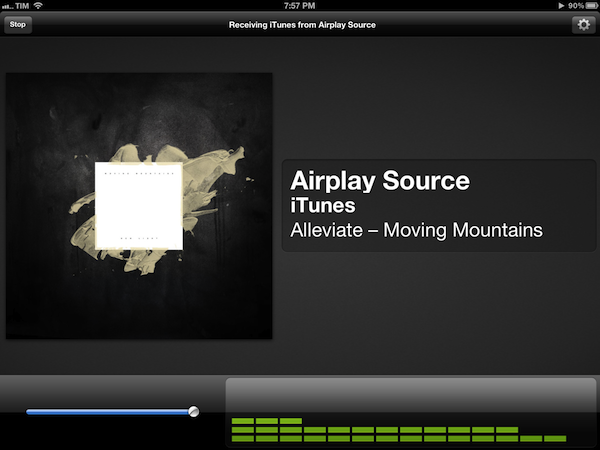
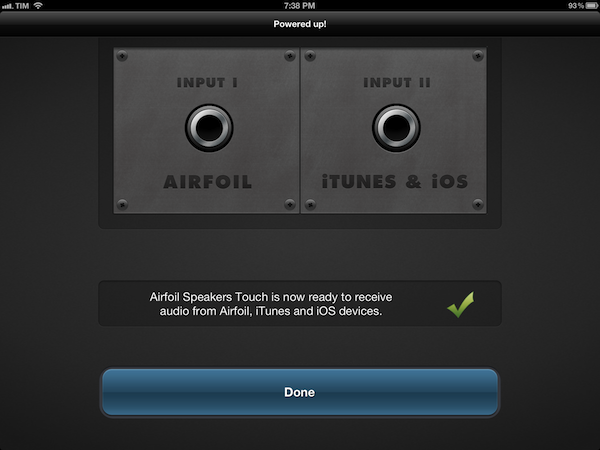
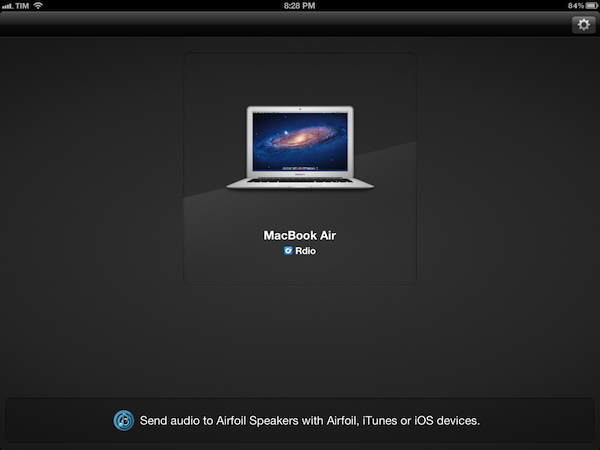
Available for free on the App Store, the new Airfoil Speakers Touch runs beautifully on iPhones or iPads with Retina display. More importantly, it doesn’t require you to send audio to the app exclusively through Airfoil on your computer (more here), as an in-app purchase will unlock the ability to receive audio from iTunes or any AirPlay-enabled iOS app or device. This is neatly illustrated by the in-app purchase unlocking screen inside Airfoil Speakers Touch 3.0.

By enabling the “Input II” option, you’ll be able to turn a device running Airfoil Speakers Touch into an AirPlay receiver recognized by iTunes on your computer, iOS apps like Rdio, Spotify or Instacast, or iOS itself through the system-wide playback controls in the multitasking tray. In my tests, Airfoil Speakers Touch 3.0 was correctly recognized by iTunes, iOS 5.1 on iPhones and iPads, and any app that allowed for streaming audio through AirPlay.

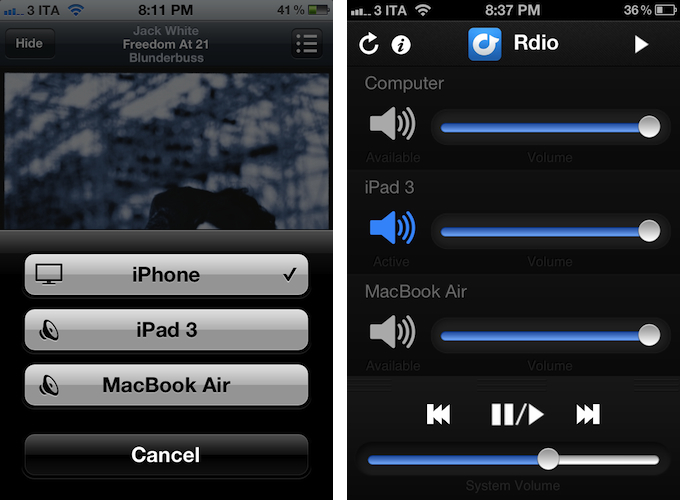
The true potential of Airfoil, obviously, is unlocked when you start combining the various utilities provided by Rogue Amoeba together to build your own personalized wireless audio setup. Whilst I greatly appreciate the support for native AirPlay integration (at $2.99 and in the App Store, it’s a no-brainer), I still like to control audio in my office or living room with a mix of Airfoil, Airfoil Speakers Touch, and Reemote. The latter is a fantastic third-party utility that, connecting to Airfoil on the Mac with a “server” app, allows you to directly control single audio sources and volume levels on iOS.

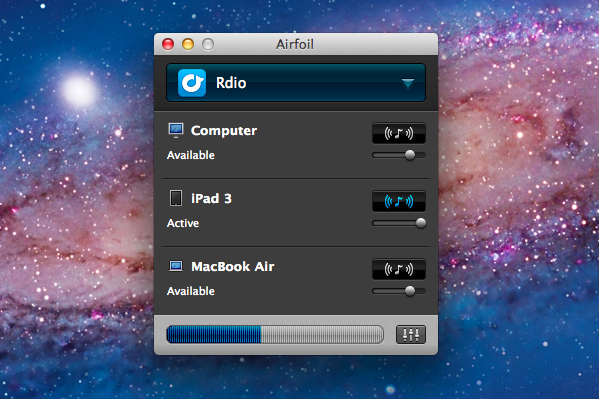
This means that, if I want to simply stream audio from iTunes or iOS to my iPhone and iPad I can use Airfoil’s new input method; if the audio I want to stream, though, comes from apps like Rdio for Mac or QuickTime, I can fire up Airfoil, beam the audio with its InstantOn technology, and control everything – sources and volumes and playback controls – with Reemote for Airfoil. I can even control standalone speakers connected to my Mac if I want to get audio both on my iPad and the external speakers. It’s a wireless audio nerd’s dream setup.

Airfoil is one of my favorite apps ever created for the Mac – one that I immediately install every time I set up a new OS X installation – and now the iOS version has proper AirPlay support through a $2.99 in-app purchase that, ultimately, just works. If you’ve been looking for an easy way to, say, beam iTunes or iPad audio to an iPhone connected to your car’s system, the latest Airfoil Speakers Touch gets the job done. And if your audio listening habits are made of more complex and variegate needs, you can stay assured Airfoil Speakers Touch will equally serve you well thanks to the combination of Rogue Amoeba-made and third-party utilities mentioned above.

Get Airfoil Speakers Touch 3.0 here.


Apple Announces WWDC 2012: Kicks Off June 11

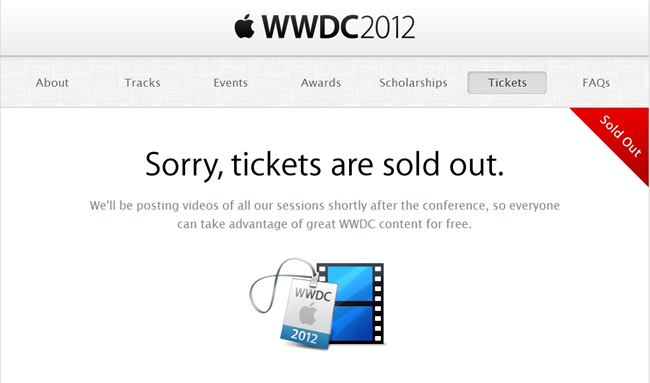
UPDATE: Apple has confirmed that tickets for WWDC 2012 are already sold out.

Apple has announced the official dates for WWDC 2012. The developer event kicks off in San Francisco on June 11 and runs through June 15. Tickets are on sale for $1599, and are limited to one ticket per person or five tickets per organization. This year, app developers under 18 years old (13 - 17) can have their legal guardian purchase a WWDC ticket and approve their attendance at the conference — budding developers do not have to miss out on this year’s events.  Despite being an ever popular event that sells out quickly, WWDC 2012 still takes place at Moscone West.

We have a great WWDC planned this year and can’t wait to share the latest news about iOS and OS X Mountain Lion with developers,” said Philip Schiller, Apple’s senior vice president of Worldwide Marketing. “The iOS platform has created an entirely new industry with fantastic opportunities for developers across the country and around the world.

Registration for the event will take place on June 10th starting at 9:00am. If the event cannot be attended, videos from this year’s sessions will be made available for download. It’s best to go in person so experts can answer your development related questions. This year’s topics will include information about OS X Mountain Lion, which will be made available later this summer, alongside iOS app development sessions.

WWDC 2012 will cover six technical tracks with over 100 sessions and labs. Tracks include:

  • Essentials
  • App Services
  • Developer Tools
  • Graphics, Media, and Games
  • Safari and Web
  • Core OS

Alongside ticket sales, Apple has opened nominations for the 2012 Apple Design Awards. Nominated apps will be considered for an ADA and must be made available on the App Store or Mac App Store by May 1st. Students can also look forward to a great time at WWDC, and earn the chance to attend the conference free of charge on a scholarship.

Activities at Apple’s WWDC 2012 include:
more than 100 technical sessions presented by Apple engineers on a wide range of technology-specific topics for developing, deploying and integrating the latest iOS and OS X technologies;100 hands-on labs staffed by more than 1,000 Apple engineers providing developers with code-level assistance, insight into optimal development techniques and guidance on how they can make the most of iOS and OS X technologies in their apps;the opportunity to connect with thousands of fellow iOS and OS X developers from around the world—last year more than 60 countries were represented;engaging and inspirational lunchtime sessions with leading minds and influencers from the worlds of technology, science and entertainment; andApple Design Awards which recognize iPhone®, iPad® and Mac® apps that demonstrate technical excellence, innovation and outstanding design.

PR after the break!

Read more


“Send to Kindle for Mac” Now Available

“Send to Kindle for Mac” Now Available

Jacqui Cheng, reporting for Ars Technica:

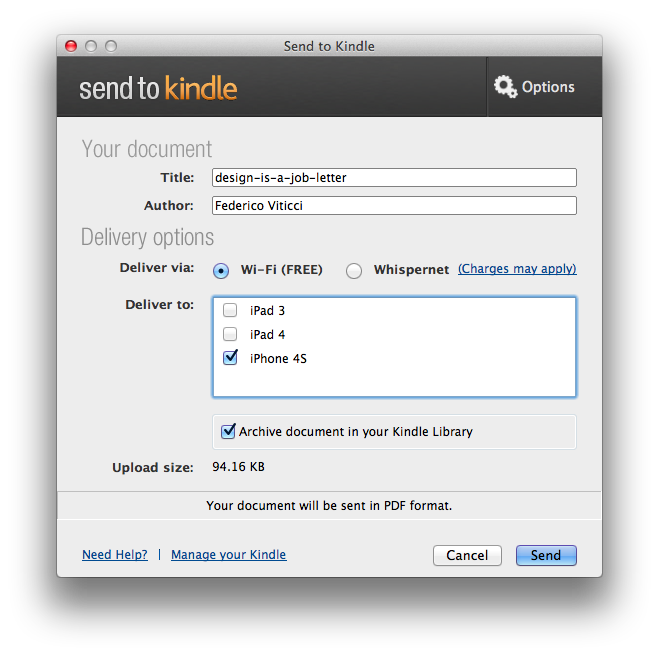
More than three months after releasing software for Windows-users to send documents to a Kindle, Amazon has now released the Mac version. Announced on Tuesday afternoon, the “Send to Kindle for Mac” application allows Mac users to wirelessly send personal documents to their Kindles via drag-and-drop in the Dock or within the app itself. Users can also send documents to the Kindle by printing from any Mac application.

I have tried the new Amazon desktop utility, and it also allows you to upload files to your Kindle library (devices and Kindle apps) with a contextual Finder menu. The app comes with options to select the Kindle device you want to upload files to, and gets rid of the old email-based “file forwarding” system by integrating a simple upload status indicator within the main interface. Documents can be archived in your Kindle Library (which was recently introduced on Kindle for iOS), and there is an option to convert PDFs to Kindle format. A Getting Started guide with a list of supported file formats is available on Amazon’s website.

Download the “Send to Kindle” Mac app here.

Permalink