Federico Viticci

10804 posts on MacStories since April 2009

Federico is the founder and Editor-in-Chief of MacStories, where he writes about Apple with a focus on apps, developers, iPad, and iOS productivity. He founded MacStories in April 2009 and has been writing about Apple since. Federico is also the co-host of AppStories, a weekly podcast exploring the world of apps, Unwind, a fun exploration of media and more, and NPC: Next Portable Console, a show about portable gaming and the handheld revolution.

VLC 2.0 Released: What’s New, And An Interview With VideoLAN Developers

Back in February 2010, I wrote a post for MacStories about Lunettes, a codename of a new interface for VideoLAN’s popular media player VLC. Back then, I used to spend a good portion of my days fiddling with media players and skins for VLC, which I used to access a well-organized media library on my MacBook Pro and various external hard drives. Lunettes was promising, and it proved that VLC could have an interface design more suitable for the needs of the Mac community. I didn’t know, however, that work on the next major version of VLC, VLC 2.0, had already begun in 2008 with the first concepts and technical drafts, with Lunettes being the complete rewrite of the application that stemmed  from that original vision that eventually led to VLC version 2.0, released today.

Available for Mac, Windows, and Linux machines, VLC 2.0 is a major update that brings several new optimizations on the technical side, new features, and a brand-new Mac interface that we’ve already covered here on MacStories. It can be downloaded for free from VideoLAN’s website.

Often regarded as “the media player that can open almost anything”, VLC has indeed become many’s de-facto choice over the years when it comes to dealing with a variety of video file formats, or audio files that other media players such as iTunes won’t open. If you weren’t aware of all its functionalities and secrets, you’d say VLC’s best feat is the fact that it can launch almost any kind of file you throw at it. From the strong foundation of VLC 1.x, VLC 2.0 introduces support for new formats – as well as enhancements and fixes for the currently supported ones – with better handling of H.264, MPEG-4/Xvid and WebM thanks to multi-threaded decoding, support for 10bits codes and WMV image, completely rewritten support for images, changes in RealVideo and Real Format integration, correct support for FLAC, RV and Hi10p in MKV, and a plethora of other minor adjustments and refinements that contribute to making VLC one of the most (if not the most) versatile and customizable media players around. For instance, professional users will find support for ProRes 422 and 4444, AVC/Intra, Jpeg-2000 and DNxHD/VC-3 in 10bits and a new, faster Dirac/VC-2 encoder, whilst anime fans will be pleased to know VLC 2.0 features a “vastly improved” MKV demuxer. If you simply care about formats and the stuff VLC can open or has been optimized for, this release shouldn’t disappoint you.

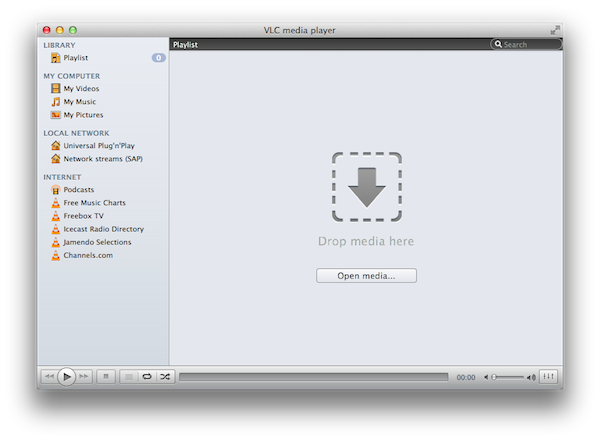
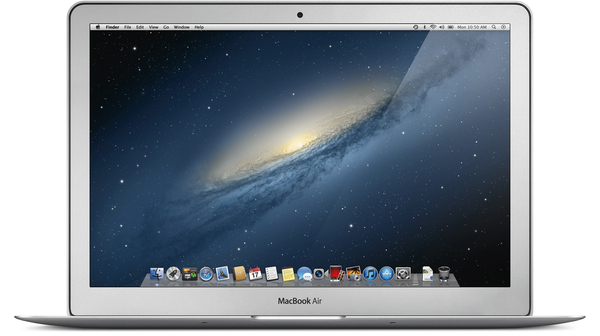
With over 7000 commits to the open source project and 160 contributing volunteers in the past couple of years, however, VLC 2.0 isn’t only focused on making its media player capabilities play nicer with audio and video formats. As we detailed in our previous coverage, one of VLC’s new visible changes is the application’s design on the Mac, a radical change aimed at unifying VLC’s file management and playback functionalities in a single window that, among other things, also happens to support Lion’s native full-screen mode. Available in two color schemes – Lion gray and QTX black – VLC’s new single window interface integrates playback and browsing in a way that, for example, allows you to start playing a movie, hit a button, and go back to the browsing UI with the movie still playing in the background. In my tests, transitioning from a movie (streamed off the MacBook Pro mentioned above, now used as a media server in my house as I upgraded to a MacBook Air) to VLC’s new Library was immediate, and the footprint on system memory minimal, or not visible at all. Because the new VLC for Mac integrates media, sources, and playback in the same window, you’ll be able to open a file, invoke the Playlist shortcut from the Window menu (CMD + Shift + P), look for another file (either manually or from the integrated search view), and adjust its position in the media queue right away.

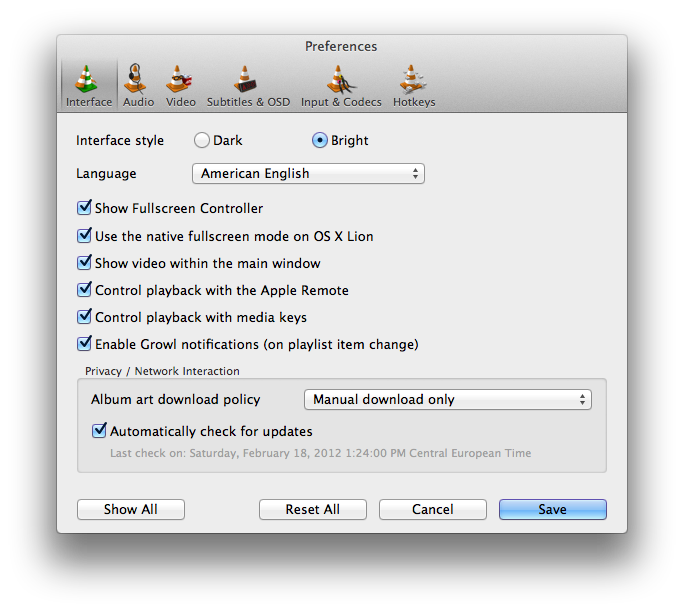
Thankfully, those who don’t like the change to a unified window will be able to revert back to VLC’s standard multi-window system with an option in the app’s Preferences. The Preferences menu has also been overhauled with a new design and more settings, including one to disable Apple’s full-screen mode for OS X Lion and enable Growl notifications on playlist item change. As usual, there’s a lot to explore within VLC’s settings if you really want to adjust the app to your tastes (and media configuration).
What I’ve always liked about VLC since I started using it in 2003 is that it can be extremely simple and accessible, or extremely complex and “advanced” thanks to the amount of options and settings it brings at your fingertips. If you really want to get geeky with video formats, inputs, codecs and streaming sessions, VLC 2.0 will most definitely have you covered with its variety of new features and tweaks to the underlying engine. If you, however, simply prefer a lightweight, elegant and powerful alternative to iTunes and QuickTime for browsing and playing your music and movies, VLC is an equally great alternative as it’s easy to use, fast, and stable. And whilst the new Mac interface will be heavily criticized (especially in its black version) by those that dislike change on principle, I think change is good, as it confirms that VideoLAN and its community strive for innovation in order to bring VLC to an even broader audience. The single window interface is useful, simple to understand, and helps you save time; performances in version 2.0 have been dramatically improved, and there’s lots more to come. Go download VLC 2.0 here.

For the release of the new VLC, I was able to chat with VideoLAN’s President Jean-Baptiste Kempf and lead Mac developer Felix Paul Kühne about the 2.0 milestone, the process that went into developing this new major release, and what’s in store for the future. Check out the interview, as well as a visualization of VLC’s development activity in 2011, after the break. Read more
iOS-ification Addendum

Following the announcement of OS X Mountain Lion and the release of the first developer preview, I’ve been seeing a lot of new commentary being added to the longstanding argument that Apple is “iOS-ifying” the Mac with features and apps from the iPad. Matt Alexander has probably the best metaphor on the subject:

And then yesterday, OS X and iOS announced an impromptu decision. Many had already (reluctantly) seen it coming but most chose to ignore the possibility, hurt that OS X might do that to them (to them!). But now it’s real, the two are moving in together, and that means a lot of things for the end-user.

Of the utmost importance is the fact that such a step does not suggest that the two entities are merging. Separate identities remain, but assets and possessions are shared. The decision comes when two individuals decide that, as a couple, they are better together than they are on their own. Moving in together, the couple is free to communicate more clearly with each other, to really learn about themselves, and to face complex life decisions together. The two are not somehow merging into the same entity, they’re merely moving under one roof, sharing some belongings, and generally learning how to co-exist in a new contextual environment.

The image of two OSes “moving in together” works exceptionally well in this context as Apple isn’t merging iOS and OS X – they are trying to get the best features “inspired from iPad” and bring them over to OS X. Anyone who’s ever been in a stable relationship understands that the single characteristics of a person (the “features” in OS parlance) mostly remain intact over the years, but as two people decide they are better as a couple, there might be some influence over each other’s distinctive traits (cue definition of “ecosystem” and “inspiration”). I think Matt simply nailed it with his article.

I believe, however, that there’s still much of a debate going around as to whether Apple is 100% clear in admitting “they are borrowing” from iOS to enhance the Mac, or Mountain Lion and the whole “iOS-ification” theory shouldn’t be a surprise at all because Apple isn’t trying to “iOS-ify” anything.

A few weeks ago, I wrote:

Today’s (relatively minor) software update reminds me, however, that the iOS-ification goes far beyond simply converting graphics and updating apps from one platform to another. It is actually more a conversion of the entire Apple ecosystem to an iOS-inspired system of graphical elements, user interactions, business models, user experience paradigms, and functionalities. The iOS-ification isn’t simply visual, it’s a fundamental shift of strategy that, ultimately, I believe begins and ends with iCloud — something that I have discussed before.

After the release of Mountain Lion, Jim Dalrymple wrote:

If Apple were trying to make Mountain Lion more like iOS we would be touching the screen of our computers to interact with out apps instead of using the keyboard and mouse.

Mountain Lion is about familiarity and integration. The new features and apps in Mountain Lion make sense for a desktop operating system.

To which Ben Brooks responded:

I don’t disagree with what Dalrymple is saying up and until the last line. Apple is indeed trying to bring some familiarity and integration between the two platforms, but there’s more to it than that.

The way I see it, Apple is trying to simplify OS X and bring to it some of the features from iOS that make sense. To that end Apple is very much making Mountain Lion more iOS like.

And then Jim wrote a smart counterargument:

I’m going to use the same faulty logic that some people have used to claim that OS X Mountain Lion is being iOS-ified to show how iOS is being Mac-ified.

Having watched some old Apple material on the matter (more on this in a bit), I see both ends of the controversy now – and I think the main issue here is that many  (including me) haven’t properly explained what they meant by “iOS-ification”. So, before the discussion continues, here’s my take on the feared word: I see “iOS-ification” as “inspiration” from an OS (and ecosystem of devices) that’s been insanely successful over the past five years. Inspiration, not copying, and not “making the Mac like iOS”. In fact, I think that “making the Mac like iOS” is the wrong expression to use – there is a subtle difference, but I’d use “iOS has inspired some changes in OS X” rather than “iOS-like” or “more like iOS”. It’s merely semantics, I know, but I’d like to settle this, and it’s important to use the right terminology.

In order to properly move forward, here’s a few things we can agree upon:

  • OS X is the technological foundation of iPhone OS (now iOS).
  • Once on iOS, Apple developed some new apps and user features for it.
  • After a few years, Apple decided to take some apps and user features from iOS (iPad and iPhone) and bring them back to the Mac.

These are the facts. Now, the problem is the interpretation of these facts, and how writers like Ben and Jim see the aforementioned process of “bringing back” as iOS-ification, inspiration, natural evolution, or whatever they want to call it. In fact, I believe the real issue is the meaning we want to give to these facts, and how they play in the bigger picture of Apple being committed to the Mac platform.

As usual, I’d like to turn it over to Steve to remind us how a particular subject was first introduced. Here’s how he described the process behind OS X Lion at the Back to the Mac event in 2010:

What is the big idea, what is the philosophy behind Mac OS X Lion? Well, that’s where Back to the Mac comes from.

What we’ve done is we’ve started from Mac OS X and we created from it a version called iOS, which we used in the iPhone, and we invented some new things and we’ve perfected it over the last several years and it’s now used in the iPad as well. What we’d like to do – we’re inspired by some of those innovations in the iPad and the iPhone, we’d like to bring them back to the Mac. And so that’s what Lion’s about: Mac OS X meets the iPad.

If you watch the keynote again, you’ll notice how Steve and other executives often mention the word “inspiration” while demonstrating features that are “convenient just like the iPad” and “iPad-style” in the way they are presented on screen. I don’t think there’s any doubt that a) iOS is technologically based off OS X and b) Apple created new features on iOS that were eventually ported to OS X. The latter point is happening once again with Mountain Lion, as things like Notification Center and Twitter integration were chronologically iOS-first – and they are now displayed “iPad-style” on the Mac.

With these facts available, I’d like to lay out my own conceptual compromise we can (hopefully) agree upon while we’re waiting to see where Apple is headed with Mountain Lion and its Mac hardware line-up.

Here it goes: iOS-ification indicates the process of being inspired by the iPad’s success to port some apps and features to OS X. In this process, the operating systems are kept separate, and features are developed to take advantage of each device’s nature. Ultimately, iOS-ification is aimed at making iOS and OS X coexist in a single iCloud ecosystem.

Before I continue, allow me to present more fact-checking straight from Apple’s PR:

Lion (2010):

Lion brings many of the best ideas from iPad back to the Mac, plus some fresh new ones like Mission Control that Mac users will really like,” said Steve Jobs, Apple’s CEO. “Lion has a ton of new features, and we hope the few we had time to preview today will give users a good idea of where we are headed.

Mountain Lion (2012).

Apple today released a developer preview of OS X Mountain Lion, the ninth major release of the world’s most advanced operating system, which brings popular apps and features from iPad to the Mac and accelerates the pace of OS X innovation.

As I said above, I see both points in this argument. “The Mac is still a Mac and these are just features” and “The Mac is starting to be a lot like iOS” both make sense (and are factually correct) depending on how you look at the issue, which is a complex one in that it’s got a lot of history behind it, subtle changes in marketing (“best ideas” from 2010 compared to “popular apps and features” in 2012), and an overall “we don’t know yet” aspect due to Apple’s ever growing success and sales numbers.

I do believe, however, that if we consider iOS-ification as “inspiration” and agree that when iPad features comes to OS X they retain the Mac’s best advantages and functionalities (an example is Notification Center having a keyboard shortcut in Mountain Lion), we can find a sweet spot that makes everyone happy and excited about the things to come.

Whilst drawing a line between familiarity and integration is hard because, after all, we’re just writers and we’re not aware of Apple’s real goals, I believe the unification that’s happening now isn’t about the two operating system – it’s iCloud. I’ve written about this before, and I won’t repeat myself here – iCloud is becoming Apple’s “ecosystem for everything” on each release. iCloud is the platform for the next decade no matter if iOS and OS X will eventually merge or not.


Macminicolo’s Mountain Lion Server First Impressions

Macminicolo’s Mountain Lion Server First Impressions

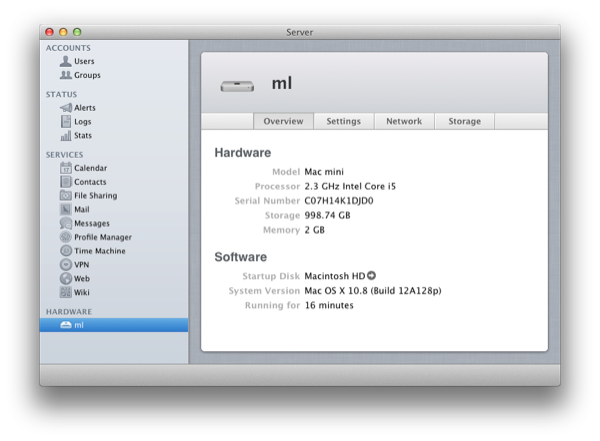
The folks over at Macminicolo have posted an initial overview of the setup process for Mountain Lion Server, also released today to developers. In short, there are some nice changes in this first version, but it’s too early to judge:

Here, I wanted to take a look at what Mountain Lion means as a server. They released the Server preview today as well, but it is very much a preview. For instance, it doesn’t provide the ability to upgrade from Snow Leopard Server. Also, you can’t backup and restore using Time Machine with this seed. I’m sure both of these options will come later.

You still upgrade a a regular version of Mountain Lion with the Server app from the Mac App Store. In other words, you upgrade “OS X” to “OS X Server” by installing the app just like Lion. And from a first look, it seems you’ll have to do that for one of the most basic things. For the first time that I can remember, the “Sharing” pane in OS X System Preferences no longer has Web Sharing.

Mountain Lion Server, alongside the consumer version of Mountain Lion, is available today as Developer Preview in the Mac Dev Center.

Permalink

Mountain Lion: Mac App Store-only, New Software Update System

Following the announcement of OS X Mountain Lion this morning, Pocket-lint has obtained more details regarding the distribution model for the new OS, and the way it will handle software updates in the future.

According to the website, OS X Mountain Lion will be available exclusively from the Mac App Store, breaking Apple’s usual tradition of making a physical copy of a new operating system available for purchase either online or through its retail stores. Mountain Lion won’t come on a dedicated USB Thumb Drive either, as Apple feels confident the experiment with Lion last year proved customers are ready for digital-only downloads and updates through the Mac App Store.

Including installs on new Apple Macs, Apple says that it has virtually shipped more than19 million copies of the current operating system, Lion, to date, with a 30 per cent uptake from Snow Leopard users, suggesting the digital download path has been a successful one.

Apple has confirmed to Pocket-lint though that its concerns weren’t justified with customers not remotely interested in the USB drive offering:

“It was an interesting test, but it turns out the App Store was just fine for getting the new OS.

In a similar fashion, Mountain Lion will adopt a new Mac App Store-based software update system that will get rid of the Mac’s standalone Software Update panel to unify new updates inside the Mac App Store to avoid user confusion and offer a single place to update both apps and the operating system.

Explaining to Pocket-lint in a behind-closed-doors briefing for the new developer preview of Mac OS X Mountain Lion, Apple has told us that the new method will offer updates to the OS and Apple applications in a similar way to how it does on iOS via the App Store, but in this case via the Mac App Store.

It also presumably means that all Apple users will be required to set up an Apple account to access software updates in the future, as well as to encourage users to keep the Mac App Store logo on their Dock to easily see when updates appear, although that has yet to be confirmed or set in stone - It is still early days for the developer preview.

When Apple released Lion last year, confusion indeed arose as to whether the company would release software updates through the dedicated desktop utility, or via the Mac App Store, which had been used to digitally distribute the OS. As it turned out for the best part of Lion’s history to date, Apple adopted a strange “Software Update first” model that saw new versions of Lion – such as 10.7.1 or 10.7.2 – released on Software Update and Apple’s website, then a few hours (or days) later via the Mac App Store. The Mac App Store updates, however, only allowed users to download the entire Lion installer, thus forcing those who simply wanted to update the OS, and not set up a fresh installation of OS X, to use Software Update or manually download a Combo updater from Apple’s servers.

While we’ll have to wait and see how Apple’s digital-only (for real this time) policy will play out for Mountain Lion upgraders, we think the Software Update overhaul is a welcome change. The previous system was confusing, inconsistent, and this new one is inspired by iOS’ simplicity and one-click access to ease the process of updating desktop software.

You can read more about Mountain Lion in our complete overview.


Tim Cook On Mountain Lion

Tim Cook On Mountain Lion

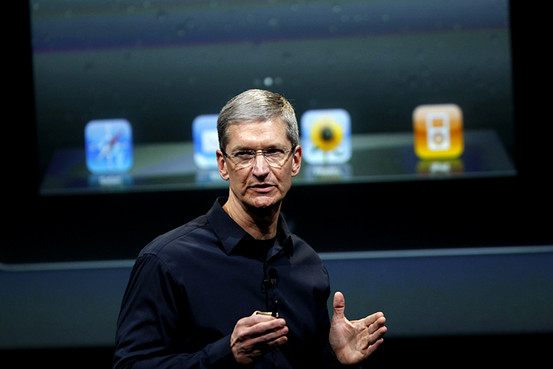
The Wall Street Journal has an interview with Apple CEO about Mountain Lion, officially announced today. The key point from Cook:

Mr. Cook said he already thinks of Apple’s iOS and OS X operating systems “as one with incremental functionality.” He said both laptops and tablets will continue to coexist, but he didn’t rule out that the technologies could converge further. When asked if Apples iPhones, iPads and Macs might run the same microprocessor chips, he said: “We think about everything. We don’t close things off.

“Incremental functionality” is a nice way to put it. Whenever a new feature is released on iOS, you can most definitely stay assured it’ll show in some form or another on the Mac as well, and vice versa. The operating system is seen as “one” in Cook’s vision.

Also interesting: whilst The Wall Street Journal was the only publication to get an interview with Tim Cook, others like Daring Fireball’s John Gruber were invited to private presentations by Phil Schiller and Apple PR. A few weeks ago, a Japanese blog reported Apple would have a “strange” or “unusual” media event in February. Apple’s strategy for the Mountain Lion announcement has surely been unusual and different from the past, as Gruber noted multiple times in his article this morning.

Permalink

OS X Mountain Lion: The iOS-ification Continues This Summer

Earlier this morning Apple caught the Internet by surprise with a series of major announcements regarding the future of OS X. To put it simply, Apple officially unveiled OS X Mountain Lion, or version 10.8, the next major iteration of OS X that will become available later this year – the initial targeted release date is a vague “this summer” – through the Mac App Store. A preview of Mountain Lion was given to a few selected tech blogs, including The Verge, Macworld, Daring Fireball, and The Loop, which we are linking back to summarize the new features of Mountain Lion and reflect upon the changes previewed by Apple.

The basic theme of Mountain Lion is iOS-ification.

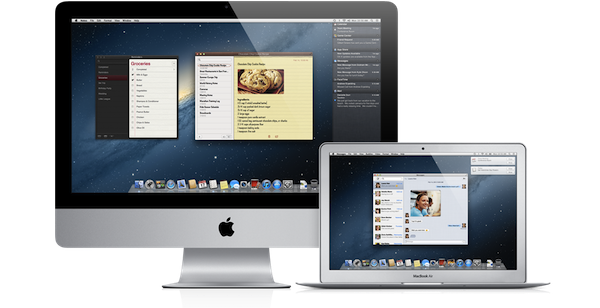
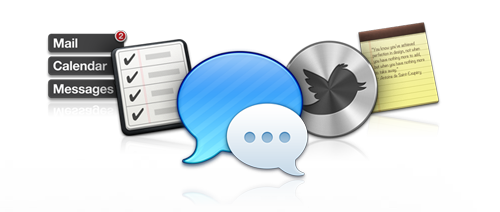
Apple took the best features of iOS, and in particular iOS 5, and brought them “back to the Mac”, giving them a desktop-class facelift to make applications and services suitable for the Mac environment. Mountain Lion will feature some familiar faces for iOS users: iChat has been renamed Messages and integrated with the iCloud/iMessage ecosystem from iOS; Notes and Reminders are now standalone apps; Notification Center, Game Center, AirPlay Mirroring, Share Sheets, and a new security system called GateKeeper are now part of OS X as well.

In this post we’ll provide a quick description of the new features, a Storify bundle that aggregates the most interesting links and tweets about Mountain Lion (which is available as developer beta today), and some thoughts on what Mountain Lion means for Apple and its users. Read more


Tweet Library 2.0 Review

The last time I wrote about Twitter clients, I noted how I’d rather settle with a single app for power users, and have other developers innovate on top of Twitter and the technologies offered by Apple to provide a unique take on the standard Twitter experience. Unfortunately, until today very few developers seem to have believed in the market potential for innovative Twitter clients that go beyond refreshing your timeline and catching DMs, with Riverfold Software’s Tweet Library being the best example of what’s possible to do by leveraging the Twitter API, focusing on another kind of experience.

I initially reviewed Tweet Library when it hit version 1.0 on iPad. I wrote:

Tweet Library is a searchable local archive of your Twitter activity, with promising online functionalities that show good room for improvement. At $9.99 in the App Store it might not be an app for everyone, but if Twitter curation is your thing, this is the best you can have on the iPad right now.

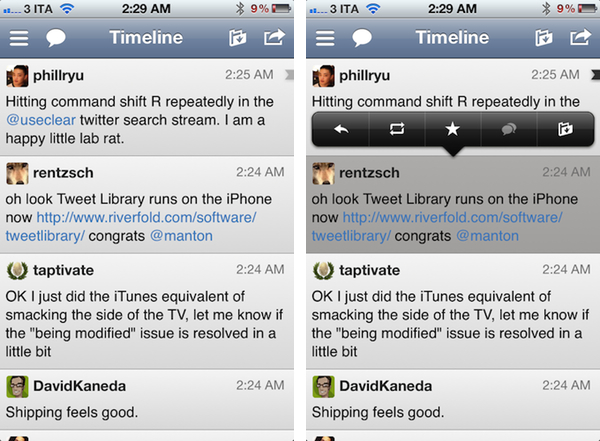
Released earlier today, Tweet Library 2.0 offers some fantastic improvements for those who began using the app on the iPad last year, adding a completely new iPhone interface as part of the free, universal update that will have Twitter curation nerds drooling in new functionalities. Read more


Transcript of Tim Cook’s Q&A at Goldman Sachs Technology Conference

Transcript of Tim Cook’s Q&A at Goldman Sachs Technology Conference

Earlier today, Apple CEO Tim Cook spoke at the Goldman Sachs Technology Conference, providing some interesting details into Apple’s product philosophy and strategy going forward. MacRumors has posted a transcript of the Q&A with Tim Cook, which contains some notable points.

On the iPad:

The reason that it is so large in my view is that the iPad has stood on the shoulders of everything that came before it. The iTunes Store was already in play, the App Store was already in play. People were trained on iPhone. They already knew about multitouch. Lots of things that became intuitive when you used a tablet, came from before. I gave one to my mother and she knew how to use it from watching the commercial.

On Siri and iCloud:

Both of these things go in the profound category. They’re things that you’ll talk to your grandkids about that are profound changes.

On cannibalization of the Mac:

iPad has cannibalized some Mac sales. The way that we view cannibalization is that we prefer to do it to ourselves than let someone else do it.

The whole transcript is interesting and gives some perspective on Tim Cook as CEO and “product guy” who’s in charge of Apple now. Make sure to check out the entire Q&A here.

Permalink

WSJ: iPad 3 To Feature LTE

WSJ: iPad 3 To Feature LTE

Following a report about a possible iPad 3 announcement on March 7 posted earlier today, The Wall Street Journal is claiming the next-generation iPad will feature 4G LTE connectivity for AT&T and Verizon in the United States.

Verizon Communications Inc. and AT&T Inc. will sell a version of the coming iPad that runs on their newest fourth-generation wireless networks, according to people familiar with the matter, as the battle to cash in on big investments in mobile broadband heats up.

According to The WSJ, the iPad 3 will fall back to 3G where LTE isn’t available, and “it couldn’t be learned” whether other carriers would launch LTE plans for the iPad 3 besides AT&T and Verizon, the two largest carriers by number of subscribers in the US. Back in January, Bloomberg reported that the new iPad would come with a higher-res display, a quad-core processor, and 4G LTE connectivity.

For an overview of the current LTE scenario around the globe, check out our previous story ”2012, The Next iPhone, And LTE” – it’s interesting to notice how The Wall Street Journal says the LTE iPad 3 will provide a good testing opportunity for carriers, whereas most carriers worldwide are still far behind in the LTE rollout for consumers.

Permalink