Federico Viticci

10804 posts on MacStories since April 2009

Federico is the founder and Editor-in-Chief of MacStories, where he writes about Apple with a focus on apps, developers, iPad, and iOS productivity. He founded MacStories in April 2009 and has been writing about Apple since. Federico is also the co-host of AppStories, a weekly podcast exploring the world of apps, Unwind, a fun exploration of media and more, and NPC: Next Portable Console, a show about portable gaming and the handheld revolution.

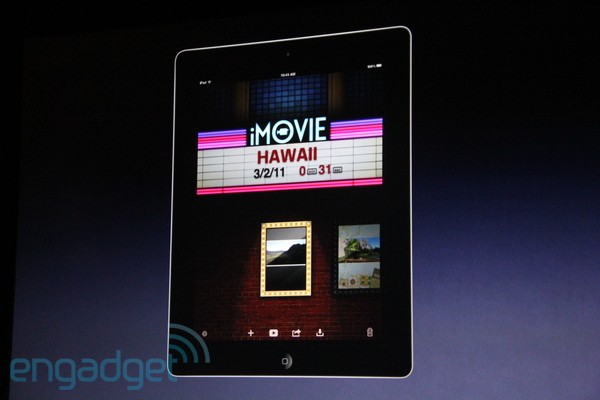
Apple Announces iMovie for iPad 2

The iPad 2 isn’t just about new hardware and Smart Covers (which we already love). Apple has been busy building some exclusive apps for it, and a new version of iMovie is the first one. A precision editor with multi-track audio recording, AirPlay streaming to the Apple TV, universal app for iPhone and iPad (free upgrade for existing customers!) and new themes. The new iMovie takes advantage of the iPad 2’s faster processor and RAM to do some crazy video editing and HD sharing.

Over 50 new sound effects are available and music automatically switch with themes. The UI looks completely new and redesigned for the bigger screen which, we assume, should bring way better portable video editing. New sharing options for Facebook and Vimeo as well.

$4.99 0n March 11.


iOS 4.3 To Be Released on March 11

At Apple’s iPad 2 event, Scott Forstall just confirmed that together with the iPad 2, customers will also get iOS 4.3 on March 11. This doesn’t come as a surprise, as the new iPad runs iOS 4.3 by default with FaceTime and Photo Booth capabilities. We assume a GM build will be released shortly.


iPad 2 Has Photo Booth, FaceTime

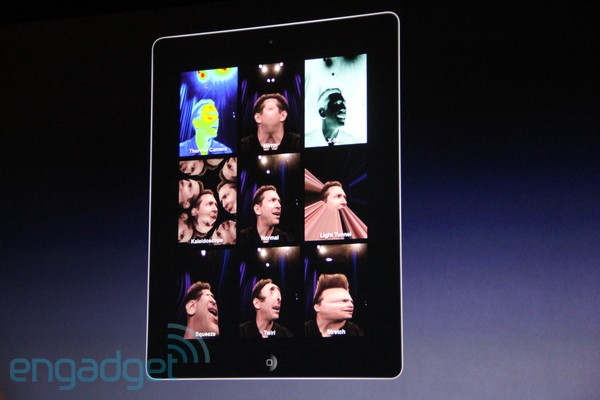
The rumors were true, and the iPad 2 will get a Photo Booth. Thanks to its faster processor and graphics, the Photo Booth app will be able to let you see 9 video streams at once, on the screen.

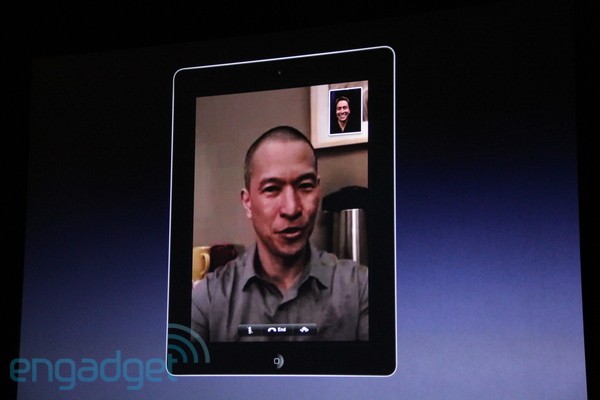
And of course, the iPad 2 has FaceTime support. You can call other iPad owners, but also iPhone 4s and Macs. The interface looks very similar to the one seen on the iPhone.


iPad 2: HDMI Out, Smart Cover with Magnetic Grasp

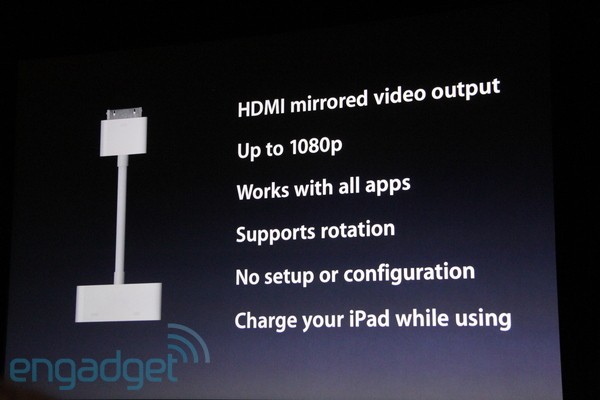
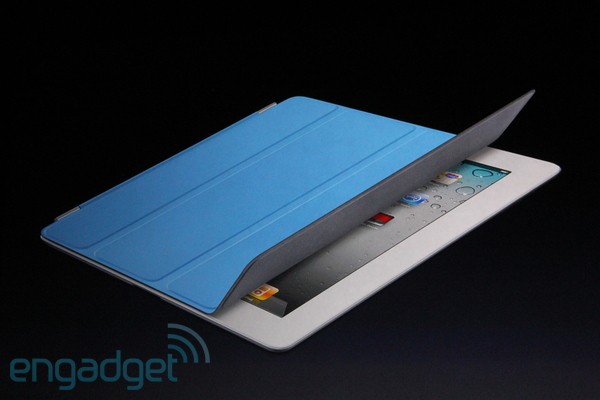
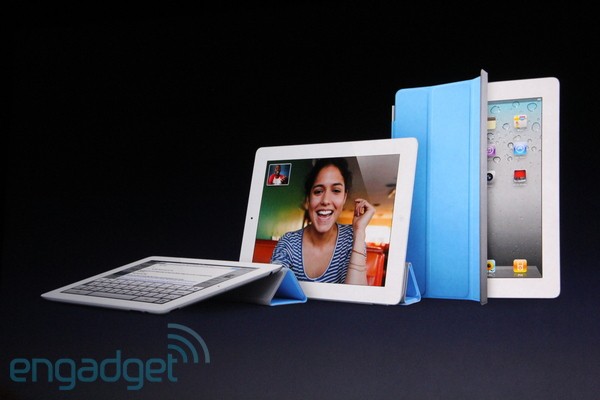
Apple just announced the iPad 2 will do HDMI out with a $39 cable accessory that provides 1080p output in every app. Also, the iPad 2 won’t get a case – rather, Apple is launching “Smart Covers”, a set of covers available in multiple colors that automatically attach and align to the iPad 2 and can wake the screen when they are removed (as previously reported).

They grasp it, and auto-align it. I’ll show you a little video. It’s so cool. You can remove it in a second. It adds minimal weight and thickness. It’s got a microfiber cloth that cleans the screen.

Poly cases are available at $39, leather $69. Oh, and they seem to work as stands, too.


This Is The iPad 2: White Version Available, Same Price of iPad 1 [Update: Photos, Videos]

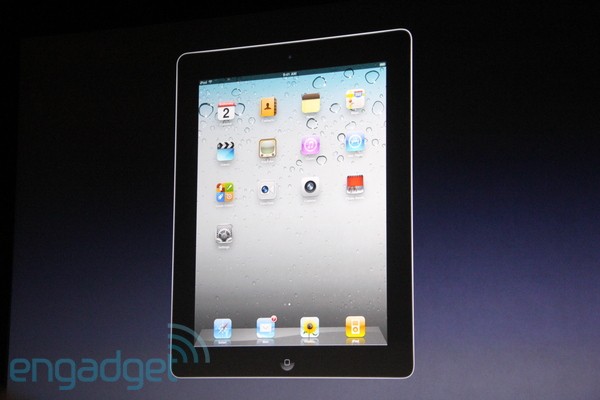
Finally, it’s here. At Apple’s media event at the Yerba Buena Center, Steve Jobs just unveiled the second generation iPad. It’s called iPad 2. It features an all-new design, it’s faster, it’s got an Apple A5 processor with dual core CPU, faster graphics. Two cameras, rear and front facing ones. A gyroscope, perfect for gaming. It looks very similar to the leaked mockups we’ve seen in the past weeks.

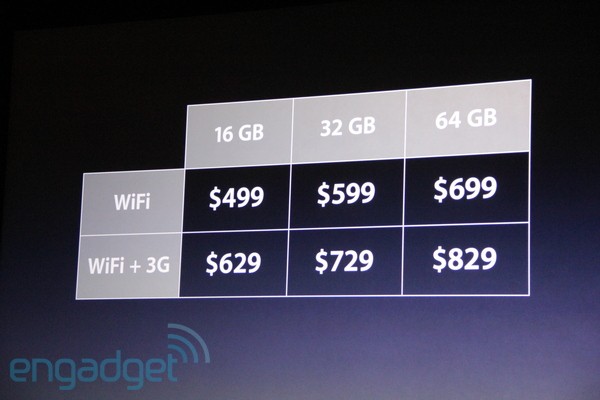
iPad 2 is 33% thinner than the original one, 3.4mm to 8.8mm. It’s got tapered edges and it’s even thinner than the iPhone 4. It comes in a new white design, it’s got the same 10 hours of battery life. Same prices of iPad 1. Available both in WiFi and 3G versions for AT&T and Verizon.

Other iPad 2 coverage today:

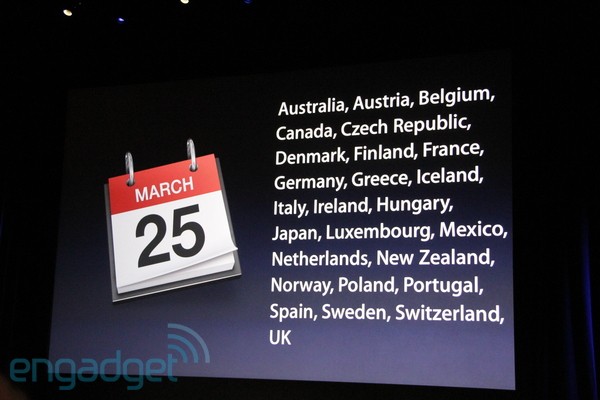
Pictures courtesy of Engadget. More details below, and look for a detailed roundup of iPad 2 in a few minutes on MacStories.

Update: First hands-on pictures below as well. Read more


Another Angry Birds Seasons Update Coming: St. Patrick’s Day Version

The iPad 2 is just around the corner now, but the Angry Birds news just won’t stop coming in. After thanking Apple for all their efforts to build the App Store system that allowed Angry Birds to sell millions of copies, Rovio CEO Peter Vesterbacka confirmed at a GDC panel that another update for Angry Birds Seasons is coming, and this time will feature special levels for St. Patrick’s Day.

What’s St. Patrick’s Day, you ask? It’s an Irish holiday for the patron saint, where people wear green (the national color of Ireland) and, well, usually drink a lot of beer. Should we expect green-based levels? Maybe. Drunken birds and beer kegs? We have our doubts about that.

But hey, you never know what to expect from Rovio. The update will be available before St. Patrick’s Day, which is on March 17. It’ll be free for all existing Angry Birds Seasons customers. [via DownloadSquad]


Push Browser: An App That Sends Webpages from iOS to OS X

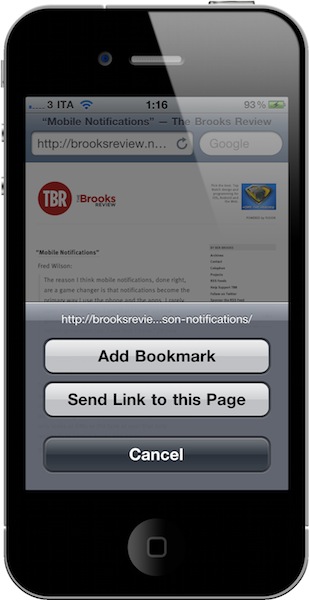
Two weeks ago I realized I needed a way to send a webpage not only from my Mac browser to an iOS device, but from the iPhone or iPad to my Mac browser as well. The reason is simple: I find an interesting link on my iPhone I don’t want to bookmark or Instapaper, yet I want to simply check out later on the desktop. There’s no easy way to do it. So with the help from a friend and support from my Twitter followers, I created a folder action script for OS X that receives links shared from iOS through Dropbox and opens them in a new tab in the system’s browser. The method still works for me and it’s a really easy (yet powerful) way to save just about any link for later desktop usage, but I saw many had trouble trying to make the script work or integrate it with Dropbox. So here comes an app for that. Read more


Simple iOS Photo Editing with Crop and Straighten

Crop and Straighten by Fingertips is the photo editing app for iOS Apple should have built into their operating system. It’s a simple, fast, minimal solution to change the aspect ratio of your photos and crop them, on the iPhone and iPad. That’s it.

You fire up the app, and you’re asked to import a photo from your camera roll. Choose one, and you’re ready to edit. You can pinch to zoom and focus on a specific detail, or rotate the photo with the usual two-finger gesture and adjust it taking a look at the grid that appears on screen. Very simple. If you want to change the aspect ratio, tap the button in the toolbar and you can choose between 1:2, 2:3, 3:4, 6:7 and 1:1.

If you need an app to quickly crop your photos (especially on the iPhone), Crop and Straighten is highly recommended. Go download it here.