Federico Viticci

10804 posts on MacStories since April 2009

Federico is the founder and Editor-in-Chief of MacStories, where he writes about Apple with a focus on apps, developers, iPad, and iOS productivity. He founded MacStories in April 2009 and has been writing about Apple since. Federico is also the co-host of AppStories, a weekly podcast exploring the world of apps, Unwind, a fun exploration of media and more, and NPC: Next Portable Console, a show about portable gaming and the handheld revolution.

Engadget’s Hands-On With The New MacBook Pros

The folks at Engadget got their hands on a new MacBook Pro, a $2,199 configuration with 2.2GHz quad-core i7, AMD Radeon HD 6750M, 750 GB hard drive, 4 GB of RAM. The machine “clocked a preliminary GeekBench score of 9647”. Unfortunately, they can’t test Thunderbolt devices right now:

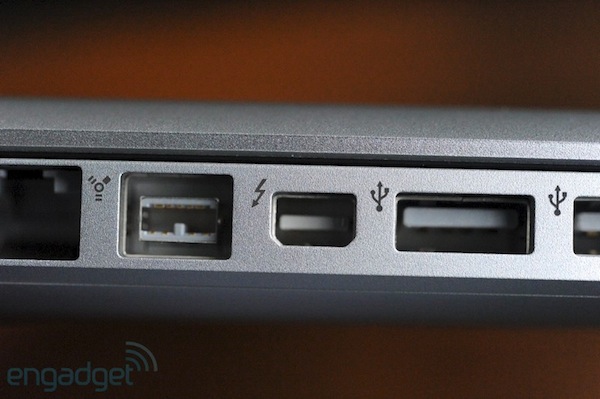
We just got our new 15-inch MacBook Pro review unit, and although it looks almost exactly the same as the previous MBP, it has that fancy new Thunderbolt icon on the side, which ought to make I/O nerd hearts flutter the world over. Unfortunately, there aren’t any Thunderbolt peripherals on the market yet, so we can’t really test the new connection yet, but we can report that backwards compatibility with Mini DisplayPort performs as advertised and that all of our display adapters worked without issue – the first time we can ever remember Apple switching a standard and not requiring all new dongles.

They saw a demo with a prototype Promise RAID unit, however:

We also watched a 5GB file transfer in just a few seconds – all very impressive, but we’re definitely anxious to try some of this stuff ourselves once Thunderbolt devices start shipping sometime in the spring.

This is why Thunderbolt will (sooner or later) change the way we think of desktop connectivity.

BGR: iOS 4.3 GM Next Week, Build 8F190?

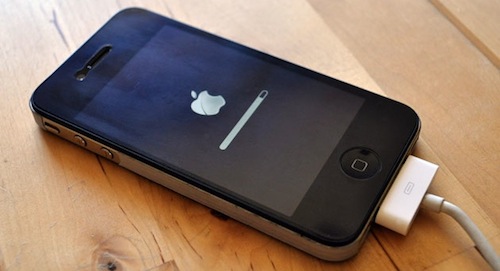
Boy Genius Report claims Apple has finalized the code of iOS 4.3 and a GM build with version number 8F190 should be available in a few days, perhaps next week. We’ve heard Apple was set to release this build weeks ago, but major issues were found in Bluetooth connectivity, AirPlay and camera roll, among others.

One of our Apple sources has just informed us that it looks like Apple has finalized the code for its upcoming iOS 4.3 release. The build, we’re told, is 8F190 for those keeping track.

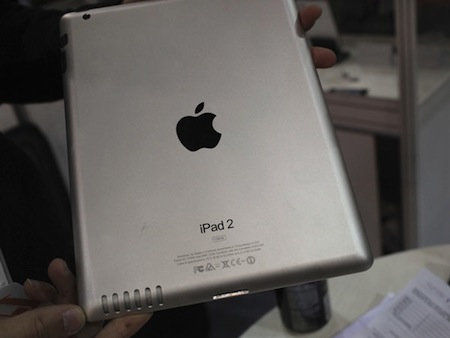
At this point it seems clear that Apple will announce the availability of the GM build at next week’s media event, where the next-generation iPad will be unveiled as well. The iPad 2 is rumored to run an updated version of iOS 4.3 with FaceTime and Photo Booth enabled.


OS X Lion Apps Require Xcode 4.1 [Update: Released]

So, Apple released the first developer preview of OS X 10.7 Lion today. While we’re updating our post with all the details as they come in, we have noticed on the developer website that Xcode 4.1 will be required to build apps for Lion.

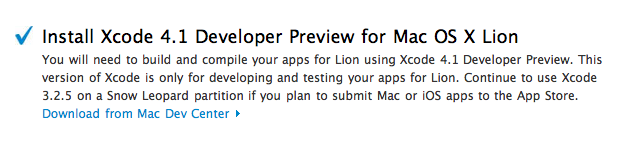
You will need to build and compile your apps for Lion using Xcode 4.1 Developer Preview. This version of Xcode is only for developing and testing your apps for Lion. Continue to use Xcode 3.2.5 on a Snow Leopard partition if you plan to submit Mac or iOS apps to the App Store.

The new build of Xcode isn’t available yet, the Dev Center is under heavy traffic right now, but we’ll keep you posted as Apple releases Xcode 4.1 to developers. Read more


Apple Introduces New MacBook Pros

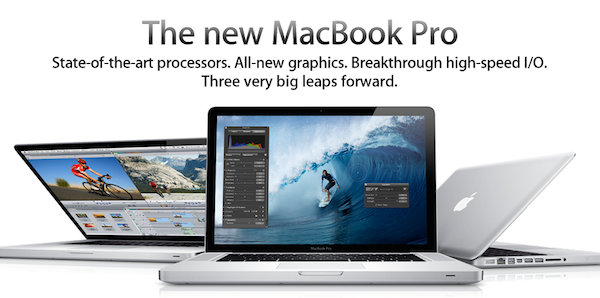
Apple introduced the new MacBook Pro line today with Intel “Sandy Bridge” processors and Light Peak technology renamed “Thunderbolt”, integrated over mini DisplayPort on the 13”, 15” and 17” models. In this year’s update to the line, Apple included quad-core CPUs in the 15” and 17” MacBook Pros, and new AMD Radeon GPUs.

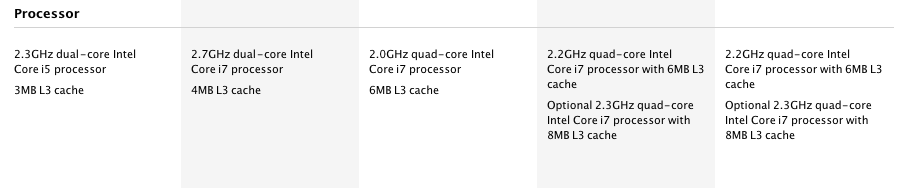
The 13-inch MacBook Pro is available in two configurations: one with a 2.3 GHz Dual-Core Intel Core i5 and 320GB hard drive starting at $1,199; and one with a 2.7 GHz Dual-Core Intel Core i5 and 500GB hard drive starting at $1,499.

The new 15-inch MacBook Pro is available in two models: one with a 2.0 GHz Quad-Core Intel Core i7, AMD Radeon HD 6490M and 500GB hard drive starting at $1,799 and one with a 2.2 GHz Quad-Core Intel Core i7, AMD Radeon HD 6750M and 750GB hard drive starting at $2,199.

The new 17-inch MacBook Pro features a 2.2 GHz Quad-Core Intel Core i7, AMD Radeon HD 6750M and 750GB hard drive and is priced at $2,499.

Press release here. Specs below, full specs here.

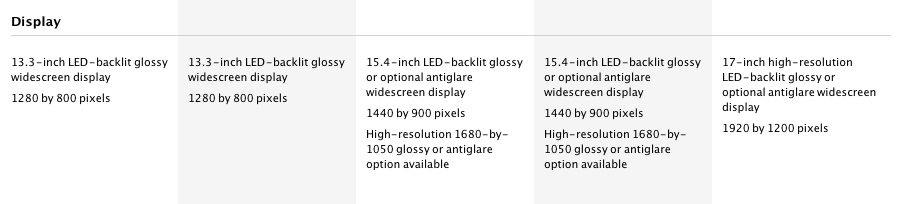
MacBook Pro 13” -  1280x800 screen resolution. 2.3 GHz Intel Core i5, Dual core. 320 GB 5400 rpm hard drive. 4 GB 1333 MHz RAM. Intel HD 3000.

MacBook Pro 13” -  1280x800 screen resolution. 2.7 GHz Intel Core i5, Dual core. 500 GB 5400 rpm hard drive. 4 GB 1333 MHz RAM. Intel HD 3000.

MacBook Pro 15” - 1440x900 screen resolution.  2.0 GHz Intel Core i7, Quad core. 500 GB 5400 rpm hard drive. 4 GB 1333 MHz RAM. AMD Radeon HD 6490M 256 MB.

MacBook Pro 15” - 1440x900 screen resolution.  2.2 GHz Intel Core i7, Quad core. 750 GB 5400 rpm hard drive. 4 GB 1333 MHz RAM. AMD Radeon HD 6750M 1 GB.

MacBook Pro 17” - 1920x1200 screen resolution. 2.2 Ghz Intel Core i7, Quad core. 750 GB 5400 rpm hard drive. 4 GB 1333 MHz RAM. AMD Radeon HD 6750M 1 GB.

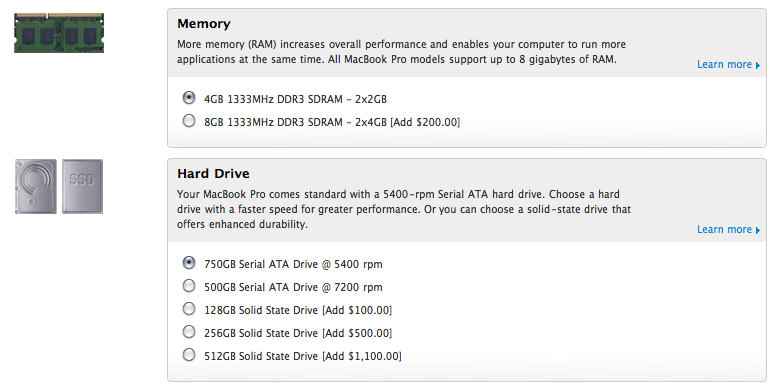
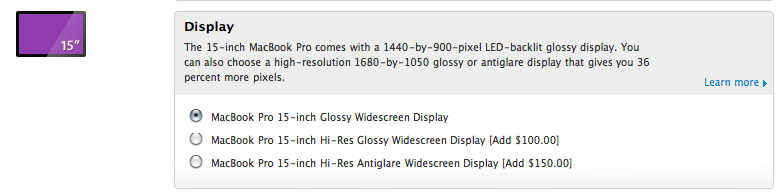
Update: configuration options available for the new MacBook Pros. A few notes: no 7200 rpm drive for MBP 13”, no high-res display option for MBP 13”, SSD up to 512 GB available.

Read more


FaceTime for Mac Now Available in the Mac App Store, 720p Video Calling

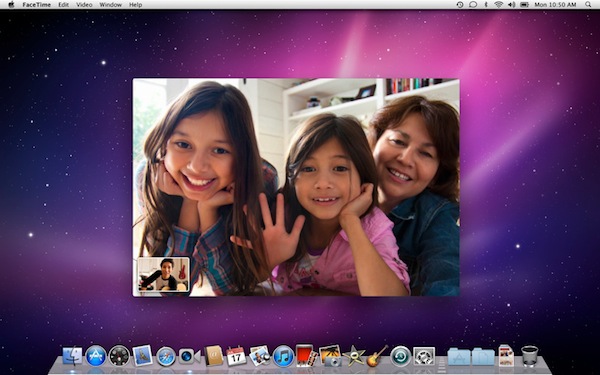
Ahead of the new MacBook Pros, Apple launched the final version of FaceTime for Mac in the Mac App Store today. It’s priced at $0.99. The new version of FaceTime for Mac will allow 720p video calling Mac-to-Mac with supported Intel models that have a FaceTime HD camera – the new MacBook Pros. New MacBook Pro owners will get the app pre-installed, other users will have to buy it from the Mac App Store.

Video calls require a built-in FaceTime camera, an iSight camera (built-in or external), a USB video class (UVC) camera, or a FireWire DV camcorder; and a 128-Kbps upstream and downstream Internet connection. Making HD video calls requires a built-in FaceTime HD camera and a 1-Mbps upstream and downstream Internet connection. Receiving HD video calls requires a supported Intel-based Mac (for a complete list, visit http://support.apple.com/bk/HT4534).

Full description below. Read more


New MacBook Pro 15” Specs Leaked? AMD Radeon, Thunderbolt, No SSD

The Apple Store is down, the new MacBook Pros are only a few hours away at this point, yet Mac4Ever is posting a photo of the specs of the new MacBook Pro 15-inch (although it’s not specified whether it’s a low-end or high-end model).

First off, no SSD. There’s a 500 GB 5400 rpm hard drive in there. The photo also shows the following details:

  • Intel Core i7, quad-core, 2Ghz
  • 4 GB SDRAM DD3

  • Thunderbolt port as seen on the leaked MacBook Pro 13” photos

  • AMD Radeon HD 6490M graphic processor

  • FaceTime HD camera

  • SuperDrive 8x

  • SDXC, two USB ports, ForeWire 800

  • 1440 x 900 screen resolution

Mac4Ever posted a series of leaked shots yesterday, later confirmed by multiple sources, so we’re very confident this photo is real. We’ll find out in a few hours anyway. Read more


Joystickers’ Classic Will Put Buttons On Your iOS Device

If you’re a hardcore iOS gamer and you’ve always felt like your iPhone and iPad could use some hardware button love in certain games (coughshooters and platformscough), you should take a look at this new Kickstarter project by a Chicago-based startup called Joytstickers, which aims at improving the quality of your gaming by putting physical buttons on the shiny glass surface of your iOS device of choice.

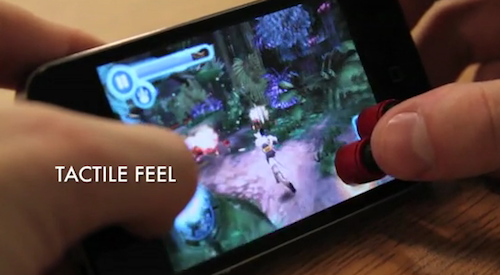
Question is: how? The Classic, a product that’s been in development for 9 months, is a set of buttons that can stick to an iPhone’s screen thanks to a special “micro-suction cup material imported from Japan” that’s invisible to the naked eye but allows the material to stay put on the screen without damaging it or leaving any sign of attachment. As you can see in the promo video, they really just stick. The reason why Joystickers is doing this is to overcome the lack of tactile feedback when playing iOS games. Personally, I can say this sounds extremely good for games like Pizza Boy or shooters that require a “fixed” control position on a glass screen that, admittedly, doesn’t usually make gamers so excited. The only major problem for now is that there’s no solution for directional (D-Pad) controls, meaning that you’ll either have to stick 4 buttons on screen and forget about diagonal input or just use a Classic for non-directional virtual buttons.

The startup is also promoting a brush and a stylus for iOS, but we think The Classic is the most interesting product available on Joystickers’ Kickstarter page. You can back the project here by pledging $1 or more, and it will be funded if $25,000 is pledged by March 24th. [via MobileCrunch] Read more


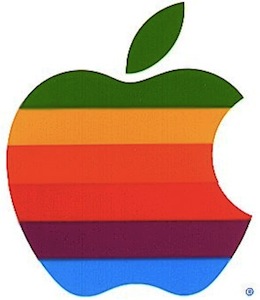
An Interview With The Designer Of The Apple Logo

Craig Grannel posted a transcript of his interview with the designer of the original Apple logo, Rob Janoff. Sorry to destroy all the theories about the logo:

What was the thinking behind the colour order of the stripes, and the ‘bite’?

There wasn’t a whole lot of hidden meaning behind the colours. The logo predates the gay-pride flag by about a year, so that wasn’t it—and there also goes the whole Alan Turing myth! The religious myths are just that too—there’s no ‘Eve and Garden of Eden’ and ‘bite from the fruit of knowledge’ symbolism!

I didn’t have much of a formal brief on the logo assignment, other than “don’t make it cute”. But I did know the selling points of the Apple Computer, and one of the biggest was colour capability. To me, that looked like colour bars on a monitor, which became the stripes in the logo. The order of the stripes, I’m sorry to say, had no particular grand plan other than I liked them that way. And, of course, the green stripe would be at the top where the leaf is.

The bite is really about scale and the common experience of biting into an apple. It was a happy accident that ‘byte’ is a computer term.

It’s just an Apple. [via The Brooks Review]

Permalink

New Design for MacBook Pros in 2012? Next Week’s iPad 2 Actually an iPad 1.5?

Following today’s leaks of the upcoming MacBook Pros and the official iPad 2 event announcement by Apple, iLounge has posted more information on the next-generation MBPs and iPads we’re going to see tomorrow and next week. According to iLounge’s sources, this year’s MacBook Pro refresh is turning out to be an incremental upgrade / speed bump, but a major redesign for the line is planned for 2012, and it’s already in development at Apple’s manufacturers in Taiwan.

Next year is the year when Apple will introduce an all new design for the MacBook Pro product family, which is already under development at Quanta in Taiwan. It’s being described as a big, “milestone” release for the Pro family, as compared with the speed bump features that will be introduced in tomorrow’s models.

Read more