Federico Viticci

10804 posts on MacStories since April 2009

Federico is the founder and Editor-in-Chief of MacStories, where he writes about Apple with a focus on apps, developers, iPad, and iOS productivity. He founded MacStories in April 2009 and has been writing about Apple since. Federico is also the co-host of AppStories, a weekly podcast exploring the world of apps, Unwind, a fun exploration of media and more, and NPC: Next Portable Console, a show about portable gaming and the handheld revolution.

Thermo: “Hot” Weather App by Robocat, Free

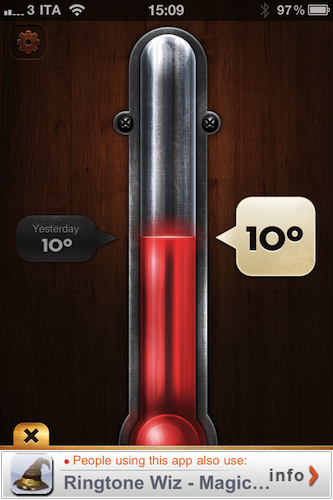
Robocat is a quite popular iOS development studio that released a weather app for the iPhone we have covered a few times on MacStories: Outside. Their latest effort in mobile weather software, Thermo, takes from where Outside left off with beautiful graphics and intuitive interface but adds a serious level of simplicity stripping away all the additional features found in the former app. Thermo is, in fact, free and aimed at letting you see the temperature of where you live.

The app comes with delicious interface design, indeed. In pure Robocat style, Thermo is really, really “hot”. You can select temperature in Celsius and Fahrenheit degrees, check on today’s temperature and the one from the day before. Tap on the thermometer to refresh. That’s it. In the settings, you can disable auto-locate, go ad-free ($0.99) and select your unit of choice.

Thermo is a simple weather app with a pretty design. Go download it here.


Verizon To Throttle Data Speeds, Compress Images & Videos To Keep Its Network Up

Early reviews of the Verizon iPhone were clear about one point: it’s a great phone, but data is slower than AT&T’s network. The Verizon iPhone gathered good phone call points among reviewers, but each one of them mentioned the fact that, both in download and upload, AT&T was faster. And it looks like things are only getting worse.

As reported by BGR, to handle the flock of new iPhone users on its network Verizon will begin throttling data speeds for the top 5% data users:

Verizon Wireless strives to provide customers the best experience when using our network, a shared resource among tens of millions of customers. To help achieve this, if you use an extraordinary amount of data and fall within the top 5% of Verizon Wireless data users we may reduce your data throughput speeds periodically for the remainder of your then current and immediately following billing cycle to ensure high quality network performance for other users at locations and times of peak demand.

But it gets even worse than data throttling. To keep its network capacity at an optimal level for customers, Verizon will compress images and videos over the air (to save bandwidth) before they’re served to a device. Here’s what the PDF memo says:

These techniques include caching less data, using less capacity, and sizing the video more appropriately for the device. The optimization process is agnostic to the content itself and to the website that provides it. While we invest much effort to avoid changing text, image, and video files in the compression process and while any change to the file is likely to be indiscernible, the optimization process may minimally impact the appearance of the file as displayed on your device.

While it’s likely that these “optimizations” (we think “compressions” is a more appropriate term) will happen only during the first period of Verizon iPhone on sale, it’s still inconvenient for customers to not have access to high-quality media on 3G. Full excerpts and link to the PDF document available on BGR. Pre-orders of the Verizon iPhone went live last night.


First Verizon iPhone Reviews Are In

It begins. The usual TechCrunch, Walt Mossberg and Engadget got their Verizon iPhone units and have just posted reviews online. A few interesting quotes about sound and call quality:

Mossberg:

Calls on the Verizon unit were mostly crisp and clear, including speakerphone calls and those made over my car’s Bluetooth connection. On my first full day of testing, I did have several Verizon calls that dropped out for a few seconds, before recovering. Apple attributed this to a very minor glitch I’d encountered in my initial setup of the phone and urged me to reboot it. I did and suffered no more momentary dropouts.

TechCrunch: (MG Siegler)

This Verizon version of the iPhone 4 seems to have none of the same antenna issues. Try as I might, using the “death grip” and every other grip I can actually do, I can no longer reproduce the same attenuation problem that the previous iPhone 4 model had. I death grip the thing, and no bars drop. More importantly, calls don’t drop and data doesn’t stop. Again, Apple won’t comment, but problem, apparently, solved.

Engadget: (Joshua Topolsky)

So, does the phone exhibit more favorable behavior in regards to dropped / failed calls? The answer is yes – with a caveat. We had many, many perfectly connected and sustained calls while on the Verizon iPhone (many times during testing we actually had to switch from our AT&T device to the Verizon device just to complete the call). After a couple of days of use, the fear that normally sets in about five minutes into a connected call with an AT&T iPhone all but disappeared, and we found ourselves wanting to have longer talks and not worrying so much about the potential for dropped and interrupted calls.

But on to that caveat. While the phone did connect much more reliably and consistently, it wasn’t impervious to broken connections and sound quality issues. In areas where we had a weak signal, or when moving around, we experienced call interference (our callers noted this as well), and in two instances, we did drop a call when moving from one place to another (clearly an area with less Verizon juice).

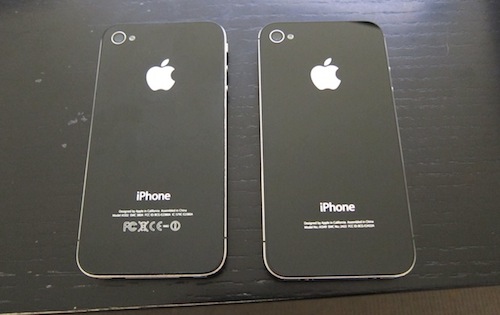
So it seems like Antennagate is officially a thing of the past, some dropped calls were experienced, but it depends on your area. No surprise there. It’s just the same iPhone 4 on a different carrier, which means a great device on the network people were waiting for.


Thoughts On The Daily: The Newspaper, The App, The “Newspaper App”

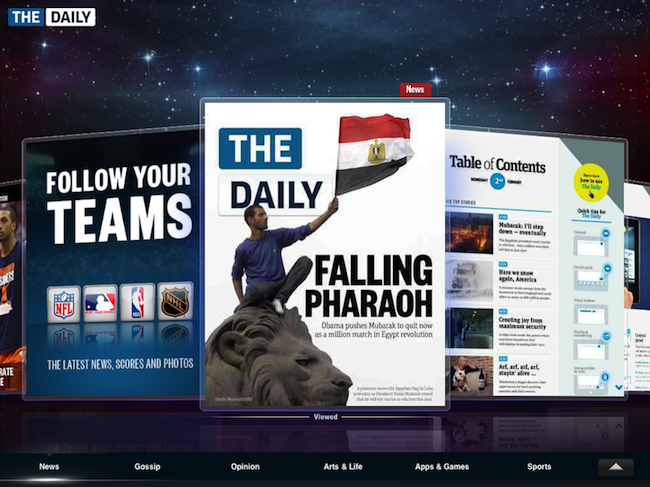
The problem with The Daily, the long anticipated iPad-only publication launched today in a joint effort of News Corp. and Apple, is that it’s three things in a single package: an app, a newspaper and a business model. Taking an early look at The Daily is difficult because of its intrinsic nature of newspaper that’s an app aimed at making Rupert Murdoch’s wallet larger.

I have been testing The Daily for a few hours now, I’ve read most of its content and played around with the social functionalities, and I still don’t know where the newspaper is going as a daily publication, or what’s the general guideline established at News Corp. After all, you can’t get to know a newspaper and its feeling after a single issue or, in our case, “refresh”. But I do have some impressions to share, some complaints to make about The Daily as an iPad application and thoughts on the potentialities of Murdoch’s promise to re-imagine newspapers in the tablet’s era. Read more


Someone Brought An iPad 2 To The Daily Launch

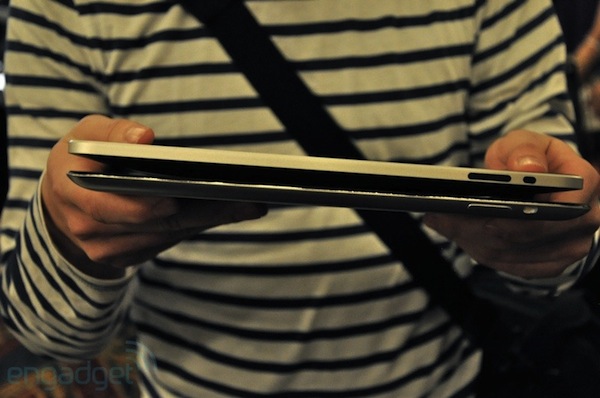
In a room crowded with journalists and bloggers obsessed with Apple, it might not be a good idea to bring a prototype of the unreleased next-generation iPad with you. Because yes, apparently someone brought an iPad 2 at today’s launch of The Daily. The device was spotted by Reuters and, guess what, it appears to carry a front facing camera:

A Reuters eyewitness saw what appeared to be a working model of the next iPad with a front-facing camera at the top edge of the glass screen at a press conference to mark the debut of News Corp’s Daily online paper in New York on Wednesday.

A source with knowledge of the device confirmed its existence, adding that the final release model could have other features. News Corp and Apple declined to comment.

Did the working model belong to an Apple employee? If so, how can you even think of bringing one to the launch of The Daily? Or maybe Reuters saw some weird light reflection, and the “source” fooled them to think it was an iPad 2?

Now, our question is: where is the photo?


Verizon Contact Transfer App for iPhone Now Available

As noted by TiPB, Verizon has released a first version of its Contact Transfer app in the App Store. The free iPhone app, which only works with Verizon iPhones and won’t do anything on your AT&T device, can import contacts from your previous Verizon phone using the external Backup Assistant service.

This application is only for Verizon wireless users. Download the free application to transfer your contacts from your Backup Assistant device to your new device. All your contacts will be transferred to your new device with in minutes.

Backup Assistant is the service Verizon uses to let customers save their contacts in the cloud and easily restore them on any device. The iPhone version will behave just like you’d expect from a Verizon handsets, although I guess for Mac users it should be simpler to just sync their Address Book using iTunes. Or, if you’re a MobileMe subscriber, activate contact syncing over the air. Still, if you happen to have an old Verizon phone and you never backed up your contacts to the desktop, this app might help during the process.


MyWi “On Demand” Now Available, Brings Smart Hotspot to iOS

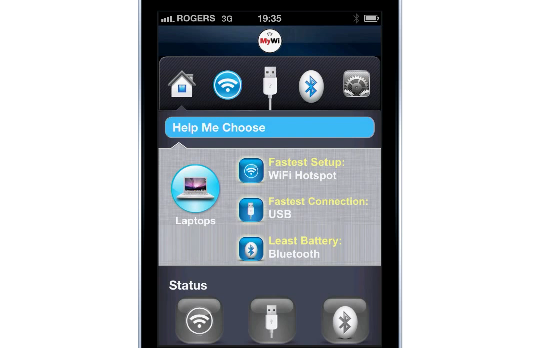
MyWi, a popular app available in Cydia that allows users to turn their 3G-capable devices into mobile hotspots for internet tethering, was updated today to include a new functionality the Intelliborn developers call “On Demand”. The new feature, which can be unlocked for $4.99 following the $19.99 app purchase, allows iPhones and iPads to “understand” when the mobile hotspot feature needs to be activated, or disabled.

A problem with mobile hotspots on the iPhone, in fact, is that you can’t specify settings for when a WiFi connection becomes available and you can stop tethering to other devices. The new MyWi On Demand connects when you need it, and shuts down when you don’t. After the usual pairing session between the hotspot device (say, the iPhone) and a non-3G device like your iPad WiFi, the iPad will automatically join the internet connection shared by MyWi when no other option is available, and disconnect from MyWi when another connection is found (your home wireless connection, for example). The system is pretty smart and useful, especially considering that it easily lets you save dozens of MBs of data.

More details on MyWi On Demand can be found here, and you can check out the promo video below. Apple’s next major update to iOS, version 4.3, will introduce a similar functionality called “Personal Hotspot” that enables users to turn their iPhones into portable hotspots to share an internet connection. Read more


How To Create, Manage and Renew iTunes App Subscriptions

With the launch of The Daily this morning, Apple also introduced the long-rumored subscriptions for apps, which allow you to automatically get an app’s new content as long as you pay a weekly or annual fee. At least that’s how it works with The Daily, and we have collected all the details about News Corp’s subscription implementation here.

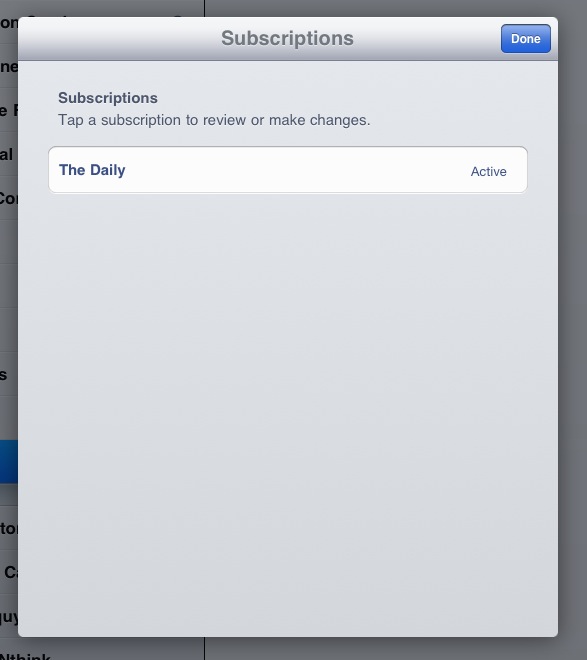
I was curious to see how subscriptions worked on Apple’s end though, so I tried to manually activate a new 7-day subscription in The Daily to see what would happen in my iTunes account. At first I couldn’t activate a new subscription (besides the two-week free trial period offered by Verizon Wireless), so I waited a couple of hours and tried again. Inside The Daily, you can access subscription management through the Settings. Choose your subscription, confirm that you’re willing to give out your personal information like zip code, name and email to “the publisher” (in our case, The Daily Holdings), enter your Apple ID password and tap Done. In the current version of The Daily, there is no confirmation of a successful subscription. Read more


Verizon iPhone Coming to Best Buy On February 10

Best Buy just issued a statement confirming that the Verizon iPhone will be available in their stores on Feb. 10:

Best Buy today announced that the iPhone 4 from Apple on the Verizon Wireless network will be available in Best Buy and Best Buy Mobile specialty stores across the country beginning Feb. 10, the first day the device is available to the public.

The iPhone 4 is an important device for Best Buy and we are excited to help Apple and Verizon Wireless bring it to even more consumers,” said Shawn Score, president of Best Buy Mobile. “Our customers have come to expect Best Buy and Best Buy Mobile stores to carry the best selection of mobile phones anywhere, and offering the iPhone 4 on Verizon’s network is our latest effort to deliver on that promise.

Pre-orders of the device will start tomorrow. [via All Things Digital]