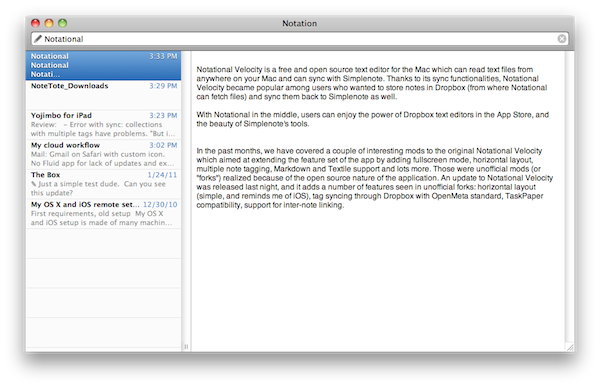
Notational Velocity is a free and open source text editor for the Mac that can read text files from anywhere on your computer and syncs with Simplenote. Thanks to its sync functionalities, Notational Velocity became popular among users who wanted to store notes in Dropbox (from where Notational can fetch files) and sync them back to Simplenote as well. With Notational in the middle, users can enjoy the power of Dropbox text editors in the App Store, and the beauty of Simplenote’s tools.
In the past months, we have covered a couple of interesting mods to the original Notational Velocity which aimed at extending the feature set of the app by adding fullscreen mode, horizontal layout, multiple note tagging, Markdown and Textile support and lots more. Those were unofficial mods (or “forks”) realized because of the open source nature of the application. An update to Notational Velocity was released last night, and it adds a number of features seen in unofficial forks: horizontal layout (simple, reminds me of iOS), tag syncing through Dropbox with OpenMeta standard, TaskPaper compatibility, support for inter-note linking. Tags can be entered in a dedicated column of the vertical view, but I haven’t found a way to show tags while in horizontal mode. These tags have full Spotlight support as they’re based on OpenMeta (which means they’ll also work with other Mac apps like Tags and Leap). Lots of changes and small fixes are included in this update – I appreciate the fact that notes can now be created with the “nv://make/” URL syntax and AppleScript search support. I also find the new icon more elegant and unobtrusive than the previous one.
Overall, it’s the same Notational you know and love only with a few changes, a new layout and lots of minor improvements you can check out below. Download here. Read more