Federico Viticci

10804 posts on MacStories since April 2009

Federico is the founder and Editor-in-Chief of MacStories, where he writes about Apple with a focus on apps, developers, iPad, and iOS productivity. He founded MacStories in April 2009 and has been writing about Apple since. Federico is also the co-host of AppStories, a weekly podcast exploring the world of apps, Unwind, a fun exploration of media and more, and NPC: Next Portable Console, a show about portable gaming and the handheld revolution.

iPhone 3G Runs Android Gingerbread

A group of hackers managed to successfully install and run the latest version of the Android operating system, version 2.3 labelled “Gingerbread”, on an old iPhone 3G. This is not the first time the 2008 iPhone gets Android and Linux ports, as the OpeniBoot software tool allows hackers and developers to inject any other OS into the device’s memory and execute it.

As you can see in the video below, it all looks pretty slow and definitely not ready for a public release – we’re not even sure actual functionalities such as Bluetooth or WiFi are working on that. Still, if you have the required patience to install it, wait for it to boot and use it with laggy multitouch gestures, you can show your non-geek friends that you have an iPhone that runs Google’s Android.

Because you’ve always wanted to do that, right? [via Covering Web] Read more

Mac App Store Review: DropBook, Desktop Facebook Uploader

I’m not that kind of user who heavily relies on Facebook on a daily basis, but I can spot a good Facebook app when I see one. I may not be the guy who uploads hundreds of pictures every week and posts just about any thought on world’s most crowded social network, yet I don’t mind trying iOS apps that integrates with the platform from time to time. With the release of the Mac App Store, I expected to see some Facebook apps for the Mac to show up; new apps, software we haven’t seen before. After all, a platform like the Mac App Store seems to be meant for the average user who depends on another platform, Facebook.

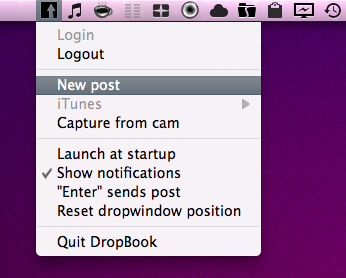
DropBook is a new app developed by i-NOVATION and released in the Mac App Store at $2.99. It looks like a simple Facebook uploader that’s actually packed with functionalities, but still manages to let users access these features with ease and a few clicks. Read more


Rovio Releases Angry Birds Free with 12 Exclusive Levels

While we were all waiting for the OS X 10.6.6 and the Mac App Store to show up in Software Update, Rovio released a new version of Angry Birds in the App Store, for free. The app is called “Angry Birds Free” and must not be confused with “Angry Birds Lite”, which wasn’t updated since last April. This new version of the popular iOS (and now Mac, too) game contains 12 exclusive levels specifically built for users who want to try a free version before a paid upgrade.

But Angry Birds Free doesn’t stop at new levels not accessible in the paid counterparts. It’s also got Game Center integration with leaderboards and achievements, plus 4 new mini episodes that should keep you entertained before considering going paid. Two weeks ago, Rovio added 15 new levels, Game Center support and the Mighty Eagle to Angry Birds HD for iPad.

Angry Birds Free is available here, well, for free.


A Paintbrush Stylus for iPad Is What Every iArtist Needs

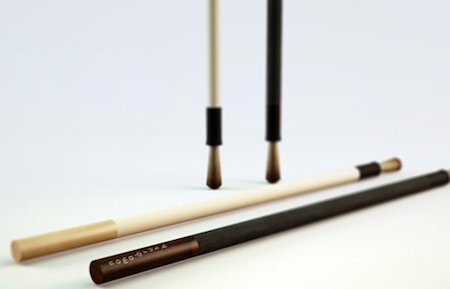
Realized by NomadBrush and made “with a long handle and soft bristles”, this paintbrush stylus looks like a first on the iPad. It’s coming in February, “patent is pending” according to the official teaser website and with this, you should be able to come up with original digital creations like the ones we’ve seen before.

Well, here’s your chance to become an iArtist. Check out the promo video below. [Gizmodo via NomadBrush] Read more


Mac App Store Review: Unretina, Simple Utility for iOS Designers

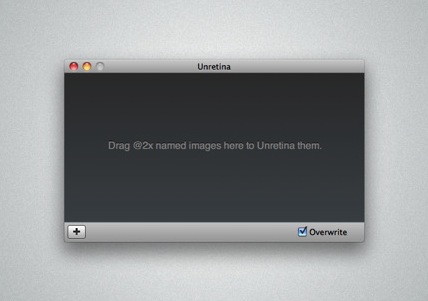
Released for free in the Mac App Store and developed by Bonobo Labs, Unretina is an OS X utility specifically geared towards iOS designers and developers. What this app does is very simple: it provides a way to easily resize “2x” images built for the Retina Display in order to make them compatible for artworks on older Apple devices.

Unretina takes graphic files designed for the iPhone 4 and iPod touch 4th gen and resizes them to a resolution compatible with, say, the iPhone 3GS and older iPod touches. It should work for all devices that don’t come with a Retina Display. Through a simple drag & drop interface, Unretina looks like a straightforward utility for designers that does one thing well.

Looking at the reviews in the Mac App Store description page, it appears that the app uses Bicubic resampling to resize graphic files. This may lead to a tiny sharpness loss, and a few pixels off. Something that, apparently, most designers won’t care about.

Unretina is available for free in the Mac App Store.


Weather HD by Vimov Victim of Name Squatting in Mac App Store

iOS and Mac development studio Vimov saw an unpleasant surprise yesterday in the Mac App Store: another developer, Presselite, is selling an application called “Weather HD” in the Mac App Store. The problem is, Weather HD is the popular application the Vimov guys released for the iPhone and iPad, featured multiple times by Apple in the App Store homepage and covered by all the major tech blogs.

The “Weather HD” that’s being sold in the Mac App Store is not affiliated with Vimov in any way – actually, Presselite “stole” the name from Vimov when registering the app’s name in iTunes Connect. This practice is known as name squatting. Read more


Mac App Store: 1 Million Apps Downloaded on Day One

This morning Apple announced that more than 1 million apps were downloaded from the Mac App Store on Day One. The Mac App Store was launched yesterday with around 1,000 apps available for OS X computers. According to Steve Jobs, “Developers have done a great job bringing apps to the store and users are loving how easy and fun the Mac App Store is”. The Mac App Store indeed offers an easy and fun purchase experience, although it’s pretty clear that some apps don’t exactly follow Apple’s own interface guidelines or aren’t exactly “best of the breed” of Mac software.

The Mac App Store undoubtedly changes the landscape of independent development for the Mac and software installation on OS X. One million downloads in 24 hours isn’t too bad, and we’ll see how these stats will pan out in the next weeks.

Read more


Mac App Store Review: Contacts Cleaner

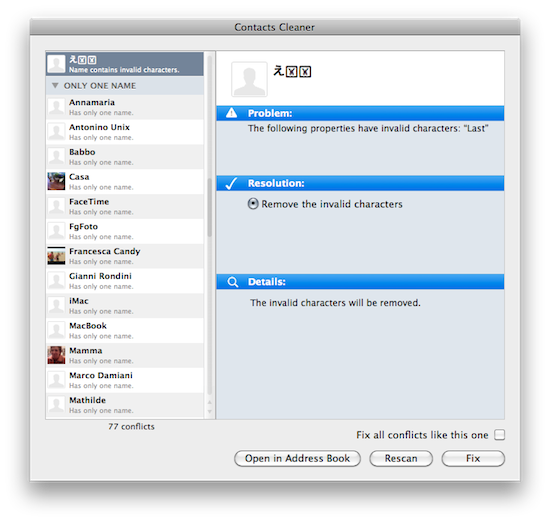
Developed by Spanning Sync and available in the Mac App Store at $4.99, Contacts Cleaner is a simple utility aimed at fixing the little problems that can slowly take over your state-of-the-art Address Book organization. I’m talking about unrecognized Unicode characters (because admit it, you tried to paste weird symbols next to your boss’ phone number), missing info and extra spaces between names that shouldn’t be there. Contacts Cleaner can fix these issues thanks to a minimal and simple interface that makes it easy to go through the most scary list of broken contacts. Read more


Mac App Store: Easy Installation of Apps On All Your Macs. Goodbye, DMG.

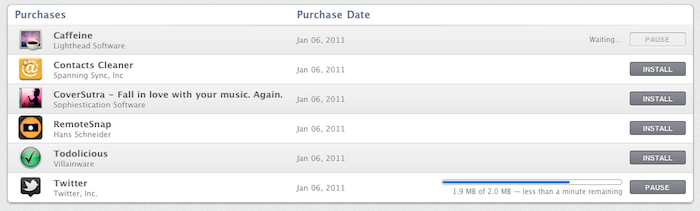
With the Mac App Store, as promised by Apple, you can buy apps once and install everywhere. As long as you make sure all the computers you’re willing to install apps on are your personal Macs (and you’re not trying to pirate apps that don’t come with proper receipt validation), you can purchase apps on your first Mac, and then pass them along to as many machines as you want. From a user perspective, this is just great – although it sort of kills the concept of “family licenses” we were used to in pre-App Store days. Read more