Federico Viticci

10804 posts on MacStories since April 2009

Federico is the founder and Editor-in-Chief of MacStories, where he writes about Apple with a focus on apps, developers, iPad, and iOS productivity. He founded MacStories in April 2009 and has been writing about Apple since. Federico is also the co-host of AppStories, a weekly podcast exploring the world of apps, Unwind, a fun exploration of media and more, and NPC: Next Portable Console, a show about portable gaming and the handheld revolution.

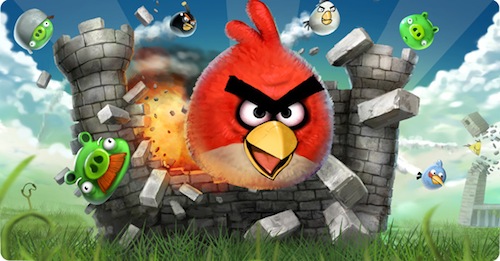
Angry Birds 1.5 for iPad: 15 New Levels, Game Center, Mighty Eagle

Right ahead of Christmas, here comes an Angry Birds HD update for iPad that should grant the millions of Angry Birds and tablet owners out there hours of fun while unwrapping their presents.

Angry Birds HD 1.5 adds Game Center integration, 15 new levels (the previous update added 15 new levels, too), a new “frontier badlands” theme, a new golden egg and the long-awaited Mighty Eagle. Looks like a massive update and it’s no surprise that it’s been approved before the iTunes Connect holiday shutdown.

Angry Birds HD is available at $4.99 here.


Tap Tap Revenge 4 Available: Game Center, 100 Free Songs, Retina Graphics

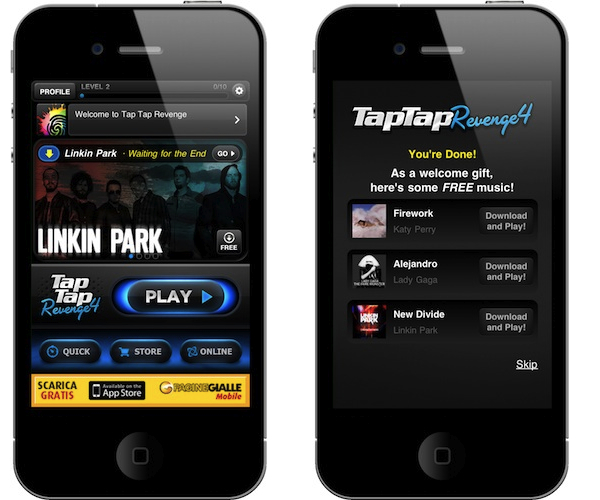
A few hours ago Tapulous (now part of Disney), released a major new version of their iPhone hit Tap Tap Revenge: Tap Tap Revenge 4 is now live in the App Store, and it’s free. This new update is the most important one since the original release of TTR 3 and all its spin-offs, and it features lots of new functionalities, songs and graphics.

First off, the app now sports Retina Display graphics and it’s got Game Center integration. TTR now has global leaderboards to see who has the best scores worldwide, a “like” button to see who else likes the same songs as you and sharing on Twitter, Facebook and email. As far as the built-in community tools go, you can create your own avatar and buy accessories and clothes in the game stores, have chats and private messages with other users, engage in online battles and download free tracks every week.

Speaking of which, Tap Tap Revenge 4 comes with 100 free songs from artists like Linkin Park, Taio Cruz, Metallica, Nicki Minaj and My Chemical Romance, plus premium content from the in-app store. The song selection is pretty huge and should contribute to the game’s replay value. The new user interface is cool although a little bit cluttered in my opinion, the app is free but there’s ugly in-app advertising in the main screen. It kind of ruins the whole feeling of the game – still the Retina graphics are really shiny on the iPhone 4.

Tap Tap Revenge 4 is available for free in the App Store. Full changelog and video below. Read more


iLunascape iPad Browser Adds Firefox Sync

iLunascape is a third-party browser for the iPad which is available for free in the App Store and we mentioned several times in the past. It’s not exactly a “full-featured” alternative browser like the excellent iCab or Atomic, yet it comes with a neat tabbed interface that makes it simple to switch between multiple websites open at once.

iLunascape doesn’t overwhelm you with functionalities, but it’s OK for most people looking for a sweet alternative to Safari.

The latest 1.3 version, released last week, adds the possibility to sync bookmarks back to the desktop thanks to Firefox Sync, which apparently opened up its API to allow other browsers to access a user’s sync settings. The new version also lets you save images and use bookmarklets. Firefox Sync is one of the best ways to keep tabs synchronized and accessible between computers and devices.

iLunascape for iPad is free and available here.


Mailboxes Comes Back To Offer The Best Gmail Wrapper for iPad

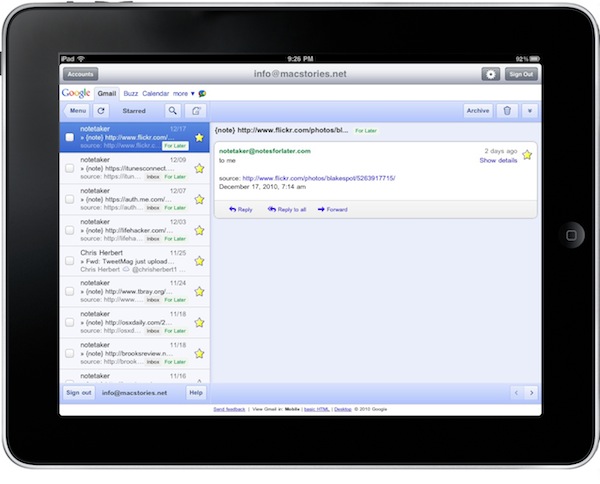
In the past months, I’ve tried a lot of iPad apps to access multiple Gmail accounts. Sure, I could use Apple’s Mail app to manage them. The problem is, Apple Mail doesn’t let me access most of the features of Gmail and I love the Gmail web UI for iPad. Also, Google has been busy updating Gmail to make it play nicer with mobile devices (smoother scrolling, better selections in the left panel) and these native “wrappers” provide a way to quickly switch between accounts with the tap of a button.

So far I’ve tried Mailboxes, MailWrangler, MultiG and Mailroom on the iPhone. On the Mac I use Mailplane (which is simply amazing) and on the tablet I’ve sticked with MultiG for several weeks. Until Google changed something on its backend, MultiG stopped working and the developer didn’t release an update. I had to change, and I went back to Apple Mail because of all the alternatives I had tested none of them managed to top the excellence of MultiG. Read more


eBoy FixPix: 25 New Levels

I love the iPhone and iPad game “FixPix” from the folks at eBoy. In fact, we’ve already covered the app a couple of times in the past here on MacStories. Don’t let the original release date fool you, though: eBoy is continually updating the game to make it one of the most impressive puzzle / pixel experiences for iOS.

The latest 2.1 update (guess what, approved right ahead of Christmas) introduces 25 new levels (they’re all great, and genius), a new app icon, new menus, a new start screen. The bad news? Your game progress will be reset after the update. Ouch.

Still, I can’t recommend eBoy FixPix more. It’s universal, gorgeous to look at and it’s only $0.99 in the App Store. Go get it.


Someone Haz An iPad Game for Cats

Soon after the iPad came out in April, early adopters had fun trying to make their pets interact with it. As usual on the Internet, cats videos made the rounds. I mean, they’re just so adorable, right?

Wait, because someone actually developed an iPad game for cats. Not to be used by humans. Seriously, it’s real and live in the App Store for free. All your lovely cat haz to do? Chase teh mouse on screen.

Check out the video below. I want Steve Jobs demoing this on stage at the next Apple event. Or maybe the Apple Design Awards. [via Laughing Squid] Read more


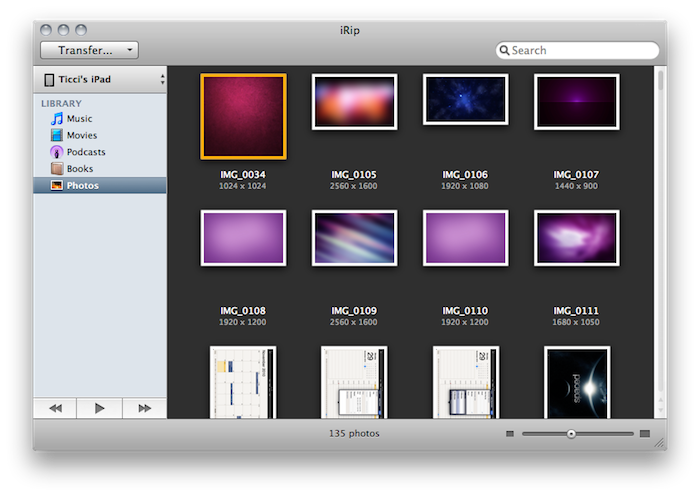
iRip 2: The Best Way To Get Anything Out Of iOS Devices

The Little App Factory has published some great Mac apps in the past year. First for me came Evom, a simple and free utility that can save videos from the web (even Flash videos) and convert to a number of different devices, such as iPads or Apple TVs. Then I installed Rivet, another little utility for the Mac that can stream video from your local machine to a PlayStation 3 or Xbox 360 console in your local network. Works like magic.

Last week I took a look at The Little App Factory’s latest effort, Grappler for Mac. Grappler provides an integrated view to browse Youtube without leaving the app and download videos to convert for an iTunes-compatible format. It’s got a great UI, inline previews and a lot more. Make sure to check out my review here if you missed it. Read more


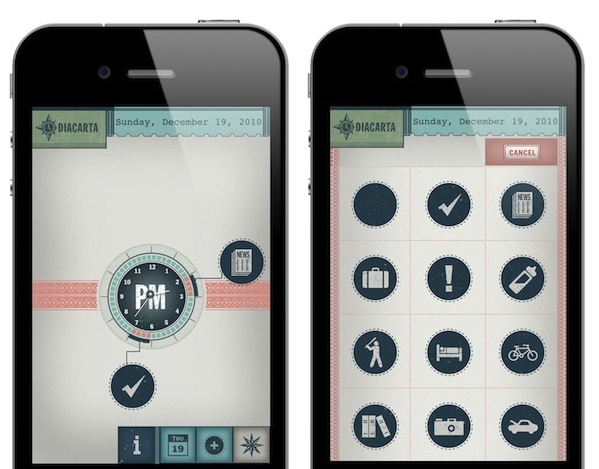
Diacarta Adds Retina Graphics, Notifications - I Can Finally Use It

Diacarta is a cool app for the iPhone which, unlike most task managers quick reminders, doesn’t let you create items in a list. Diacarta wants to enable you to have a “picture” of your day by making an analog clock its main screen. Tasks are visualized as big icons linked to the clock in a specific time of the day. This way, Diacarts provides a quick view of your upcoming activities that you can edit at any time.

It’s visually rich and very, very custom. Read more


Want iOS Scrollbars On A Mac? There’s A Theme For That

In case you missed it at Apple’s Back to the Mac event, Mac OS X 10.7 “Lion” is getting redesigned scrollbars and a brand new scrolling system. In fact, Apple is taking iOS’ “rubber banding” effect and minimal, fading scrollbars to the Mac with the next major iteration due next year. As demoed by Apple’s Craig Federighi in the Mac App Store app running on Lion, scrollbars will behave similarly to iOS – you won’t any scrollbar if you’re touching the trackpad. Read more