Federico Viticci

10804 posts on MacStories since April 2009

Federico is the founder and Editor-in-Chief of MacStories, where he writes about Apple with a focus on apps, developers, iPad, and iOS productivity. He founded MacStories in April 2009 and has been writing about Apple since. Federico is also the co-host of AppStories, a weekly podcast exploring the world of apps, Unwind, a fun exploration of media and more, and NPC: Next Portable Console, a show about portable gaming and the handheld revolution.

Doodle Jump “Christmas Special” Now Available

The trend in the App Store these days is to release “Christmas Editions” of apps. While I wouldn’t know about  ”Twitterrific: Santa’s Tweets” and “Instapaper: Christmas Reading” special versions, it seems like the strategy is quite working for games. Otherwise, why would Rovio bother releasing a “Season” version of Angry Birds?

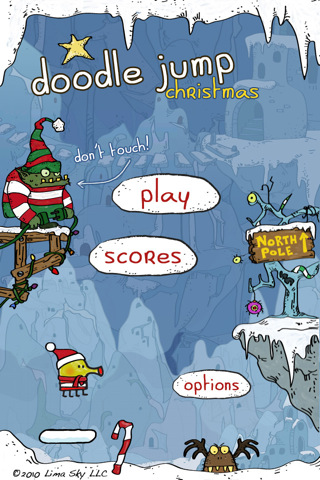
Lima Sky is the latest development team to follow the trend and release Doodle Jump Christmas Special at $0.99 in the App Store. The game is simply a remix of the original Doodle Jump with just a new background and a few Christmas-themed enemies, but boy it looks cute. It’s got Retina Display-ready graphics and all the Game Center features seen in the standard edition.

Doodle Jump Christmas Special is available now at $0.99 in the App Store.

Apple Releases LED Cinema Display Firmware Update To Address Audio Issues

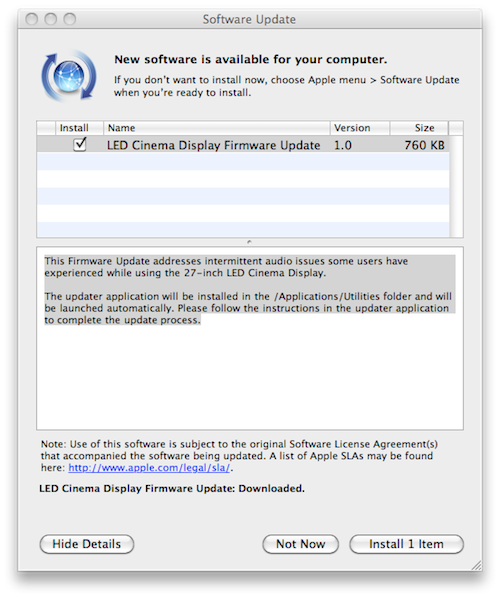
A few minutes ago Apple released a minor firmware update for the LED Cinema Display to address audio issues experienced by users on the 27-inch model.

This Firmware Update addresses intermittent audio issues some users have experienced while using the 27-inch LED Cinema Display.

The updater application will be installed in the /Applications/Utilities folder and will be launched automatically. Please follow the instructions in the updater application to complete the update process.

The update is available now in Software Update or on Apple’s website. A support article detailing the intermittent audio issues is available here. The issue has also been widely documented on Apple’s discussion boards.

[Thanks, Greek iPhone]


Daisy Disk 2 Public Beta Available

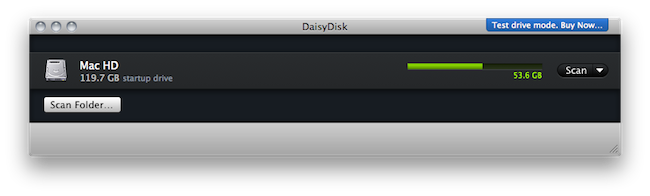
We previewed the new version of Daisy Disk for Mac back in November and I’ve been running the app on my computer since then. At regular weekly intervals, I’ve found myself using Daisy Disk 2 to take a peek into my Mac’s hidden and mysterious locations and see what was eating up all that space. Sometimes it was an iTunes backup. Sometimes it was a folder full of new apps to try. Most of the times it was just junk. Daisy Disk 2, with its gorgeous “sunburst” interface and file deletion functionality, provides a great way to “visually” know what has to be trashed on your machine. Read more


The Onion Chooses The iPad As One Of The Most Influential People Of 2010

The Onion Chooses The iPad As One Of The Most Influential People Of 2010

We easily could have written about Steve Jobs, the iconic CEO of Apple, and adequately described the iPad in that predictable context. But instead, we made the radically unorthodox decision to grant this product—a one-and-a-half-pound wafer of aluminum and glass, mind you—the same status accorded to members of the human race. You’ve already read through a number of stories constructed around people, but just when you expected to encounter another, we pulled the rug right out from under you.

This year, we are choosing a computer as one of the most influential people of 2010.

Also:

Anyway, not to brag, but we’re pretty fucking proud of ourselves.

Yes, you should be. At least you didn’t realize Mark Zuckerberg was worth a price in 2010.

Permalink

Prizmo for iPhone Now Lets You Scan To Evernote and MobileMe

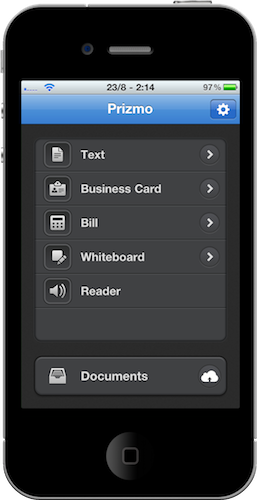
Prizmo for iPhone is an excellent port of the popular Mac app by Creaceed  which lets you scan just about any kind of document and apply smart OCR to it. The iPhone app – we reviewed it here – also lets you upload your scans to Dropbox and CloudApp. At least it used to.

The latest 1.1 update, released today, adds support for two much requested online services: Evernote and MobileMe. Evernote just happens to have a brand new 2.0 version available for Mac users today. Together with bug fixes, better in-app documentation and additional languages, Prizmo now lets you easily upload any document to these two new services.

Prizmo for iPhone is available at $9.99 in the App Store.


Genius Mixes Are Back With iTunes 10.1.1

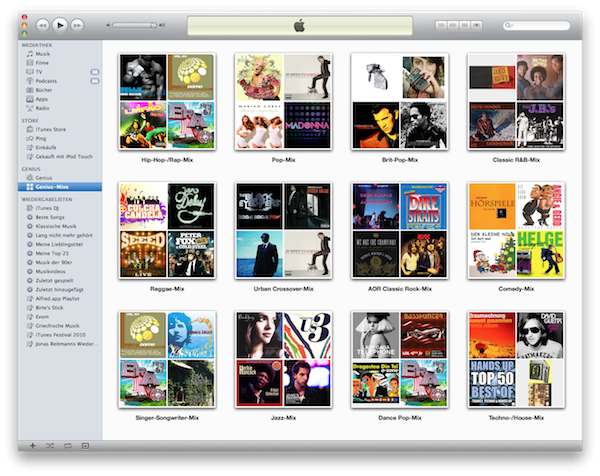
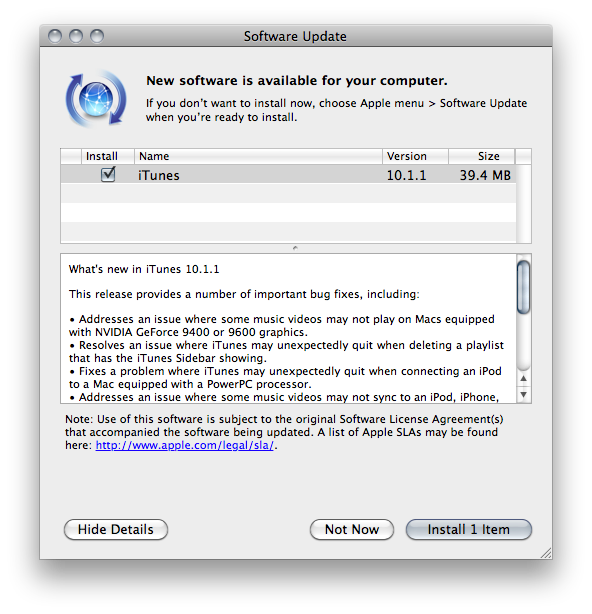
Just a quick update to let you know that together with the release of iTunes 10.1.1 earlier today, Apple seems to have fixed the “missing Genius Mixes” reported by many users last week.

Either built in 10.1.1 or a server-side fix on Apple’s end that has been deployed today, go update your iTunes now, activate and / or update Genius (Store -> Turn On Genius, Store -> Update Genius) and enjoy your Genius Mixes again.

[Thanks, Jonas]


Multi-User iPad Concept

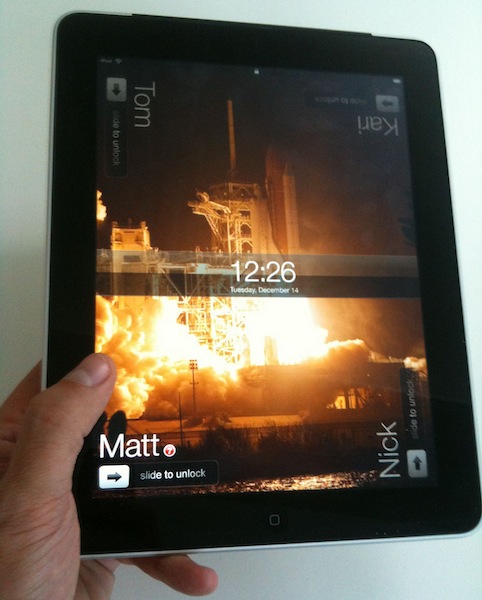
If the iPad feels like a communal device to you (it sure does for me), then I guess multi-user login is something you’re hoping for Apple to add in iOS 5. Think about it: every member of your family, or one of your friends, could grab the iPad, and log in with his credentials. That means he’s going to have his apps, settings, photos and music in there. He or she won’t have to see your secret Facebook messages in Mobile Safari anymore.

While multi-user browsing could be easily accomplished with an app such as Switch, what we have here is a concept showcasing a built-in multi-account feature for the iPad. Yes, it’s got 4 unlock menus in the lockscreen. Yes, we do think it could be implemented a lot better.

But hey, it’s a concept. The idea is cool, the overall design could use some refinements. Still, this is exactly what I need. [via Kottke]


Evernote 2.0 Out Of Beta, Now Available For Mac Users

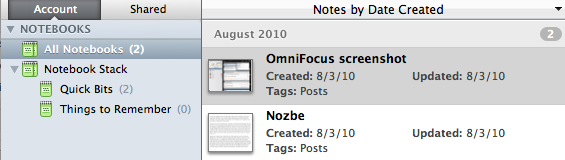
A few weeks ago we reported that Evernote launched a 2.0 beta version for Mac users to test some of the major new features like Stacks and in-app notebook sharing. In spite of the fancy name, stacks are basically folders for your Evernote notebooks that reside in the (redesigned) left panel. Stacks, sadly, are exclusive to the desktop client and won’t show up in the web version of Evernote.

Evernote 2.0 is now out of beta and available for download on Evernote’s website, or through the app’s built-in software update tool. This 2.0 update is pretty huge and comes with a lot of features such as support for up to 250 notebooks, a new attachment button to attach a file to a note and linked notebooks.

You can read about the new features over at Evernote’s official blog.