Federico Viticci

10804 posts on MacStories since April 2009

Federico is the founder and Editor-in-Chief of MacStories, where he writes about Apple with a focus on apps, developers, iPad, and iOS productivity. He founded MacStories in April 2009 and has been writing about Apple since. Federico is also the co-host of AppStories, a weekly podcast exploring the world of apps, Unwind, a fun exploration of media and more, and NPC: Next Portable Console, a show about portable gaming and the handheld revolution.

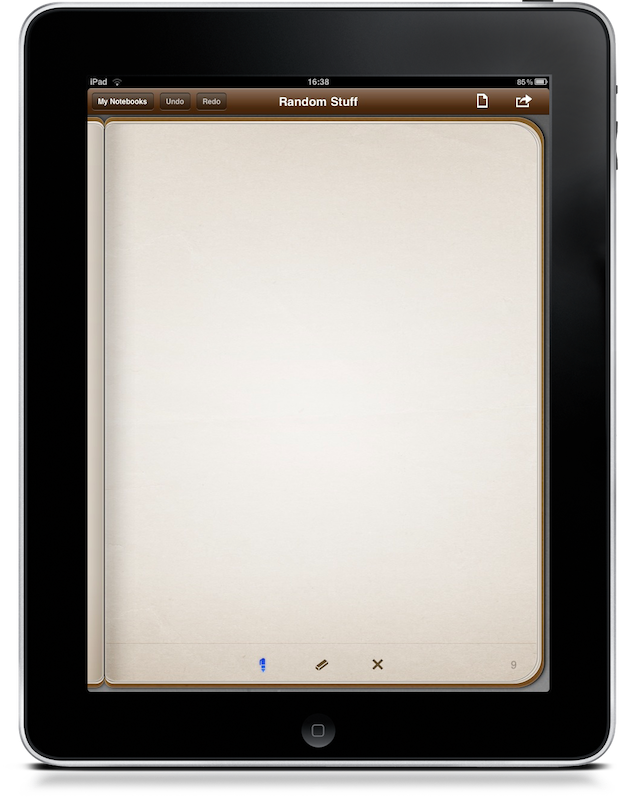
Penultimate 2.1: Now With More Natural Ink, Smoother Pen

We reviewed Penultimate for iPad when it first came out in April, a few weeks after the release of the tablet. Back then, Penultimate had a huge success and was one of the finest sketching apps for iPad which, thanks to the “fresh” factor of the iPad, managed to gain thousands of users.

Over time, though, many sketching applications came out with more complete feature sets and integration with online services. For instance, I’m using Noteshelf as my default handwriting / sketching app.

A new version of Penultimate was released last week, which doesn’t add support for additional online services but brings finer and smoother pens. The app’s digital ink now feels more natural, almost as natural as Noteshelf’s. Penultimate has come as long way, but I’m still waiting to see it bringing all the options and functionalities available in other applications.

Penultimate is available at $3.99 in the App Store.
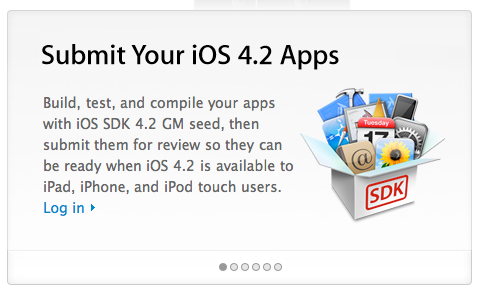


Apple Opens iOS 4.2 App Submissions, iAd Coming To iPad

After the release of iOS 4.2 GM, Apple officially opened the submissions for apps compatible with 4.2 a few minutes ago. The “Get Your Apps Ready for iOS 4.2” page is available here and also confirms developers can now start integrating iAds into their iPad apps.

We haven’t seen iAds running on iPad just yet, but I believe the larger screen will surely contribute to making ad experiences even more immersive.


AppSwitch: Cool Process Management App for iPhone

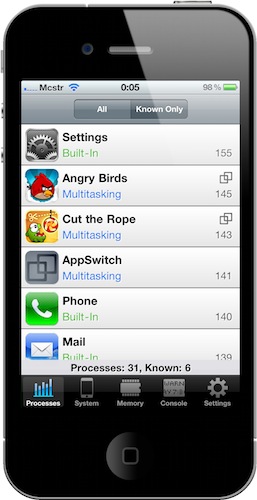
My  good friend @kenyarmosh tweeted about this app a few hours ago and it immediately caught my attention: a process management app for iOS, like the ones seen on Android and, yes, the dekstop? How’s that even possible without breaking Apple’s ban of usage of private APIs?

AppSwitch, available at an introductory price of $0.99 in the App Store, monitors and provides detailed information about the apps running in the background on your iPhone. As a matter of fact, AppSwitch can monitor both running apps and background system processes, something that I haven’t seen in any other App Store app before - mainly because Apple doesn’t want users to know which system processes are running. With AppSwitch you can keep an eye on your iPhone memory usage (with an interface similar to the Mac’s Activity Monitor) and see which apps are actually multitasking and which are not, with the possibility to quickly jump to another app or to an app’s specific feature. Read more


Apple Releases iOS 4.2 GM Seed

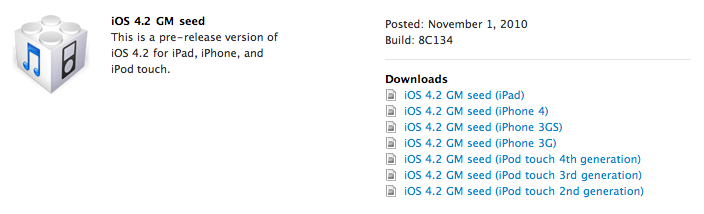
Apple just posted iOS 4.2 Gold Master build in the iOS Developer Center. You can go download the GM seed now. Look for updates on what’s new in this (almost) final build here on MacStories in a few minutes.

Build number is 8C134. It’s a 549MB download for iPad and, as usual, it’s also available for iPhone 4, 3GS and 3G and iPod Touch 2nd, 3rd, and 4th gen. Read more


Doodle Jump Now Even More Addictive With Game Center Support

Doodle Jump is the iPhone game that started the “Doodle something” trend in the App Store. A simple game where you control a tiny…”thing” that has to jump using the iPhone tilt controls. Simple and addictive.

Doodle Jump’s latest 1.25 update brings support for Game Center: you can now compare your score with your friends to see who’s the best Doodler out there. Please don’t get mad at us when you’ll find out that you wasted 6 hours just trying to beat your friend’s record on Game Center. This update also brings the beloved ghost theme back.

You’ve been warned. Doodle Jump is available at $0.99 in the App Store.


You’re Too Stupid To Review The MacBook Air If…

You’re Too Stupid To Review The MacBook Air If…

It’s important for reviewers to remember that they are supposed to be offering readers valuable information. Putting out some false bravado and this feeling of superiority that comes with many reviews really doesn’t help anyone. The fact you can knock a product — any product — because it doesn’t measure up to a higher-end product really doesn’t take much skill.

Jim Dalrymple knows what’s wrong with hardware reviews on the internet.

Permalink

PDF Expert: PDF Reader and Annotation Tool That Fits In My Workflow

As you may know, I try a lot of apps every week. Perhaps that is wrong, as one may be tempted to constantly jump between different softwares just for the sake of having something new to play with (like kids are always attracted by new toys), but I’m firmly convinced I’m doing this because there are hundreds of indie developers that don’t have the resources or the knowledge to virally promote their apps, yet they deserve attention.

That’s why I’m doing this. And thanks to this “method” (or habit), every once in a while I discover gems that redefine and refine my workflow. New apps that set new standards and raise an already high bar. It’s not easy. But it’s possible. Read more