
Posts in Linked

Microsoft Acquires Sunrise

After a few weeks of speculation, Microsoft has confirmed they have acquired popular calendar app Sunrise, which will remain free and join the company’s existing set of mobile apps.

Rajesh Jha writes on the Microsoft blog:

I’m pleased to announce that Microsoft has acquired Sunrise, provider of a next-generation calendar app for iOS and Android. We are making this acquisition because we believe a reinvention in the way people use calendars on mobile devices is long overdue. Our goal is to better help people manage and make the most of their time in a mobile-first, cloud-first world.

This is another step forward on our journey to reinvent productivity and empower every person and organization to achieve more. Today’s acquisition of Sunrise, our recent acquisition of Acompli, and our new touch-optimized universal Office apps for Windows 10 all exemplify Microsoft’s ambition to rethink the productivity category. Our goal is to create more meaningful, beautiful experiences in mobile email and calendaring across all platforms. And as you will hear in the video below, the creative talent and fresh thinking at Sunrise and Acompli will make a lasting impact on the Microsoft family as we seek to reinvent productivity.

I’m a fan of Sunrise and I like what Microsoft has been doing lately. Yes, Microsoft hasn’t built Acompli and Sunrise in the first place (and that’s another problem), but at least they’re spending money to acquire quality apps that can help them catch up in the mobile space. Outlook is well done (I’m using it every day; I love the Focused Inbox and calendar integration) and Sunrise is, in my opinion, the best multi-platform calendar app Microsoft could ask for.

I wrote about Sunrise last year, and I still use the app for two reasons: its elegant design and integration with external services. Sunrise is unique in its ability to show tasks from my Todoist account alongside calendar events; the same applies to Evernote reminders, upcoming Songkick concerts, and even Trello todos.

Sunrise shows me all the things I need to do in a single place, and Microsoft should keep this aspect intact.

It seems fair to assume that Microsoft will add more cloud integrations from their own ecosystem (OneNote, Exchange, perhaps Skype?), but I’m curious to see if and how Sunrise will work with Outlook, which comes with an embedded Calendar view.
Permalink

Smartphone Thefts Dropping Thanks to Kill Switches

Sharon Bernstein, reporting for Reuters:

Thefts involving smartphones have declined dramatically in three major cities since manufacturers began implementing “kill switches” that allow the phones to be turned off remotely if they are stolen, authorities said on Tuesday.

The number of stolen iPhones dropped by 40 percent in San Francisco and 25 percent in New York in the 12 months after Apple Inc added a kill switch to its devices in September 2013. In London, smartphone theft dropped by half, according to an announcement by officials in the three cities.

Speaking from personal experience, the number of people (friends of friends) who ask me about an iPhone “they found” has also dropped. Activation Lock is an important software feature and it’s good to know it’s having a meaningful impact.

Permalink

Ten Years of Google Maps

Great story by Liz Gannes on the first decade of Google Maps and its impact on society and technology.

I’d add this: as we enter the wearable era of mobile, it’ll be interesting to see how each platform owner will leverage the wrist screen space for mapping.

Apple is going to put at-a-glance directions on the Watch, and, as I assume the Maps integration will be deeper than what is going to be allowed to third-parties with WatchKit, that may be enough to make me reconsider my daily usage of Apple Maps.

Permalink

Photos for OS X and Pros

Serenity Caldwell on Apple’s new Photos app for OS X:

See, true professionals know what they like, and can seek it out from Apple’s programs or elsewhere. But new users? They don’t know what they like, or what they need. They don’t know what the difference between an aperture and shutter speed is, or why that’s important. They just want to be able to take good pictures and make them look good for Twitter, Facebook, Flickr, cards, you name it. They want it to be easy.

Bingo. I may be an “advanced user” of some aspects of iOS, but when it comes to photography I don’t understand half of the terminology involved with prosumer photo apps.

I don’t know what kind of precise improvements my photos need. But I know what I want from my photo app – the simple ability to take a picture and have a single copy on all my devices. This is why I could never get into the idea of “processing” my photos: a picture is either good or bad for me, and the basic editing tools in the Photos app for iOS are enough for my needs.

As I wrote before, iCloud Photo Library is shaping up to be exactly what I want from iOS and OS X for photo management and lightweight editing.

Permalink


Agents of Change

A fantastic point in an editorial by Jason Snell for iMore:

There are plenty of other examples of Apple’s corporate culture and accepting the inevitability of change. I admire the way the company introduced the iPad with no fear about the possibility that it would cannibalize Mac sales. This was a lesson I learned during the early days of the web, when I was working for media companies focused on print: If you resist change out of fear that you’ll cannibalize your existing business, all you’ll be doing is allowing someone else to cannibalize your business instead of doing it yourself.

Permalink

Photos for Mac Coming with OS X 10.10.3

Apple announced today that Photos for Mac, first showcased last year, will be included in Yosemite’s 10.10.3 update set to be released later this Spring. As previously explained, Photos for Mac will sync with iCloud Photo Library and replace iPhoto as the single place where users will be able to browse, organize, edit, and share their photos.

A few months ago, I took all my photos and put them into iCloud Photo Library. I’m talking about almost 9 years of photos stored in iCloud. The service (which costs me €0.99/month as everything is under 20 GB) has been working extremely well for me. Photos are available on all my devices and I like that I can take pictures on my phone, come home, and find everything on my iPad when I sit down.

I’m curious to see how Photos for Mac will integrate with the rest of the ecosystem and if performance will keep up. In the meantime, you can read hands-on impressions at The Verge, Re/Code, and Wired.

Permalink

Connected: The Microsoft of Ourselves

To celebrate the show’s silver anniversary, the boys talk about Stephen’s shownote museum, Myke’s Mac Pro and Federico’s iPad Air 2.

This week’s Connected includes a discussion about Microsoft’s Outlook app for iOS and an addendum to my iPad story from yesterday. You can listen to the episode here.

Sponsored by:

  • lynda.com: An easy and affordable way to help individuals and organizations learn. Free 10-day trial.
  • Igloo: An intranet you’ll actually like, free for up to 10 people.
  • Squarespace: Start Here. Go Anywhere. Use code WORLD for 10% off
Permalink

Tweetbot 2.0 for Mac Coming As Free Update

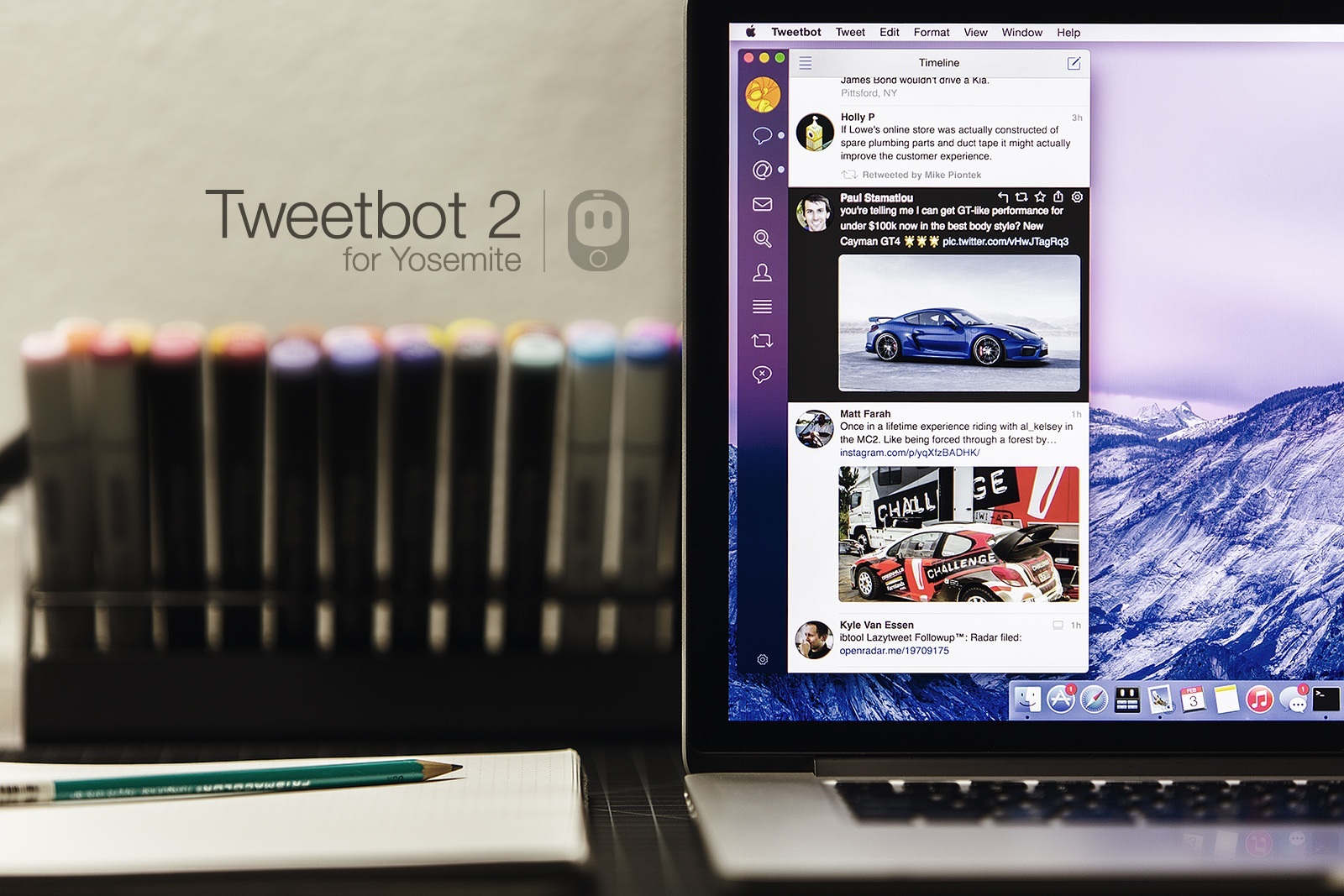
Tapbots announced today that Tweetbot 2.0 for Mac will be released on Yosemite and it’ll be a free update for existing customers.

My preference on iOS these days may go to Twitter’s official app, but, on the desktop, Twitter for Mac is in a very sad state, whereas Tweetbot is a great client with tons of handy features. I’m curious to see if Tapbots will manage to add support for modern Twitter features, but, overall, the visual refresh is already looking good. Considering that it’ll be a free update, you can buy the app today from the Mac App Store, get your Twitter token in, and wait for the new version to launch.

Permalink