Posts in Linked

Integrating iThoughtsX with Marked 2

Brett Terpstra writes about the new integration of Marked 2 with iThoughtsX:

iThoughtsX is currently my favorite mind mapping tool on OS X. Marked 2 is, obviously, my favorite way to preview Markdown. Now they work together. You can simply drag an iThoughtsX map file to Marked, and it will start previewing an outline of your map as you work. Every time you save your map in iThoughts, you’ll see the changes in the resulting Markdown document, previewed in whatever theme you’re working with.

As you can see in the video above, the integration is seamless: every change you make in a mind map is reflected in the Markdown preview of Marked.

Both iThoughts and Marked are excellent pieces of software. I miss the ubiquitous preview capabilities of Marked on iOS, but, fortunately, iThoughts developer Craig Scott worked out a pretty sweet integration with Editorial.

Permalink

Virtual: Lost in a Glass of Water

This week Myke and Federico talk about what Nintendo is doing with Amiibo and the Quality of Life strategy, Fantasy Life and Sunset Overdrive.

On this week’s Virtual, the game that is slowly consuming my free time and a discussion on Nintendo’s curious plan for their Quality of Life initiative. Get the episode here.

Sponsored by:

  • lynda.com: An easy and affordable way to help individuals and organizations learn. Free 7-day trial.
  • Hover: Simplified Domain Management. Use code ‘GAMESHARK’ for 10% off your first purchase.
Permalink

Monument Valley “Forgotten Shores” Expansion Launching Next Week

Monument Valley, one of my favorite iOS games of 2014, will receive its first expansion next week. Titled “Forgotten Shores” and priced at $1.99 as an In-App Purchase, the expansion will add 8 new levels to Monument Valley and further explore the story of Ida and Totem.

Liz Stinson writes at Wired:

Monument Valley was designed as a complete story; the 10 levels formed a beginning, middle and end. When you closed the app for the final time, there was closure. But people didn’t want closure. They wanted more Monument Valley. Its designers were torn: They wanted to add more levels, mostly because people were asking for them. But they felt Monument Valley ended on a high note–1.4 million downloads, to be exact. “It was never 100 percent settled on that we were going to create more content for Monument Valley,” says Gray. “It’s very much a self contained experience. So the question was, how do we create something that doesn’t disrupt that?”

ustwo made a beautiful and poetic game with the original Monument Valley, and I can’t wait to get my hands on the expansion pack. You can read my original review of the game here.

Permalink

Connected: Come Grocery Shopping With Me

This week Federico and Myke talk a little about photo storage solutions, before discussing the widgets in their Today Views, what’s on Federico’s iPad home screen and his impressions of the iPad Air 2.

Following the Home screen episode for iPhone, we couldn’t avoid mentioning widgets. Myke also wanted to know about my iPad Home screen. You can find the episode with detailed show notes (including links to apps and images) here.

Sponsored by:

  • lynda.com: An easy and affordable way to help individuals and organizations learn. Free 7-day trial.
  • Clubhouse: making it easy for anyone to create and manage communities on iOS, Android, and the web.
  • Hover: Simplified Domain Management. Use code ‘SPECIALBUSINESS’ for 10% off your first purchase.
Permalink

Expectations for WatchKit

David Smith has been reading through Apple’s WatchKit documentation, and he believes that full apps for the Apple Watch will likely arrive at WWDC next year:

Next June at WWDC I then expect we will receive the tools necessary to build out more fully capable applications. Just like we have seen with iOS I’d guess this will be a progressive expansion of capability with each successive year. Just as early iPhone OS apps were severely constrained to save battery life, we’ll probably see strict limits on what types of apps we can build initially. We are essentially resetting the battery life equation with this new device. So no background processing or multitasking for a while (with the possible exception of music/audio playback).

According to recent speculation, the Apple Watch may be released in the Spring.

Back in 2010, a lot of developers struggled to create iPad apps between January and April without an actual iPad, so limiting WatchKit to notifications and glanceable information is probably the best strategy for now.

Permalink

Reeder for iOS Updated with iPhone 6 Support, iOS 8 Share Sheets

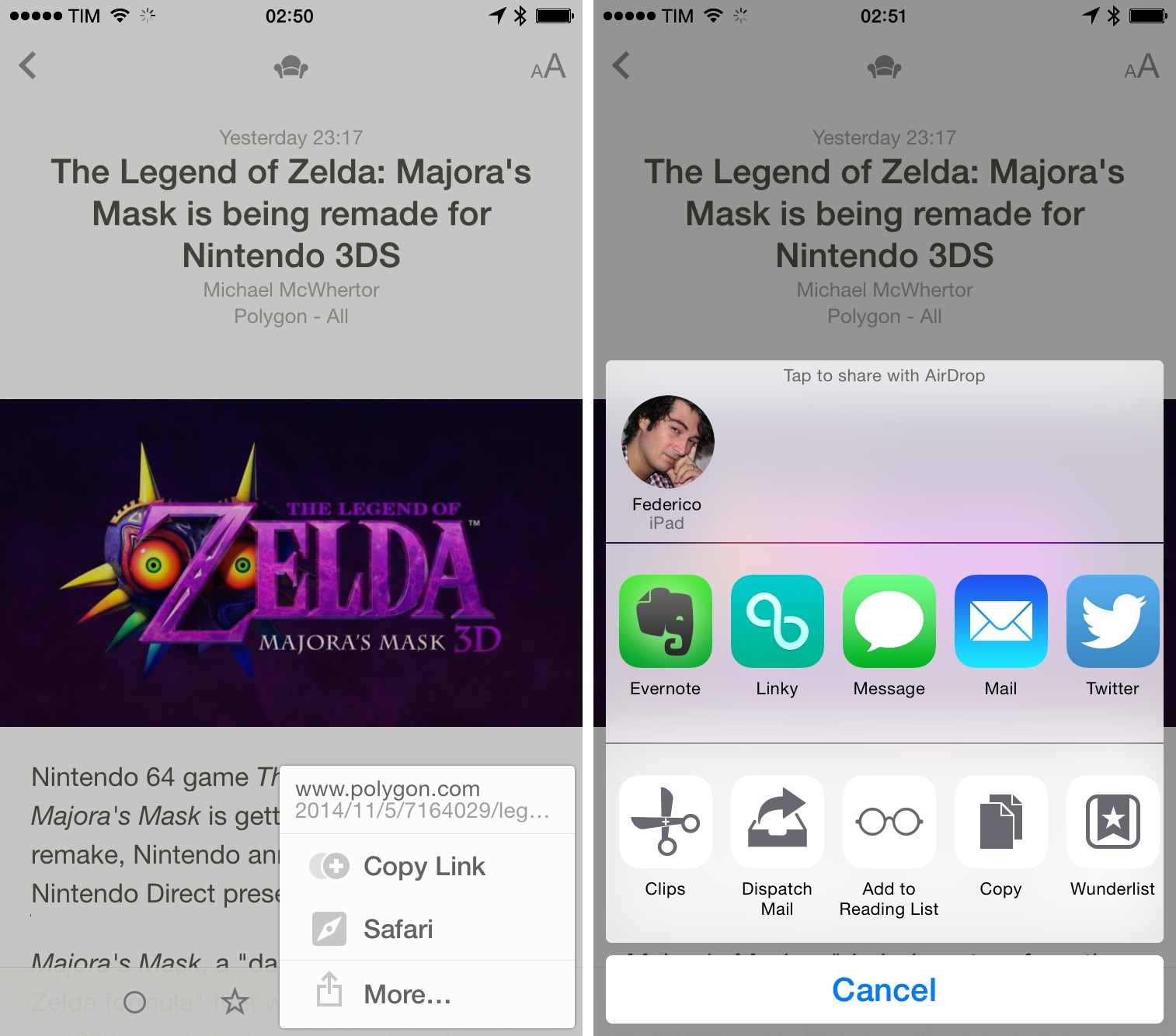
Reeder, Silvio Rizzi’s popular RSS reader for iOS and OS X, has been updated to version 2.6 on iOS, adding support for the iPhone 6 larger display as well as compatibility with iOS 8’s new share sheets. Like Unread, you can now tap a “More” option in the share menu to show the system share sheet with action and share extensions, which means that you can still keep Reeder’s existing integrations around if you don’t want to use the extensions.

Reeder 2.6 with iPhone 6 support, share sheets, and a new landscape mode for iOS 8 is available on the App Store (you can find my review of Reeder 2 here).

Permalink

Google Maps for iOS Getting New Material Design

With an official blog post, Google has announced that a new look for its Google Maps app for iOS and Android will roll out “over the next few days”. Based on the company’s new Material Design aesthetic, the new app will feature a blue interface with drop shadows, redesigned buttons, and more.

Bold colors and textures are in—and Google Maps is on trend, with a slick new style to make traveling with Maps even easier. Over the next few days, when you open up Google Maps on your Android or iPhone, you’ll be greeted by bright colors and a fresh new design. This new look is all about creating surfaces and shadows that echo the real world; with Google Maps’ new material feel, layers and buttons come to life so you know just where to touch to get directions, recommendations and imagery.

In the US, the app will also integrate with OpenTable for restaurant reservation. The Google Maps app for iOS still hasn’t been updated to the new design, but you can find more screenshots here.

Permalink

Byword Updated with Handoff, Document Providers on iOS 8

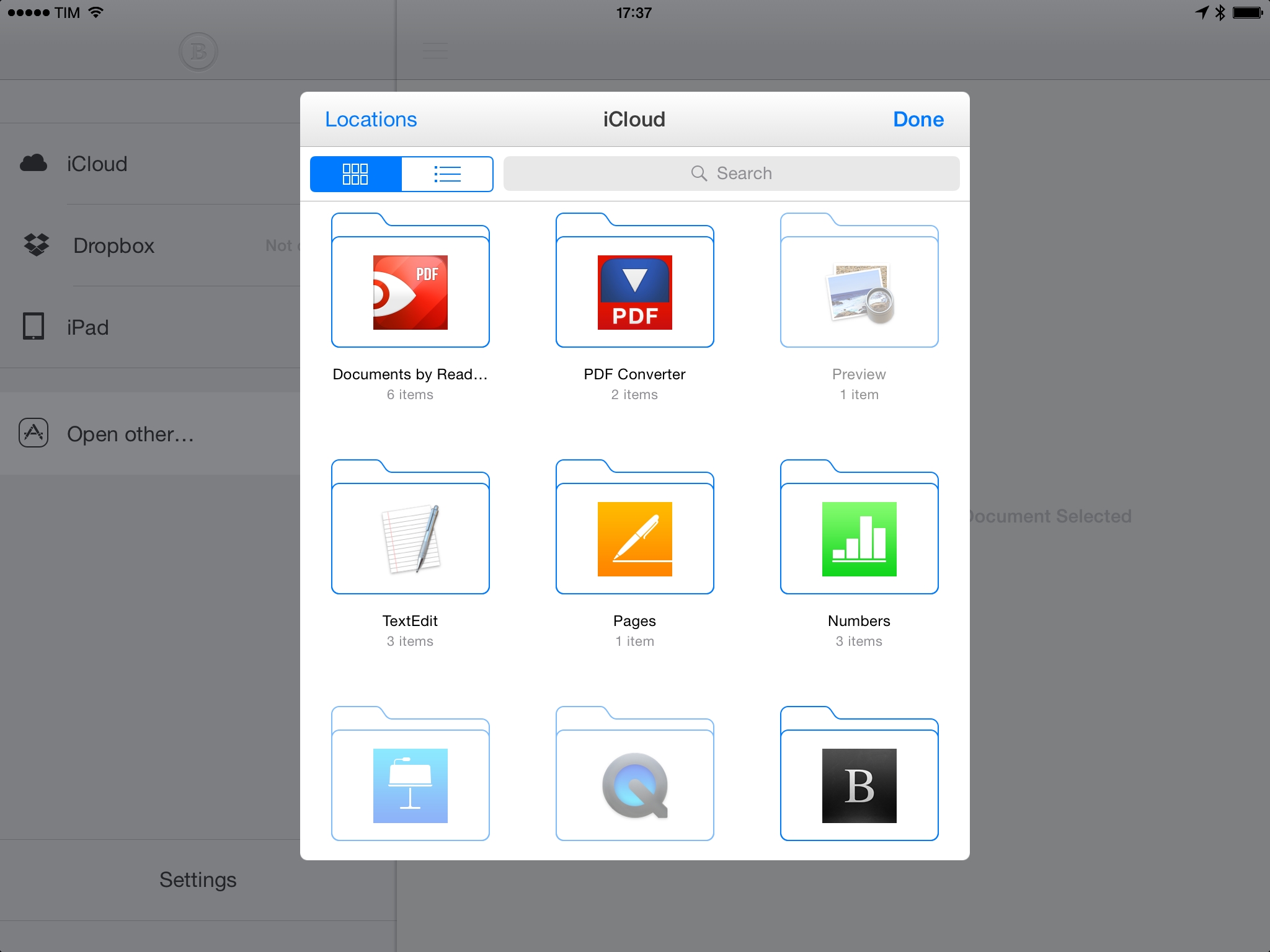
Byword, my favorite general-purpose Markdown editor for iOS has been updated today with iOS 8 features that include Document Providers, Handoff, and iCloud Drive. While I can’t try Handoff with my Mac and I’ve yet to figure out if I want to try iCloud Drive, I’ve tested Document Providers in Byword and they work as advertised. You can open documents from other apps in Byword, edit them, and changes will appear back in the originating app with no Copy or Move operations required. I tested this with TextEdit and Readdle Documents, and it worked perfectly – a nice reminder of how better document management can be on iOS 8 when compared to the old system.

Byword for iOS with the latest iOS 8 features is available on the App Store.

Permalink

Dropbox and Microsoft Team Up for Dropbox Sync in Office Mobile Apps

With a blog post, Dropbox today announced that they are partnering with Microsoft to extend integration with Dropbox storage to the Office mobile apps for iOS and Android. “In the next few weeks”, users will be able to open Office documents in Microsoft’s apps directly from the Dropbox app, and Dropbox sync will be bundled into Office for iPad to create, edit, and sync documents across devices. Dropbox will coexist with Microsoft’s own OneDrive service, and users will even be able to browse their Dropbox account and copy shareable links to files without leaving Office for iOS.

From the Dropbox blog:

We know that much of the world relies on a combination of Dropbox and Microsoft Office to get work done. In fact, Dropbox is home to over 35 billion Office documents, spreadsheets, and presentations. That’s why we’re partnering with Microsoft to help you do more on your phones, tablets, and the web. Soon you’ll be able to access your Dropbox directly from Office apps, and edit Office files from the Dropbox app.

Tom Warren writes at The Verge:

“Access to Dropbox content popped as one of the very first [iPad for Office] requests that customers had,” explains Kirk Koenigsbauer, head of Microsoft’s Office Engineering team. “They want access to where their content is. We’re doing it to make sure customers have a great experience.” Although Microsoft has its own OneDrive cloud storage, Dropbox will appear alongside Microsoft’s own service in the Office for iPad apps, allowing users to natively browse, open, and edit Office documents stored on Dropbox from directly within the app.

I find this interesting for a couple of reasons. First, Microsoft was long criticized for ignoring Office on mobile devices, but, under CEO Satya Nadella, they appear to be actively listening to how people want to use Office on the go – Dropbox is an obvious choice for file storage and sharing, but Microsoft still requires an Office 365 subscription to fully use the iOS apps (side note: Word for iPad is a regular fixture of the App Store’s Top Grossing chart).

It’s also notable that Microsoft has chosen to develop their own custom integration rather than simply rely on Apple’s new document provider feature of iOS 8. As you can see from the screenshots, Word for iPad will have a custom Dropbox file browser with support for multiple accounts that doesn’t require you to open a document picker to switch between file storage locations. Given the complexity of sync and the strategic importance of this partnership, it makes sense for Microsoft to control this integration with a custom, full-featured approach.

Permalink