

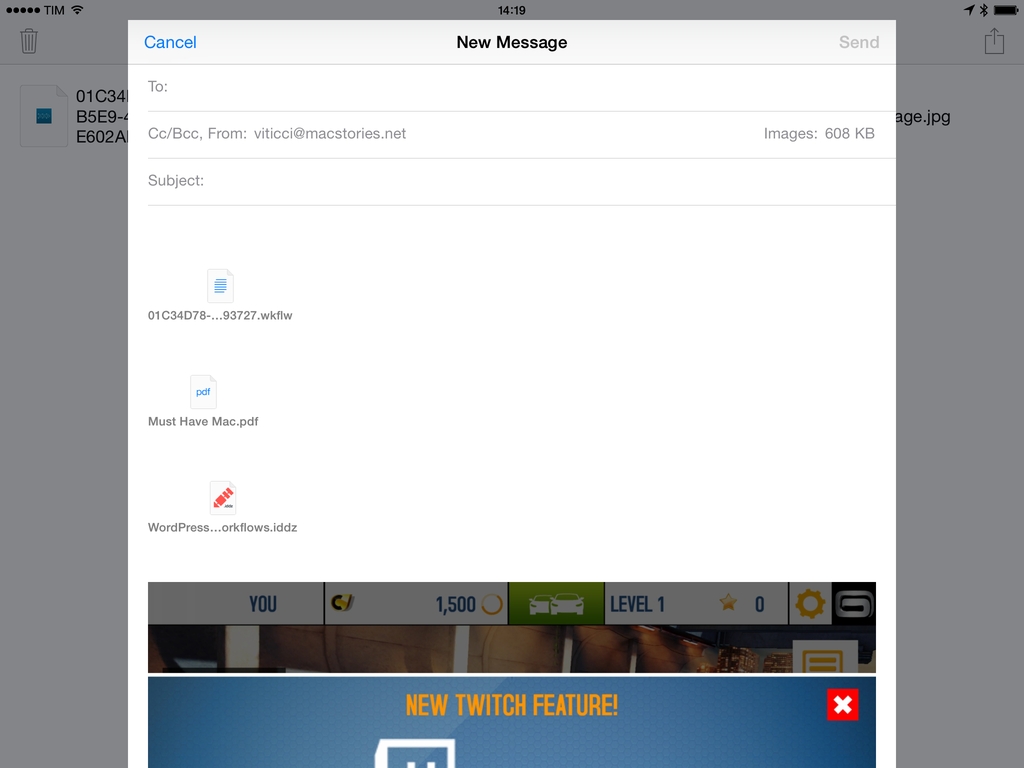
One of iOS’ biggest shortcomings is the inability to attach multiple files to an email message. Caused by Apple’s resistance to bringing a visible filesystem to iOS or building inter-app communication features to access files outside of an app’s own sandbox, the problem is epitomized by antiquated limitations such as the Open In menu and the aforementioned lack of multiple attachments in Mail. Interestingly, these two limitations are exactly what Multiple Attachments, developed by Jan Mazurczak, uses to send email messages containing attachments that aren’t just photos or videos.
Posts in reviews
Multiple Attachments Lets You Attach Multiple Files To Email Messages On iOS
PhotosPro Displays Photos with Metadata, Date Filters, Photo Stream Support
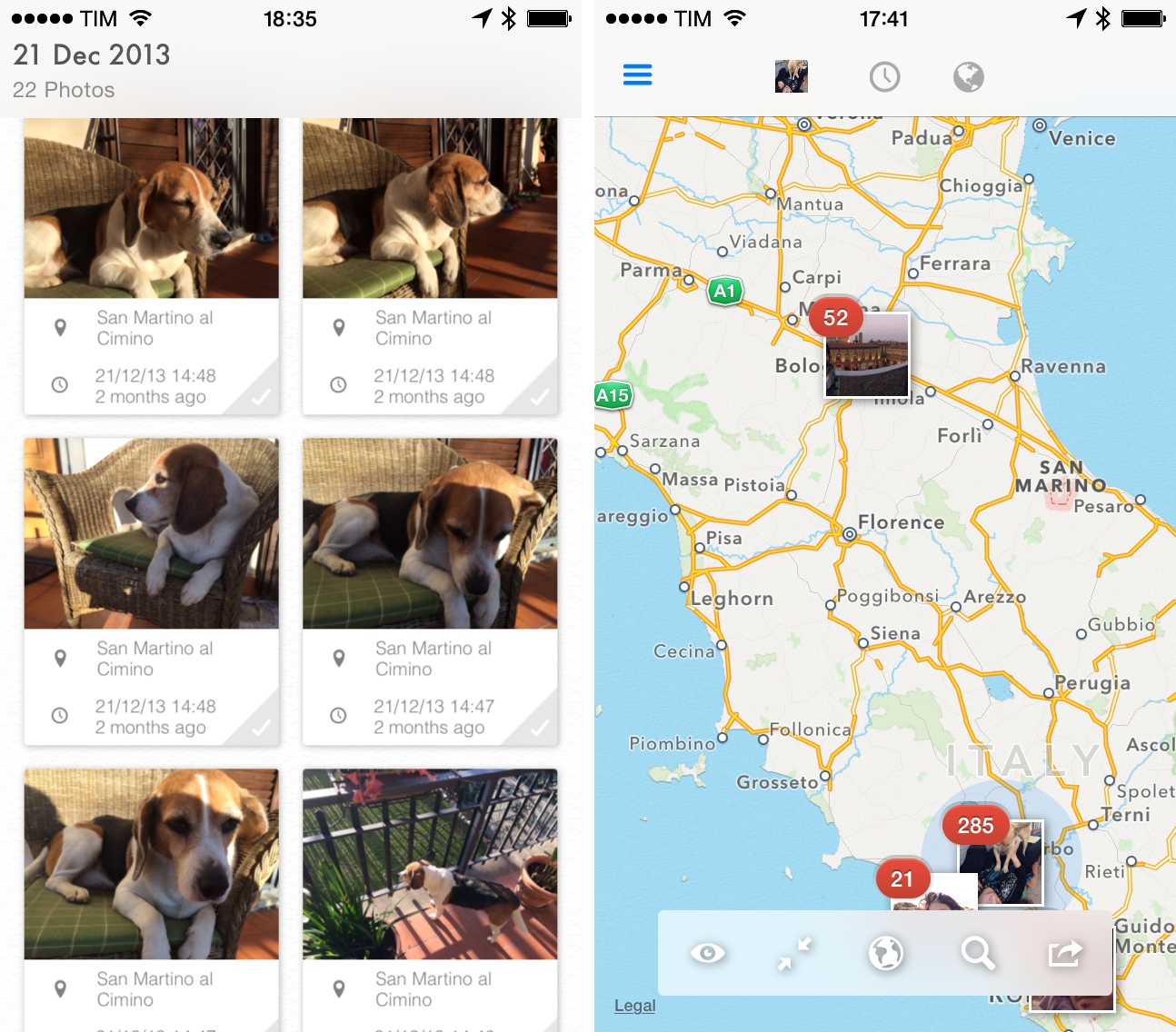
Apple’s iOS apps often serve as a foundation of ideas and technologies that third-party developers can build upon to create new and more advanced functionalities – this has been the case for years with email clients, todo apps, and, more recently, Camera Roll alternatives. With iOS 7, Apple revamped its Photos app to integrate the Camera Roll with Photo Stream and organize photos in Collections and Moments, but the effort lacked proper tools to view metadata for individual photos or all photos on a single map view. Since last year, a number of apps aimed at offering different features than Apple’s Photos app have come out on the App Store, and I was impressed with Justin Williams’ idea of presenting photos as large thumbnails with metadata visualization for locations and timestamps.
I downloaded PhotosPro when it was on sale earlier this month on the App Store, and find the app, available on both the iPhone and iPad, to have the kind of browsing and viewing options I’d like to see in Apple’s Photos in the future.
Finding Song Lyrics On iOS with musiXmatch
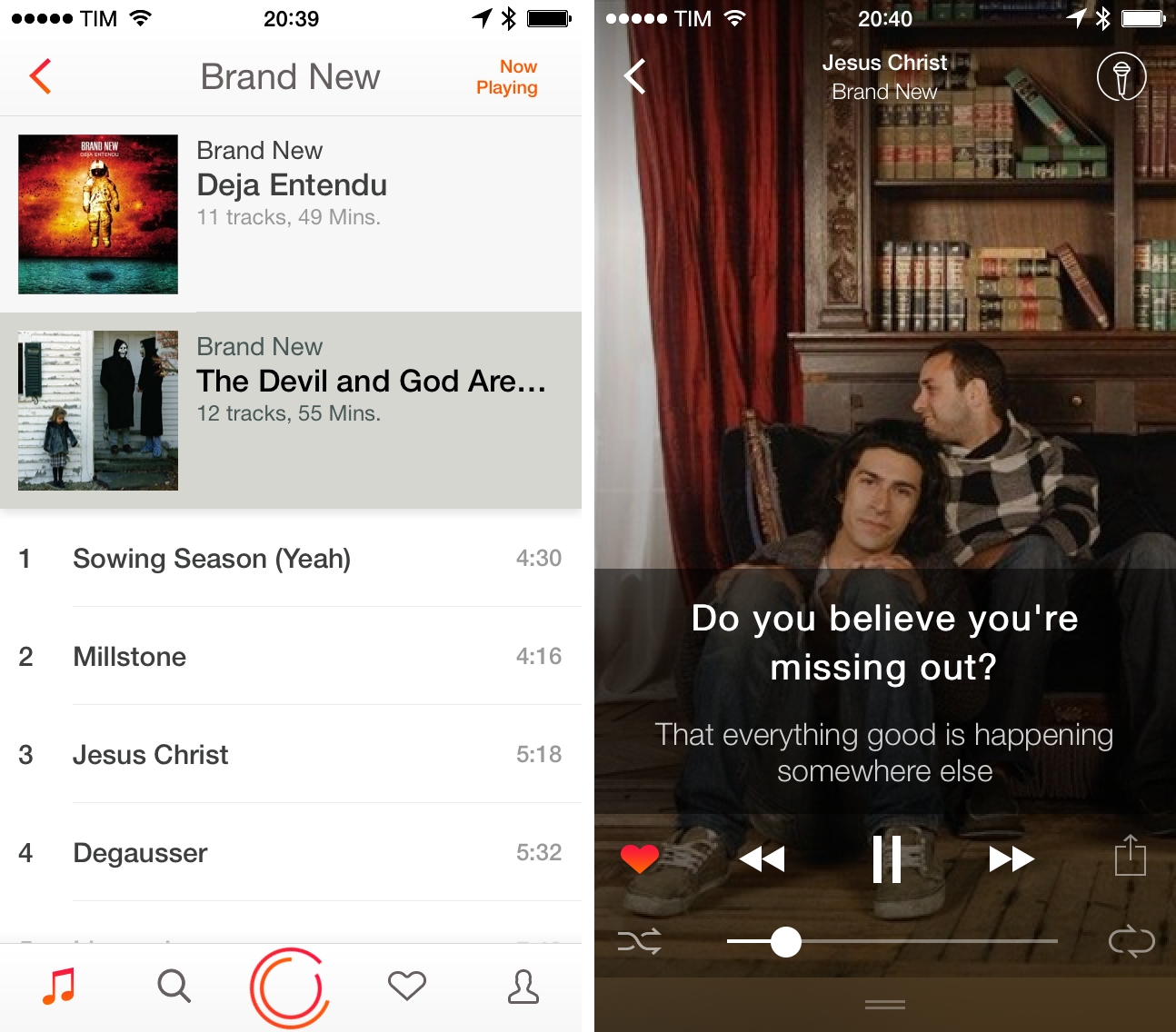
When I collected my must-have apps at the end of last year, I included musiXmatch in the iPhone and iPad roundups, but never got around publishing a proper review of the app. I’ve been using musiXmatch on a daily basis for the past six months, and I think it offers a solid song lyric-matching experience for iOS.
Verbs 3.0 is Updated for iOS 7, Integrates with Dropbox
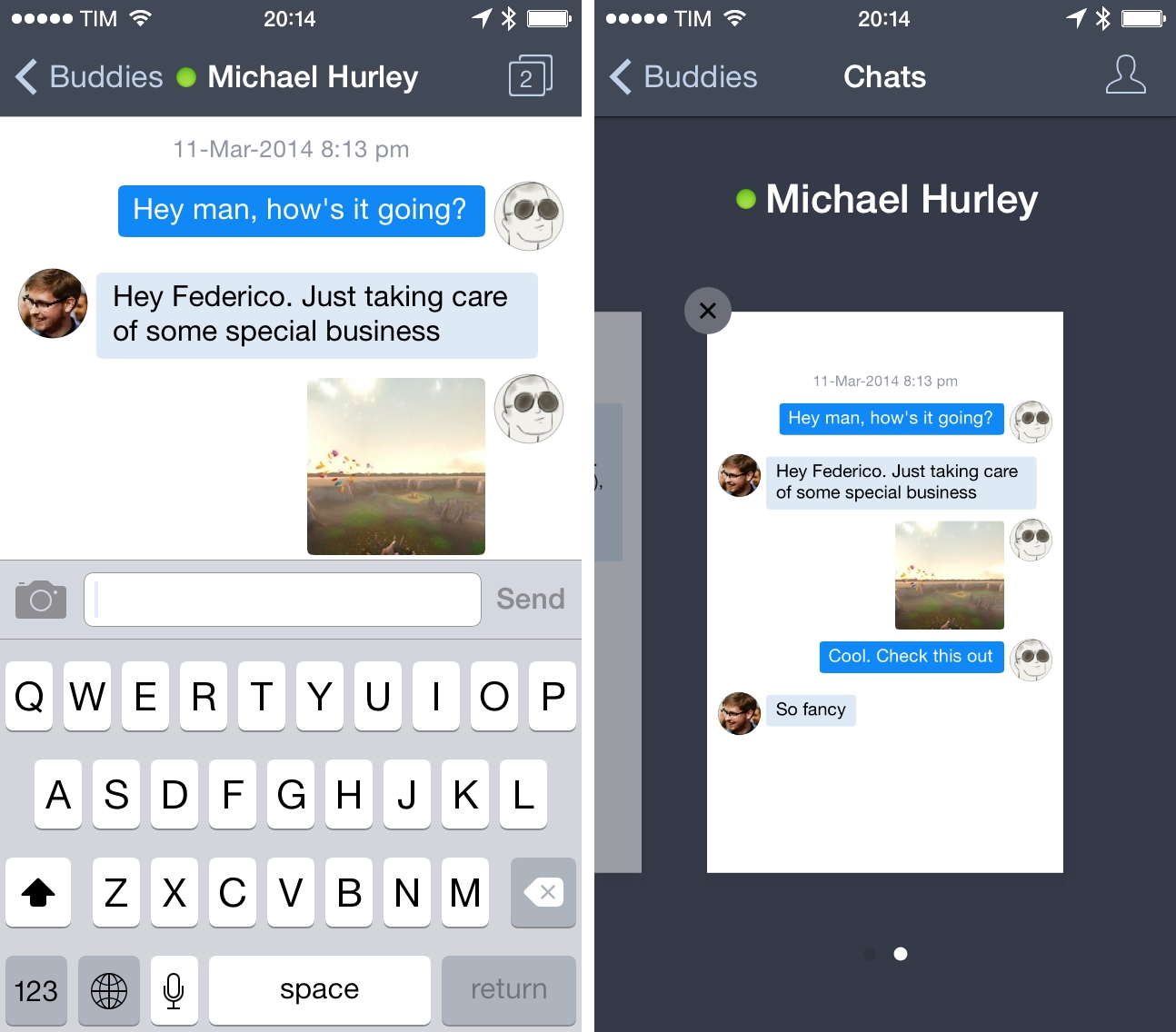
Previous owners of Verbs, an instant messaging app for iOS, will find a free update on the App Store that readies the app for iOS 7, while introducing a slew of new notification options, support for Jabber, and integration with Dropbox for sharing files and photos in chat. Verbs has also added a couple of read later options for sending links to Pocket and Safari’s Reading List.
As conversations take place outside of the conversation view, the status bar will flicker when new texts appear, much like status updates in Tweetbot or Mailbox. Inside the conversation view, Verbs has added some small contextual changes to message bubbles, changing their color when they’re delivered, and adding the option to use shapes to indicate your buddy’s availability status.
Dropbox integration with the app works out of the gate without a lot of setup. If you have Dropbox installed on your iOS device and are already logged in, you can pick a file and share the link with a friend. If you setup your Dropbox account, you can add files as well.
While I still don’t like how you switch between conversations views throw a Safari-like carousel, the remainder of Verbs feels fresh, and the app has always maintained a decided simplicity for simply sending and receiving messages from common services. If you don’t have Verbs yet, you can give it a try for $2.99 from the App Store.
Tuner for iPhone Turns YouTube Into A Music Player
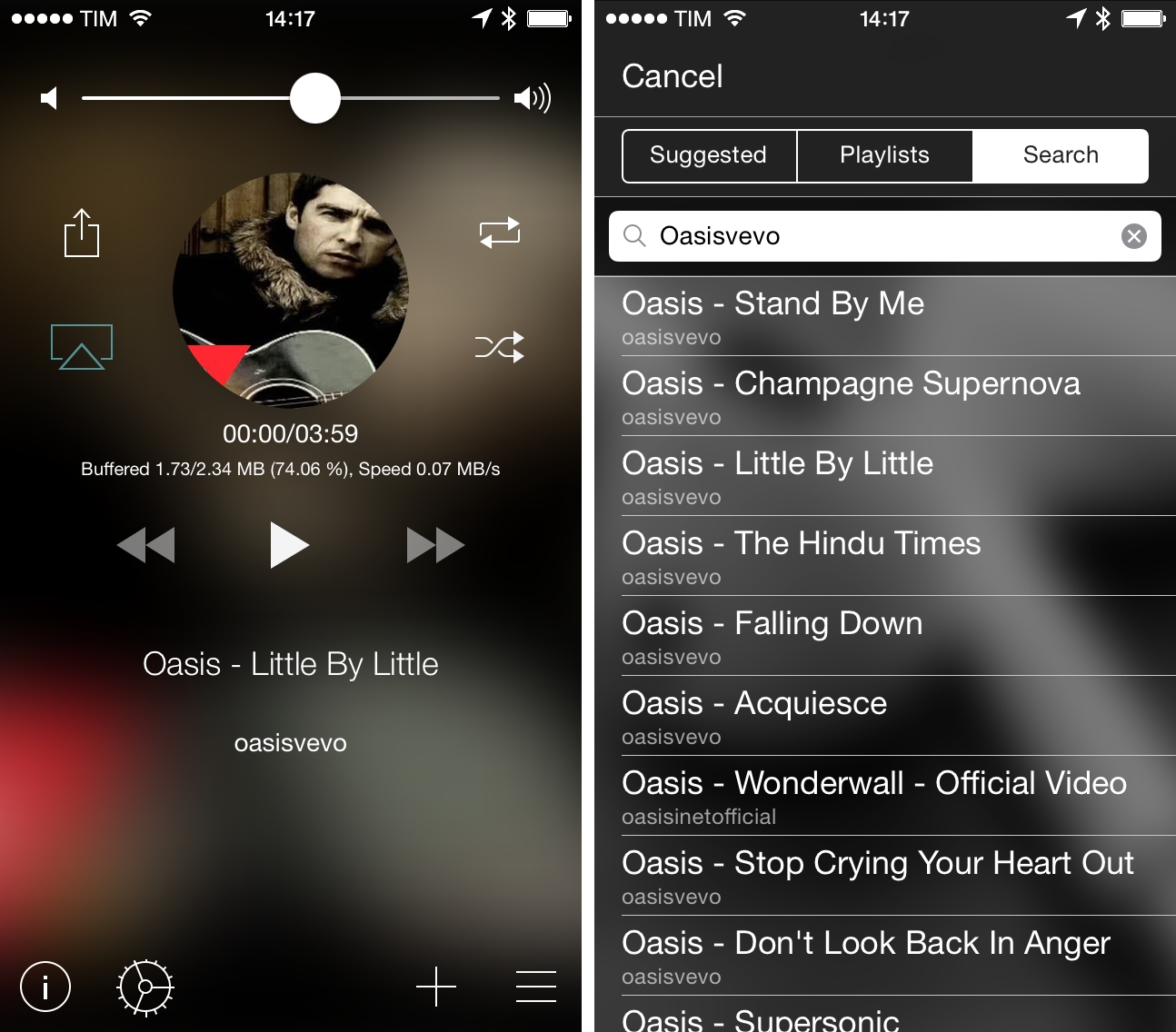
Every time I go out with friends and we start talking about music, there’s always that one guy who wants to play a song and he does so…using YouTube. In spite of the relatively low barrier to entry for services like Spotify and Rdio (both available in Italy with free plans), the convenience of using YouTube as an audio source is indisputable (on top of that, add the fact that most people have a high tolerance for YouTube ads – or ads in general). Personally, I prefer a dedicated music streaming service or my iTunes Match library, but I do rely on YouTube for the occasional live performance or unreleased demo tape that I can’t obtain legally anywhere else.
Tuner is a music player for YouTube videos: with a simple search feature, it uses YouTube as an audio source, turning videos into songs you can listen to on your iPhone.
Cathode Brings the Vintage Terminal to iOS
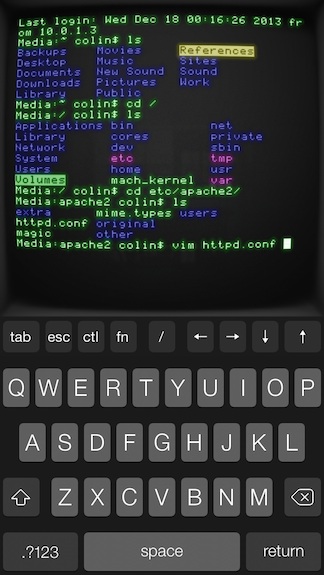
Your favorite customizable terminal app for the Mac is now available for iPhones and iPads, letting you wirelessly connect to any computer offering SSH access. The app gives you lots of control over its vintage look and feel, letting you change color, lighting, “shape,” and your choice of retro bitmap fonts. For iPad owners, the app supports Bluetooth keyboards, and works in both portrait and landscape orientation. Cathode supports multiple sessions and can automatically connect to nearby computers using Bonjour. For the geeks out there, Cathode costs a cool $5.99 from the App Store.
Writing Aid Combines Word Definitions, Synonyms, and Meanings
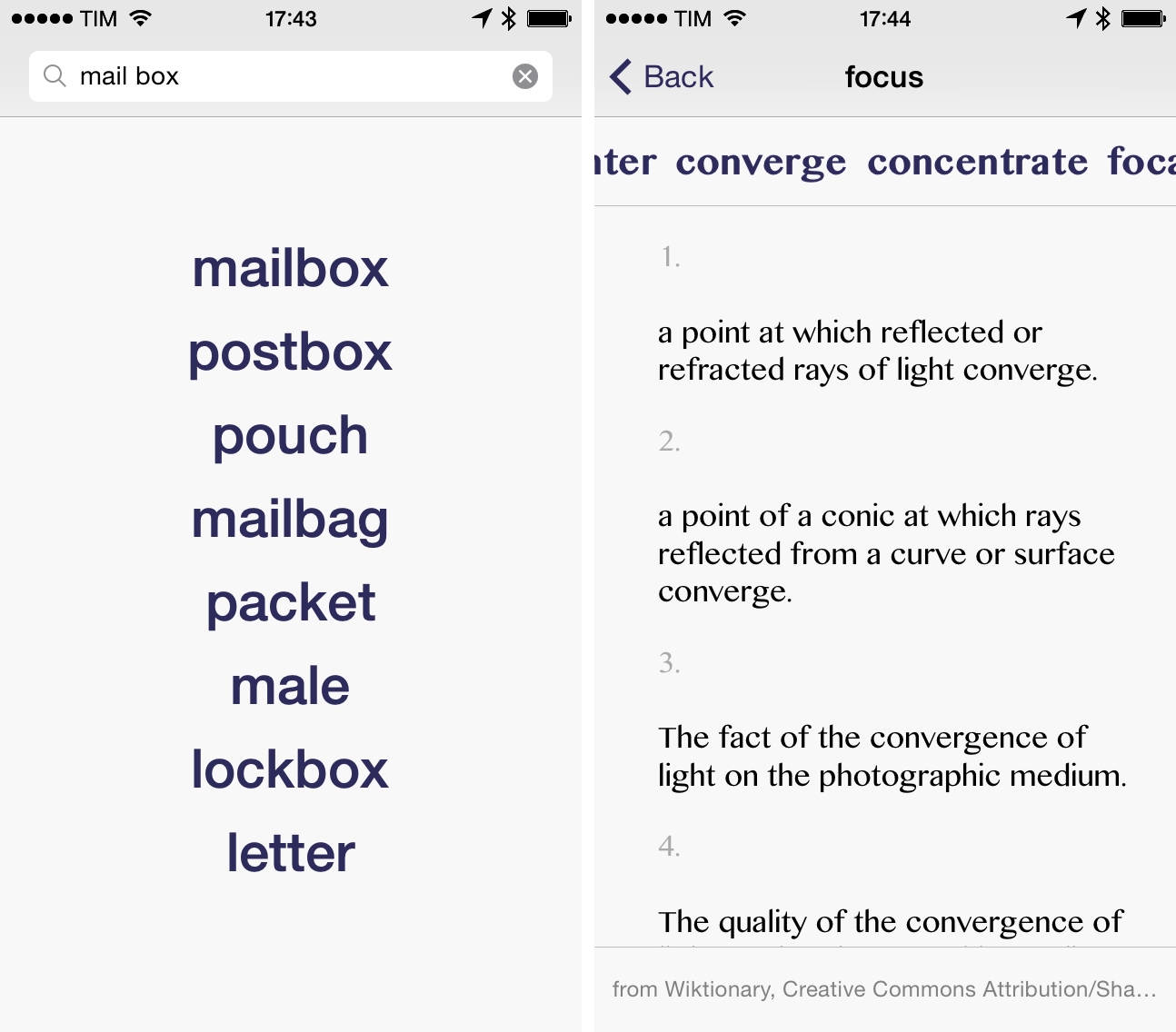
Developed by Benjamin Mayo, Writing Aid is a $0.99 iPhone app that combines word definitions with meanings and synonyms. Based off a single search field where you can type what you’re looking for, Writing Aid wants to defeat writer’s block by presenting a constant stream of alternate meanings and definitions to make your writing richer and more eloquent.
Comparing Time Zones with Globo
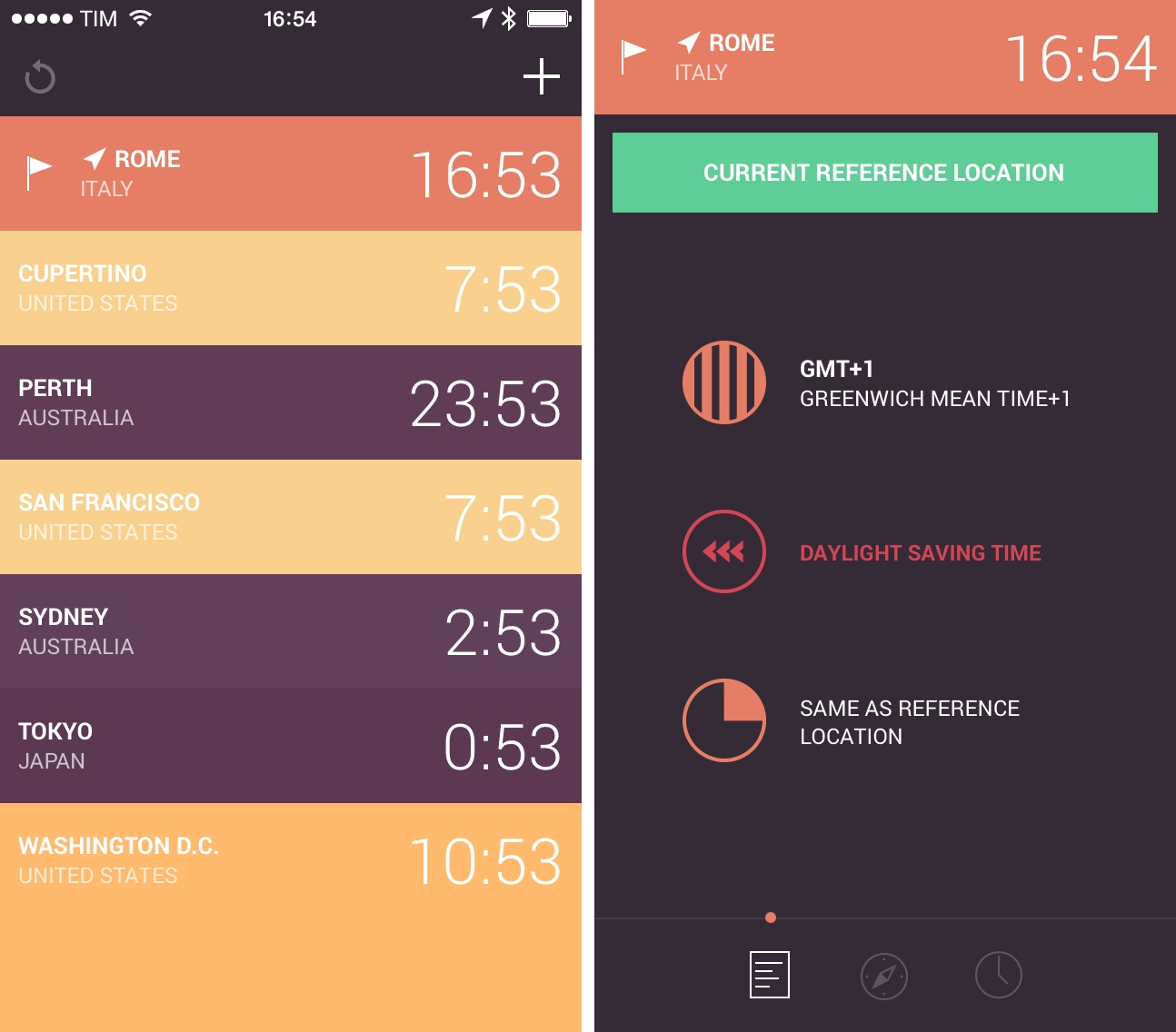
In my ongoing quest to find the best time zone reference utility for iOS (previously: Living Earth and TimeZlider), I stumbled across Globo for iPhone last week thanks to Apple’s feature on the front page of the App Store. Developed by Marco Torretta (the same developer behind Amount, one of my favorite unit converters for iOS), Globo is a simple world clock for iPhone that wants to reimagine Apple’s existing feature of the Clock app with colors, alarms, and detailed information for each location.
Disco Zoo is Part Battleship, Part Get Your Groove On
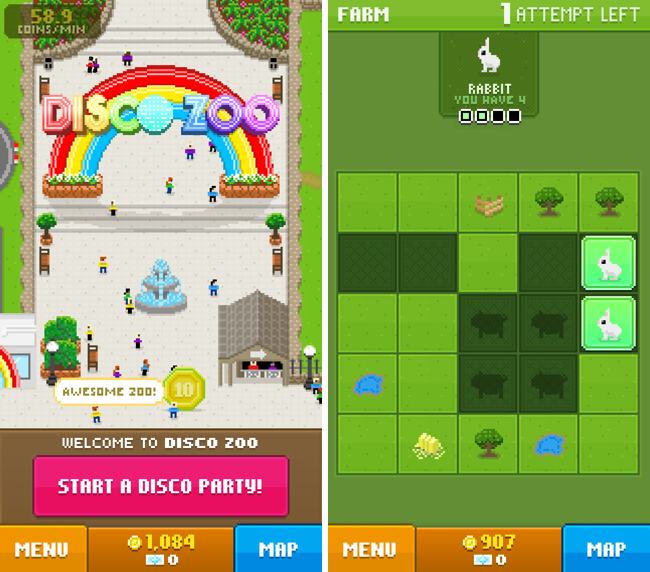
I don’t know who opens a Zoo before putting animals in it, but nonetheless, you’re given a pile of money, a hot air balloon, and a mini-map where you have ten attempts to find a given animal in an old-school game of battleship. You read that right.
I mean, this is what the whole game inside the game really is. To find an animal you have to uncover a number of squares revealing it, and you have ten attempts to do it on a 5 x 5 grid. Each rescue, or ten attempts, costs a certain amount of gold, and you’ll initially be given enough gold to fail a few times and get a general gist for common patterns and shapes that animals can be found in. Each time you uncover an animal, it’s added to your zoo, and it’ll begin generating gold in its exhibit.
Back at the zoo, the animals you’ve rescued are throwing a party. They hop around. They say cute things. They pass out and you have to wake them back up. The more animals you have in your exhibits, the more money you make as a result. Pleased visitors will sometimes throw money at you. Sometimes you’ll earn cash for random contests that you didn’t even know where going on.
It’s a continuous cycle. Rescue animals. Get coins. Rinse and repeat. Oh sure, you’ll be required to wake your animals back up from time to time — animals that are asleep don’t generate any revenue at their exhibits — similar to how stocking and deliveries worked in NimbleBits’ Tiny Tower.
To keep your animals partying, you can throw a disco party. Throwing disco parties requires “bux,” a super currency common in NimbleBit titles that gives you some immediate benefit. In the case of Disco Zoo, you can use bux to throw a disco party, where animals will dance and groove for an extended period of time without falling asleep, whilst generating twice the revenue. Things get crazy in the best way possible.
Bux can also be used to add attempts to any given rescue, especially helpful if you’re trying to find rare or mythical creatures… like unicorns. If you’re out of bux, they can be purchased with real money. (A ha! There’s the revenue model!)
Soon enough you’ll have enough coins to get something better than a hot air balloon, which will allow you to expand your zoo and rescue more animals from different regions. The more animals you have, the longer they’ll stay awake, the better the ratings you’ll get, the more money you’ll make, etc. etc.
Remember how addicting Tiny Tower was when it landed on the iPhone? If you want to relive that addiction, but with zoo animals instead, get ready to lose hours of your life in Disco Zoo.
That said it’s ridiculous and fun and is clearly a trademark NimbleBit game through and through. Download it from the App Store for free.