This Week's Sponsor:

Turbulence Forecast

Know before you go. Get detailed turbulence forecasts for your exact route, now available 5 days in advance.


Posts in reviews

Pod Wrangler for iOS 7 Review

“I knew from the start that I would never win in a feature arms-race against apps that have been around for so long and developed so highly”, says David Smith, independent developer and creator of Feed Wrangler, a popular RSS service launched after the shutdown of Google Reader earlier this year. His new app and service, Pod Wrangler, launches today with an iOS 7 app for iPhone and a web backend to handle sync across devices and platforms with an API. Based on Feed Wrangler’s engine, Pod Wrangler is a podcast syncing and listening service that is completely free for existing Feed Wrangler customers.

Pod Wrangler is, in its first version, an iPhone-only app that uses the same API that Smith is launching and opening to third-party developers today. An iPad version is being considered, but its development will depend on the amount of requests and feedback from initial iPhone users. Following Smith’s tradition, Pod Wrangler is extremely simple and focused – in some areas of the app, perhaps a little “un-designed” and too simplified. Read more
Instapaper 5.0: Sorting and Filtering Options, Tweaked Interface for iOS 7

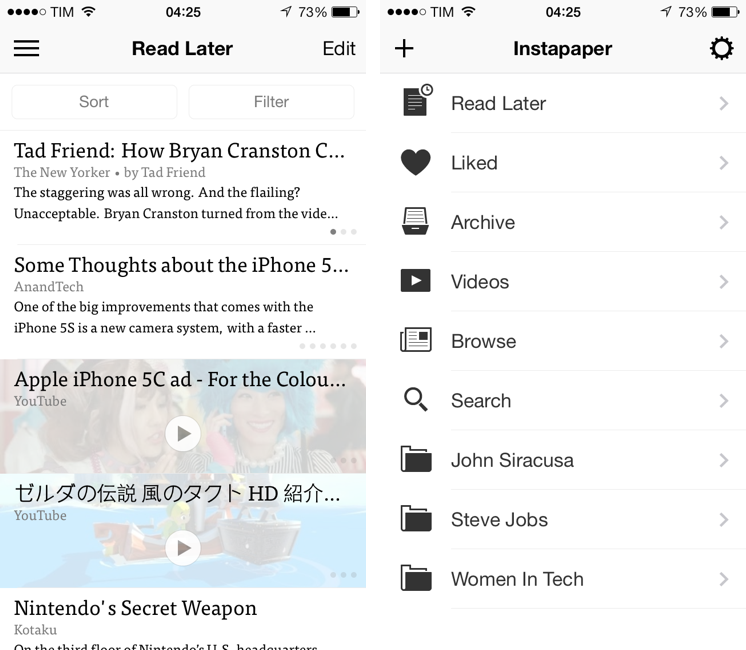
The first major update since the app was sold by original founder and developer Marco Arment to Betaworks earlier this year, Instapaper 5.0 has been released today on the App Store as a free update for existing owners of the app. Instapaper 5.0 doesn’t add any new major functionality to the app, which is still largely similar to the version 4.0 that was first released two years ago. Betaworks made the app ready for iOS 7, polished the interface, and added some new minor functionalities that, however, nicely complement the reading experience. I’ve been testing Instapaper for the past week on my iPhone 5 and iPad mini running the iOS 7 GM seed. Read more


Pocket Adds Instant Sync, Improved Reading Experience with iOS 7 Update

Pocket for iOS 7

Pocket for iOS 7

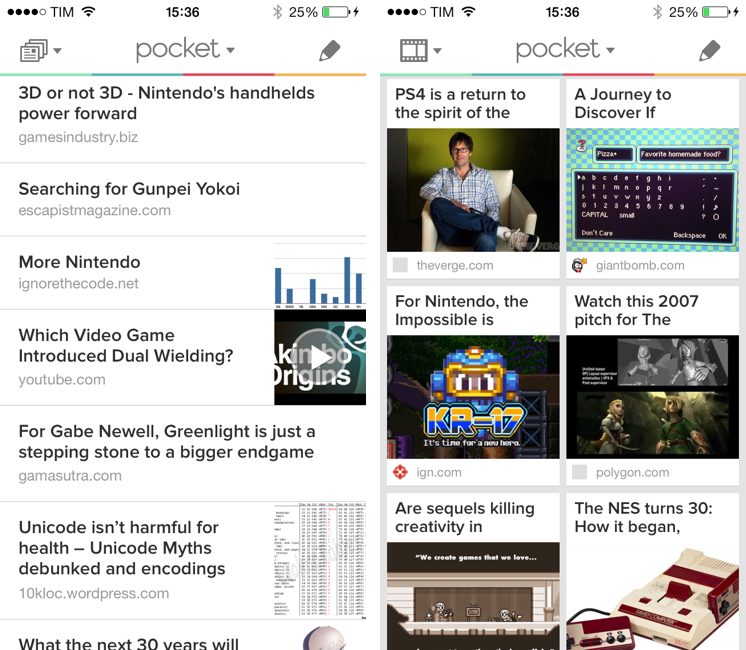
When Read It Later relaunched as Pocket last year, I was intrigued by the service’s focus on allowing users to “save everything for later”. In the months that followed, Pocket received a native Mac app, better browser extensions, deeper integration with iOS apps thanks to a new SDK, and started expanding to more devices and OSes, following Nate Weiner’s original strategy to bring Pocket to as many platforms as possible. Today, Pocket is updating its iOS app to take advantage of iOS 7 and ensuring that content is always available on an iPhone or iPad, even if the app isn’t running. The new Pocket is a good example of developers using the new iOS 7 APIs to enhance existing apps. Read more


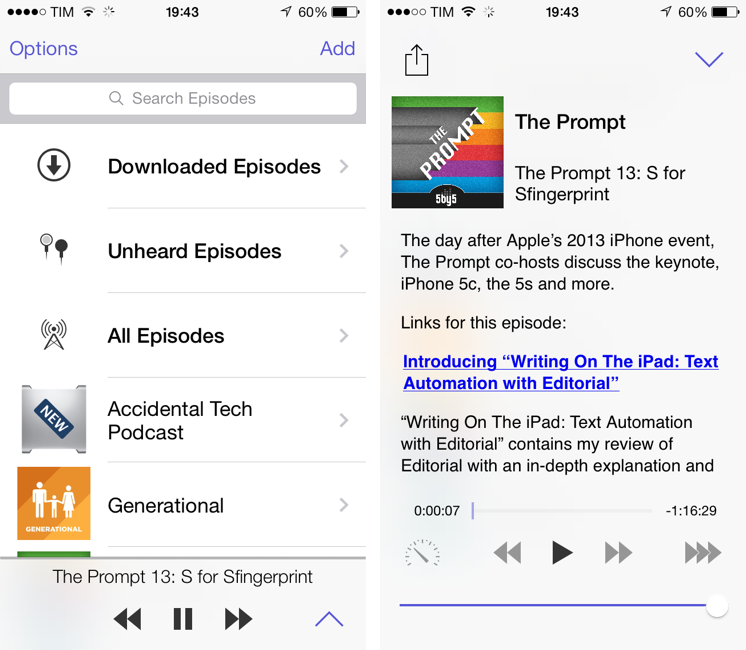
Instacast 4: Revamped for iOS 7

While Instacast 3 had a bumpy start, in time it matured into a solid app. Not only were the kinks worked out, but the new syncing engine enabled Vemedio to later launch a brand new version of Instacast for Macs running Mountain Lion. Together, this makes Instacast one of only three apps that can sync and play podcasts across desktops and iOS devices (the other two being Apple’s Podcasts + iTunes, and Downcast).

Intacast 4 is by far Vemedio’s best version of Instacast yet, and it’s a free update to those who’ve already purchased Instacast 3. Not only has the app been updated to adopt the look and feel of Apple’s translucency and flat iconography, it’s been significantly improved with the introduction of a sidebar and simpler now playing controls. Significant sounds funny, especially in light of a sidebar, but it makes Instacast much easier to navigate, less cluttered, and all around much more friendly to newcomers. Read more


OmniOutliner 2: Refined for iOS 7, Now With External Keyboard Support

When OmniOutliner originally launched on the iPad, I remember spending a lot of time figuring out its nuances, going so far as creating a tutorial so people could see how to customize documents and organize their outlines. While it won’t replace your spreadsheets, it will organize your data under collapsible headings and columns that neatly keeps related piece of information in their place. It works well as an alternative mind mapping tool, for students who are taking notes, or for someone creating that big holiday wish list. Read more


OmniFocus 2 for iPhone: Background Sync and a Bold Redesign

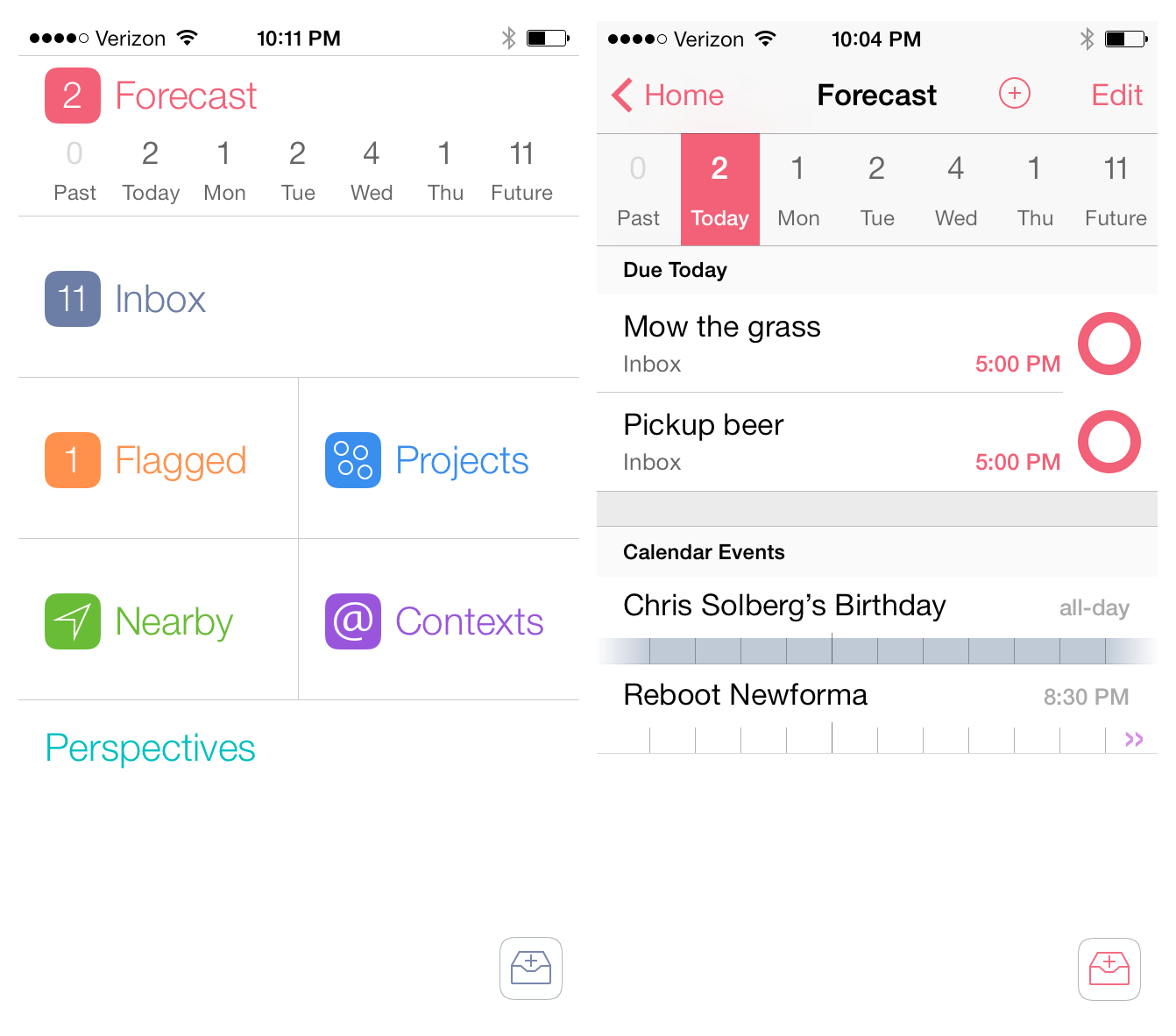
When I pictured what OmniFocus 2 for the iPhone would look like on iOS 7, I pictured simplified monotone icons in a table-view structure that the app has had since it was first released. The reason is probably because when I think of OmniFocus I think of powerful and quality software, however a bold interface is not a characteristic that would ever come to mind. When I opened OmniFocus 2 for the first time, I was shocked. Not to sound dramatic – I did not fall out of my chair – but it honestly took me a few seconds to absorb what I was looking at. Read more


Screens 3 Review

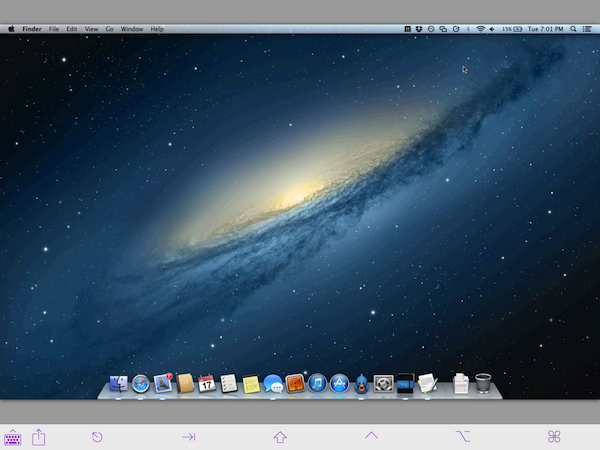
Edovia’s Screens is a MacStories favorite because it’s so ridiculously easy to use. In short, Screens lets you access your Mac or PC from your touchscreen iOS device. You can remotely connect to any of your computers, launch apps, and remotely control your personal computers at home or across the Internet. It’s great for troubleshooting a friend’s computer, accessing headless servers, or simply for moving important documents into Dropbox when you’ve forgotten to do so before heading to work.

For Screens 3, I tested the app with a desktop PC running Windows 8 and a MacBook Air running OS X Mountain Lion. Connecting to a Mac is pretty straightforward, but connecting to a PC can be tricky depending on its configuration.

Read more


Drafts 3.5 Brings Refined Interface for iOS 7, Action Improvements

Drafts for iOS has singlehandedly reinvented, alongside Editorial, my iOS workflow. With a combination of URL schemes and custom actions, direct Dropbox and Evernote integration for saving text, callbacks, and a fervent community of passionate users pushing the app to its limits, Drafts has become an extremely powerful iOS notepad without losing its basic simplicity. Drafts is the perfect example of an app that is easy to use and approachable but that power users can tweak and enhance if they know where to look.

With the release of iOS 7, developer Greg Pierce has decided to make Drafts 3.5 an iOS 7-only app that includes an updated design and some new features for power users. This will likely be a controversial decision among users who won’t update to iOS 7 right away, but I certainly understand the motivation of wanting to move forward as fast as possible by promptly embracing our iOS 7 future.

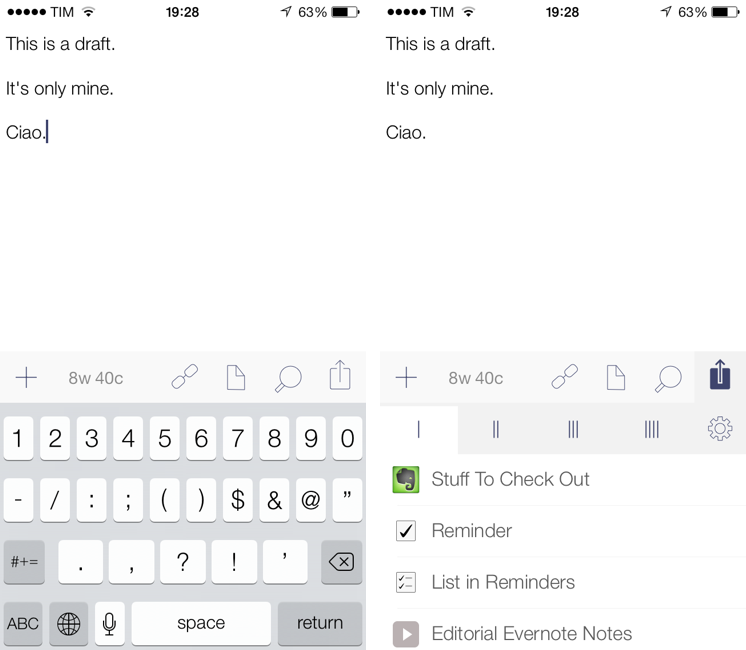
Drafts didn’t have much custom UI to begin with, so this new version’s most visible changes are the keyboard, which defaults to the iOS 7 one, and the revised icons and menus that match iOS 7’s new design trends and guidelines. Icons are thinner, the Settings’ cells run from edge to edge, the On/Off switches are new, the status bar blends with the writing area, and there’s a lot more whitespace. After having used Drafts 3.5 for a few months, I would say that, in the transition to iOS 7, it has lost less than Pierce’s other app, Terminology, in terms of identity and personality. Drafts was already spare and clean-looking – iOS 7 just makes it official and takes the app’s whitespace up a notch. Overall, it’s still the same Drafts, now with new icons and an updated keyboard.

The additions to Drafts 3.5 should please power users and those who rely on Drafts as an application launcher more than a note-taking app. Read more


Pocket Casts for iOS 7 Review

Pocket Casts 4

Pocket Casts 4

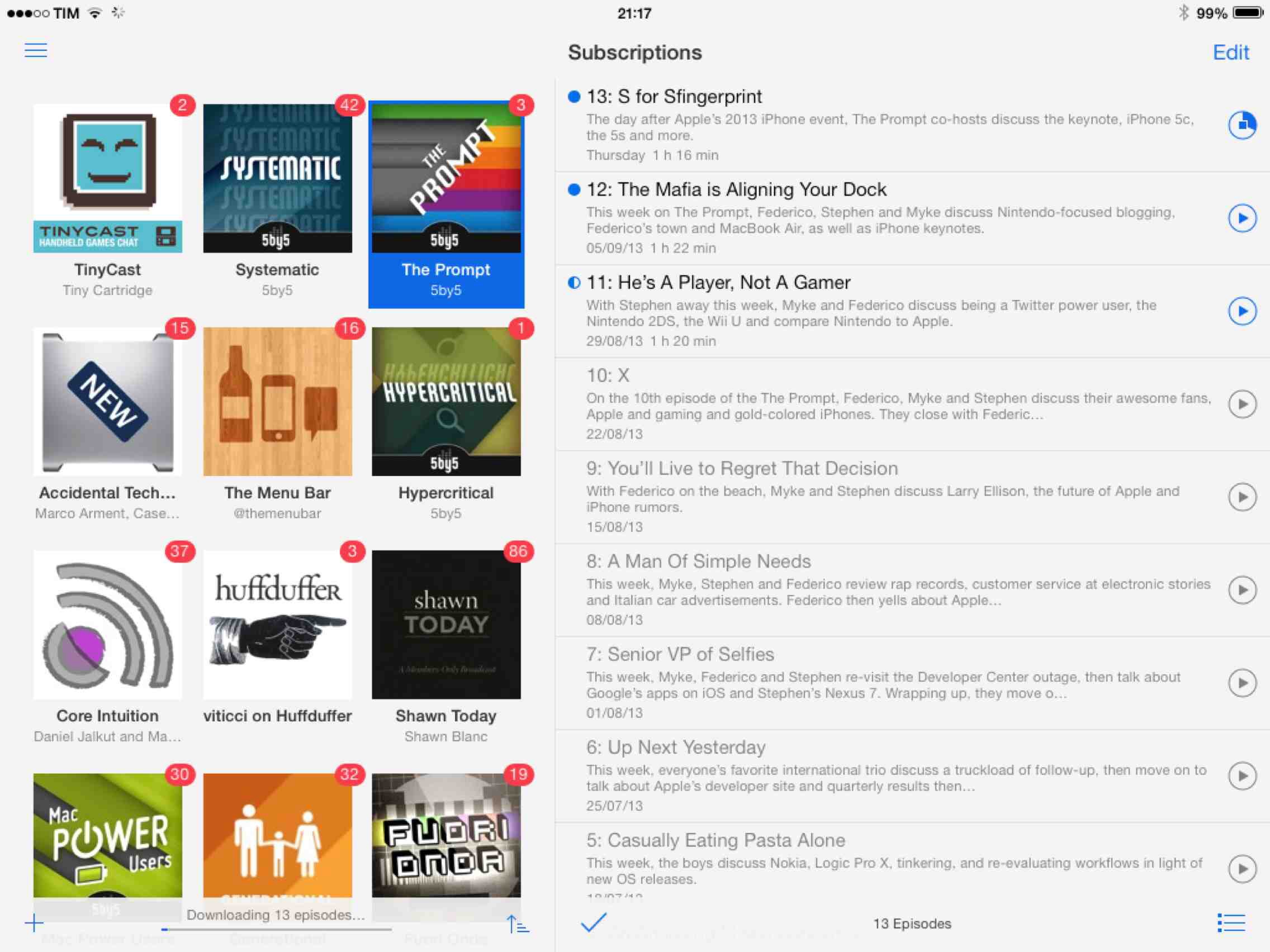
Over the years, I’ve moved my podcast subscriptions to different apps to see which one would fit my listening habits and needs better. I have tried Instacast, Downcast, even Apple’s free Podcasts client with iTunes sync for a while, but never settled on a specific solution for more than six months. The possibility to export a set of subscriptions as OPML to other apps makes it easy to switch, just like it is simple to move RSS feeds from one client to another. But while I have remained loyal to Reeder and Mr. Reader for years now, I’ve never been able to stick with a podcast client for too long. Every time I tried a new app I would say that it was going to be the one for me, but then I encountered an issue, or perhaps a feature was added to a competitor – and I was back exporting my OPML subscription list and relocating to another home.

For the past month, I’ve been testing Pocket Casts 4, developed by the Australian team of Shifty Jelly. Pocket Casts 4 has been approved by Apple, and it will be released on the App Store as soon as Apple will flip the switch for iOS 7 apps on iTunes. Pocket Casts 4 is a Universal app sold at $3.99, and it’s a free upgrade for existing owners of Pocket Casts 3.

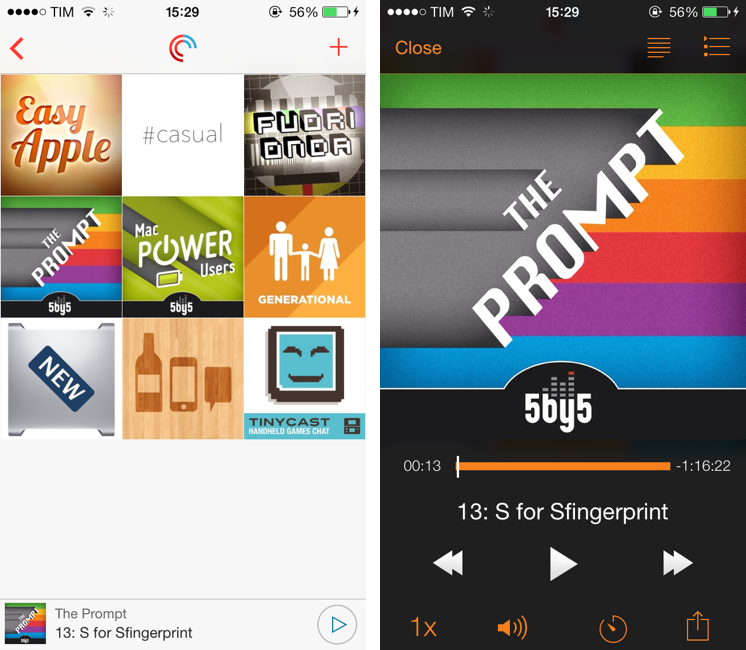
While I recognize that I tend to be some kind of an app nomad when it comes to podcast clients, Pocket Casts 4 has some excellent features that work for the way I like to listen to podcasts and organize them. Read more