Posts in reviews

Sparrow 1.3 Brings Lion Support, Interface Changes

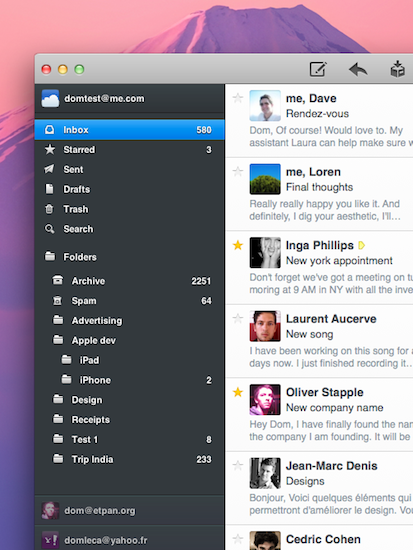
Sparrow started out as a minimal, Tweetie-like email experiment for Mac back in October of last year and, following the success of the public beta, eventually evolved into a powerful desktop solution to access Gmail and IMAP email accounts using new interface concepts inspired by iOS apps, Mac gems like Twitter and Reeder, or other changes previewed by Apple in Lion. As we reported in our previous coverage, the latest big update to the app, Sparrow 1.2, went as far as adding social support with Facebook integration,  Gravatar support, and more.

Sparrow 1.3 was approved yesterday, but the developers had to quickly pull it from sale as a critical bug that caused the app to crash was discovered. After apologizing for the technical error and uploading a patched version for non-Mac App Store users, the team announced a fix had been already submitted with the request of an expedited review from Apple. Personally, I updated to Sparrow 1.3 yesterday and didn’t experience any issues, but I decided to hold my coverage until the promised fix would be available on the App Store – more importantly, the entire app had to come back on Apple’s servers as the developers pulled it to make sure no one would install a “buggy” version. Read more


Stylapps, A Beautiful Showcase of Stylish iPad Apps

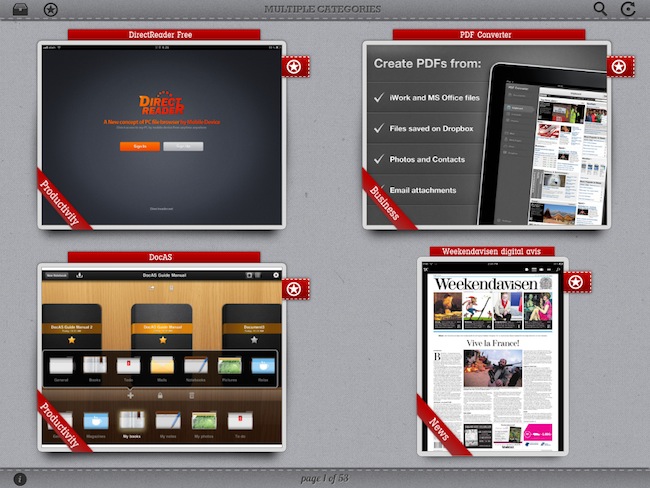
As a geek, I’m always excited about the next great app that may solve one of the annoyances in my workflow or provide a better solution to a problem I didn’t know I had. Whilst functionality is still king when it comes down to choosing the proper tools to administer our workflows and check things off our to-do manager, more often than not we’re also looking for beautiful software that meets our iOS expectations for elegant interfaces and intuitive navigation schemes. Stylapps, a free iPad app released in late June, aggregates “stylish iPad applications” that are becoming increasingly difficult to find in the tumultuous sea of daily App Store releases.

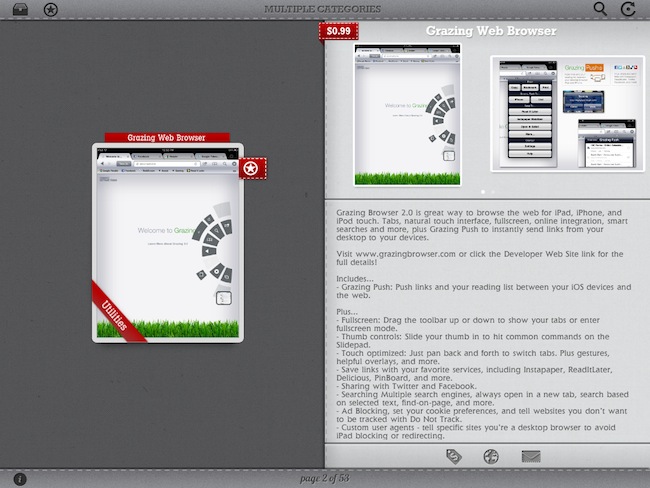
Stylapps starts up with an elegant grid of iPad screenshots placed against a light background that greatly contributes to enhancing the colors of the apps that are being presented on screen. The app comes with refresh and search buttons to find your way through specific releases, but more importantly there is a filter icon in the upper left corner that allows you to pick certain categories to check out new apps released on the App Store and hand-picked by Stylapps. So if you don’t want to learn about stylish new Games, but you’re in for a Productivity and Business treat, you can drill down into the aforementioned categories and start looking for new apps that may suit your needs. Screenshots in the main page are large enough to provide a quick preview of what you’re looking at, however you can also tap on a thumbnail to open a single-app view with description, iTunes screenshots, App Store button and a link back to the developer’s website. To go back to the main list, you just have to swipe your finger on screen; a two-finger swipe lets you jump 10 pages of app picks. A “star” button next to each thumbnail enables you to save an app to your favorites, a section that lives locally on your iPad to collect apps you may want to check out later.

Stylapps’ curated section of beautiful and stylish apps quite resembles my tastes, but in my tests I’ve found the app to be far from perfect as far as stability goes. I’ve experienced a few crashes when navigating between pages, and a bug with opening screenshots will sometime “freeze” the app into a lightbox overlay mode that will force you to quit and re-open.

Still, these issues occurred rarely and I was able to browse the selection of software offered by Stylapps to find some interesting new apps I hadn’t covered here on MacStories. Stylapps is free, looks very nice on the iPad, and it’ll probably help you find the next gorgeous app you didn’t know about.


Records: A Jukebox for Your Mac

Records for the Mac is a brand new music player for your desktop from green&slimy software. Focused on creating quick playlists for parties and events, Records delivers a fullscreen interface on Snow Leopard that focuses on search and album artwork to identify music. Albums and songs are dragged into a tray to create a queue of tracks, and DJs will have the option of auto-mixing songs from their library for an instant queue. Queued tracks can be shuffled and played on repeat for random and continuing set lists. DJs can also add podcasts to the queue; podcasts like CLUBcast can be mixed with your own variety of tracks for near instant party playlists. Toss in keyboard shortcuts and Last.fm scrobbling, and Records is a fully functional, visual “audio browser” that makes finding music a cinch.

Read more


Review: Play by AOL Aggregates Music, Lets You Share & Discover

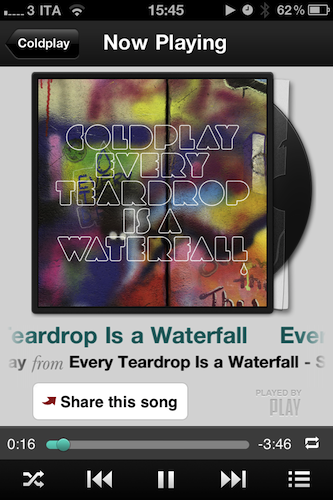
Play by AOL, the latest contendant in the social music discovery and sharing space, aims at providing a streamlined solution to what could be considered a common problem among iPhone and Android users: there is no unified system to share what you’re listening to and discover new music through the songs and albums your friends are liking. Ping by Apple failed at offering a solution truly meant for mobile with quick, instant access by being nothing but a mere social layer on top of the iTunes Store; on the other hand, apps like NowPlayer could be regarded as social attempts to get the music out of your device and onto the Internet (e.g. where your friends are), yet there’s always the issue with people finding tweets about #nowplaying annoying and, most of the times, out of context. Imagine if I tweeted all day about the music I’m listening to. That wouldn’t work. So that’s why in the past months we’ve seen the rise of SoundTracking (our review), a clever utility and social network by itself that lets you quickly share what’s playing on your device and send it off to an Instagram-like stream made by people you decided to follow within the app itself. Soundtracking can send items to Twitter and Facebook, but you don’t have to, as the app can live as a network on its own. Furthermore, sharing is made simple by a button that integrates with the iOS Music app to grab what’s playing in seconds, artist’s info and album artwork included. Read more


PDF Converter for iPad Creates New PDFs Off Webpages, Contacts, Docs, More

iOS comes with a fast and elegant built-in PDF viewer (in fact, the latest JailbreakMe 3.0 is largely based upon a security hole in the PDF display engine), but unlike Mac OS X the options to convert documents into new PDF files are limited. PDF Converter, a new app by Readdle (the makers of PDF Expert and Terra web browser, among others), aims at providing an easy to use yet powerful solution to turn almost anything on your iPad (webpages, documents, clipboard contents, even photos) into new PDF documents to save locally or send to an external physical or virtual printer.

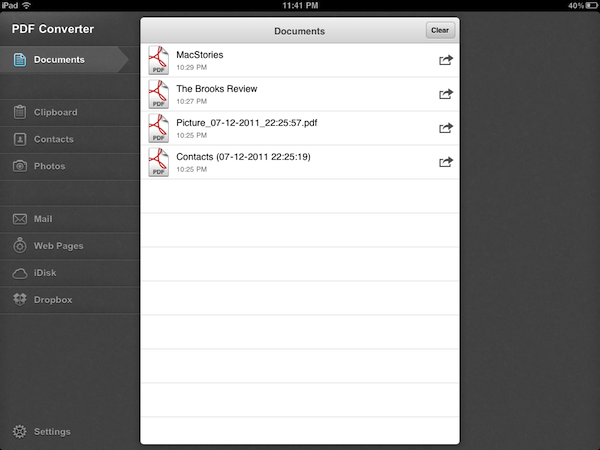
Released earlier today at $6.99 on the App Store, PDF Converter runs as an iPad-only application for now. The interface resembles Readdle’s previous works for the iPhone and iPad – namely ReaddleDocs and PDF Expert – with a narrow sidebar on the left side of the screen allowing to switch between the different types of content you can convert to PDF. The app supports PDF creation off clipboard contents, Address Book contacts, photos, webpages and just about any document that can be sent to third-party apps using iOS’ native “Open In” menu. By opening a document into PDF Converter, in fact, the app will take care of turning it into a properly formatted PDF document that keeps pagination and line breaks (as well as layout and graphics) intact, while making the doc’s text entirely selectable as you would expect from a PDF. Unlike ReaddleDocs and PDF Expert the app doesn’t come with direct iDisk and Dropbox access, but the developers recommend you use the “Open In” menu in those apps if you wish to get documents into PDF Converter.

In my tests, I’ve found PDF Converter to perform reliably with a variety of content and clipboard contents sent from iOS apps to Readdle’s utility. The built-in Address Book integration will allow you to print out contacts in a simple plain-text layout with all available fields (email, phone, address), but more importantly full clipboard integration means you’ll be able to, say, copy a web address from Safari into your system’s clipboard, launch PDF Converter and have the webpage you just visited available as a PDF you can print, email, or open into another app (you can’t rename PDF files in the current version of the app, but Readdle says that’s coming with an update soon). Furthermore, the developers have enabled a unique URI shortcut system for PDF Converter that will let you send a webpage from Safari to the app by simply adding “pdf” (without quotes) before the http:// string of a webpage, in the address bar. Change a URL to “pdfhttp://”, wait a few seconds, and the webpage will become a new document in PDF Converter. I tried this by saving MacStories’ and Brooks Review’s homepages as new docs in PDF Converter, and then I sent them off to a virtual printer on my Mac using the amazing Printopia desktop printing tool. Not only did the PDF transfer just fine, unlike other solutions to generate PDFs off webpages, PDF Converter’s engine kept the layout of both sites exactly the way I’m used to see it in Safari. For offline reading and webpage archiving (perhaps paired with Evernote on the Mac, or other apps like Yojimbo and DEVONthink), this is very useful.

At $6.99, with PDF Converter you get a powerful tool to create new PDFs on your iPad, and share them with other apps that support document interaction with iOS’ built-in features. The price may be a little steep and the app definitely isn’t for everyone – it’s a rather niche software that, however, addresses a common complaint with elegance, and good interoperability with Readdle’s other PDF app, PDF Expert. Read more


Grazing 2.0: Once Again, My Favorite iOS Browser

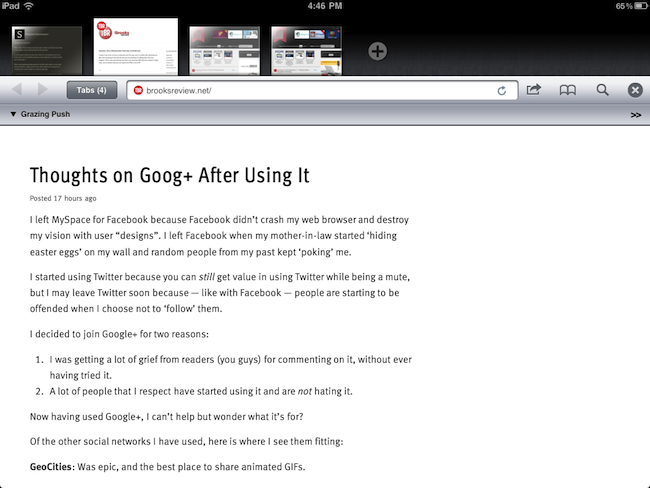
Back in September I first reviewed Grazing, an alternative web browser for the iPad that came out a few weeks after I complained about the average alternative browser for the iPad lacking the ideas, feature set or implementation to properly compete with Safari. Lots of things have changed since then, both with iOS Safari and the third-party development scene. Safari for iPhone and iPad got faster with the Nitro engine, received AirPlay support for any video found on the web and, with iOS 5, is also getting a major facelift with tabs on the iPad and other welcome additions such as tab undo and history right from the toolbar. On the other hand, the past few months have seen an explosion of alternative browsers that, in spite of the lack of Nitro JavaScript engine, are playing around with the craziest ideas when it comes to re-inventing web browsing on the tablet. I was impressed by the feature set of iCab Mobile (perhaps the most popular 3rd party browser for iOS), the UI of Sleipnir and the underlying concept of Portal, without a doubt the most innovative iPhone browser to date. There are dozens (if not hundreds) of alternative browsers for iOS now, and unlike last year many of them are really, really good. Apple still doesn’t allow iOS users to set a different default browser other than Safari, but third-party support has increased in the past months, so we’re starting to see integration with alternative browsers (usually iCab) in apps like Handoff and Mr. Reader.

Developers realized there could be so much more besides copying Safari and putting a sharing menu and tabs in an “alternative” browser. We have seen experiments with visual tabs, gestures, tab re-organization, and more. Is there still room for innovation? With iOS 5 bringing a slew of enhancements to Safari (including direct Twitter integration) and titles like iCab, Portal, Sleipnir, Skyfire and iChromy already available on the App Store, what’s next for third-party iOS browsers?

Grazing 2.0, a major update to the app I reviewed in September, provides an answer to this question by offering an interesting mix of features aimed at turning the app into a multitouch-enabled, platform-connected browsing experience for iOS. Read more


TV Forecast HD Is A Beautifully Refined iPad App That Keeps Track Of Your Favourite TV Shows

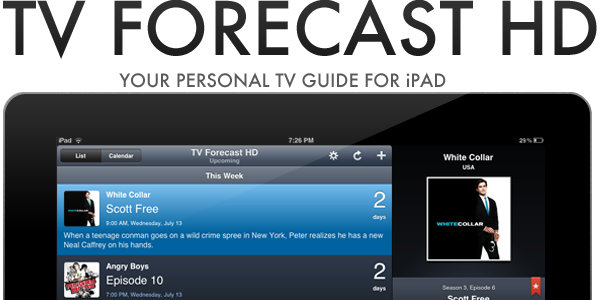
If you are anything like me, you probably don’t watch much live TV anymore; instead just watching a few shows a week on TV and the rest via an online catch-up service. If that sounds like you as well, you may be interested in a new iPad app that makes it easier to track when your favorite shows are airing on TV. The app, TV Forecast HD, is developed by Big Bucket Software (also the developer behind The Incident) and is an entirely redesigned version of TV Forecast, which is currently available for the iPhone. Jump the break for the full review of TV Forecast HD, which has just been made available today.

Read more


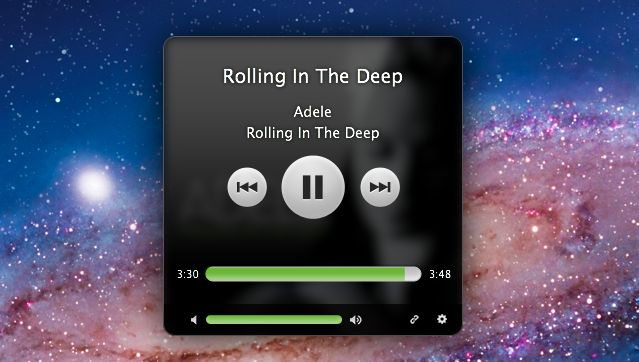
Simplify: A Spotify Music Controller and Artwork Widget for Mac

Spotify, the European music streaming service that has attracted millions of paying subscribers in the past two years, is finally launching in the United States, with some saying the big opening could happen as early as next week. For those not familiar with Spotify, the concept is very simple: instead of owning music, you stream it from the company’s servers that host a huge catalogue of songs from both major and less-known labels. You can build playlists, mark items as favorite, and pay to get unlimited access, higher quality bitrates, mobile apps and caching options for offline access. Whereas Apple’s upcoming iTunes Match service will scan songs you already own to mirror them online, Spotify lets you create your own online library of songs you don’t own (though a “buy” option has been recently introduced), but that you can stream at any time. It’s similar to other services like Rdio and MOG, but the company never managed to close a deal with US music labels and get the green light for launching its service until last week.

I’ve been a Spotify user for two years, and it’s completely revolutionized the way I listen to music. I still enjoy buying some music from iTunes, but Spotify’s biggest advantage over traditional marketplaces is that I can pay a monthly fee (or buy yearly access altogether with a gift card) to listen to just about anything I want, from any device. Spotify has a beautiful Mac client and an iPhone app that’s continually updated with new features; however, the company still hasn’t revealed its plans about an iPad app that would be much welcome one year after the iPad came out. Read more


MacStories Product Review: The Samson Meteor Mic

When it comes to podcasting, you shouldn’t have to be an audio expert like Dan Benjamin or Dave Hamilton. Audio equipment, mixers, those damn XLR cables — for someone who just wants to jump into garageband and hit record, there’s no need to buy $500 in equipment. You should, however, invest in an easy solution that’ll improve your game ten fold. Today, I’m looking at the Samson Meteor Mic, a $99 cardioid condenser microphone that’s perfect for podcasting on a budget.

Read more