This Week's Sponsor:

Turbulence Forecast

Know before you go. Get detailed turbulence forecasts for your exact route, now available 5 days in advance.


Posts in stories

Mac App Store: Year One

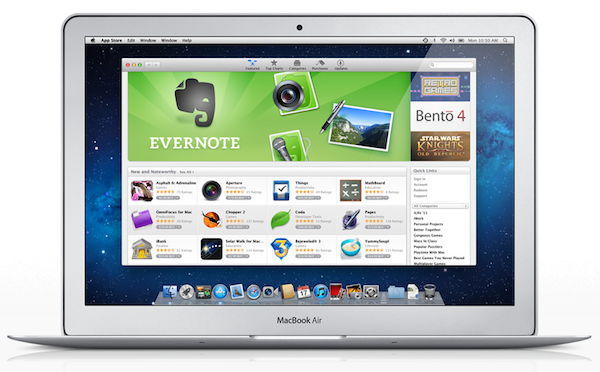
One year ago today, Apple’s Mac App Store officially opened for business. Bundled into Snow Leopard’s 10.6.6 software update, and later installed by default on OS X Lion, the Mac App Store is a native, built-in marketplace for third-party developers and Apple’s own software. Just as the iOS App Store has contributed to the solidification of a software ecosystem built around iPhones, iPods and iPads in the past three years, helping “indie” as well as bigger developers achieve a sustainable business model in selling smartphone and tablet apps, in the past 365 days the Mac App Store has quickly reshaped and fundamentally changed the OS X software landscape and users’ perception of “desktop apps”.

It’s not absurd to say many didn’t even know it was possible to “install apps” on a Mac before the launch of the Mac App Store. What the Mac App Store did – besides allowing long-time Mac users and developers to consolidate their software library in a single place and provide them with a better way to discover and showcase the latest indie hit – is it finally created a viable and consumer-friendly way to find and buy apps. Before the Mac App Store, the average Mac user could get work done easily with just Safari and Mail because he or she knew those were all the apps a Mac came with. Great apps, for sure, but just those apps. The Mac App Store, just like the iOS App Store, opened a whole new portal for users and a market for developers (and a way for Apple to break even on costs with a 30% cut) to know a completely new world made of utilities, productivity apps, games, news readers and more. The Mail aficionados of 2010 have likely jumped over to Sparrow, and those who swore by Preview perhaps have found something more attractive in Pixelmator 2.0.

With 100 million downloads under its belt and Apple’s latest major OS X revision, Lion, available digitally, there’s no denying the Mac App Store had a great run in 2011. Here’s a look back at these 365 days, and how the Mac App Store we know today (quickly) came to be. Read more
My Educated Guess On What The Next Apple TV Will Be

I’d like to create an integrated television set that is completely easy to use,’ [Steve Jobs] told me. ‘It would be seamlessly synced with all of your devices and with iCloud.’ No longer would users have to fiddle with complex remotes for DVD players and cable channels. ‘It will have the simplest user interface you could imagine. I finally cracked it.

In the past two months since Walter Isaacson’s biography hit the bookshelves and people read that paragraph I quoted above, rumours of an Apple TV have hit a fever-pitch. Only a few people really know what Jobs meant by the quote and what his intentions were, but regardless, many people have speculated on what it is he “finally cracked”.

I’ve been following along closely to the discussion because I’m fascinated by where the TV industry is inevitably headed and because I want to see how Apple will come into another new industry and try to disrupt it (presuming they do, of course). More than that, I am some what of an outsider to the latest developments in the TV industry - living in Australia where TV content offerings are years behind that of the US and (to a lesser extent) Europe. Local TV stations have (forever) been slow in acquiring US content, taking weeks, months, if not years to show a popular US series and our online choices have been minimal - with the exception of ABC iView and some dismal options from other networks.

So it is with this point of view, that I want to take a crack at figuring out what exactly this new Apple TV will be, why Apple wants to build one and how it might change our consumption of content. Jump the break to read it all.

Read more


MacStories Apps Of 2011: Reader’s Choice Winners

We’ve had a great response to our search for the best iPhone App, iPad App, Mac App and iOS/Mac Game with votes numbering in the thousands and people really excited about the huge giveaway that we ran alongside the vote. We’ve given away most of the codes but the final winners will be emailed over the next few days, so keep your eyes peeled for that.

We’ve tallied the votes and figured out who you, our readers, have deemed as the best apps and games of iOS and Mac. The winners may be largely what is expected, but it is interesting to see who the runner-ups were - there are a few interesting results there.

Just a quick note to all those who voted; thank you! We didn’t know whether you would embrace this idea or not, and we’re thrilled that so many of you voted and that we got such a large sample of our reader’s opinions on the best apps and games of 2011.

Jump the break to find out who all those winners and runner-ups all are.

Read more


Best Apps Of 2011: Final Chance To Vote & Enter Our Huge Giveaway

UPDATE: Voting is now closed. Winners will be announced tomorrow, Saturday 24th of December.

Last Friday we opened up the poll’s, to hear what you thought was the best iPhone, iPad and Mac App - as well as the best Game for the Mac/iOS from 2011. As part of it, we put together the biggest giveaway we have ever run on MacStories - with around 250 codes to give away.

We’ve had a great response with votes numbering in the thousands and people have loved the huge giveaway. But now we are on the home stretch, as of posting there are just 10 hours left of voting, with the poll closing at 7:00 PM EST (New York time) tonight. Click here to see how long away, exactly, that is.

So if you haven’t yet voted, get a move on and vote right now - you’ll also go in the running for some of the apps we are giving away today — the final day of the giveaway! We’re giving away some truly excellent apps today, in fact, a spectacular bunch of apps:

  • Tweetbot (iPhone)
  • Fantastical (Mac)
  • Reeder (Mac)
  • Pixelmator (Mac)
  • PDF Expert (iPad)
  • Reckless Getaway (iOS)
  • Ecoute (Mac)
  • iA Writer (Mac)
  • AirServer (Mac)
  • Triple-Pack Bundle: Mr. Reader (iPad), iA Writer (iPad), AirServer (Mac)

View more details on how to enter the giveaway
View all the short listed apps


Best Apps Of 2011: Vote For Your Favorite + A Huge Giveaway

iOS and Mac apps are the cornerstone of what we cover on MacStories, we love trying new apps, sharing news about them and then reviewing them for you all. The past 12 months have been a spectacular year for new apps and big app updates that have seen both the diversity and calibre of iOS and Mac apps increase significantly. It is with this in mind that we want to recognise the very best apps that were released or received major updates in 2011.

The whole team at MacStories has worked together to come up with a short list of iPhone, iPad and Mac apps as well as a short list of games that we believe were the best to come out in 2011. Now we need your help to decide which of these apps are the best from each category. To do so, we are running a poll that we want you to take, and we want you to cast your vote for what you think was the best app of 2011.

The Biggest MacStories Giveaway Ever!

However, this event isn’t just about rewarding the very best iOS and Mac developers, we want to reward you for being readers of MacStories this year and for taking the time to help us choose the best apps of 2011. This giveaway, as the header states, is the biggest we have ever run - and by quite a stretch. We’re going to be giving away over two-hundred license codes for apps that have made it into our short lists - and there may still be more to come! Some of the apps we will be giving away include:

  • Alfred
  • Fantastical
  • iA Writer
  • Instacast
  • Mr. Reader
  • Tweetbot
  • and many, many more…

How To Enter The Giveaway

There are three ways to be in the running for some of these licenses:

  1. Vote (when you vote we first ask for your email address, just enter a valid email address and you go into the running to win some free apps).
  2. Tweet about this contest (just make sure you have this article’s URL in the tweet, or just use the example tweet below).
  3. Let your friends or family know about the poll and have them enter your email or Twitter handle in the referral box that is on the voting page.

MacStories Best Apps of 2011: vote now and enter our huge iOS & Mac app giveaway! http://mcstr.net/rVDwy8

Rules & More Information

  • You can only vote once, this is why we require an email address when you vote. If you enter an invalid email address or vote multiple times your vote(s) will not count.
  • Please don’t spam your Twitter followers, friends or family, asking them to vote and add you to the referral box. It’s not nice and we don’t want to come across as being the source of this spam - if we see such spam we will ensure you don’t receive any licenses.
  • Some licences will be given out during the voting process, whilst the rest will be given after voting closes.
  • Once voting closes, no more entries for the giveaway will be accepted.
  • Because of the limited number of licences we have per app, you might not get the app you really wanted if you are a winner - but we will try to be as flexible as possible!


Sorry, voting is now closed. Winners will be announced Saturday, 24th.

The winning apps will be announced on Saturday, December 24th (Christmas Eve).


Read more


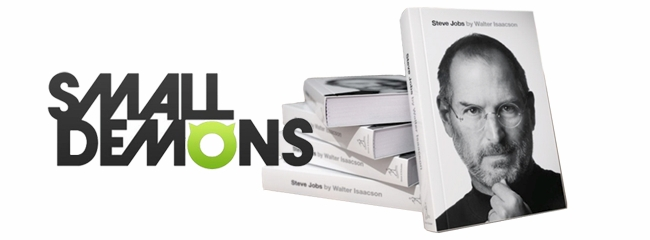
Small Demons and the Indexing of Steve Jobs

Walter Isaacson’s Steve Jobs biography captures some of the mystique and intrigue of a visionary who was set apart by not only his personality, but his exquisite tastes and passion for excellence. His personal likes — minimal and beautifully designed products — pertained to brands like Mercedes and Braun. His love of Bob Dylan eventually saw the sale of a $199 box set in the iTunes Store. Of course he was a film critic, making business deals during his time at Pixar while providing colorful commentary on the works of Disney.

The book is full of references related to his personal life and Apple’s, from the places he traveled through the development of the iPod and more. All of this documentation — newspaper entries, advertisements, and even the things Steve Jobs interacted with — is being preserved and shared online in a visual browser.

Read more


Dousing the Kindle Fire with Fire (And Cooling Down)

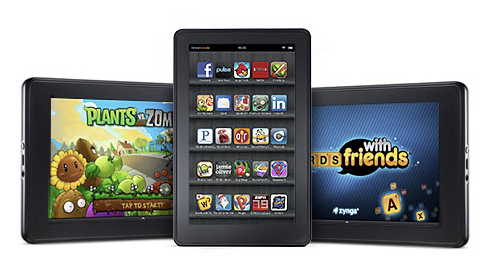
I don’t doubt that the Kindle Fire’s usability matches its bargain bin price tag. David Pogue was pretty clear when he said, “You feel that $200 price tag with every swipe of your finger.” Reviews, ranging from forgiving to absolutely scathing, are mixed. On one hand, you have Andy Inhatko who loves the crisp text and the reading experience on the smaller, 7” display. On the other hand, the founder of Instapaper finds the reading experience to be absolutely awful. TUAW and GigaOM both posted comparative guides for consumers on the fence about which tablet to buy, straddling the line that the Kindle Fire is good enough because of its price-point. There is a common consensus:

  • The Kindle feels good in the hand thanks to its small form factor and rubberized texture.
  • The 7” display is impressive.
  • Amazon’s digital content can be easily purchased thanks to excellent store integration.
  • OS responsiveness varies, but overall is OK in comparison with higher-end tablets.
  • The Silk browser doesn’t perform akin to Amazon’s claims. It is as fast or slower than other mobile browsers.
  • The price is really the winner here.

Where the reviews differentiate is with the experience of actually consuming content, which is likely what consumers want to do with a tablet integrated with Amazon’s ecosystem. Ben Brooks writes that the Kindle Fire’s three main experiences, which are reading, watching video, and web browsing, are simply poor in comparison to its polished rivals (the iPad). Erick Schonfeld on the other hand writes the exact opposite, even giving the Kindle Fire’s often lauded browser a pass. From what I’ve seen, the big tech press has been giving the Kindle mostly fair but favorable reviews, with independent writers chomping down on the lack of a polished experience.

Read more


MacStories Interviews: Ryan Rigney

MacStories Interviews was a series of interviews with well-known developers, bloggers, journalists and geeks that we published late last year. We’ve revived the format to interview Ryan Rigney, author of  Buttonless, a new book about iOS games that is launching on December 13th. We’ll have a full review of the book when it is released, but in the meantime we thought it would be interesting to hear more from the author himself.

MacStories: Hey Ryan! Could you introduce yourself to the readers who haven’t heard about you or haven’t read any of your work before?

Sure! I’m a freelance writer who has written for a number of gaming outlets, most notably GamePro, PC Gamer, and Gamasutra. I’ve mostly written about iOS gaming, but I’m also a big console gamer so I’ve done a good bit of writing about those types of games as well. Just this week GamePro published my review of Minecraft!

MacStories: So tell us a bit more about your new book, Buttonless. What made you decide you wanted to write this book?

Over the past few years I’ve been so focused on iOS and written so much about iOS games that it’s become something of an obsession. I’ve reviewed hundreds of iPhone and iPad games, interviewed scores of developers, and purchased far too many apps. I pretty much came to the realization that I possessed enough experience and knowledge to write a book, and then began brainstorming ideas. It took a while for me to figure out that I wanted to put so much of the focus on “the stories behind the games,” though.

MacStories: Did you find it difficult finding a publisher willing to help you write this book given it is such a new industry that may appear very “niche”?

Actually, A K Peters/CRC Press was the first publisher I approached. In my pitch, I shared with them a bunch of numbers that I had stumbled across––how many hundreds of millions of iOS devices are out there, and how many people are buying these games. The truth is, it’s really not a niche. iOS gaming is now the most popular form of portable gaming, and it’s only getting bigger. Maybe if I had tried to write a book about 3DS games, the publisher would have needed more convincing haha!

Read more


Nintendo 3DS From An iOS User’s Perspective

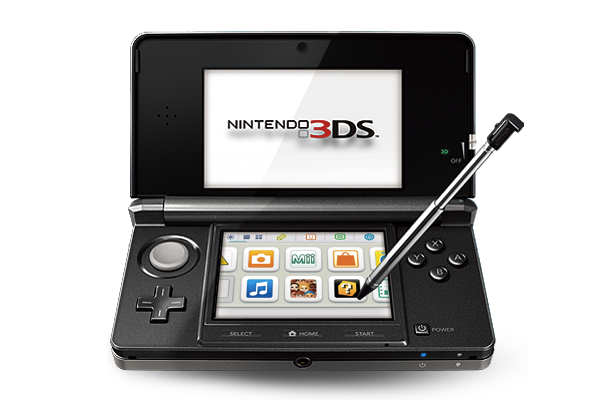
Last week, I bought a Nintendo 3DS with Legend of Zelda: Ocarina of Time 3D. And coming back to “regular” portable console gaming after four years of multitouch iOS gaming felt strange.

As I explained in my Aquaria review yesterday, I started playing with a Super Nintendo Entertainment System when I was six. Actually, my home console gaming experience started with the SNES, but my parents had already bought me a Game Boy. I grew up with Game Boys (classic, Pocket, Color, Advance, and various iterations of the latter), Nintendo’s consoles (SNES, N64, Game Cube, Wii) and Sony’s PlayStation (PSX and PS2). I skipped SEGA’s Dreamcast and Microsoft’s original Xbox, albeit in 2008 I decided, for some reason, to buy an Xbox 360. I basically never touched it. In fact, I’m pretty sure my 360 still has the original Dashboard view – I don’t even know how to update the thing.

I’ve been a “regular” gamer from 1994 to 2007. Four years ago, something happened: as I graduated from high school and got a job, I found to have less time for gaming. Things got even worse after I started MacStories, gaming time-wise. At the same time, whilst my DS and PSP and 360 were catching the dust, I started playing the casual game for iPhone that you can get at $0.99 in the App Store and doesn’t make you fell all guilty about it. After all, it’s just a .99 game that you can play for 20 minutes, not hours. You didn’t spend $60 and 40 hours on a game – I bet a lot of people know the feeling. At least initially, casual iPhone gaming was the cure for ex-gamers that still wanted a quick bite off the digital entertainment scene.

So for nearly four years I bought nothing but iPhone and iPad games. I was quite happy with the results: I could play the latest hit for 30 minutes a day, and say that “I enjoyed it”. I clicked the Buy button on a lot of games: most of them I never finished. But they still gave me the illusion of enjoyment as they were little $0.99 gems I couldn’t feel guilty about. It’s easy to say you’ve “enjoyed” something that costs less than a dollar. So my iTunes library grew larger and full of half-finished, presumably enjoyed iOS games. Read more