

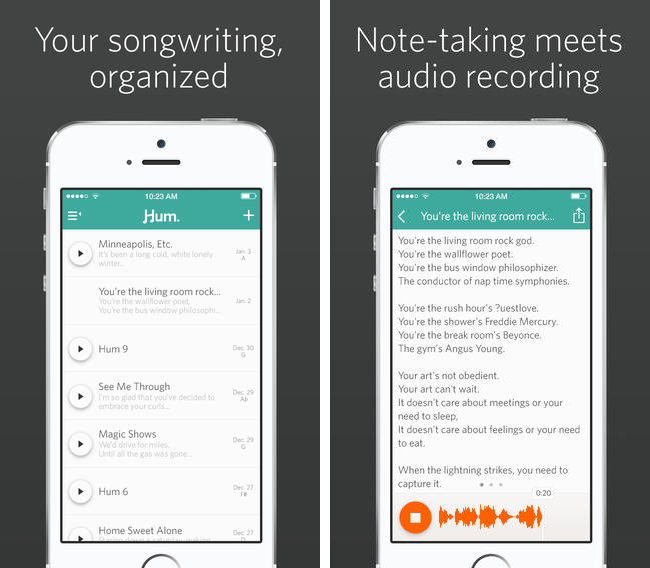
Released on the App Store yesterday, Hum started out as a Kickstarter project before the developers decided to go it on their own. The app gives you a place to write down song lyrics that come to mind, record your song ideas, and set the key, tone, and mood. It’s an interactive songbook that lets you share the end result with friends, available on the App Store for only $1.99.
Posts tagged with "app store"
Write Your Next Song Lyrics with Hum for iPhone→
Rap Genius Brings Annotated Lyrics to the iPhone With ‘Genius’
Rap Genius and its community have been making themselves the de facto place to get the scoop on what’s actually being said and what it all means, replacing sites like SongMeanings and A-Z Lyrics (a common Google search result). The state of music lyrics is infuriating, considering the best source for a lot of this stuff are artist wikis, lyric books that come packaged with CDs, and any number of shady lyrics sites looking for hits.
MusicXMatch solves a lot of these issues, have great apps on iOS and in Spotify, but their desire to connect to social networks like Facebook, and emphasis on timed lyrics make it more suitable for karaoke and sharing than reading and reflecting.
Genius lets you read at your leisure.
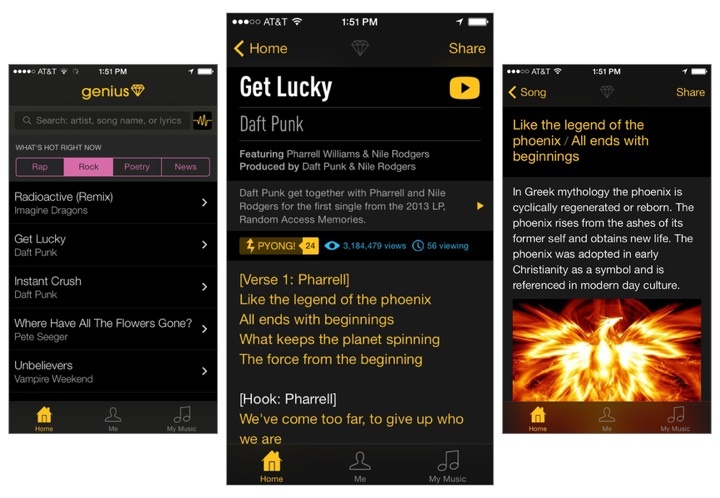
Genius is basically the mobile version of their website, bringing together other avenues like Rock and Poetry into a single application. It works the way I’d expect it to, being less reliant on your media library and more about search and popular tracks. Just as you’d find on Rap Genius, you can tap on lyrics to reveal annotations about what an artist might be trying to say, or why it’s a particularly punchy and meaningful line. The app provides a good way to get in the know about all the little cultural references that can be found in today’s music, and completely bypasses the company’s recent Google controversy.
Rap Genius is so big and community driven that it’s hard not to find a popular song or artist today that doesn’t have their lyrics added to the database. And like other apps, Genius shows you lyrics for songs in your iOS device’s local music library, or lets you activate the microphone to get lyrics for a song that’s playing around you.
It’s free to download from the App Store, and you don’t have to sign into Rap Genius to start searching for lyrics.
Vox 2.0
Vox is a simple and powerful drag and drop media player for the Mac, letting you drag in folders and individual tracks to create custom playlists. The app supports just about any media format, from FLAC to AAC to WAV, and has a built in equalizer so you can dial in the perfect sound. Vox has been around since 2007, and I’m amazed that it continues to be free.
I mentioned it briefly in the footnotes when I talked about GoodReader’s iOS 7 design, but there’s so much music out there that’s not in iTunes. Upcoming artists are putting demos and downloadable Mixtapes on SoundCloud, Bandcamp has become an avenue for independent game makers to sell soundtracks, and Amazon’s willing to send you the digital equivalent when you buy physical albums. If you love supporting your favorite artists, iTunes also ignores common perks that you get when preordering music direct, including exclusive tracks, different masters, custom artwork, and swag. A lot of music ends up in my Downloads folder, and instead of waiting on iTunes, I just drag my folders of newly acquired tunes into Vox.
Keep Your iTunes Wishlist in Mentio for iPhone→
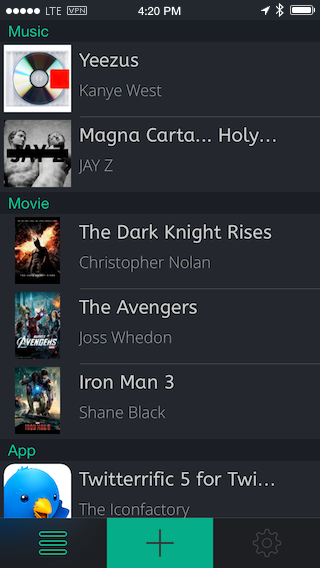
If you’re saving up for a that special movie, latest iTunes albums, or popular new app, keep track of it with Mentio. The wishlist app lets you add media by searching iTunes and the App Store, lets you share your wishes with friends, and has both light and dark themes for your viewing pleasure. Each item you add contains a small summary (like descriptions for movies), and the option to purchase the item once you’re ready to buy. Useful if you buy apps and media using iTunes gift cards. Download Mentio for a dollar on the App Store.
VLC Gets Updated for iOS 7→
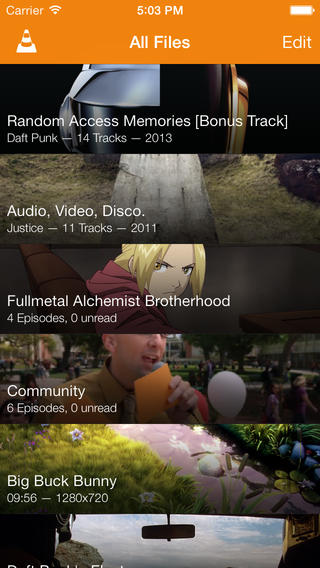
It’s a common headline as of late, but VLC, an open source media player for desktop and mobile, have updated their iOS app with a refreshed look and plenty of new features. VLC’s latest update lets you stream media from Google Drive and Dropbox, adds new multitouch gestures, and has an improved library for TV shows and audio. The app’s free to download from the App Store for iPhone and iPad.
GoodReader Gets a Big Update for iOS 7
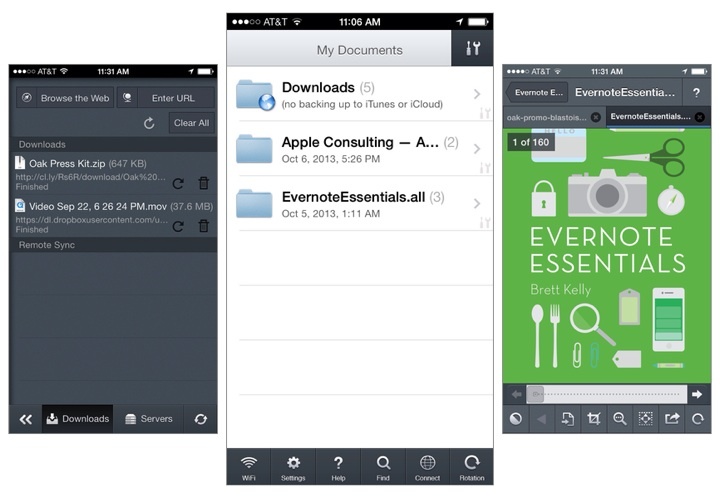
GoodReader is the missing file manager for the iPhone[1]. It virtually eliminates the compromises you have to make on a mobile device by allowing you to download files from the web; view and arrange documents, photos, music, and video into folders; and connect to local servers over Wi-Fi or your Dropbox, SkyDrive, Google Drive, WebDAV, or FTP server on the web. Conveniently, you can connect to GoodReader over your local network to grab files by plugging in an IP address on your Mac or Windows box.
GoodReader’s most immediate change is their update interface, which puts all of the most used tools in a tab bar at the bottom of the display. The two tabs you’ll likely use the most are WiFi and Connect, which starts a WiFi transfer or lets you grab files from the web. Otherwise, a tools button in the top right of the file browser brings up the usual action sheet for selecting files, creating new text documents, creating folders, renaming files, opening files in other apps, etc. In short, everything’s a lot easier to find[2].
Tossing an album onto your iPhone? GoodReader finally lets you listen to audio in the background while you read or do other things on your iPhone.
Images copied in the clipboard can be pasted as a file in GoodReader[3]. Look in the second page of tools for the paste command when an image is copied to the clipboard. The opposite is true as well: you can copy images to the clipboard to paste into other apps like Mail. Images can now also be imported / exported directly into and out of GoodReader, so multiple photos can be saved to your camera roll at once for example. This can be incredibly useful for shuffling files from your iPhone between multiple online services, like Dropbox and a hosted web server.
Various improvements to PDFs have been added across the board, such as faster rendering for certain files and the ability to flatten (embed) annotations as they’re emailed prior to sending. And while GoodReader itself doesn’t require iOS 7, GoodReader will open iWork 2013 files for those that are running Apple’s the latest iOS.
The iPad and iPhone versions can be purchased separately on the App Store, each version costing $4.99. Links below:
- What I mainly use GoodReader for: if I purchase an eBook on the go, I can paste the download link into GoodReader, which will usually suck down a ZIP file since all the DRM free formats are there. I can unzip the archive, send the EPUB to iBooks, and send my other files to my computer or to a service. You don’t have to manage much on OS X if you use something like Hazel so MOBI files are automatically dropped into your Kindle the next time you plug it into your Mac. As a nice bonus: iTunes doesn’t mediate anything. And you can apply this system to a lot of things, such as music downloads if you make purchases on anything outside of iTunes or Amazon (i.e. Bandcamp) or even documents a friend might share with you from Dropbox or SendSpace. ↩
- Remember when you had to visit that red web downloads folder to get files from the web? ↩
- Part of the problem is that images are often linked to other web pages, and the Copy action in Safari copies the URL the image links to, not the actual image itself. Unless you can get to the root of the image on your iPhone or iPad, getting to images on mobile is not as easy as right clicking and selecting “view image” on a desktop browser. ↩
Horizon Captures Landscape Videos, No Matter the Orientation→
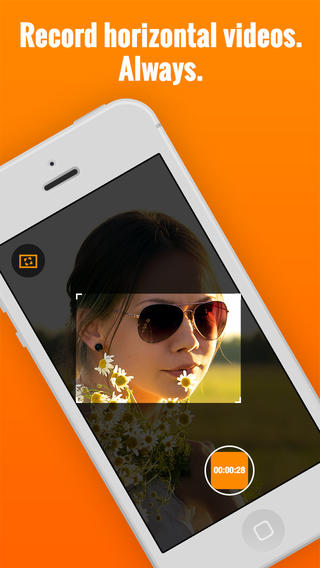
Here’s an app that fixes a common problem in recording videos: recording horizontal, widescreen videos no matter how you’re holding your iPhone. As you rotate the phone from landscape to portrait, or vice versa, Horizon uses the iPhone’s sensors to keep the aspect ratio the same. The phone rotates around a virtual frame, rather than being the actual frame. The transitions aren’t perfect yet, but it works pretty well and I imagine camera shake can be ironed out in future updates. Horizon lets you capture video in other aspect ratios as well, has few different filters to choose from, and lets you share your videos to social networks like Twitter and Facebook. Download it from the App Store for a dollar during their launch sale.
Yahoo News Digest
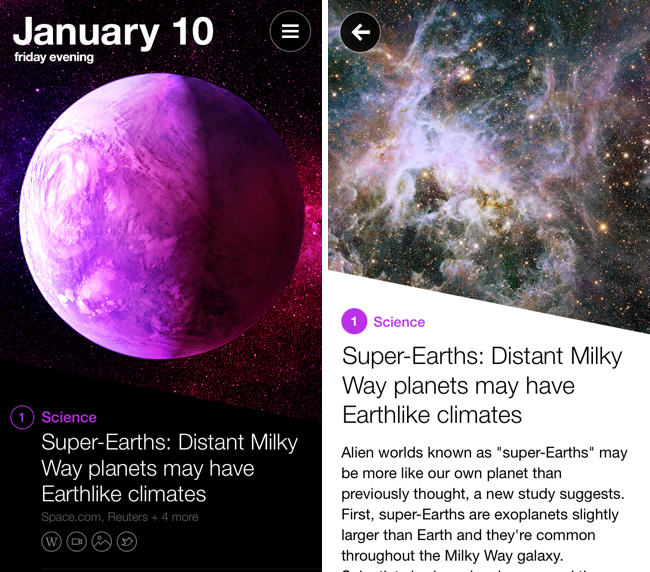
As someone who both enjoys long form content and sharing what I think others might enjoy, it’s easy to write off Yahoo News Digest as something that feels indifferent. Unlike the Evening Edition, which features important world news summarized by real people, Yahoo boasts its mobile digest as a product of algorithms, whose editors bring together the day’s hot topics into smart summaries from multiple sources. It’s considered to be the result of Yahoo’s $30 million acquisition of Summly, with founder Nick D’Aloisio taking charge behind the company’s initiative into the “news for everyone” space.
It’s not a new endeavor, however, if you consider previous forays like Livestand, which brought news and weather together in a magazine-like format on the iPad. Then there’s Yahoo’s self titled app, which later integrated Summly to create an endless stream of news, entertainment, sports, and lifestyle content. Even Yahoo’s homepage is a landing page for those subscribed to Internet service providers like AT&T, delivering trending topics, stories, local weather, and stocks to anyone who wants to log into their provider’s email accounts. This is unlike Google, whose homepage is barren sans occasional promotions and informational snippets. Needless to say, Yahoo has been dishing out news for a long time.
Yahoo News Digest is their attempt to modernize the thirty minute local or national news segment, re-imagining it for mobile as series of articles covering current events from around the world. Digested down to eighteen articles, nine for the morning and nine for the evening editions, Yahoo shares what they consider to be the most relevant articles of the day, rounding out the day’s news under traditional topics such as US News, World News, Entertainment, Sports, etc. It’s a news service built for the masses.
So… Is it any good?
Eidetic Helps You Remember Anything→
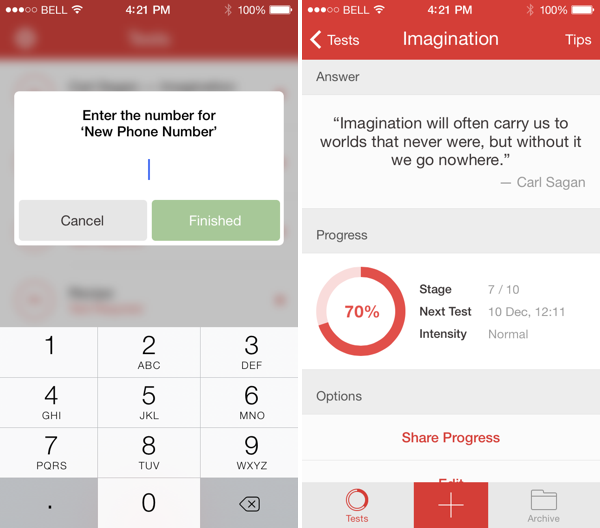
Think of Eidetic as the modern flashcard for the iPhone and iPad. Eidetic uses a memorization technique called spaced repetition, which helps you commit information to long term memory. Whether you’re cramming for a test or need occasional reminders, Eidetic notifies you when it’s time to study. Outside of coursework, Eidetic is helpful for memorizing pin codes, phone numbers, addresses, and passwords. If you have an iPhone and iPad, Eidetic will store what you’re memorizing to iCloud so you can study on either device. You can download the app for free from the App Store, unlocking tests via inexpensive in-app purchases.