

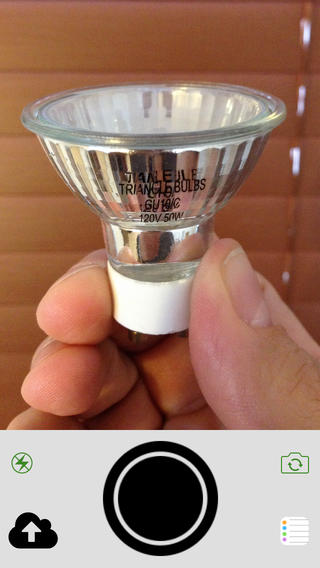
Shoots and Leaves, a snap and forget it photo app akin to something like QuickShot, uploads captured photos to services like Imgur, Dropbox, or CloudApp, and then sends the public links to an app like Mail, Reminders, or Safari. Given our focus on productivity apps, an app like this is useful for generating Markdown links that can be pasted into upcoming articles. Inspired by Shoots and Leaves’ Reminders integration, I’d love if Evernote was added as a service, with the ability to send a photo’s link to an Evernote reminder. It’s laser focused, does one thing well, and is $2.99 on the App Store.
Posts tagged with "app store"
Shoots and Leaves Uploads Photos and Sends Links to Other Apps→
The Rate Friday Initiative→
Luc Vandal:
You see, we independent developers rarely get any positive feedback. A lot of it is composed of bad reviews (that are actually support or feature requests) with the occasional pat on the back.
I’m also a consumer and, like most of you, I rarely take the time to write a review for apps I use daily. I’m also guilty of leaving bad reviews that may not have been deserved or didn’t bother to contact the developer first.
With over one million apps on the App Store, it’s getting harder and harder to have your app stand out in such a crowded market.
This is a good idea. Most people don’t know how positive ratings and reviews can help in the App Store. The fact that users tend to publicly point out the things they don’t like rather than describe the ones they enjoy doesn’t help either.
If apps make your personal life or work even just a little better every day, consider using 10 minutes of your time to rate them on the App Store. If you have more detailed feedback or feature requests, send an email to the developers directly. I know what I’m doing tonight.
Typeset Lets You Mix and Match iOS 7 System Fonts for Finding the Perfect Combination→
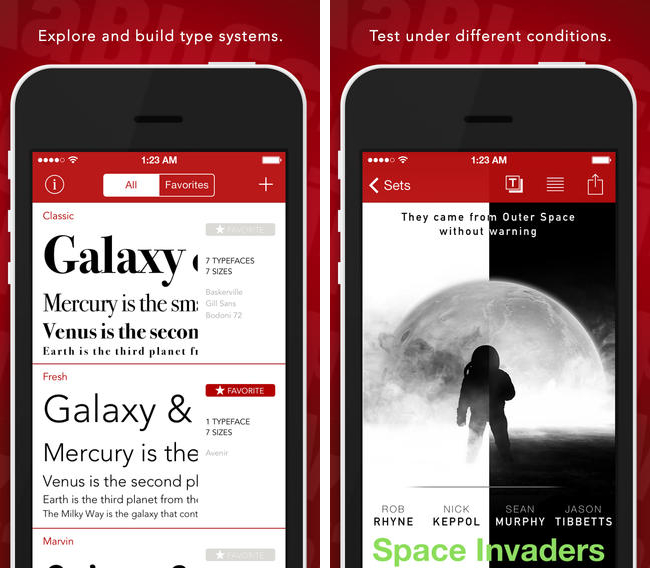
Developers building iOS 7 apps may want to download Typeset by MartianCraft, a free app that lets you preview iOS 7 system fonts side by side. Typset includes layout cards for previewing how fonts look in various configurations, tools for adjusting line spacing and font sizing, and the option to mark saved sets as favorites for later browsing. A $5.99 in-app purchase unlocks Typeset Pro, which enables the option to export the end result as a predefined stylesheet or PDF. Download it from the App Store.
Mailbox for iOS Updated With Support for iCloud and Yahoo Mail→
Now available on the App Store, the latest iteration of Mailbox adds support for iCloud and Yahoo Mail accounts. While iCloud and Yahoo Mail are the most likely alternatives to Gmail, I am surprised to see Outlook.com left out of the mix. Personally, I’m still looking forward to having general IMAP support so I can add my self hosted email accounts. The latest version also introduces background syncing for devices running iOS 7, which means your email will already be in your inbox before you even open the app (previously you had to wait for the app to pull down the latest emails after it was opened). Download the latest update for free from the App Store.
Apple Posts “Best of 2013” iTunes Lists
Last night, Apple published its annual “Best of iTunes” list, which includes editorial picks for the best releases in music, movies, TV shows, apps, books, and podcasts of 2013. The special page, featured across the entire iTunes Store, can be viewed here.
For apps, as in previous years Apple has picked apps and games of the year, runner-ups, and other notable app releases of the year. The App Store category is organized in iPhone, iPad, and Mac apps; this year, Apple has included sub-sections as “Trends”, listing apps belonging to popular categories such as photo editing, productivity, and multiplayer games.
On iOS, Apple has picked Duolingo and Ridiculous Fishing as app and game of the year for iPhone, and Disney Animated and BADLAND on the iPad. For the Mac, Apple has chosen Wunderlist and XCOM: Enemy Unknown as app and game of the year; on the Mac App Store, Apple hasn’t included Trends, opting for a simpler “best apps” and “best games” organization.
Last year, Apple picked Day One and Deus Ex: Human Revolution as winners for the Mac; Paper and The Room for the iPad; and Action Movie FX and Rayman Jungle Run for the iPhone.
We have compiled the full list of apps below.
App Store Optimization→
Dan Counsell:
An app’s name, and the keywords it uses are some of the biggest influencers in search results; all the research I’ve done suggests that the download volume acts as a multiplier on the name and keyword match. For example, If two apps have the same keyword (and rating), the app with the most downloads will come out on top — I’ve experienced this first hand with Clear for iPhone & Clear+ for iOS.
These are some good tips by Dan for third-party developers. I think the bigger theme is that the App Store is now so large, apps have to be treated like websites for a search engine with optimization tricks. This also explains why so many developers run regular promotions or agree to “free app of the week” initiatives (either official or not) – download numbers matter for long-term survival.
Evernote for iOS Adds Business Card Scanning, Presentation Mode for Premium Members→
In the first of two updates, Evernote for iPhone and iPad got a nice update yesterday that mainly benefits premium members. Premium members can now scan in an unlimited number of business cards that are converted into editable contact notes, which can be further updated with info from your LinkedIn account or address book contacts. Presentation Mode lets you present your notes as full screen presentations over AirPlay. Non-paying members can add 5 business cards and try Presentation Mode for 14-day days. Lastly, they’ve made a change to the quick note function, letting you choose whether ideas get siphoned into your business notes instead of a personal notebook.
Check out the App Store listing for all the relevant update info, and check out premium plans here.
Castro, A New Podcast Player for iOS, Does Two Things Well
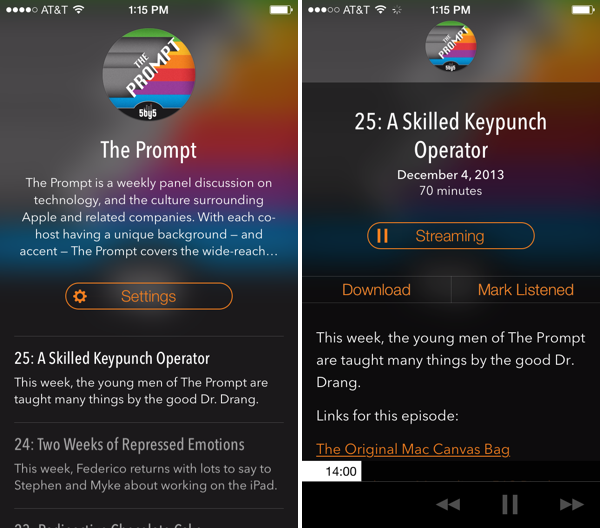
Castro, a new “high fidelity” (come on… I mean really?) podcast player for iOS, looks good and has a few clever ideas for podcast listening. Forget playlists: Castro presents podcasts in a day-to-day timeline that keeps the most recent shows at the forefront. I don’t know if I’m a fan of how text is overlaid on translucent show art since the app’s look is dependent on whether the podcast you listen to has appealing cover art, but I am a fan of the player’s decided simplicity when it comes to podcast controls. There are no timers, no speed settings and no share button. However, underneath the show notes and behind the basic forward, back, and pause/play buttons is a hidden scrubber, which lets you scrub to any position in the currently playing episode with surprising ease. I don’t think it’s discoverable, but it’s unique and surprisingly accurate. It was the thing that John Gruber pointed out and the first thing I showed Federico when discussing the app. Update: Also hidden is a playback speed setting if you tap and hold the play/pause button (thanks Twitter).
The biggest thing Castro has going for it, in my opinion, is its search feature. It’s fast. Like, it’s really fast as podcasts appear as you type. If you’re making a podcast app, I’m pretty sure Castro has set the new high bar here. It made subscribing to a bunch of shows for the first time pretty painless.
Grab it from the App Store for $2.99.
Pinswift: A Powerful Pinboard Client for iOS 7
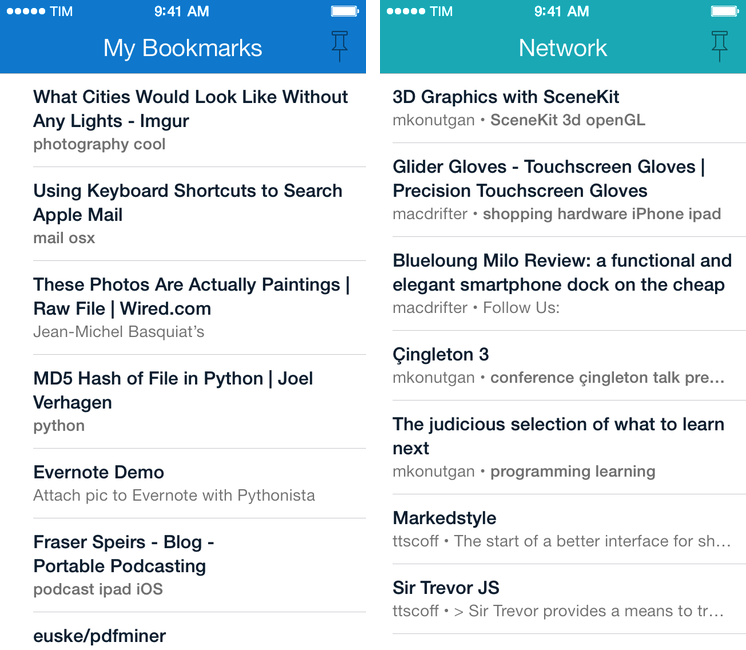
Developed by Joel Carranza, Pinswift is a new $4.99 Pinboard client for iPhone that packs powerful bookmark management, discovery, and search features in an interface specifically designed for iOS 7. Since trying one of the early betas a couple of months ago, I’ve been keeping Pinswift on my iPhone’s Home screen as it offers (almost all) of the Pinboard functionalities I need on a daily basis. Read more