This Week's Sponsor:

Turbulence Forecast

Know before you go. Get detailed turbulence forecasts for your exact route, now available 5 days in advance.


Posts tagged with "app store"

1Password 4.1: Password Fields, A New Classic View, A New Login Prompt, and More

It was October when AgileBits first launched 1Password 4 for the Mac, engineered and redesigned to be just as functional and beautiful as its iOS counterpart. 1Password 4 shipped with a ton of new features, which included iCloud sync, favorites, multiple vaults, Security Audit, and 1Password Mini. Today, our favorite password manager for the Mac is getting even more features in what AgileBits is calling, “The Little Big Update.” While this update is packed with lots of goodies, three stand out to me as the big ones.

New features

First up: one of my own requested features. A great feature on the iOS side lets you add password fields to items, and this feature has finally been brought over to the Mac. If you’ve been adding things like security answers as text fields, you can also convert them into concealed password fields as well. 1Password Mini makes these fields especially easy to get to if you ever need to answer any of your security questions.

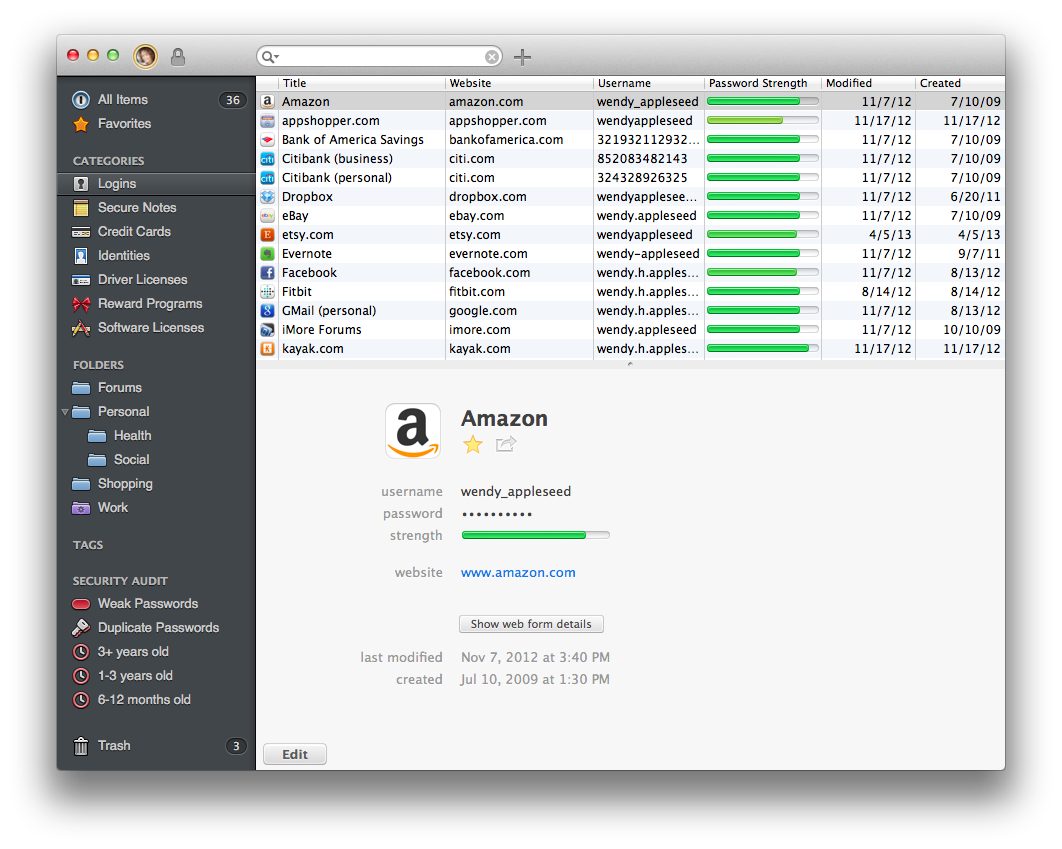
Next up is a new option for viewing items. A new Top Item List Layout view (found under View > Item List Layout > Top) organizes items into multiple columns. It condenses a lot of information into a classic list, making it easy to view logins, dates, and password strength at a glance. Fans of MailMate should will appreciate the formal look.
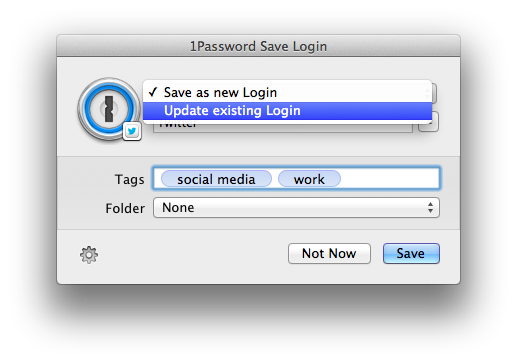
Lastly, 1Password 4.1 has overhauled how Logins are saved and updated. When you change a password on a site, the 1Password extension will let you choose which Login to update if there’s more than one, while additionally letting you set tags and file Logins into folders. The new dialog box is much more like a save prompt for a Mac app, making it easier to save and sort your Logins on the spot.

There’s a few other notable little features that are worth mentioning as well. When you search, you’ll have the option to expand an existing search across all fields in items if what you’re looking for can’t be found by title alone. If you’re printing out items, you’ll be able to do so individually through their share menus. Lastly, lots of bugs have been squashed for WiFi syncing for those who prefer to keep their 1Password databases out of the cloud.

When can you get your hands on it?

You can download 1Password 4.1 from AgileBits’ website at 12pm Pacific Time / 3pm Eastern Time. If you purchased 1Password 4 directly from AgileBits, then you can grab it this afternoon.

Mac App Store customers can download 1Password 4.1 once it’s approved. Basically, “Soon.”

Looking to learn more about 1Password? Check out everything we’ve had to say, including news and reviews on one of our must-have apps.
Skitch for iOS Brings Back PDF Reading and Markup in Latest Update

Skitch is great for marking up images and annotating documents, and it’s brought PDF reading and markup back from the dead. You’ll need to be an Evernote Premium subscriber to take advantage of PDF markup, but regular Skitch users can enjoy general enhancements and bug improvements. From iTunes:

Hey, here’s what’s new in this release
- PDF reading is back. Open a PDF in Skitch.
- Markup a PDF is back. Requires an Evernote Premium account.
- Web capture has been added back
- Improved crop mode
- Lots of bugs were crushed (no actual bugs were harmed)

Previously, Skitch added a crop function to their iOS app, and improved integration with Evernote for choosing a default notebook to save to.

Grab the latest update from the App Store.


Permalink

On Relaxing App Store Rules

Marco Tabini of Macworld uses the recent TextExpander touch debacle to the make the argument on why App Store rules should be relaxed.

On OS X, TextExpander can interact with just about any app. On iOS, Apple’s sandboxing makes this much harder, but in the past Smile’s developers have circumvented the problem by implementing a software development kit that other programmers can easily and quickly integrate into their own software.

Unfortunately, this leaves one problem unsolved: Third-party apps still need to synchronize their text-snippet database against the main TextExpander app, which is difficult to accomplish in an environment where programs are largely prevented from talking to one another—or even being aware of one another’s presence on the device.

Thus, Smile had to find another workaround, which involved relying on iOS’s built-in Reminders as an ersatz synchronization mechanism. After initially permitting that usage, Apple eventually rejected it as an improper application of a technology whose primary goal is, after all, to help you compile grocery lists.

Permalink

Temporarily Capture Moments with Meteor for iPhone

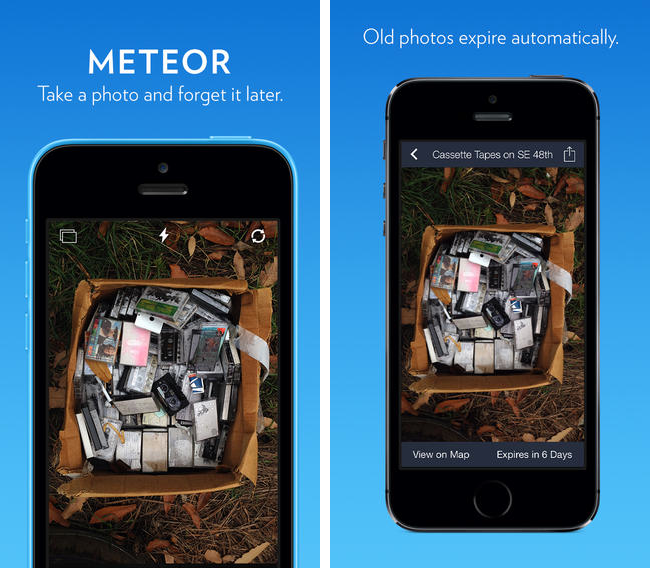
There are lots of pictures we take in the moment that we shoot off to social networks, private chats, and to others in emails, but they don’t necessarily need to stick around. Meteor advertises itself as a photographic memo pad that lets you take photos that only matter right now, deleting your photographs after a period of time unless they’re manually saved to the Camera Roll. For a buck during their launch sale, Meteor tries to unclutter your Camera Roll by separating memories from photographic reminders, in the moment goofiness, and can even perhaps save you from post “why did I take a picture of that” regret. It works with Instagram, Twitter, Facebook, iMessage, your email app, and your favorite photo app.

Permalink


Runtime: Track And Share Your Runs

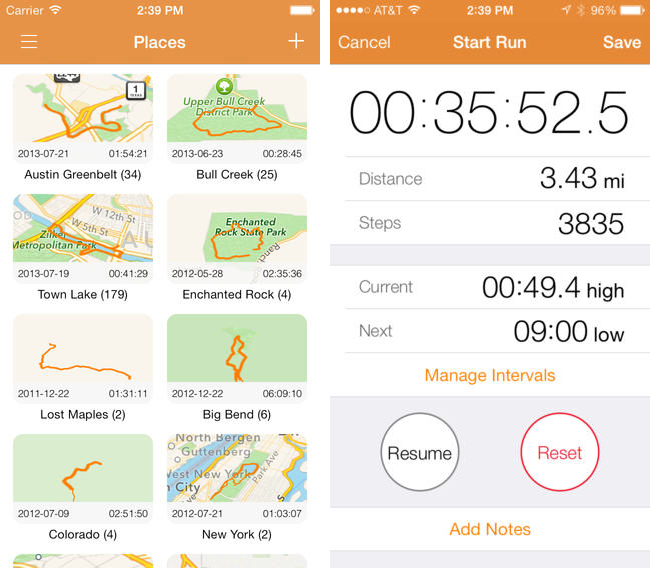
Runtime keeps track of not only where, but how you run, highlighting workout intervals and displaying your path on a shareable map. Runtime lets you add individualized notes to each workout, define custom interval timers (useful for mixing up intensity), and safely backs up your data to Dropbox. You can even use it as a basic pedometer and step counter, as a tool to track hikes, and as a way to measure your athletic progress. Because Runtime is so focused around places and routes, I’d love to see integration with an app like Day One so you can turn trips into memories. It’s simple, looks great on iOS 7, and is well done.

Runtime can be had for $2.99 from the App Store.

Permalink

FlightTrack 5

If you’re catching a flight this holiday season, Mobiata just announced FlightTrack 5, a completely redesigned must have flight tracking tool that always keeps you in the know about departures, delays, arrival times, and weather conditions.

Now, all FlightTrack users get push notifications with flight updates and can view terminal maps to help navigate to the gate. With FlightTrack, you can search flights by number or route in a single search field, create trips with multiple flights and travelers, and view the progression of an entire trip within a single workflow.

As always, you get real-time departure info, delays, and gate numbers at a glance. International coverage allows you to track flights worldwide. We even inform you of cancellations and help you find alternate flights when you’re in a pinch.

Nab it from the App Store for $2.99 for a limited time.

Permalink

Oak: A Pokédex for Your iPhone

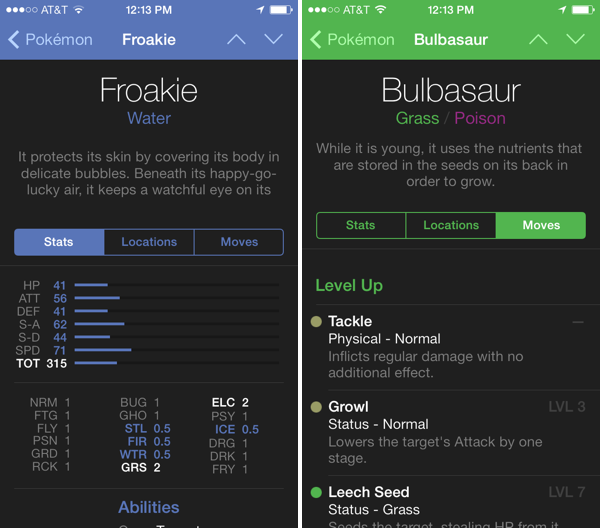
I’ve had Oak on my iPhone for a while, but now that it has Kalos region Pokémon for X & Y, I’ve been using it more and more as a companion for referencing abilities

The hardest decisions you’ll have to make in these games is deciding which of your Pokémon’s moves stay and which ones go. Not having played since I was a kid, I’m not familiar with a lot of the new moves and types that have been added since Red and Blue. Oak lets me search for Pokémon, find pertinent stats, and browse through their entire moveset. The app is free to try, with an in-app purchase unlocking the full directory of over 700 Pokémon for $4.99.

Download it from the App Store.

Permalink